


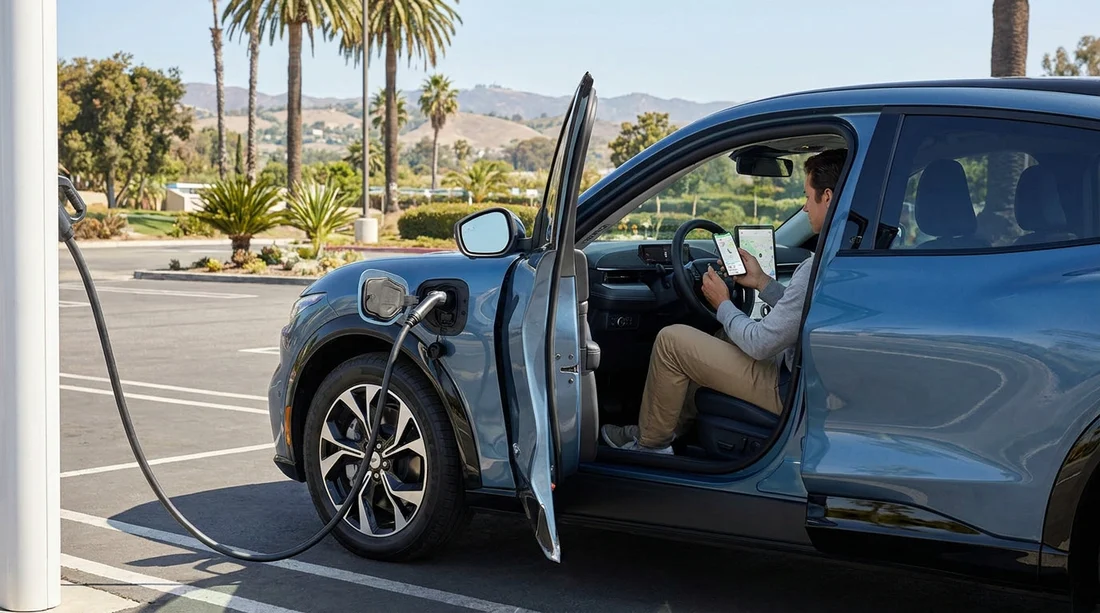
Quick Summary:
- Install Tesla, ChargePoint, Electrify America, and EVgo before travel.
- Create accounts, add a payment method, and enable location permissions.
- Check whether your rental uses NACS or CCS, and pack adapters.
- Save backup options for hotel charging and roadside fast-charging corridors.
Picking up an electric rental car in California is easy, until you reach a charger that needs an app, an account, and a verified payment method. The quickest way to avoid a stressful first charging stop is to set up your charging apps before you land, while you still have reliable Wi-Fi and time to verify cards and email addresses. This matters even more after a flight into major hubs where you may head straight onto the freeway.
If you are arranging car hire in California, plan on using a mix of charging networks. No single network covers every route, and some sites have patchy mobile signal. Having the right apps ready means you can start a session immediately, see live availability, and choose the best-priced option rather than the first one you find.
Hola Car Rentals customers often start journeys from the big gateways, so it helps to know what you will likely need near each airport. If you are collecting near Los Angeles, see car hire at Los Angeles LAX for pickup context. For Northern California arrivals, car hire at San Francisco SFO is a common starting point. Planning across the state is covered in car hire in California.
Essential charging apps to download for California
Tesla is the most important app to have even if you are not driving a Tesla. Many non-Tesla EVs can use selected Tesla Superchargers, depending on the vehicle and the site. The app shows which locations support non-Tesla charging and what connector is available. Set up a Tesla account, add payment, and enable location so you can start a charge from the phone quickly.
ChargePoint is a must for California because it is common at hotels, shopping centres, car parks, and some fast-charging sites. It also roams onto partner stations, so one account can cover a wider footprint than you expect. Add a payment method in advance and consider ordering an RFID card if your trip is longer, since tapping can be faster than waiting for a weak signal to load the app.
Electrify America is a key DC fast-charging network on major California corridors, including routes between Los Angeles, San Diego, Santa Barbara, the Central Valley, and the Bay Area. The app is useful for checking which stalls are working, what power levels are available, and whether the site is busy. Create an account and store a payment card, because card readers at the charger can be unreliable.
EVgo fills gaps in urban areas and along many commuter routes. It is often a handy backup when another site is full, and it can be good for quick top-ups near city centres. Download the app, confirm your phone number, and add a card before pickup so you do not have to do it at the kerb.
If you will be driving with family or lots of luggage, your charging stops may be longer and more deliberate. In that case, browsing vehicle options like SUV hire in California can help you match range and space to your itinerary without relying on last-minute charging.
Account setup checklist before you collect the keys
Do the following at least a day before your flight so any verification steps do not slow you down.
1) Create accounts and confirm email. Each network app typically requires email verification. Complete this while you have stable internet, and keep password manager access available on your phone.
2) Add payment and a backup card. Some networks place a temporary authorisation hold. If your bank flags it, you can resolve it before travel. If you have a second card, add it as a backup so you are not stranded.
3) Enable location and notifications. Location helps apps filter nearby stations. Notifications can warn you when charging is nearly complete, which avoids idle fees at some DC fast chargers.
4) Turn on biometric login. Face or fingerprint unlock speeds up starting a session at the charger, especially if it is late or raining.
5) Download offline maps in your main navigation app. EV chargers can be in areas with weak reception. Offline maps help you reach the site even if the network app is slow to load.
Know your connector, NACS vs CCS and why it affects apps
Charging access depends on the connector your rental uses. In California you will encounter two main standards.
NACS (Tesla-style connector). Many Tesla vehicles use this plug. Some newer non-Tesla vehicles also use it. With NACS, the Tesla app becomes especially important. If your vehicle is authorised for non-Tesla Supercharging, you will typically initiate sessions through Tesla’s app workflow.
CCS (Combined Charging System). Many non-Tesla EVs use CCS for DC fast charging. Electrify America and EVgo commonly support CCS. ChargePoint may appear as well depending on location.
Ask at the counter which connector your EV has, and whether an adapter is included. If the vehicle can use multiple networks, your pre-installed apps let you choose the best stop based on price, availability, and amenities.
Charging immediately after pickup, a practical first-hour plan
After collecting your car, aim to do a short first charge only if you need it. Most rentals will be sufficiently charged, but the right apps make it simple to top up in case you are heading into traffic or planning a longer drive.
Step 1, check the battery percentage and estimated range. Compare it to your first destination plus a buffer for detours and congestion.
Step 2, search for chargers near your route, not near the airport. Airport-adjacent sites can be busy. Use the apps’ filters to find a site with multiple stalls and higher power.
Step 3, prefer sites with live status. Tesla, Electrify America, EVgo, and ChargePoint show availability and sometimes stall health. Pick a location that reduces the risk of arriving to a queue.
Step 4, start the session in-app and verify charging begins. Watch for the vehicle confirmation and power ramp-up. If a stall fails, switching stalls is faster when your account and payment are already ready.
For travellers comparing providers as part of car hire planning, brand availability can vary by pickup city. For example, you can review Hertz car hire in San Diego if your trip begins there, or Dollar car hire in California if you are flying into Los Angeles.
Tips for avoiding common charging delays
Do not rely on tap-to-pay at the charger. It sometimes works, but app-based activation is more consistent, and it gives you receipts and session history.
Watch for idle fees at fast chargers. Some networks charge extra if you stay plugged in after reaching your chosen state of charge. Enable notifications so you can return promptly.
Filter by plug and power. A station may show as available but only offer slower Level 2 plugs, which may not suit your schedule. In each app, filter for DC fast charging and your connector type.
Plan charging around food and facilities. A 20 to 35 minute stop feels shorter if there are toilets, coffee, and shade. Apps often show nearby amenities, and reviews can reveal reliability patterns.
Keep one backup network ready. Even well-run sites can have queues. If your primary choice is busy, switching to a nearby EVgo or ChargePoint site can save time.
Privacy, data, and phone settings for travellers
Charging apps collect location data and usage history. If you prefer, you can allow location access only while using the app, but do it before you are at the charger so the first launch is smooth. Also make sure your phone is not in low power mode when you arrive, as it can restrict background activity and slow app switching during activation. If you are using an eSIM, confirm it is active before leaving the terminal so your data works when you reach the charging site.
FAQ
Q: Which charging apps are the minimum for an EV rental in California?
A: Tesla, ChargePoint, Electrify America, and EVgo cover most common scenarios, including fast charging and many destination chargers.
Q: Can I charge without an app if I have a contactless bank card?
A: Sometimes, but it is not reliable. Apps are more consistent, show live availability, and reduce the chance of payment reader issues.
Q: How do I know whether my rental uses NACS or CCS?
A: Ask at pickup and check the port shape. NACS is the smaller Tesla-style plug, while CCS has a larger combined connector with two extra DC pins.
Q: Do I need a separate account for every charging network?
A: Usually yes, although some networks support roaming. In practice, having accounts for the major four apps prevents most charging delays.
Q: What should I do if a charger fails to start a session?
A: Cancel in the app, move to another stall, and try again. If it still fails, switch to a different nearby network you already set up.































































































