


Quick Summary:
- Check your voucher for supplier name, terminal details, and pickup method.
- Follow Rental Car signs to the AirTrain station or shuttle stop.
- Match the desk branding to your supplier, not the broker name.
- Call the supplier number on your voucher to confirm desk details.
Shared counters at Newark Airport can be confusing, especially if you arrive after a long flight and several brands appear to use the same space. The good news is that you can usually find the correct car hire desk quickly by using three things you already have: your voucher, the airport signage, and your booking details. This guide focuses on what to check, what to ignore, and what to do if the counter area looks different from what you expected.
Step 1: Read your voucher like a checklist
Before you start walking, open your voucher and look for four specific items. First, the supplier name, which is the actual company that will hand you the keys. Second, the pickup location, often described as “Car Rental Center”, “AirTrain to Rental Car Facility”, or “Shuttle to off-airport location”. Third, the counter opening hours, which matter at Newark if you land late. Fourth, the supplier phone number, which is the fastest way to confirm you are in the right place if the desks are shared.
One common mistake is focusing on the website or broker name that you used to arrange the car hire. At the airport, the desk signage is normally based on the supplier brand. If your voucher lists a specific supplier, use that name when you scan the counters and when you ask staff for directions.
If you want a quick overview of the airport pickup set-up and common desk locations, start with car hire at Newark Airport (EWR). It helps to know whether you should expect a terminal desk, a consolidated facility, or a shuttle transfer.
Step 2: Confirm whether you are heading to a terminal desk or the rental facility
Newark typically routes most rentals through the airport’s rental car area rather than small desks inside each terminal. That means your next move is usually to follow airport signs for “Rental Car”, “Ground Transportation”, or the AirTrain connection that leads you to the rental car centre. If your voucher mentions the AirTrain, you are not looking for a desk next to baggage claim.
However, not every provider works the same way, and some off-airport suppliers operate via shuttle. If your pickup instructions say “Shuttle”, you will need to find the correct pickup point outside the terminal, then look for the shuttle bus branding that matches your supplier name.
If your trip involves New Jersey driving or you are comparing pickup options, car hire in New Jersey (EWR) can be a useful reference for what “EWR” pickup commonly implies and how it differs from nearby locations.
Step 3: Use airport signage first, then your booking details
Airport signage gets you to the right area, your booking details get you to the right counter. In Newark terminals, the most reliable approach is:
1) Follow official signs to the rental car transport. Do this even if your phone map suggests a shortcut. Airports are built around controlled routes, and signage is designed for passengers who do not know the layout.
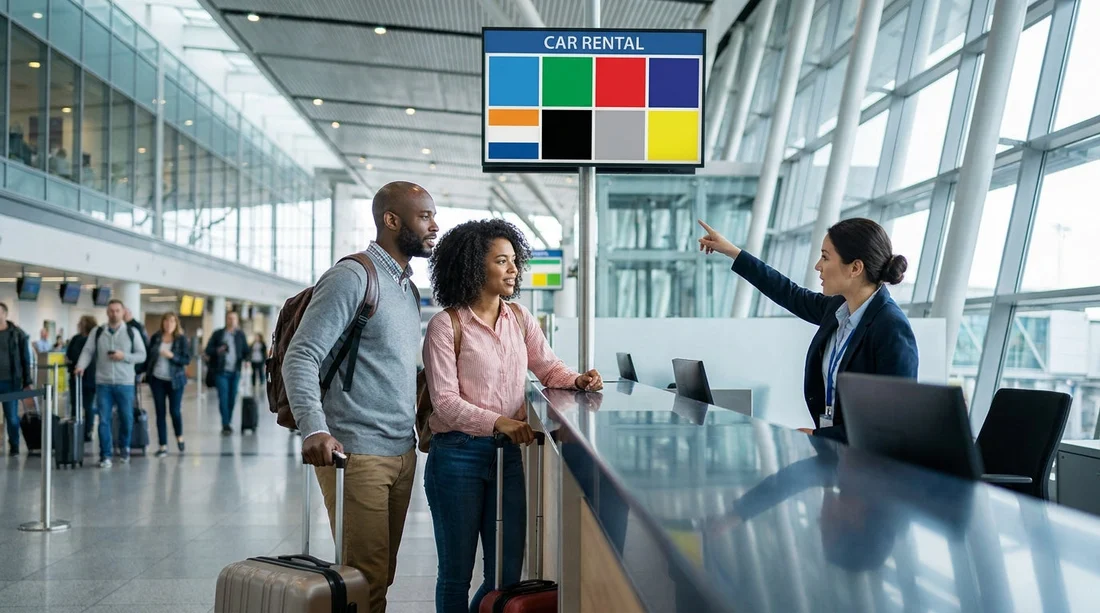
2) Once you reach the rental car area, switch to voucher matching. Look for the supplier name on overhead signs, desk plaques, or digital queue boards. Shared desks may show several brand names on one board, or a single queue feeding multiple brands.
3) Ask a staff member a precise question. Instead of “Where is car hire?”, say “My voucher says [supplier], is that handled at this desk or another queue?” Staff can usually confirm in seconds.
Step 4: Understand what “shared desks” usually means at EWR
At Newark, shared desks typically fall into one of these patterns:
One counter serving multiple brands. You may see a single staffed position with signage listing several companies. Your supplier is still responsible for your agreement, but the staff and computers may be shared.
One queue, multiple service positions. You line up once, then are directed to the correct agent for your supplier when you reach the front.
Partner or affiliate handling the paperwork. Your voucher may list a supplier, but at the airport an affiliate manages the desk. This is why the voucher’s “operated by” or “local partner” line matters. If you see a different brand than expected, check those lines before assuming you are in the wrong place.
If you are collecting from a named brand, it can help to know what the desk branding looks like in advance. For example, if your booking shows Enterprise, you can cross-check the pickup expectations on Enterprise car hire at Newark (EWR).
Step 5: Match the counter to the supplier name, not the vehicle type
When desks are shared, travellers sometimes pick a queue based on the car they want, such as “SUVs” or “minivans”. In practice, you should always choose the desk based on the supplier name from your voucher. Vehicle categories are handled after the contract is confirmed, either at the car pick-up aisle, via a key board system, or by an attendant assigning a bay.
If you specifically arranged a people carrier, you may want to sanity-check that your booking details reflect that category and that your party size and luggage are realistic. A quick skim of minivan hire in New Jersey (EWR) can help you align expectations about space, seating, and typical availability at this airport.
Step 6: Use your confirmation details to avoid the wrong queue
If you are standing in front of multiple counters, use these booking fields to confirm you are in the correct place:
Supplier name and logo: The exact brand should appear somewhere on desk signage. If it does not, look for “handled by” wording on your voucher and then search for that partner brand.
Pickup terminal or location wording: “Newark Airport” and “Newark off-airport” are not the same. If your voucher says off-airport, you are likely waiting for a shuttle and should not be queueing inside the rental facility.
Pickup time and date: Some desks close earlier than your flight arrival time. If you arrive late, confirm whether after-hours pickup is supported or whether you must return the next day.
Driver requirements: If you need to add a second driver, use a foreign licence, or pay with a debit card, the right desk is still the supplier desk. But knowing your requirements helps you ask the correct questions at the counter and reduce back-and-forth.
FAQ
Why does my voucher show one company but the desk sign shows another? This usually means the rental is serviced by a partner brand or a shared-service counter. Check for “operated by” wording on your voucher, then ask staff to confirm which queue handles your supplier.
Should I follow “Rental Car” signs even if my phone map suggests another route? Yes. Airport routes and pedestrian access points often do not match public maps. Following official signs gets you to the correct transport link, such as the AirTrain station or the marked shuttle area.
What if I join the wrong queue at a shared counter? Tell the agent your supplier name as soon as you reach the front. In many shared arrangements, they can redirect you to the right position or handle the reservation without you starting over.
How can I confirm whether my car hire pickup is on-airport or off-airport? Look at the pickup instructions on your voucher. If it mentions a shuttle, specific street address, or “meet at shuttle stop”, it is off-airport. If it mentions the rental car centre or AirTrain, it is on-airport.
What is the quickest way to get help if signage is unclear? Call the supplier phone number shown on your voucher and ask which desk name to look for in the rental car area. This accounts for shared counters and brand partnerships.































































































