


Quick Summary:
- Read the car category notes for “rear camera” or “park assist”.
- Check fleet lists and vehicle photos for a visible camera lens.
- Message or call to confirm camera availability on your exact class.
- At pick-up, test reverse gear and the display before leaving.
A reversing camera can make unfamiliar parking lots, tight hotel bays and busy supermarket car parks in Florida feel far less stressful. The catch is that many car hire bookings are sold by category, not by a guaranteed make and model, so the safest approach is to check the feature in several places and then confirm it again at collection.
Below is a practical checklist for spotting where reversing-camera information tends to appear online, how to interpret the wording, and what to verify at the counter so you do not discover missing equipment when you are already in the exit lane.
Where reversing-camera information appears online
Reversing-camera details are usually shown in one of three places: the vehicle category description, a fleet or “what’s included” feature list, and the photos. You may see all three, or only one, depending on the supplier and the specific location.
If you are comparing options for car hire at Orlando MCO, you will often notice that categories display a headline such as “Compact” or “Intermediate SUV” and then a set of icons. Those icons might include Bluetooth, air conditioning and sometimes a camera symbol. Treat icons as a helpful hint, but confirm by reading the written notes too, because icons can be generic across a whole brand site.
1) Check the category notes and the fine print
The most reliable online clue is the written description attached to the category. Look for phrases such as “rear-view camera”, “reversing camera”, “backup camera”, “rear camera” or “parking camera”. In the US market you may see “backup camera” more often than “reversing camera”.
Be careful with similar sounding features that are not the same thing:
Parking sensors are the beeping system that detects obstacles, but they do not provide a live image.
Park assist can mean sensors only, or sensors plus a camera, depending on the vehicle.
Infotainment screen does not guarantee a camera. A screen can show audio menus only.
If the category notes say “or similar” after listing features, that can indicate the equipment may vary by vehicle in that class. In that case, treat the camera as not guaranteed until you obtain confirmation.
2) Look for a detailed feature list or fleet list
Some listings include a more granular feature list, sometimes called “vehicle features”, “equipment” or “fleet”. This section can include exact items such as USB ports, Apple CarPlay, blind spot monitoring and rear camera.
If you are choosing between an economy car and an SUV for city driving, you may find the SUV categories more consistently equipped. For instance, if you browse an option like SUV hire in Downtown Miami, the category write-up may reference safety and driver-assistance features more explicitly than smaller classes. Even then, confirm, because trims differ and not every fleet vehicle is identical.
A fleet list can also sometimes show a few “example vehicles” (such as a Toyota RAV4 or similar). If an example model is shown, it is still not a promise, but it can guide your expectations: newer versions of most mainstream models include a reversing camera, while older versions may not.
3) Use photos to spot the hardware, but do not rely on them alone
Photos can help you validate whether a camera is likely, especially when the image set includes the rear of the vehicle and the centre console. Here is what to look for:
Rear camera lens, usually near the boot handle or above the number plate area.
Dashboard display that looks capable of showing a camera image, not just a small monochrome radio screen.
Guidelines overlay sometimes visible on promotional images of the infotainment system.
However, photos are often generic marketing images and may depict a higher trim than the car you receive. If a photo is labelled “example vehicle”, assume it is illustrative.
4) Filter and compare by class, not by make and model
Because many Florida car hire bookings are category-based, the best strategy is to treat the camera as a feature you need to lock in for a class, rather than hunting for a specific model. When you compare categories, aim for those that are more likely to have modern safety equipment: newer intermediate classes, full-size, and many SUVs.
If you are picking up around South Florida, comparing suppliers can also help. Some brand pages provide more structured equipment information. For example, you might check Alamo car rental in Miami alongside another supplier listing to see how clearly reversing-camera features are described for similar categories.
How to confirm a reversing camera before you arrive
Online details can be incomplete, so confirmation is about reducing ambiguity. When you contact support or a location directly, keep your question specific. Instead of asking “Does it have a camera?”, ask the following:
Is a reversing camera guaranteed for the category I booked? If not, ask what category would guarantee it.
Is the feature list location-specific? Equipment can vary by branch.
Is the camera functional on all vehicles in that class today? Sometimes a camera exists but is temporarily out of service.
If you are arranging collection in a busy area such as Downtown Miami, you may be focused on timing and traffic. Still, it is worth doing the equipment check early so you are not pushed into an on-the-spot decision at pick-up. A location page such as car hire in Airport and Downtown Miami can help you align your planning with where you are collecting, since the available fleet and counter processes can differ by location.
What to confirm at the counter and on the car
Even with a written note, confirm again at the counter, because last-minute substitutions happen. Keep it polite and factual, and tie it to safety and ease of driving rather than preference.
At the counter, confirm these points:
Vehicle class you are receiving, and whether it matches the listed equipment expectations.
Reversing camera presence, ask the agent to note it if possible.
Any known faults, including “camera intermittently not working” or “screen blank”.
When you reach the vehicle, do a quick functional test before you load up and drive away:
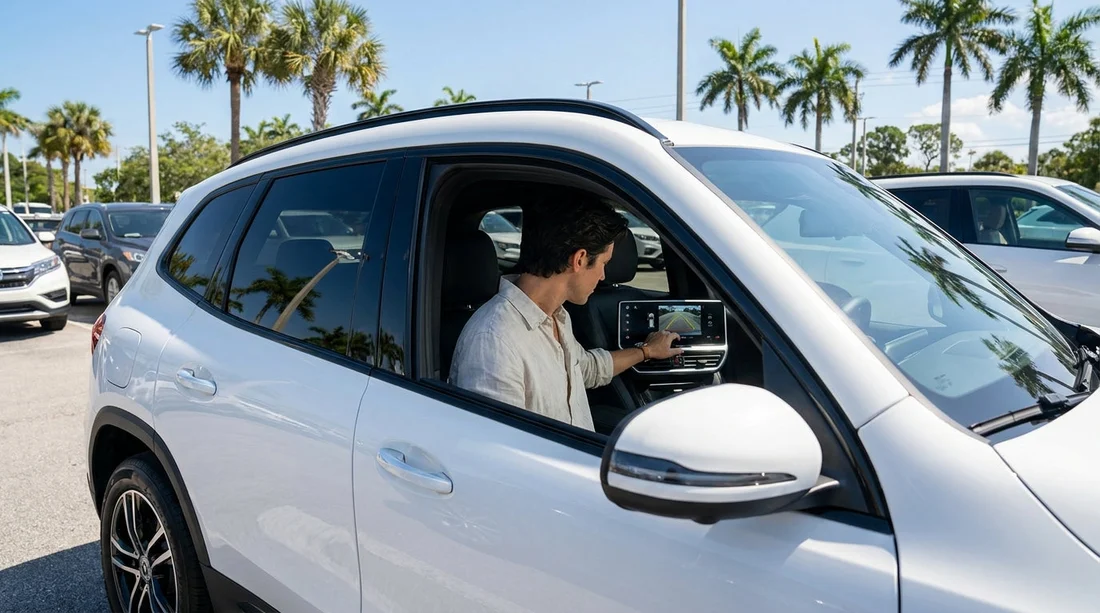
Start the car and engage reverse (with your foot on the brake). The camera image should appear quickly.
Check clarity and guidelines. The picture should be visible in daylight and not flicker.
Confirm it is a live camera, not a static parking graphic. Move slightly and see if the image updates.
Check sensors separately. If you hear beeps but see no image, you have sensors only.
If the camera is missing or not working, return to the counter or the lot attendant immediately. It is far easier to swap vehicles before paperwork is fully closed out and before you have left the premises.
Common Florida-specific scenarios where a camera matters
Florida driving often involves large car parks, angled spaces and frequent reversing in tourist-heavy zones. A camera is particularly helpful for:
Theme park and outlet car parks where pedestrians appear from between vehicles.
Hotel car parks with tight lanes and SUVs with higher rear visibility limits.
Downtown areas where parallel parking is more common and traffic is close behind.
It is still important to use mirrors and do shoulder checks, as a camera does not show every blind spot, especially at the corners.
How to avoid confusion with US terminology
If you are visiting from the UK, note that staff may say “backup camera” rather than “reversing camera”. Similarly, “parking assist” might refer to sensors. If you need the screen image specifically, ask for “a working backup camera that shows on the display when reverse is selected”.
FAQ
Is a reversing camera guaranteed with car hire in Florida? Not always. Many bookings are by category, and equipment can vary within the same class. Look for written confirmation that the category includes a rear or backup camera.
Do parking sensors mean the car has a reversing camera? No. Sensors provide beeps or distance warnings, while a reversing camera provides a live video image on the screen. Some cars have both, but one does not guarantee the other.
Where is the most reliable place to check the camera feature online? The category notes or equipment list is usually more reliable than photos. Photos are often generic and may not match the exact trim level you receive.
What should I do if the car does not have a camera at pick-up? Raise it immediately before leaving the lot. Ask whether another vehicle in the same category, or an alternative category, is available with a working camera.
Will newer cars in Florida always have a backup camera? Many newer vehicles do, but availability still depends on the fleet and substitutions on the day. Always test the feature on the actual vehicle before you drive away.






























































































