


Quick Summary:
- Check your voucher for the operating brand, not the broker name.
- Follow Rental Cars signs to the correct terminal counter hall.
- Match desk signage to your voucher brand, then join that queue.
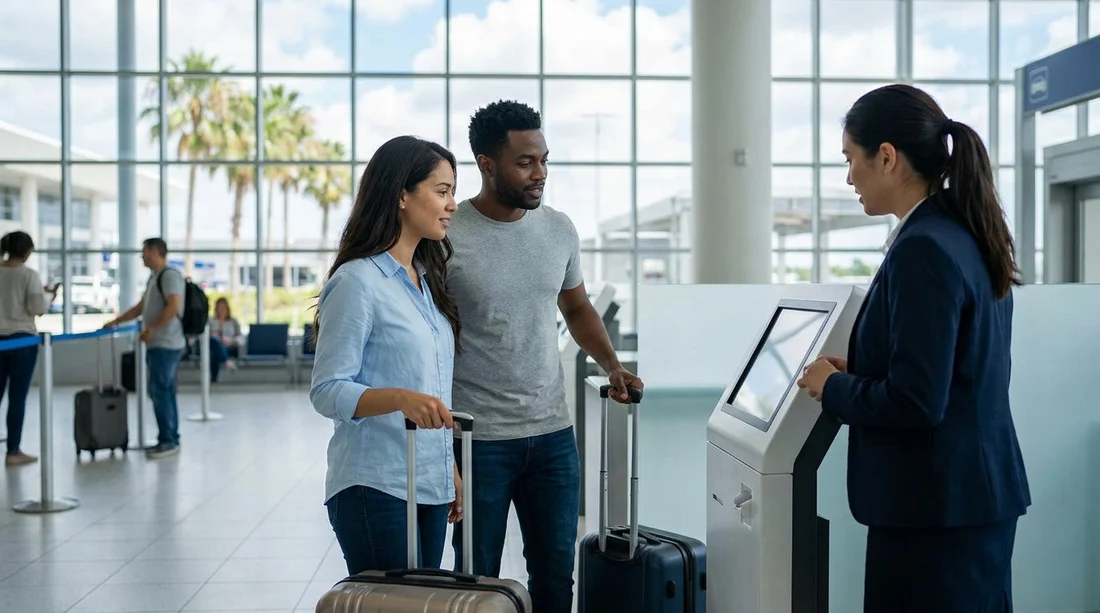
- If unsure, ask MCO information staff which counter serves your brand.
Shared counters can be confusing at Orlando Airport in Orlando because the brand printed on your email confirmation is not always the same name you see on the desk. Hola Car Rentals may arrange your car hire through an operating partner, and at MCO those partners can be located at desks that are adjacent, grouped, or managed under shared counter arrangements. The good news is that you can usually find the correct desk in minutes if you know what to look for and who to ask.
This guide is a fast, practical checklist you can use the moment you land. It focuses on three things that prevent wrong-queue frustration, finding the shared counter area quickly, matching your voucher brand to airport signage, and knowing exactly who can confirm the right desk.
1) Before you leave the plane: identify the right name
The most important step is to identify the operating brand on your voucher. In car hire paperwork, the operating brand is the company that issues the rental agreement and hands over the keys. Your broker or booking channel name may differ, so you want the section that says “Supplier”, “Rental company”, “Pick-up location”, or similar.
Open the voucher and note three items, the operating brand name, the pick-up instructions, and any counter location reference like “Terminal A”, “Terminal B”, or “Rental Car Center”. If you booked through Hola Car Rentals, you can also cross-check pages that describe how airport pick-ups usually work, such as car hire at Orlando MCO and Orlando MCO car rental.
Tip, take a screenshot of your voucher page showing the operating brand. Airport Wi-Fi and mobile signal can be patchy in busy corridors, and having the name ready reduces time at the counter.
2) Get to the right area: follow the correct airport signs
At Orlando International Airport (MCO), follow signs for “Rental Cars” as soon as you enter the terminal corridors. Shared counters are still within the standard car rental counter areas, so the quickest way is to trust airport wayfinding rather than trying to navigate by memory.
If you arrive in the main terminals, you will typically be guided towards the Ground Transportation level where the car rental counters are located. Expect overhead signs, wall placards, and electronic boards pointing to rental cars. Keep moving with the flow of passengers, but do not join any queue until you have matched the desk signage to your voucher brand.
3) Use this shared-counter checklist at the counter hall
Once you reach the counters, you will often see multiple brands in one stretch. Some desks are clearly separate. Others are grouped, and the staff may serve more than one brand from the same position. Use this checklist in order.
Step A, look up first, not at the queue. The correct answer is on the overhead sign. Do not assume the longest queue is the right one, or that the first desk you see is yours. Find the big, suspended signage above the desk area and read each brand name carefully.
Step B, match the brand name exactly. If your voucher shows a brand such as National, Payless, Thrifty, or a similar operator, match that exact name to the desk sign. If you see multiple brands listed on one sign, that is a shared counter arrangement. In that case, the desk may serve several brands, and you should still queue there because the staff can open the correct rental agreement for your voucher.
Step C, confirm by reading the desk placard. Many shared desks have a small placard or digital screen listing the brands served, sometimes in smaller text. This is particularly helpful if the overhead sign is partially blocked by crowds.
If your voucher brand relates to a specific partner page, it can help to familiarise yourself with that operator’s MCO notes ahead of time. For example, see Thrifty at Orlando MCO or Payless at Orlando MCO for context on how signage and counter service is typically presented.
4) Know who to ask when counters are shared
If you cannot find your brand on the overhead signage within two minutes, stop walking in circles and ask the right person. At airports, the fastest confirmations usually come from staff who answer location questions all day.
When you ask, use the operating brand name from the voucher, not Hola Car Rentals. If you say “Hola”, the staff may not recognise it as an operating brand, which can slow things down.
5) Common reasons people end up at the wrong desk
Shared counters create predictable mistakes. Avoid these and you will usually find the right desk first time.
Mistake 1, searching for the broker name. The voucher might mention Hola Car Rentals as the booking provider, but the desk will be labelled with the operating brand. Always prioritise “Supplier” or “Rental company” on your voucher.
Mistake 2, assuming all brands are in one line. Even in a shared-counter environment, not every brand shares. Two operators may be next to each other with separate queues. Only join after you have matched signage.
Mistake 3, confusing desk and car park collection. The desk is where you sign paperwork, the car collection area is later. If you see signs for “Pick-up” or “Garage” but have not signed a rental agreement yet, you may have gone past the counters.
6) A quick “voucher to signage” translation guide
To match your voucher to the real-world counter signs, look for these cues on your documents.
Voucher says: “Operated by” or “Supplier”. At the airport, look for: the exact brand name on overhead signs.
Voucher says: “Car hire desk” or “Counter is shared”. At the airport, look for: grouped branding on one sign, or multi-brand placards.
If you want a general orientation for arriving renters, the broader landing pages are useful background reads, including Orlando Airport and Disney area car rental and National car hire at Orlando MCO. They will not replace your voucher instructions, but they can reduce uncertainty about where the rental process begins.
7) Final mini-checklist before you queue
Before committing to a line, do a 20-second check. Confirm the operating brand name on your voucher, confirm that exact name appears on the overhead sign or desk placard, confirm you are in the rental counter area rather than the car collection area, then join the queue with your documents and driving licence ready.
FAQ
Q: Why does my confirmation mention Hola Car Rentals but the desk sign shows a different company?
A: Hola Car Rentals may arrange your car hire with an operating partner. The airport counter is branded to the operating partner, because they issue the rental agreement and hand over the vehicle.
Q: What does “shared counter” mean at Orlando Airport?
A: It means one desk position may serve more than one rental brand. The overhead sign or a desk placard typically lists all brands handled at that counter.
Q: I cannot find my brand on any overhead signs, what should I do?
A: Check the operating brand name on your voucher, then ask the airport information desk or a queue marshal which counter handles that brand today.
Q: Should I ask for “Hola” at the airport counter?
A: Ask for the operating brand shown as “Supplier” on your voucher. Airport staff are trained to direct you by the desk brand name, not the booking provider.
Q: How can I avoid joining the wrong queue when counters are busy?
A: Do a quick match, voucher operating brand to overhead sign, then confirm with a desk placard or a staff member before you queue.




























































































