


Quick Summary:
- Digital vouchers on your phone are usually accepted at Las Vegas Airport.
- Staff typically need your booking reference, name, dates, and vehicle category.
- Bring your driving licence, payment card, and passport as standard ID.
- Carry a printed copy or offline screenshot if your phone fails.
If you are collecting car hire at Las Vegas Airport, you will rarely be asked to hand over a printed voucher. Most rental desks and shuttle-counter agents are set up to retrieve your reservation using the booking reference and your identification. That said, printing can still be a useful backup, especially when mobile signal is patchy, your email app will not load, or you need to quickly confirm inclusions like mileage, fuel policy, and any pre-paid extras.
Hola Car Rentals travellers often ask this because the term “voucher” sounds like something you must physically present. In practice, a voucher is simply proof of what you reserved and what has been paid, and it is the key details on it that matter, not the paper itself.
For an overview of airport collection logistics and typical supplier processes, see car hire at Las Vegas Airport. If you are collecting away from the terminal area or comparing city pickup options, car hire in Las Vegas is also useful context.
Are digital vouchers accepted at Las Vegas Airport?
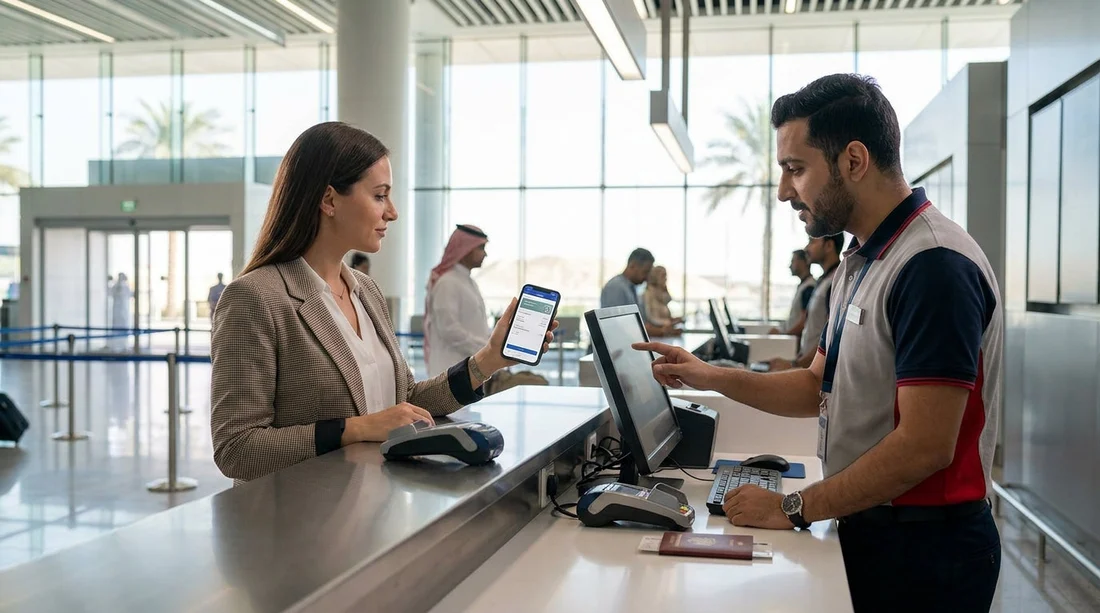
In most cases, yes. A digital voucher displayed on your phone, tablet, or even forwarded to a travel companion is normally acceptable for car hire collection at Las Vegas Airport. Desk staff can usually pull your booking up using one of the following:
Your booking reference or confirmation number, the fastest way for the agent to locate the reservation.
Your full name as it appears on the reservation and your driving licence.
Your pickup date and approximate time, helpful if the name is common or there are multiple bookings.
Some travellers never open the voucher at the counter because the desk can find the booking from the ID and payment card alone. However, having the voucher ready speeds things up and helps you verify the terms you expected.
What details do staff actually need from the voucher?
Think of the voucher as a checklist you can use to make sure the reservation the desk sees matches what you arranged. At Las Vegas Airport, staff commonly need or confirm:
Lead driver details, name, date of birth, and sometimes address, depending on supplier requirements.
Vehicle category, for example economy, intermediate, or SUV. If you are specifically planning for luggage or group size, it can help to compare options like SUV rental in Las Vegas so you know what class you reserved.
Pickup and return locations, especially if you are returning somewhere different from where you collected.
Pickup and return dates and times, which affect pricing and availability.
What is included, such as mileage policy, taxes and fees, and any prepaid items (for example, additional driver or child seat where applicable).
Deposit and payment method rules, often the most common cause of delays, because many suppliers require a credit card in the main driver’s name for the security hold.
If any of these look different at the counter, your voucher is your quick reference so you can calmly ask the agent to re-check the booking notes and inclusions. This is one reason a clear digital copy or printed backup can be valuable, even if it is not mandatory.
What to bring to collect car hire at Las Vegas Airport
Whether you have a printed voucher or not, there are a few essentials you should expect to show. Requirements can vary by supplier, but the following are common for Las Vegas Airport car hire pickups:
Driving licence, the physical licence for the main driver, and for additional drivers if added.
Payment card, typically a credit card in the main driver’s name for the deposit. Some suppliers accept debit cards with conditions, but it is not universal.
Passport, often requested for international visitors, along with proof of entry where relevant.
Your voucher or confirmation, on-screen is usually fine, but bring a backup format if you can.
Flight details, sometimes helpful if your arrival is delayed and you need to explain timing, even if not strictly required.
Supplier-by-supplier rules can differ. If you are picking up with a specific brand, it helps to review the page relevant to them, such as Thrifty car hire in Las Vegas or Enterprise car hire in Las Vegas, then double-check your own confirmation for the exact terms tied to your reservation.
When printing the voucher can still be a good idea
Even though digital vouchers are generally accepted, there are practical moments when a printed page can save time or stress:
Low battery or device issues, a dead phone, cracked screen, or a forgotten charger makes it hard to display anything.
No mobile data or Wi-Fi, you may not be able to access email or a booking portal in the moment.
Name variations, if your booking shows a shortened name but your documents show a full legal name, having the voucher visible helps clarify the match.
Complex bookings, such as multiple drivers, one-way rentals, or prepaid extras. A printed voucher makes it easy to point to inclusions.
Disputes about inclusions, if there is confusion around what is included in the quoted price, the voucher wording helps you compare desk explanations with your reservation terms.
A sensible compromise is to keep an offline screenshot or PDF saved on your device, plus one printed copy in your hand luggage. You do not need multiple pages, just the page that shows your name, booking reference, pickup details, and inclusions.
How to prepare a reliable digital backup
If you prefer not to print, you can still make your digital voucher dependable. Before you fly, open the voucher and:
Save it offline as a PDF in a files app that does not require internet access.
Take a screenshot of the key section showing booking reference, driver name, and pickup information.
Forward it to a second email address or a travel companion, so you have redundancy.
Note the reference number in your notes app, so you can read it out even if attachments will not open.
This preparation matters because airport arrivals can be hectic. Having the reference ready reduces the time you spend at the counter and helps you focus on essentials like verifying the vehicle class and understanding the deposit amount.
What happens at the counter, and what to check before signing
At Las Vegas Airport, the agent will typically confirm your identity, locate the reservation, and then present the rental agreement. This is where having your voucher to hand, digital or printed, is most useful. Before you sign, check:
The vehicle category matches what you reserved, remembering that car hire is by class, not a specific model.
The dates and times match your plans, because changes can affect the rate.
The payment summary, including prepaid amounts, local charges, and the deposit hold.
Fuel policy, such as full-to-full, and how it is explained on the agreement.
Optional extras, confirm you only accept what you want, and decline anything you do not need.
If something is unclear, ask the agent to explain it in simple terms and compare against your voucher. A calm, factual approach usually resolves discrepancies quickly.
FAQ
Do I need to print my car hire voucher to collect a car at Las Vegas Airport?
Usually no. A digital voucher on your phone is typically accepted, as long as you can show the booking reference and your name matches your documents.
What is the minimum information I should have ready at the desk?
Have your booking reference, lead driver full name, pickup date and time, and the supplier name. These details help staff find the reservation fast.
Will the desk accept a screenshot instead of the full email voucher?
In most cases, yes. A clear screenshot showing the reference number and pickup details is often enough, and it works offline.
What documents do I need besides the voucher?
Bring your driving licence and a payment card in the main driver’s name. International visitors should also carry a passport, and any additional driver licences if applicable.
What should I do if I cannot access my voucher at the airport?
Give the agent your name and booking reference if you have it noted down. If you do not, they may still locate the booking using ID and travel details, but it can take longer.




























































































