

 HELP
HELP


VERIFIED REVIEWS


About hiring a car with Enterprise in Texas
Best Car Rental Deals

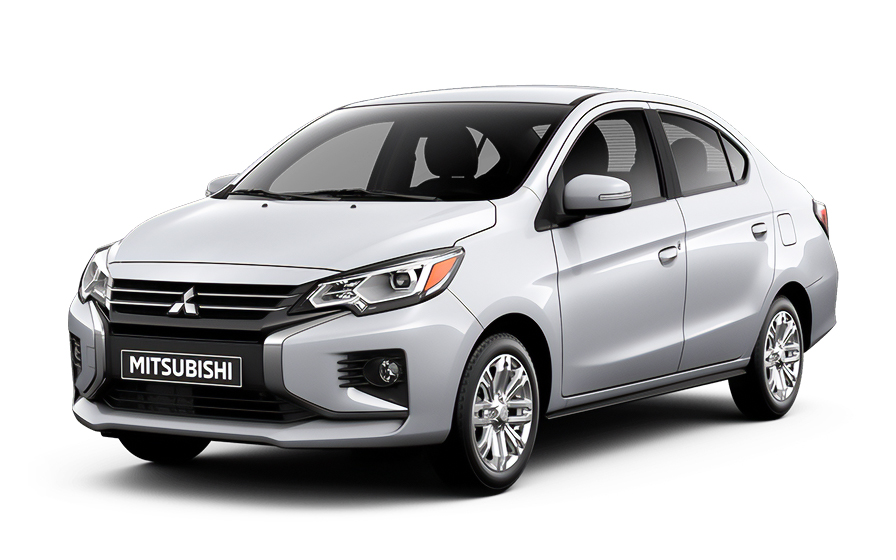
Mitsubishi Mirage | Automatic
SMALLor Small similar
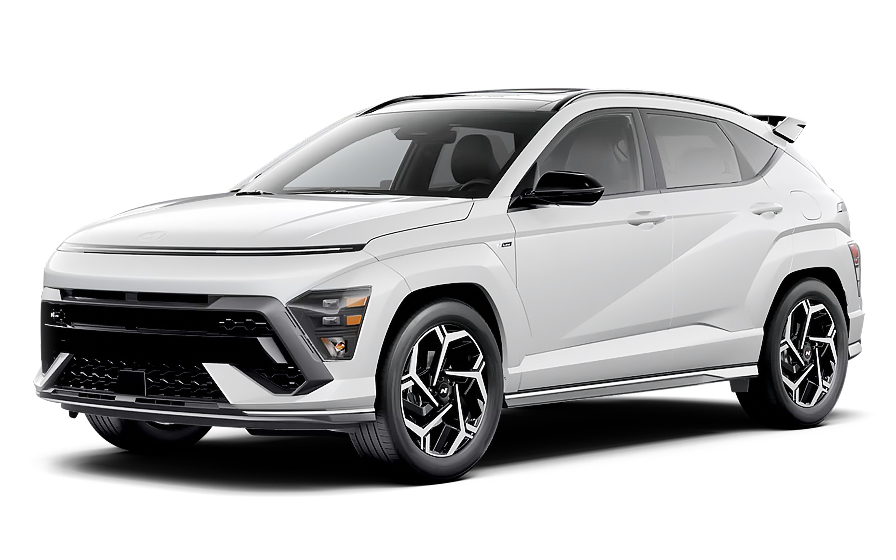
Hyundai Kona | Automatic
SUVor SUV similar
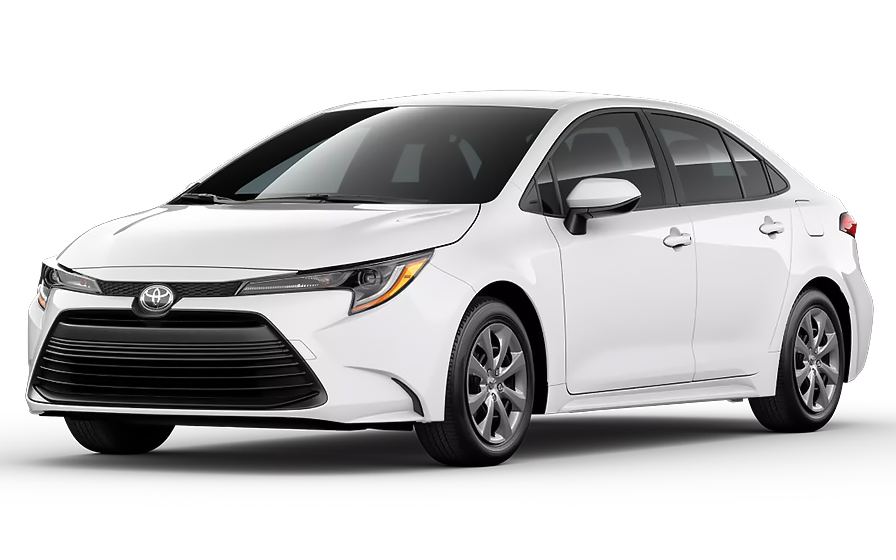
Toyota Corolla | Automatic
SEDANor Sedan similar

Chrysler Pacifica 7 Passengers | Automatic
MINIVANor Minivan similar
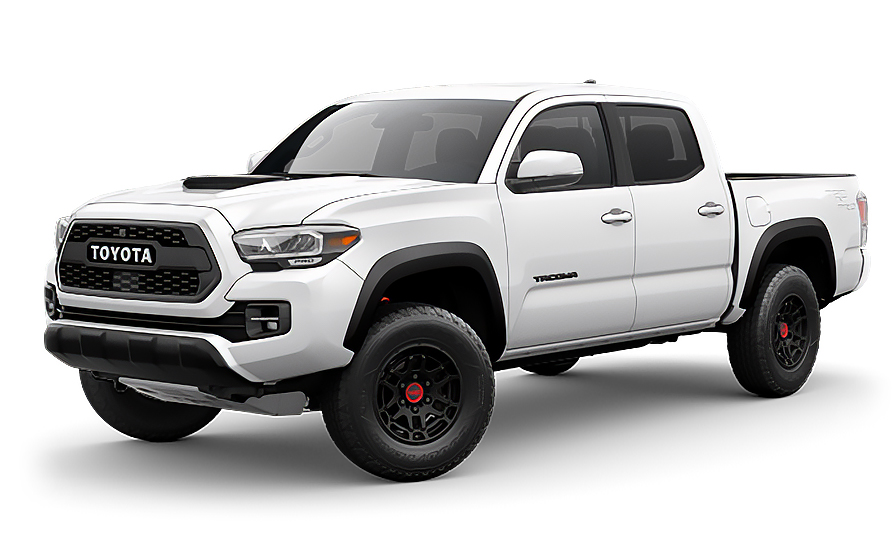
Toyota Tacoma | Automatic
PICKUPor Pickup similar

Dodge Durango 7 Passengers | Automatic
7 PASSENGERSor 7 Passengers similar
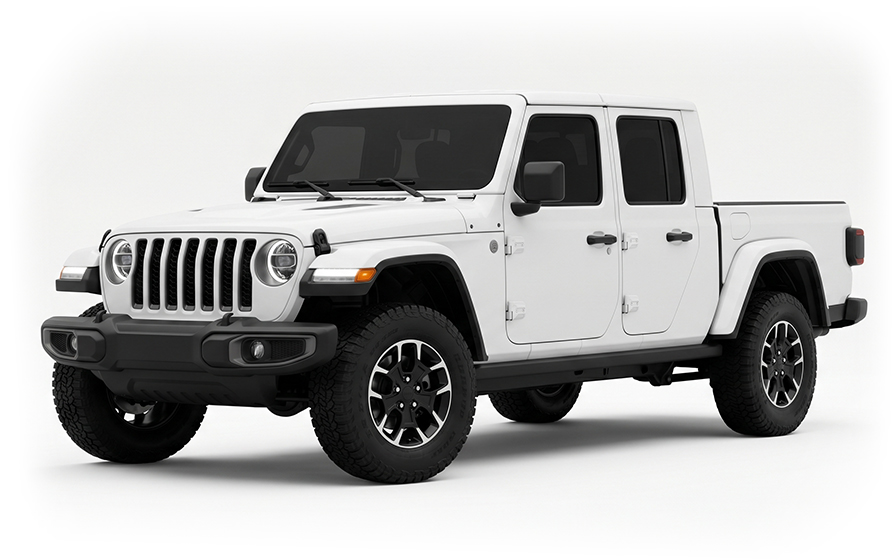
Jeep Gladiator | Automatic
JEEPor Jeep similar

Audi A4 | Automatic
LUXURYor Luxury similar
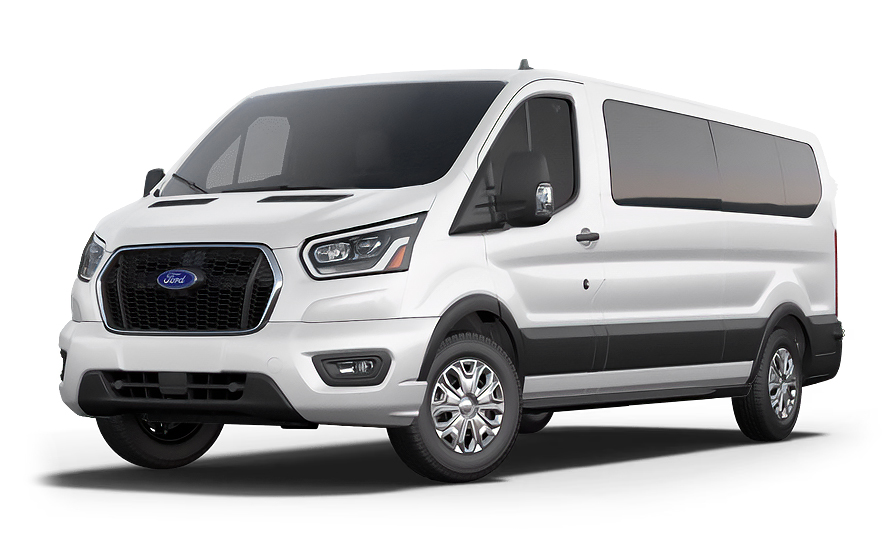
Ford Transit 15 Passengers | Automatic
12 PASSENGERSor 12 Passengers similar
Frequently Asked Questions
What does my Hola Car Rentals booking with Enterprise in Texas include that other companies don't offer?
Hola Car Rentals is the only premium partner of the top car hire brands operating in Texas, giving you exclusive access to our All Inclusive+ rate. This rate includes benefits that no other company can match:
- Free liability coverage starting at US$ 300,000 in case of an accident (applies only to certain rates and itineraries)
- Toll cashback: recover up to 5% of the reservation's total value for toll charges incurred during your hire period
- Premium travel medical assistance providing up to US$ 150,000 in coverage for a maximum of 5 passengers in case of a medical emergency, excluding pre-existing conditions
- No Extra Charges© guarantee: if the counter charges you for something not listed on your confirmation and not an optional add-on you accepted, Hola Car Rentals will work to remove or reimburse the charge after verification
All of this comes at no extra cost, ensuring a fully protected car hire experience and peace of mind throughout your trip in Texas.
Will I face unexpected charges at the Enterprise counter in Texas when I book through Hola Car Rentals?
No. With Hola Car Rentals, all costs and charges for your booking in Texas are clearly shown at the time of reservation and in your confirmation email, so you know exactly what you are paying before you arrive at the counter.
On top of that, every Hola Car Rentals booking includes the No Extra Charges© guarantee. This is a pricing guarantee (not insurance) that protects you if the counter in Texas charges you for something that was not listed on your confirmation and was not an optional add-on you accepted. If that happens, Hola Car Rentals will work with the hire partner to remove or reimburse the charge after verification.
The only costs outside this guarantee are:
- Optional add-ons you choose at the counter (GPS, child seats, prepaid fuel)
- Usage-based charges (tolls, fuel shortfall, traffic fines)
Where do I pick up my Enterprise hire car at Houston George Bush Intercontinental Airport in Texas?
At Houston George Bush Intercontinental (IAH) in Texas, Enterprise does not have a counter inside the terminal. After collecting your baggage, follow the signs to the hire car shuttle stop. The shuttle runs every 5 minutes, 24 hours a day, 7 days a week, and takes you to the off-site Rental Car Centre where the Enterprise counter is located.
Before leaving the terminal, make sure you have your booking confirmation, a valid driver’s licence, and the credit card in the main driver’s name ready. The shuttle is clearly marked and cycles frequently, so wait at the designated stop and you will be on your way to the Enterprise counter in a few minutes.
Where is the Enterprise counter at Austin-Bergstrom International Airport in Texas?
At Austin-Bergstrom International Airport (AUS) in Texas, Enterprise is located in the on-site Consolidated Hire Car Facility (ConRAC). If you are arriving at the Barbara Jordan Terminal, it is a short walk to the ConRAC building. Passengers arriving at the South Terminal can take a shuttle to reach the facility.
Once inside the ConRAC, look for the Enterprise signage to find the counter. Have your booking confirmation, driver’s licence, and credit card ready before approaching the desk. Because the facility is on-site, there is no need to wait for an off-airport shuttle, which makes the collection process at AUS one of the more straightforward Enterprise locations in Texas.
What documents do I need to pick up an Enterprise hire car in Texas?
To pick up an Enterprise hire car in Texas, you must present the following physical documents at the counter:
- A valid, unexpired driver’s licence in the main driver’s name (physical original only; digital copies are not accepted)
- A major credit card with the driver’s name printed on the card, in the main driver’s name, for the security deposit hold
- A passport or valid government-issued photo ID (a passport is strongly recommended for visitors arriving internationally)
- Your booking confirmation or printed voucher
- Round-trip flight or cruise tickets if you are visiting from abroad
If your driver’s licence is not in English and does not use a Latin (Roman) alphabet, for example Arabic, Chinese, Japanese, or Cyrillic script, an International Driving Permit (IDP) is mandatory alongside your original licence. For licences in Latin characters but not in English, an IDP is recommended. Note that the IDP is a translation only and cannot be used without the original licence.
Visitors from Mexico renting at Texas Enterprise locations may also be asked to present a valid Mexican voter registration card. Obtain your IDP in your home country before travelling, as it cannot be issued abroad.
How do toll roads work when renting from Enterprise in Texas?
Texas has one of the most extensive cashless toll networks in the United States, and this directly affects your Enterprise hire in Texas. Cash toll booths are rare or nonexistent on most routes. The main toll systems you will encounter include:
- North Texas Tollway Authority (NTTA) with TollTag, covering the Dallas/Fort Worth area
- Texas Department of Transportation (TxDOT) with TxTag, used on routes near Austin and statewide
- Harris County Toll Road Authority (HCTRA) with EZ TAG, covering the Houston metro area
Your Enterprise hire vehicle in Texas comes equipped with an electronic toll device. At collection you have two options:
- Unlimited toll package: a fixed daily rate of approximately US$11 to US$25 per hire day, covering all toll usage during the rental period
- Pay per use: the actual toll amounts plus daily or administrative processing fees are billed to your credit card, sometimes weeks after you return the vehicle
If you plan to drive only one or two toll segments, pay-per-use may cost less. If you will be driving frequently in Dallas, Houston, or Austin, the unlimited package is usually better value. You may also opt out and pay tolls manually through the toll agency's website where available, but inform the Enterprise counter agent so the default device can be deactivated to avoid duplicate charges.
How much do tolls typically cost on an Enterprise hire in Texas?
Toll costs on an Enterprise hire in Texas vary depending on which metro area you are driving in and how frequently you use toll roads. Approximate daily estimates are:
- Dallas and Fort Worth area: approximately US$5 to US$20 per day
- Houston area: approximately US$5 to US$20 per day
- Austin area: approximately US$3 to US$15 per day
- San Antonio area: approximately US$2 to US$10 per day
These figures increase if you regularly use express or managed lanes such as TEXpress Lanes on the I-635 LBJ corridor in Dallas or SH 130 near Austin. Driving without a transponder (toll-by-plate) also costs more because ZipCash rates on managed lanes are higher than transponder rates.
Texas has no congestion charges, emissions zones, or city-centre driving fees, so tolls are the only road-use cost beyond fuel. If you are renting from Enterprise across multiple Texas cities, factor in toll costs for each metro area when budgeting your trip.
Can I get cashback on tolls paid during my Enterprise hire in Texas?
Yes, all Hola Car Rentals bookings, including Enterprise hires in Texas, include Tolls Cashback of up to 5% of your total booking value for tolls paid during the rental period.
Given that Texas has extensive cashless toll networks in Dallas, Houston, Austin, and San Antonio, this benefit can meaningfully offset your toll costs. To claim your cashback:
- Email [email protected] within 30 days of returning the vehicle
- Use the subject line: Tolls Cashback, followed by your reservation confirmation number
- Attach your Hola Car Rentals booking confirmation, the rental agreement signed at the Enterprise counter, and a toll invoice or statement showing the charges paid
The refund is issued to the same payment method used for your original booking and typically processes within 7 to 10 business days after approval. Late submissions received after 30 days are not accepted. This benefit does not mean tolls are included in your booking; you still pay them normally and claim reimbursement afterwards.
Is there an age restriction or young driver surcharge for Enterprise hires in Texas?
Yes, Enterprise in Texas applies a young driver surcharge for renters under 25 years old. The standard minimum age to hire without additional fees is 25. Drivers aged 21 to 24 can hire but will pay a daily young-renter surcharge of approximately US$15 per day plus applicable taxes at the Enterprise counter in Texas.
In addition to the surcharge, vehicle class restrictions apply. Drivers under 25 are generally limited to smaller categories such as economy, compact, and intermediate vehicles. Classes like full-size SUVs, minivans, luxury, premium, and convertibles are typically restricted to renters aged 25 and older.
Texas does not have the same state-law exceptions as New York or Michigan, so the standard Enterprise policy applies statewide. When budgeting for your Texas hire, factor in the daily surcharge for the full duration of the rental period if you are under 25. The surcharge is paid at the counter and is not included in your prepaid rate.
What is the security deposit amount for an Enterprise hire in Texas?
When collecting an Enterprise hire in Texas, a temporary authorisation hold is placed on your credit card at the counter. For standard vehicles in the United States, the typical hold is approximately US$300 to US$400, though the exact amount can vary by location, vehicle class, and season.
Important points to keep in mind:
- The hold is not a charge; it temporarily reduces your available credit until released after you return the vehicle
- Only a physical, major credit card in the main driver’s name with the driver’s name printed on the card is accepted; debit cards, prepaid cards, and virtual cards are not accepted for the deposit
- Premium or speciality vehicles may require a higher hold amount
- After returning the Enterprise vehicle in Texas, the hold is released, but your bank may take up to 15 business days to reflect the release
Notify your bank of your travel plans before arriving in Texas to prevent the authorisation from being flagged as suspicious. Bringing a backup credit card is also recommended in case your primary card is declined.
Does my Enterprise hire in Texas include travel assistance if something goes wrong on the road?
Yes, most Hola Car Rentals bookings include travel assistance through Terrawind Global Protection, which can be valuable if you encounter an emergency while driving your Enterprise hire across Texas. The state's vast highway network, including long stretches on I-10, I-35, and US-90, means incidents can occur far from urban centres.
Core benefits typically included are:
- Travel insurance with medical cover for up to 5 passengers
- Legal assistance in the event of an accident
- Compensation for luggage lost by the airline
- Flight cancellation insurance
To reach assistance 24 hours a day, 7 days a week, call +1 888 980 9992 (toll-free) or contact via WhatsApp at +1 208 910 1001. Have your Hola Car Rentals confirmation number ready when you call.
Important: this benefit applies only to non-North American customers. Residents of the United States and Canada do not qualify for this cover. Always check your booking confirmation for the exact terms, limits, and exclusions that apply to your specific reservation.
Can I pick up an Enterprise hire in one Texas city and return it in another?
Yes, Enterprise operates locations across Texas in cities including Houston, Dallas, Fort Worth, Austin, San Antonio, El Paso, Lubbock, Corpus Christi, and many others, making one-way hires between Texas cities generally possible.
However, a drop-off fee may apply when you return the vehicle to a different location than where you collected it. Key points to know:
- The drop-off fee is route-specific and varies by the cities involved, the vehicle class, and the season
- The fee is shown during the booking process under the section labelled as charges due at destination; always review this before confirming
- The fee cannot be prepaid and is paid directly to Enterprise at the counter in Texas
- Not every route between Texas cities incurs a drop-off fee; shorter or high-demand routes may have no fee at all
If you need to change your return location after booking, be aware that this may reprice the hire and recalculate or add a drop-off fee. Review your confirmation carefully and contact support before making mid-hire changes.
What are the after-hours return options for Enterprise hires in Texas?
After-hours return procedures for Enterprise in Texas vary by location, so always confirm the specific instructions for your collection location before your hire begins.
At Houston Hobby Airport (HOU), after-hours returns can be made at 7600 Airport Blvd at the National Car Hire location, which is part of the same Alamo, National, and Enterprise brand family. A shuttle to the terminal is available from 4 AM.
At downtown Houston locations such as the Walker Street branch, reserved Enterprise parking spots are available at the 820 Main Street garage at the corner of Walker and Travis. Keys are deposited in the drop box located on the left corner of the exit ramp. Weekend returns can also be made at 2101 Travis Street.
General tips for any after-hours Enterprise return in Texas:
- Refuel before returning; keep the receipt as proof of a full tank
- Take a photo of the dashboard showing the fuel gauge and odometer
- Place the keys in the designated drop box and keep a photo of the drop
- Review your hire agreement for the exact after-hours instructions specific to your Texas location
What fuel policy applies to Enterprise hires in Texas?
Enterprise hires in Texas follow a Full-to-Full fuel policy by default. You receive the vehicle with a full tank and must return it full to avoid additional charges.
Steps to follow:
- At collection, check the fuel gauge with the Enterprise agent and confirm the starting level is recorded on the hire agreement
- Take a photo of the dashboard showing the odometer and fuel gauge
- Refuel within approximately 10 miles or 15 km of the return location so the tank does not drop below full before you arrive
- Keep the fuel receipt showing the date, time, and station address
- For after-hours returns at Texas locations, leave the receipt in the return envelope and keep a photo of the full gauge
If you return the Enterprise vehicle in Texas with less than a full tank, you may be charged for the fuel shortfall at the partner’s refuelling rate, which is typically higher than the pump price, plus a refuelling service fee. Using the correct fuel type is also important; wrong-fuel incidents are not covered by the fuel policy and may generate additional charges.
Does my Enterprise hire in Texas include collision damage coverage?
Whether collision damage coverage is included in your Enterprise hire in Texas depends on the rate plan you selected when booking. Check your booking confirmation for a line item such as Car Hire Insurance or CDW/LDW to confirm whether it is included.
Collision Damage Waiver (CDW) and Loss Damage Waiver (LDW) reduce your financial liability for damage to the Enterprise hire vehicle caused by a collision, theft, or vandalism. Key points:
- A deductible or excess may still apply unless your confirmation explicitly states zero deductible
- CDW/LDW does not cover damage to third parties; for that you need separate liability cover (LIS/ALI/SLI)
- Coverage applies only to drivers named on the hire agreement; any unlisted driver voids the protection
- Prohibited uses such as off-road driving, driving under the influence, or driving in restricted areas void the coverage
At the Enterprise counter in Texas, review the hire agreement to confirm CDW/LDW is active and note the deductible amount. If an incident occurs during your Texas hire, report it to Enterprise immediately using the number on your confirmation and gather photos, location details, and any police report number.

- Choosing a selection results in a full page refresh.
- Opens in a new window.
Suggested Currencies
- $ USD - United States Dollar
- € EUR - Euro
Other Countries
-
 Albania
-
 Algeria
-
 Andorra
-
 Angola
-
 Antigua & Barbuda
-
 Argentina
-
 Australia
-
 Austria
-
 Bahamas
-
 Bahrain
-
 Bangladesh
-
 Barbados
-
 Belgium
-
 Belize
-
 Benin
Benin
-
 Bermuda
-
 Bolivia
-
 Bosnia & Herzegovina
-
 Botswana
-
 Brazil
-
 British Virgin Islands
-
 Bulgaria
-
 Burkina Faso
-
 Burundi
-
 Cameroon
-
 Canada
-
 Cape Verde
-
 Cayman Islands
-
 Central African Republic
-
 Chad
Chad
-
 Chile
Chile
-
 Colombia
-
 Comoros
-
 Congo - Brazzaville
-
 Congo - Kinshasa
-
 Costa Rica
-
 Côte d’Ivoire
-
 Croatia
-
 Curaçao
-
 Cyprus
-
 Czechia
-
 Denmark
-
 Djibouti
-
 Dominica
-
 Dominican Republic
-
 Ecuador
-
 Egypt
Egypt
-
 El Salvador
-
 Equatorial Guinea
-
 Eritrea
-
 Estonia
-
 Eswatini
-
 Ethiopia
-
 Finland
-
 France
-
 Gabon
Gabon
-
 Gambia
-
 Germany
-
 Ghana
Ghana
-
 Greece
-
 Grenada
-
 Guatemala
-
 Guinea
-
 Guinea-Bissau
-
 Guyana
-
 Haiti
Haiti
-
 Honduras
-
 Hong Kong SAR
-
 Hungary
-
 Iceland
-
 India
India
-
 Iraq
Iraq
-
 Ireland
-
 Israel
-
 Italy
Italy
-
 Jamaica
-
 Japan
Japan
-
 Jordan
-
 Kenya
Kenya
-
 Kuwait
-
 Latvia
-
 Lebanon
-
 Lesotho
-
 Liberia
-
 Libya
Libya
-
 Liechtenstein
-
 Lithuania
-
 Luxembourg
-
 Madagascar
-
 Malawi
-
 Mali
Mali
-
 Malta
Malta
-
 Mauritania
-
 Mauritius
-
 Mexico
-
 Moldova
-
 Monaco
-
 Montenegro
-
 Morocco
-
 Mozambique
-
 Namibia
-
 Netherlands
-
 New Zealand
-
 Nicaragua
-
 Niger
Niger
-
 Nigeria
-
 Norway
-
 Oman
Oman
-
 Palestinian Territories
-
 Panama
-
 Paraguay
-
 Peru
Peru
-
 Philippines
-
 Poland
-
 Portugal
-
 Qatar
Qatar
-
 Romania
-
 Russia
-
 Rwanda
-
 San Marino
-
 São Tomé & Príncipe
-
 Saudi Arabia
-
 Senegal
-
 Serbia
-
 Seychelles
-
 Sierra Leone
-
 Singapore
-
 Sint Maarten
-
 Slovakia
-
 Slovenia
-
 Somalia
-
 South Africa
-
 South Korea
-
 South Sudan
-
 Spain
Spain
-
 St. Lucia
-
 St. Vincent & Grenadines
-
 Sudan
Sudan
-
 Sweden
-
 Switzerland
-
 Taiwan
-
 Tanzania
-
 Togo
Togo
-
 Trinidad & Tobago
-
 Tunisia
-
 Türkiye
-
 Turks & Caicos Islands
-
 Uganda
-
 Ukraine
-
 United Arab Emirates
-
 United Kingdom
-
 United States
-
 Uruguay
-
 Vatican City
-
 Venezuela
-
 Yemen
Yemen
-
 Zambia
-
 Zimbabwe
Driving license from:
-
Albania
-
Algeria
-
Andorra
-
Angola
-
Antigua & Barbuda
-
Argentina
-
Australia
-
Austria
-
Bahamas
-
Bahrain
-
Bangladesh
-
Barbados
-
Belgium
-
Belize
-
Benin
-
Bermuda
-
Bolivia
-
Bosnia & Herzegovina
-
Botswana
-
Brazil
-
British Virgin Islands
-
Bulgaria
-
Burkina Faso
-
Burundi
-
Cameroon
-
Canada
-
Cape Verde
-
Cayman Islands
-
Central African Republic
-
Chad
-
Chile
-
Colombia
-
Comoros
-
Congo - Brazzaville
-
Congo - Kinshasa
-
Costa Rica
-
Côte d’Ivoire
-
Croatia
-
Curaçao
-
Cyprus
-
Czechia
-
Denmark
-
Djibouti
-
Dominica
-
Dominican Republic
-
Ecuador
-
Egypt
-
El Salvador
-
Equatorial Guinea
-
Eritrea
-
Estonia
-
Eswatini
-
Ethiopia
-
Finland
-
France
-
Gabon
-
Gambia
-
Germany
-
Ghana
-
Greece
-
Grenada
-
Guatemala
-
Guinea
-
Guinea-Bissau
-
Guyana
-
Haiti
-
Honduras
-
Hong Kong SAR
-
Hungary
-
Iceland
-
India
-
Iraq
-
Ireland
-
Israel
-
Italy
-
Jamaica
-
Japan
-
Jordan
-
Kenya
-
Kuwait
-
Latvia
-
Lebanon
-
Lesotho
-
Liberia
-
Libya
-
Liechtenstein
-
Lithuania
-
Luxembourg
-
Madagascar
-
Malawi
-
Mali
-
Malta
-
Mauritania
-
Mauritius
-
Mexico
-
Moldova
-
Monaco
-
Montenegro
-
Morocco
-
Mozambique
-
Namibia
-
Netherlands
-
New Zealand
-
Nicaragua
-
Niger
-
Nigeria
-
Norway
-
Oman
-
Palestinian Territories
-
Panama
-
Paraguay
-
Peru
-
Philippines
-
Poland
-
Portugal
-
Qatar
-
Romania
-
Russia
-
Rwanda
-
San Marino
-
São Tomé & Príncipe
-
Saudi Arabia
-
Senegal
-
Serbia
-
Seychelles
-
Sierra Leone
-
Singapore
-
Sint Maarten
-
Slovakia
-
Slovenia
-
Somalia
-
South Africa
-
South Korea
-
South Sudan
-
Spain
-
St. Lucia
-
St. Vincent & Grenadines
-
Sudan
-
Sweden
-
Switzerland
-
Taiwan
-
Tanzania
-
Togo
-
Trinidad & Tobago
-
Tunisia
-
Türkiye
-
Turks & Caicos Islands
-
Uganda
-
Ukraine
-
United Arab Emirates
-
United Kingdom
-
United States
-
Uruguay
-
Vatican City
-
Venezuela
-
Yemen
-
Zambia
-
Zimbabwe