


Quick Summary:
- Follow “Baggage Claim” then “Rental Car Shuttle” signs from arrivals.
- Use information boards or staff to confirm the correct shuttle stop.
- Ride the free shuttle to the off-airport Rental Car Center.
- Save screenshots of maps and booking details before you fly.
Arriving at Harry Reid International Airport in Las Vegas without mobile data can feel like a navigation test, especially if it is your first time picking up car hire in the US. The good news is that the airport is designed for people who have never been there before. You can reach the Rental Car Center using fixed signs, standard terminal routes, and the free shuttle, without needing Google Maps at all.
Las Vegas has two passenger terminals most visitors use, Terminal 1 and Terminal 3, plus clear wayfinding that repeats the same key phrases, “Baggage Claim” and “Rental Car Shuttle”. If you focus on those words, you can get from any arrival gate to the shuttle stop consistently.
Before you land: simple offline prep that pays off
You do not need data on arrival, but a few offline steps before your flight can remove stress. Take a screenshot of your car hire confirmation and any pick-up notes, including the company name and reservation number. If you have an eSIM you plan to activate later, keep the QR and instructions saved offline too.
If you want extra reassurance, open the airport page you used for planning and take screenshots of terminal layouts or written directions. Even without data, you can zoom into screenshots, and you will not be hunting for Wi‑Fi just to remember which way to walk.
If you are comparing options for pick-up in the area, these pages can be useful to review before travelling: car rental at Las Vegas Airport and car rental in Las Vegas.
Step-by-step: from your gate to the shuttle, no data required
Step 1: Exit your aircraft and follow the main flow. As you leave the gate area, look for overhead signs pointing towards “Baggage Claim” or “Exit”. In Las Vegas, the route to ground transportation is designed to funnel arriving passengers in the right direction. Do not look for “Rental Car Center” immediately, first aim for “Baggage Claim”.
Step 2: Keep choosing “Baggage Claim” at each junction. At every split in the corridor, prioritise the option that says “Baggage Claim”. You will pass shops and facilities, but the signage remains frequent and consistent. If you end up at an escalator bank, choose the one signed for baggage claim and ground transportation.
Step 3: Arrive at Baggage Claim, then switch to “Rental Car Shuttle”. Once you reach the baggage hall, you will start seeing signs for “Rental Car Shuttle” or “Rental Car Center Shuttle”. This is your new target phrase. In most cases you do not need to go outside to the general taxi queue, you need the specific shuttle stop area for rental cars.
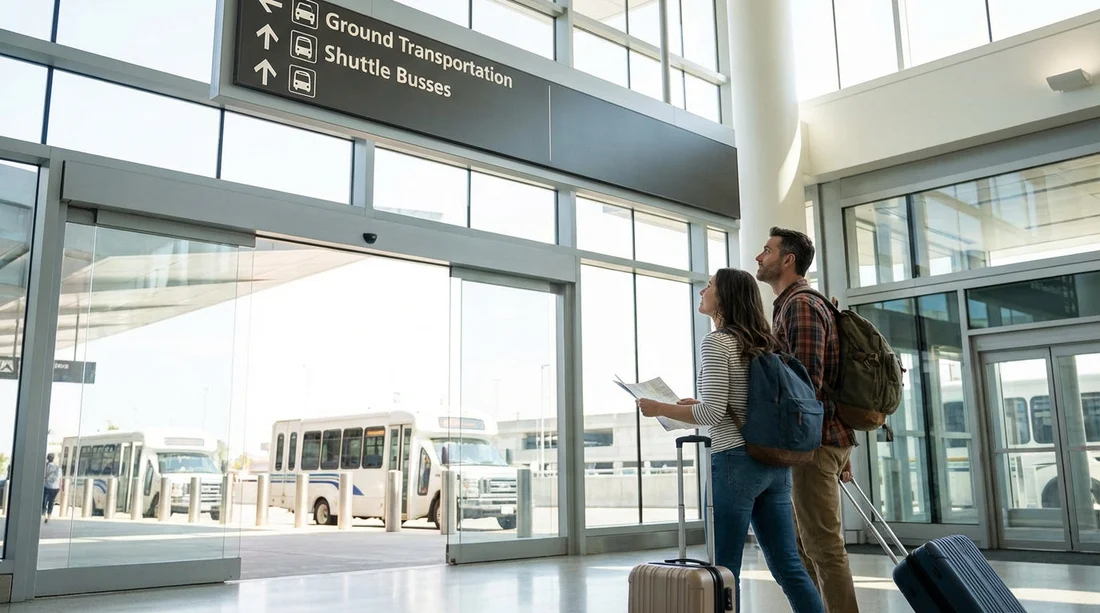
Step 4: Confirm you are heading to the correct shuttle pick-up zone. Look for wayfinding signs that reference “Ground Transportation” and “Shuttles”, then specifically “Rental Car Shuttle”. If you are uncertain, use the most reliable offline tool available, an airport staff member. Ask, “Which door for the rental car shuttle to the Rental Car Center?” That exact wording gets you a direct answer.
Step 5: Go to the marked kerbside shuttle stop. The rental car shuttle area is clearly labelled, and stops are organised by zone rather than by company. The shuttle is shared for the airport Rental Car Center, so you do not need to find a brand-specific bus in the terminals. Stand where you see the “Rental Car Shuttle” signage and wait for the next bus.
Step 6: Board the shuttle and stay on until the Rental Car Center. The ride is straightforward and ends at the consolidated facility. If you are anxious about missing your stop, sit near the front and listen for the driver’s call-out. Most passengers on board will be heading to the same place, which is reassuring when you are offline.
How to navigate the Rental Car Center once the shuttle drops you off
The shuttle stops at the Rental Car Center building, which is set up for high passenger flow. Walk inside and look up, the counters are signposted by company name, and there are information boards to help you find the right row.
Keep your reservation details accessible offline, for example a screenshot that shows the lead driver name and booking reference. If you used a comparison site, your confirmation usually states the supplier, such as Hertz, Dollar, Alamo, or National. For reference, you can check typical supplier pages before you travel, such as Hertz car rental in Las Vegas or Dollar car rental in Las Vegas.
If you are collecting a larger vehicle, it helps to know what you reserved so you can head to the correct area more quickly after the counter. For travellers who need people space, this page is useful to review beforehand: minivan hire in Las Vegas.
FAQ
Q: Is the Rental Car Center at Las Vegas Airport walkable from the terminals? A: It is not designed as a walk from Terminal 1 or Terminal 3. Most travellers use the free Rental Car Center shuttle, following “Rental Car Shuttle” signs from baggage claim.
Q: What exact signs should I follow if I have no mobile data? A: From your gate, follow “Baggage Claim” first. Once at baggage claim, switch to following “Rental Car Shuttle” or “Rental Car Center Shuttle” signs to the kerbside stop.
Q: Do I need to find a specific shuttle for my car hire company? A: Usually no. The shuttle generally takes passengers to the consolidated Rental Car Center. You then find your company’s counter inside the building.
Q: What should I save offline before travelling to make pick-up easier? A: Save screenshots of your confirmation, supplier name, reservation number, and pick-up instructions. If possible, also save a screenshot of terminal directions so you can reference them without Wi‑Fi.
Q: What if I end up at taxis or rideshare instead of the rental shuttle? A: Return inside and look for overhead signs to “Baggage Claim” and “Ground Transportation”, then follow “Rental Car Shuttle”. Asking an airport staff member for the rental car shuttle door number is the quickest fix.





























































































