


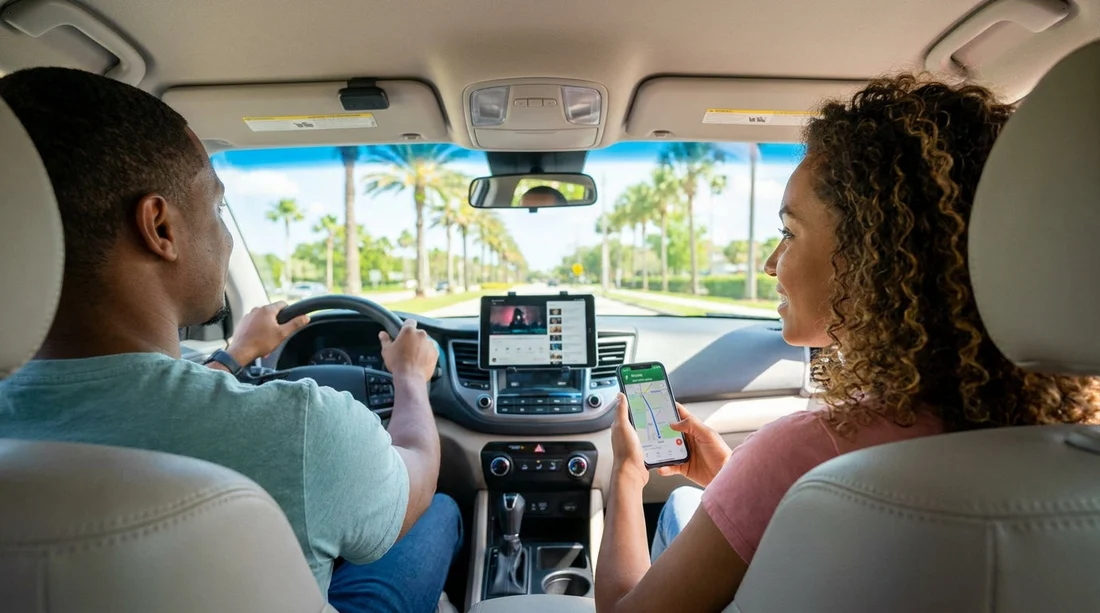
Quick Summary:
- Most Orlando rental cars do not include free Wi‑Fi as standard.
- If offered, in-car Wi‑Fi is usually a paid add-on.
- Bring a phone data plan or hotspot for reliable navigation.
- Download offline maps and playlists before you collect the car.
When you are planning car hire in Orlando, it is tempting to assume the car will arrive with built-in connectivity, especially if you rely on Google Maps, Waze, Spotify, Netflix, or kids’ tablets on longer drives. In reality, in-car Wi‑Fi is not a standard feature across most rental fleets. Some suppliers offer it in certain vehicles or as an extra, but availability, pricing, and performance can vary.
This guide sets expectations so you can get connected quickly after pick-up, avoid surprise charges, and keep navigation and entertainment working from the first mile.
Do rental cars in Orlando come with in-car Wi‑Fi?
Most rental cars in Orlando do not come with free in-car Wi‑Fi included by default. If Wi‑Fi is available, it is usually one of these scenarios:
1) Paid Wi‑Fi add-on at the counter or online. Some rental providers offer an in-car hotspot service that you pay for by the day or by the rental period. The device may be built into the vehicle or supplied as a separate unit, and terms can differ by supplier, vehicle class, and location.
2) Connected features without passenger Wi‑Fi. Certain newer vehicles may have telematics or built-in services, but that does not necessarily mean you get a usable hotspot for your devices.
3) Limited availability by vehicle category. Larger SUVs, premium models, or specific brands can be more likely to have connectivity options, but it is not guaranteed.
If dependable connectivity matters, plan as if Wi‑Fi will not be included, then treat any in-car Wi‑Fi you find as a bonus.
Why in-car Wi‑Fi is not guaranteed with car hire
There are a few reasons you should not expect universal Wi‑Fi with car hire in Orlando. Fleets rotate often, the same “vehicle class” can include many makes and trims, and features can be switched on or off depending on contracts, subscriptions, and maintenance cycles. Even if a car has the hardware, a hotspot service may require activation, extra fees, or a separate agreement.
Also, airport rental locations handle huge volumes of travellers. Staff may not have time to walk through connectivity setup, and you may be offered alternatives like a portable hotspot or a navigation unit instead.
Common costs and limitations to watch for
If you do choose a rental Wi‑Fi option, read the terms carefully. Typical limitations include:
Daily charges. Wi‑Fi is often priced per day, sometimes with a cap for longer rentals. Costs can add up quickly if you only need data occasionally.
Data caps or throttling. Some plans slow down after a certain amount of usage. That can affect streaming quality, video calls, and app updates.
Coverage gaps. Orlando is well covered overall, but you can still hit weak spots in rural areas or inside certain buildings and parking structures.
Device limits. Hotspots sometimes limit how many devices can connect at once, which matters for families.
Battery and setup. If you are given a separate hotspot, you may need to keep it charged and secure it in the car.
Before you pay, compare the rental Wi‑Fi cost against using your own phone plan, an eSIM, or a separate travel hotspot you bring with you.
Best ways to stay connected for navigation in Orlando
Navigation is usually the priority. The simplest approach for most travellers is to use your phone with a stable data plan, and treat Wi‑Fi as optional. Consider these practical options before car hire:
Use your phone plan with roaming. Check what your provider charges for US roaming, what the fair-usage limit is, and whether tethering is allowed. Roaming can be convenient, but it can be expensive for heavy use.
Buy a travel eSIM for the US. If your phone supports eSIM, you can often set up a US data plan before you fly, then switch it on after landing. This can be cost-effective and avoids queueing for a physical SIM.
Use your phone as a hotspot. If you need multiple devices online, a phone hotspot is often enough for basic browsing, messaging, music, and occasional video. Remember that hotspot use can drain battery quickly, so keep a car charger ready.
Bring an unlocked portable hotspot. For families who want several devices connected all day, a dedicated hotspot can be more stable than relying on one person’s phone. You still need a suitable US data plan.
If you are collecting near the airport, it helps to decide your connectivity approach before you arrive so you can navigate out of the terminal area smoothly. For airport-area planning, see Orlando MCO car rental information and airport to Disney area car rental details.
Offline maps: the easiest backup plan
Even with good coverage, offline maps prevent stress if your signal drops, your data runs out, or your phone overheats in the Florida sun. Before pick-up:
Download offline maps for Orlando and your day-trip areas. Save the local region in your maps app so turn-by-turn directions still work without data.
Save key addresses. Keep your hotel, theme parks, outlets, and any booked attractions saved in your favourites so you are not searching while driving.
Screenshot essentials. Parking confirmations, resort gate instructions, and reservation details are useful to have offline.
Offline maps do not usually provide live traffic, so your arrival times might be less accurate. Still, they are excellent insurance for first-day driving.
Streaming expectations: music is easy, video takes planning
Streaming audio is generally manageable on mobile data. Video streaming is where data disappears fast. If you want streaming for passengers, set expectations and prepare:
Download playlists, podcasts, and films on Wi‑Fi. Use your accommodation Wi‑Fi to download content to devices before you leave for the day.
Adjust quality settings. If you must stream, lowering video quality can prevent buffering and reduce data use.
Plan for heat and charging. Navigation plus hotspot plus streaming can overheat phones and tablets. Bring quality USB cables and consider a 12V charger with multiple ports.
Know your apps. Some services restrict downloads by region or require periodic online checks. Test downloads before the trip so you are not troubleshooting at the car park exit.
How to check Wi‑Fi availability before you pick up
If in-car Wi‑Fi is important for your trip, check before you arrive at the desk. The key is to confirm whether Wi‑Fi is included, optional, or not offered for your chosen vehicle class. Look for wording such as “Wi‑Fi hotspot”, “connected car”, or “in-car internet”. If it is not explicitly listed, assume it will not be available.
It can also help to choose a supplier and location where your needs are clear. Hola Car Rentals provides options for different providers at Orlando MCO, including Avis car hire in Orlando MCO, Alamo near Disney and MCO, and Hertz car hire for Disney and MCO. Availability of Wi‑Fi can still vary by car, but checking inclusions and add-ons early reduces surprises.
Practical checklist for connectivity before car hire in Orlando
1) Decide who provides data. Pick one approach: roaming, eSIM, portable hotspot, or rental Wi‑Fi. Mixing plans can cause confusion and duplicate costs.
2) Bring the right charging setup. At least one high-quality car charger, plus cables for every device that will navigate or stream.
3) Download offline maps and entertainment. Do this at home or on hotel Wi‑Fi, not on mobile data at the airport.
4) Set up hands-free and mount your phone safely. If you use phone navigation, a stable mount and voice guidance reduce distractions.
5) Keep a low-tech backup. Write down your first destination and key turns, in case your phone needs a restart right after pick-up.
FAQ
Do rental cars come with free Wi‑Fi in Orlando? Usually not. Most Orlando car hire options do not include free in-car Wi‑Fi by default, and any hotspot service is typically a paid extra.
Is rental Wi‑Fi good enough for Netflix or YouTube in the car? Sometimes, but it depends on signal, plan limits, and whether speeds are throttled. For reliable video, downloading content in advance is the safest option.
Can I use my phone as a hotspot for navigation and passengers? Yes, many travellers do. Check your plan allows tethering in the US, and expect higher battery use, so keep the phone on charge.
Will offline maps still give turn-by-turn directions? Yes, most map apps can provide turn-by-turn offline once the area is downloaded. You may lose live traffic updates until you are back online.
What is the simplest connectivity plan for a family in Orlando? A US data eSIM or a portable hotspot is often simplest for multiple devices, with offline maps as backup. That combination reduces reliance on in-car Wi‑Fi availability.





























































































