


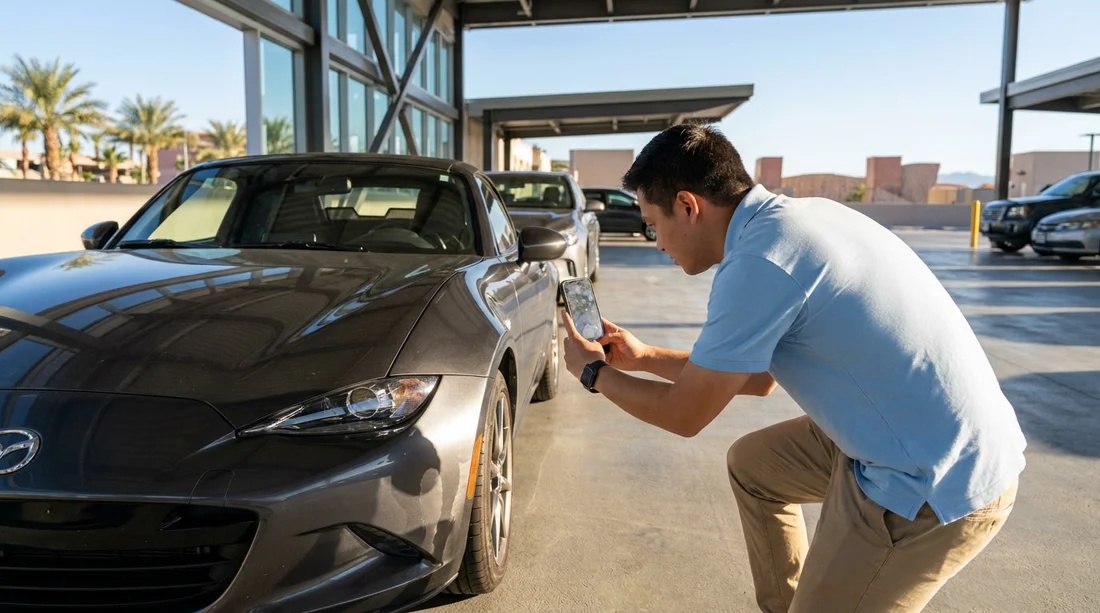
Quick Summary:
- Photograph all four sides, roof, bumpers, and any existing damage clearly.
- Capture every wheel and tyre, including tread, rims, and scuffs.
- Document the interior, seats, screens, warning lights, and supplied accessories.
- Snap fuel gauge, odometer, keys, and paperwork before leaving the bay.
In Las Vegas, the car hire bay can be busy, lighting can be harsh, and it is easy to miss small marks that later become disputed. A tight photo set taken before you move the car gives you a clear record of condition, mileage, and fuel level at handover.
If you are picking up at the airport, you may be keen to leave quickly, especially after a flight. Build five extra minutes into your plan and treat your camera roll like an inspection report. See Las Vegas airport car rental for local pickup context, then follow the checklist below.
Before you start: set up your phone for useful evidence
Turn on location and time stamping in your camera settings if you are comfortable doing so. If not, take one photo that includes a bay sign, a clock, or a dated receipt in-frame. Use the standard camera app, avoid filters, and shoot at the highest reasonable resolution.
Also, take one wide establishing shot showing the car and the bay, ideally with the licence plate visible. This anchors all close-ups to the same vehicle. If you arranged your vehicle for the city rather than the airport, the same approach applies, see car rental in Las Vegas for typical collection points and vehicle types.
Exterior photos: work in a full circle, then go close
Start with a slow walk around the car, taking photos from chest height at each corner. You want all four sides and the roofline, plus the front and rear. Then repeat with close-ups of any marks you see. In Las Vegas sunshine, use your body to block glare, or move slightly so scratches are not washed out by reflections.
Capture these exterior angles and details:
1) Four corners, wide: front-left, front-right, rear-left, rear-right, each showing multiple panels. These images prove alignment and overall condition.
2) Each side straight-on: driver side and passenger side, including both doors and sills. Door-edge chips are common and easy to overlook.
3) Front and rear, centred: include grille, headlights, number plate area, and bumper corners. On the rear, include tail lights, boot lid, and bumper step area.
4) Roof and upper panels: if you can safely do so, angle the phone upward to capture the roof, windscreen top edge, and any roof rails. Roof damage is frequently missed in quick inspections.
5) Close-ups of defects: scratches, dents, paint transfer, cracked lenses, and scuffed plastic. Take two photos per defect, one close, one medium-distance so the defect location is obvious.
Wheels and tyres: photograph what people often dispute
Wheel damage and tyre condition are among the most common post-rental disagreements. Take one clear photo of each wheel straight-on, then a second angled photo that shows the rim edge. Ensure the tyre sidewall markings are readable where possible.
For each wheel, capture:
Rim edge and face: kerb rash, gouges, missing wheel trims, and stains. Photograph valve stems and locking wheel nuts if fitted.
Tyre tread and sidewall: bulges, cuts, and uneven wear. A quick angled shot across the tread helps show depth and condition.
If you are collecting a larger vehicle such as an SUV, the wheels and side steps can pick up scuffs more easily in tight car parks. If you are browsing vehicle options, SUV rental in Las Vegas is a useful reference for common models and ground clearance considerations.
Interior photos: prove cleanliness, damage, and working controls
Before you drive off, open all doors and take wide cabin shots. Then take closer photos of high-touch surfaces and any existing stains. Interior disputes often involve smoke smell or spills, but photos still help to document visible residue, burns, or tears.
Focus on these areas:
Front seats and dashboard: wide photo from outside each front door. Then close-ups of seat bolsters, seat backs, and headrests where wear shows.
Rear seats: wide shot of the entire rear bench, plus close-ups of any marks and the seat belts.
Floor and mats: driver footwell, passenger footwell, and rear footwells. If mats are missing or heavily worn, photograph that clearly.
Boot area: open boot shot showing cargo floor, side trim, and any stains or damage around the latch.
Controls and screens: infotainment screen on, climate control panel, and any error messages. Photograph any warning lights on the instrument cluster before you move.
If you are using a particular supplier via Hola Car Rentals, you can tailor your checks to what is commonly supplied with that brand. For example, see Hertz car rental in Nevada for brand context and typical fleet expectations.
Fuel, odometer, and key photos: the must-have evidence set
These images are the highest intent part of your checklist because they directly support billing disputes.
Fuel gauge: take a photo of the fuel gauge with the car stationary. If it is a digital gauge with bars, ensure the bars are sharp and readable. If the agreement states full-to-full, this photo matters even if the tank is not completely full at pickup.
Odometer: photograph the odometer clearly. If the display also shows range, trip meter, or service notifications, capture those too in case they are relevant later.
Keys and key fob condition: photograph both sides of the key fob, including any existing cracks, missing buttons, or detached key rings. Key replacement fees can be significant.
Paperwork snapshot: take a photo of the rental agreement or checkout sheet showing vehicle registration, fuel policy, and noted damage. Make sure any pre-marked damage diagram is captured in full.
What to do if you find damage before leaving the bay
If you spot unrecorded damage, take close-ups immediately, then capture a wider shot showing where it sits on the car. Return to the desk or attendant while you are still on site and ask for the damage to be noted on your checkout paperwork. If you are choosing between suppliers, see Avis car rental in Nevada for another brand option available via Hola Car Rentals.
Do not wait until you reach your hotel. Once the vehicle leaves the car hire bay, it becomes harder to demonstrate when the damage occurred. The goal is not to create conflict, it is to ensure the condition at handover matches the written record.
FAQ
How many photos should I take before leaving the car hire bay? Aim for 25 to 40 photos: 10 to 14 exterior, 8 wheels and tyres, 6 to 10 interior, plus fuel, odometer, keys, and paperwork.
Should I take photos of small scratches that seem minor? Yes. Photograph anything you can feel with a fingernail or see from different angles, plus any scuffs on bumpers and door edges.
Is a video walkaround enough on its own? No. A short video helps provide context, but still photos are easier to zoom, timestamp, and share if you need to query charges.
What if the fuel gauge is not full at pickup? Photograph the gauge clearly and keep the agreement page that states the fuel policy, then return the car to the same level shown at pickup.
Do I need to photograph the windscreen and windows? Yes. Take angled shots that show chips or cracks, especially on the windscreen, and include close-ups of any damage near the edges.





























































































