


Quick Summary:
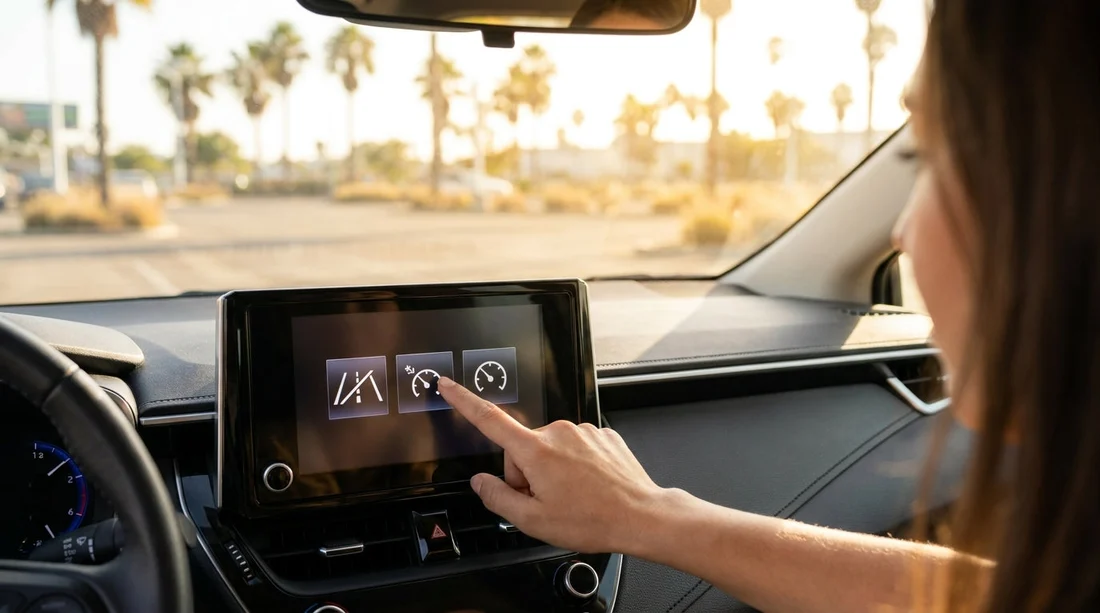
- Before moving, find Driver Assistance menus and review lane and speed aids.
- Set lane assist to warning-only or off, and reduce sensitivity.
- Mute speed limit chimes, overspeed alerts, and sign recognition notifications.
- Restart once, then test slowly nearby to confirm settings stay saved.
In Los Angeles traffic, driver-assist features can feel overly sensitive if you are not used to the specific car. Lane-keeping can tug the steering on worn lane markings, and speed alerts can chime repeatedly on changing limits near freeways. The good news is most rental cars let you adjust these settings in under five minutes, as long as you do it safely while parked.
This guide is model-agnostic, meaning it works as a checklist whether you pick up a compact, saloon, or SUV. It is written for car hire customers in Los Angeles who want a calmer drive away from the lot without disabling essential safety systems.
If you are collecting near the terminals, you will likely want to do this before joining Sepulveda Boulevard or the I-405. People arranging car hire at LAX often have only a short window at the kerbside, so aim to adjust settings in the pick-up bay or an approved parking area where you can stop and concentrate.
Before you change anything, park and identify the controls
Start with the basics. Put the car in Park, apply the parking brake if fitted, and keep your foot off the pedals. Many vehicles will not allow certain menu changes unless the car is stationary. Also, you should never scroll through settings while moving.
Next, identify three common ways manufacturers let you control assistance features:
1) A steering wheel button or stalk. Some cars have a lane icon button for lane departure or lane keeping, and a separate button for speed alerts or traffic sign recognition. Pressing and holding often opens a settings screen.
2) The infotainment menu. Look for labels such as Driver Assistance, Safety, Driving Assist, or Assist Systems. The lane and speed features are usually grouped here.
3) A quick-access panel. Many cars have a row of icons on the home screen or a settings shortcut, which can be faster than drilling into submenus.
When you collect through a comparison service, the exact model can vary even within the same category. If you are choosing between sizes, note that larger vehicles can have more layers of settings. For example, customers selecting an SUV via SUV rental options at Los Angeles LAX may see additional towing or trailer stability menus that sit near lane and speed assistance, so read each toggle carefully.
Checklist: turn off lane assist without losing essential warnings
Lane assist can refer to different features. Your goal is to reduce unwanted steering input while still keeping a useful warning, if you prefer. Work through these steps in order.
Step 1: Find the lane feature type. Look for terms like Lane Keep Assist, Lane Centering, Steering Assist, Lane Departure Warning, or Road Edge Protection. “Warning” usually vibrates the wheel or beeps. “Assist” often applies steering torque.
Step 2: Choose the least intrusive setting. If the car offers levels, select Warning Only or reduce intervention from High to Low. If you want it fully off, toggle off Lane Keep Assist or Steering Assist.
Step 3: Confirm related features. Some cars link lane systems to adaptive cruise or highway assist. If you disable lane centring, check whether it also disables a “hands-on steering” reminder. That reminder is normal and can persist if any steering assist remains active.
Step 4: Adjust sensitivity. If available, reduce sensitivity so the car warns only when you cross a line rather than when you approach it. In LA, lane markings can be patched or faint, and high sensitivity can lead to false alerts.
Step 5: Check that steering feel is normal at parking speed. With your foot on the brake, shift to Drive and roll a few metres in a safe, empty area. If the steering still nudges you back, lane centring may still be active or hidden under another submenu.
Brands in large airport fleets can present these options differently. If you have a specific supplier on your voucher, it can help to know the general interface style beforehand, such as when using Avis car hire at Los Angeles LAX where many vehicles share a familiar menu layout across trims.
Checklist: turn off speed alerts and traffic sign notifications
Speed alerts commonly come from traffic sign recognition or a navigation database. They may chime when you exceed the perceived limit, flash a warning on the dash, or vibrate the accelerator in some vehicles.
Step 1: Locate the speed or sign-recognition settings. Look for Speed Warning, Speed Limit Assist, Traffic Sign Recognition, Road Sign Assist, Intelligent Speed Assist, Overspeed Alert, or Speed Reminder.
Step 2: Disable audible alerts first. If you still want visual information, turn off chimes and beeps while keeping the displayed speed limit sign. This is often the best balance for unfamiliar roads.
Step 3: Check for multiple alert layers. Some cars have separate toggles for “speed limit display”, “warning”, and “automatic offset”. Turn off the warning, and set offset to zero or disable automatic offset if it keeps re-triggering.
Step 4: Review navigation-based warnings. If the car has a setting like “speed camera alerts” or “hazard warnings”, leave these alone unless you are certain. They are not the same as overspeed chimes, and you do not want to disable useful safety prompts by mistake.
Step 5: Confirm units and regional settings. Speed should display in mph in Los Angeles. If the car is set to km/h, any alert threshold will feel wrong. Change the units in Settings, Units, or Display.
When you pick up through Budget car hire at Los Angeles LAX, you may see speed alert settings under a simple “Driver Assist” list rather than nested menus. Either way, focus on disabling the sound, then decide whether you also want to disable the visual prompts.
Make sure the settings actually stick before leaving the lot
Many drivers successfully change a setting, then discover it re-enables on restart, after shifting into Drive, or when selecting a driving mode. Use this quick verification routine while still in a safe area.
1) Save or confirm if prompted. Some systems require pressing OK, Save, or a back arrow to commit changes. If you simply press Home, it may revert.
2) Change driving mode, then re-check. If the car has Eco, Normal, Sport, or Snow, switch away and back once. Some cars store different assist settings per mode.
3) Cycle ignition once. Turn the engine off, wait a few seconds, then restart. Re-open the Driver Assistance menu to confirm lane and speed settings remain as chosen.
4) Do a low-speed test. In an empty lane of the pick-up area, drive slowly with both hands on the wheel. If you still feel steering intervention, lane centring may be active. If you still hear chimes, a second overspeed alert toggle may exist.
5) Note what you changed. If you swap drivers, it helps to remember where the controls live in case someone resets them. Some cars also have separate profiles for each key fob or driver profile.
Safety notes and good practice for Los Angeles driving
It is tempting to switch everything off, especially after a few unexpected beeps. However, consider leaving basic warnings on if they are not distracting. Lane departure warning can be helpful on long freeway stretches, and a visual speed limit display can reduce mental load when signs are frequent.
Finally, remember that some safety functions cannot be fully disabled, or they will re-enable automatically at the next start. That is normal and often required for compliance. Your aim is to reduce nuisance interventions while keeping the drive predictable and comfortable.
FAQ
Can I turn off lane assist and speed alerts on every rental car? Most modern cars allow at least partial adjustment, such as switching from steering assist to warning-only, and muting speed chimes. Some systems re-enable at restart or cannot be fully disabled, depending on manufacturer and local requirements.
Where do I usually find these settings if there is no obvious button? Look in the infotainment system under Driver Assistance, Safety, or Assist Systems. Lane settings are often grouped together, and speed alerts may sit under Traffic Sign Recognition or Speed Warning.
Will turning off lane assist affect cruise control or emergency braking? Lane centring can be linked to adaptive cruise on some cars, but automatic emergency braking is usually separate. After changing settings, check the instrument cluster icons to ensure the features you still want remain available.
Why do speed alerts keep sounding even after I switched them off? There may be a second overspeed toggle, a separate navigation-based warning, or a driving mode profile that re-applies defaults. Re-check for multiple menus, confirm you saved changes, then cycle ignition once.
Is it better to disable these features before I leave the rental lot? Yes. Adjusting settings while parked avoids distraction and lets you verify the changes stick. Do a brief low-speed test in a safe area before joining busy Los Angeles roads.





























































































