


Quick Summary:
- Check your voucher for partner name, terminal notes, and counter location.
- Follow Car Rentals signs, then match the partner logo to paperwork.
- Keep licence, passport, card, and booking reference ready before queueing.
- Ask staff to confirm the voucher supplier name before joining lines.
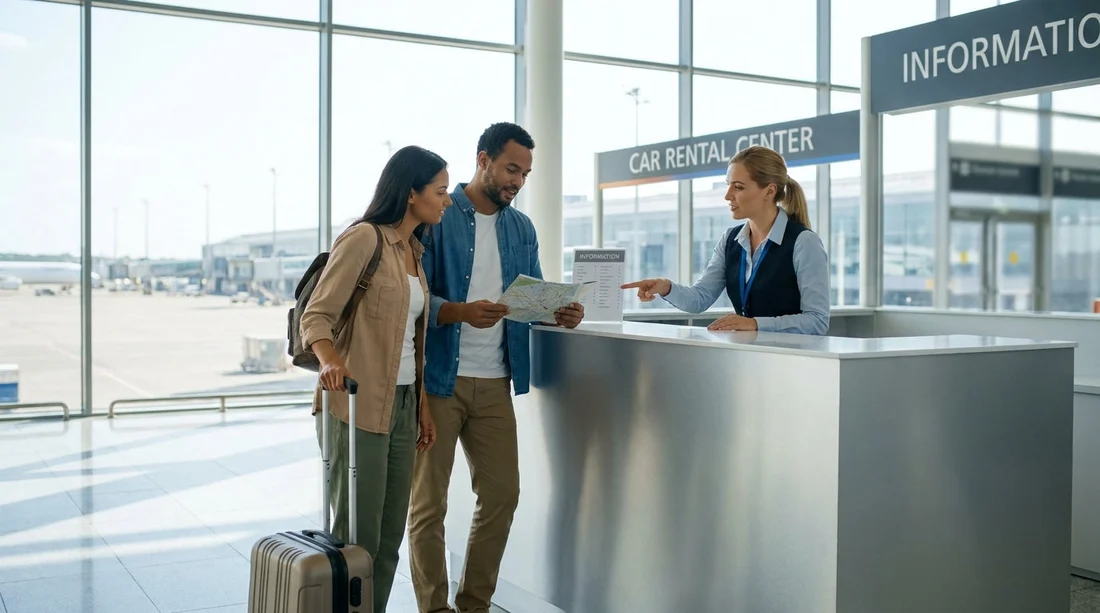
Arriving at JFK in New York after a long flight, the last thing you want is to queue at the wrong counter. When Hola car hire is fulfilled by a partner supplier, the desk you need might be branded with the partner’s name, not “Hola”. The good news is that you can reliably find the right place by using three cues together, your voucher details, the airport’s car rental wayfinding, and the branding on the counter signage.
This guide walks you through what to look for at JFK, what to check on your voucher, and what to have in hand before you join any queue. If you want an overview of the airport location details for Hola, start with car hire at New York JFK, then use the steps below once you land.
1) Understand how partner desks work at JFK
Hola acts as the booking platform, while the vehicle collection is often managed by a rental company operating at the airport. At JFK this can mean one of two common setups:
On-airport counters: Many major suppliers have desks in or connected to terminals, with airport signs directing you to “Car Rentals” or “Ground Transportation”. You will check in at the supplier desk, then take instructions to reach the car pick-up area.
Off-airport partner shuttle locations: Some partners operate outside the terminal complex. In that case, you still start by following “Car Rentals” or “Hotel and Car Rental Shuttles” signage, then look for a dedicated shuttle pick-up point for your supplier.
The key point is that you should expect the counter to show the partner’s brand. Your voucher is your source of truth for which brand to look for and where to go.
2) What to check on your voucher before you leave the aircraft
If you have a digital voucher in your email or Hola account area, open it while you still have a strong signal or onboard Wi-Fi. Screenshot the important sections in case reception is poor in arrivals. Focus on these fields:
Supplier or “car hire company” name: This is the brand on the desk signage. If you only remember “Hola”, you risk queuing at the wrong place.
Pick-up address and terminal notes: Look for a terminal reference, a specific counter area, or a note like “rental car centre” or “shuttle pick-up”. This often tells you whether it is on-airport or shuttle-based.
Opening hours: Knowing the desk hours helps if your flight is delayed and you need to head straight to a late-hours process.
Booking reference: Some counters can pull your reservation from your surname, but having the reference speeds up check-in, especially at peak times.
Payment and deposit notes: Vouchers usually state whether a deposit is required, what card type is accepted, and whether the card must be in the main driver’s name. This matters because it can stop you at the desk even if you found the right one.
3) Follow the airport signs, then verify with the partner branding
At JFK, start by following official airport wayfinding, not brand names. In arrivals, look for signs such as “Ground Transportation” and “Car Rentals”. These signs are more consistent than individual supplier signs and will point you towards the correct area for rental operations.
Once you reach the car rental counter zone or shuttle pick-up area, switch from generic signs to specific verification:
Match the logo and supplier name: Compare the desk sign to the supplier name on your voucher, letter for letter. Many brands look similar at a glance when you are tired.
Check the desk placard for “serving” notes: In shared facilities, one counter may handle multiple brands. Some desks show a small list of affiliated brands on a stand or screen. If your voucher brand appears there, you are in the right place.
Use staff triage desks: In busy periods, airports and suppliers place staff near the front to direct travellers. Show them the supplier name on your voucher and ask which queue is correct. This is often faster than reading every sign.
4) Recognise shared and partner counter signage
Shared counters are common when several brands operate under a parent group or when an airport consolidates services. The signage can appear in a few ways:
One large brand with small sub-brand text: The primary sign might show the operating company, while your voucher lists a brand they manage. Look for smaller text such as “Reservations for” or “Operating as”.
Digital queue screens: Some locations use screens that rotate through multiple brand names. Wait for your supplier name to appear, or ask staff if the counter serves it.
Separate queues for the same counter: You might see ropes labelled by brand, while the physical desks behind them are shared. Always join the queue that matches your voucher supplier name, not the shortest line.
If your travel plans change and you consider picking up elsewhere, note that Hola also supports nearby airports. For comparison of locations and processes, see car rental at Newark EWR or car hire in New Jersey at EWR, which can be useful if you are travelling on to New Jersey.
5) What to have ready before you join the queue
Being prepared is the easiest way to reduce time at the counter and avoid being sent away to fetch something. Before queueing, take two minutes to organise:
Driving licence: Bring the physical licence for each named driver. International travellers should also carry any required supporting permits if applicable to them.
Payment card in the main driver’s name: Even if you prepaid, a deposit is often taken for security. Ensure the card type and name match voucher requirements.
Booking reference and voucher access: Keep the reference visible, plus the supplier name and pick-up instructions. A screenshot helps.
Also decide in advance whether you need extras like child seats, toll devices, or an additional driver, because adding them at the counter can increase waiting time.
6) A simple “three-check” method to avoid the wrong desk
When you arrive at a counter area, use this quick method before committing to a line:
Check 1, voucher supplier: Confirm the supplier name on your voucher.
Check 2, signage match: Confirm the counter signage matches the supplier name, or lists it as served.
Check 3, staff confirmation: If anything is unclear, ask a staff member to confirm you are in the correct queue for that supplier and pick-up method.
This three-check approach is especially helpful at peak arrival waves, when multiple flights land at once and queues build quickly.
7) Common issues at JFK and how to handle them calmly
You cannot find the supplier listed on the voucher: First, look for a shared counter note or a parent-brand sign. Then ask staff at the car rental area information point to direct you. If the voucher indicates a shuttle, head to the shuttle pick-up signs rather than searching terminal counters.
Your voucher shows a different terminal than where you arrived: JFK has multiple terminals, and rental operations may be centralised. Follow airport “Car Rentals” signs rather than attempting to travel to the terminal named on the voucher unless the voucher explicitly instructs that.
Long queues: Have all documents out and ready, and ensure all drivers are present if the supplier requires in-person licence checks. If your group is splitting tasks, keep the main driver in the line with the documents.
Vehicle type questions: If you need more space than you booked, it may be useful to know typical categories. For example, families sometimes look for larger options such as SUV hire in New Jersey or minivan hire at Newark when travelling with luggage and multiple passengers.
FAQ
Why doesn’t the counter say Hola at JFK? Hola car hire is often fulfilled by an operating partner. The desk will show the partner’s brand, which is why the supplier name on your voucher matters.
Where should I start looking when I arrive in JFK arrivals? Follow airport signs for “Ground Transportation” and “Car Rentals” first, then match the partner name and logo to the supplier listed on your voucher.
What if I accidentally queue at the wrong desk? If you notice the supplier name does not match your voucher, step out of line and ask a staff member which counter or shuttle serves your supplier. It is better to switch early than wait to be redirected.
What documents should the main driver have ready at the desk? Bring a physical driving licence, passport or ID, the booking voucher or reference, and a payment card that meets the voucher’s deposit requirements.
How do I know if my pick-up is shuttle-based rather than at a terminal counter? Your voucher should state a pick-up address and mention shuttle instructions or a shuttle pick-up point. If it lists an off-airport address, expect to use a car rental shuttle.





























































































