


Quick Summary:
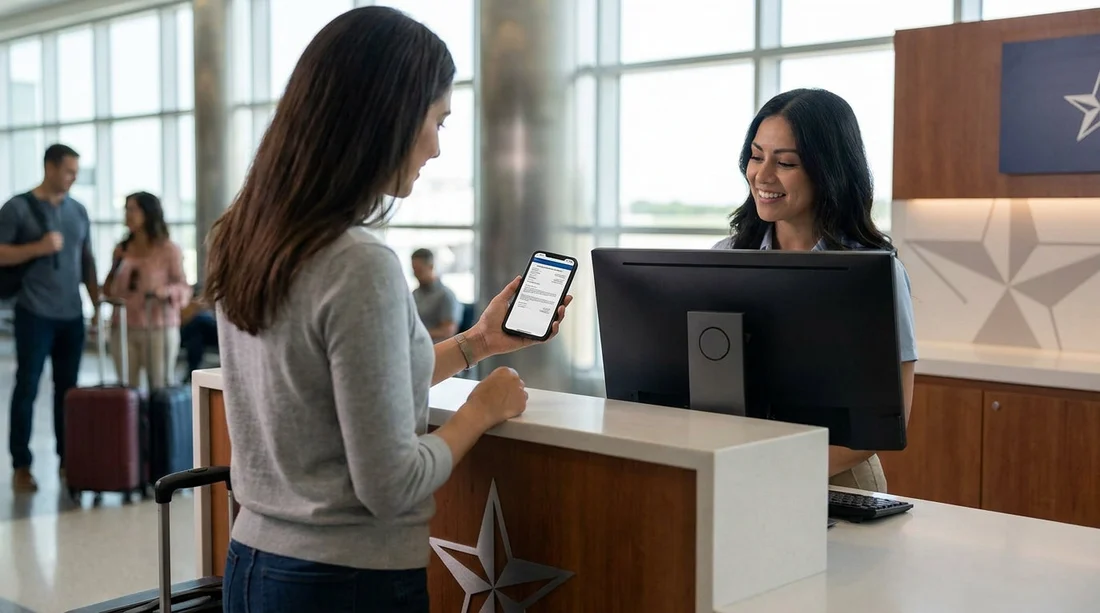
- Most Texas car hire counters accept a phone PDF voucher.
- Carry a printed copy if your booking includes third-party vouchers.
- Save vouchers offline, plus screenshots, in case mobile data fails.
- Match names, card details, and licence exactly to avoid delays.
At most airport and city rental counters in Texas, a printed voucher is not strictly required. A phone-based PDF, email confirmation, or app booking record is usually accepted, as long as the agent can quickly find your reservation and confirm the key details. That said, “usually accepted” is not the same as “always smooth”, and the most common pick-up delays come from poor signal, dead batteries, unreadable barcodes, or mismatched names and payment details.
This guide explains what documentation formats are typically accepted for car hire pick-up in Texas, when a printout still helps, and how to prepare if you expect limited mobile data at the counter.
What the Texas rental counter typically needs to see
Even when you booked online and paid in advance, the desk agent is validating identity, payment responsibility, and the reservation terms. In practice, they want three things: your driving licence, the payment card for the deposit, and a way to locate your booking. The “voucher” or confirmation is mainly a tool to find the reservation and verify inclusions, rather than a legal requirement to hand over keys.
If you are collecting at an airport counter, such as Austin-Bergstrom or Dallas Fort Worth, the workflow is similar. You present documents, the agent retrieves the reservation, then they verify selected cover, fuel policy, and any extras. If you are looking for location-specific pick-up notes, Hola Car Rentals maintains pages for major Texas collection points, including car hire at Austin airport (AUS) and car hire at Dallas DFW.
Is a phone PDF voucher accepted for car hire in Texas?
In most cases, yes. A phone PDF is typically accepted if it contains one or more of the following:
Your reservation number, the pick-up location, and the scheduled date and time.
The lead driver name exactly as it appears on the driving licence.
Supplier name and vehicle category, plus any prepaid items.
Many counters can locate bookings using your surname and pick-up time alone, but providing the reservation number speeds things up, especially at busy times or when multiple bookings share similar names. The phone PDF is fine if you can open it instantly and zoom to show the details clearly.
When a printed voucher can still prevent delays
A printout is less about “acceptance” and more about reducing friction when something does not match on screen. Consider printing if any of these apply:
You have limited or no mobile data on arrival. Arrivals halls can have patchy reception, and roaming can be expensive or disabled. A printout avoids needing to download anything at the counter.
Your confirmation is split across emails. If your terms, inclusions, and supplier details are in separate messages, printing keeps the key information in one place.
You booked through a platform that issues a third-party voucher. Some prepaid arrangements use voucher language and terms that the desk agent may need to read, particularly around inclusions and payment type.
Your phone is low on battery or you rely on a work device. If the phone locks you out, updates, or dies, a printout becomes a simple backup.
Printing is also helpful for families or groups, where one person holds the paperwork while another manages luggage. If you are planning a larger vehicle, you may also review fleet notes ahead of time, for example on minivan hire in Texas (IAH), then keep your voucher readily accessible at pick-up.
How to prepare when mobile data is limited
If you want to avoid printing, you can still make your phone voucher “offline-ready”. The goal is to ensure you can show the reservation number and key terms without any signal.
1) Save the PDF to local storage
Download the voucher or confirmation PDF to your device, not just your email app. On most phones, saving to Files means it is accessible even if your inbox will not refresh.
2) Take two screenshots of the critical sections
Screenshot the top of the voucher showing the reservation number and the section showing pick-up location and time. Screenshots open faster than PDFs and are easier to zoom in bright counter lighting.
3) Add the reservation number to your notes
Type the booking reference into a notes app. If your PDF will not open for any reason, reading out the reservation number can still get the desk moving.
4) Keep your phone powered
Carry a small power bank and a cable. Pick-up queues can be long at peak arrivals, and screen brightness drains batteries quickly.
5) Do not rely on hotel Wi-Fi for last-minute downloads
If you are travelling directly to the counter, you may not have a chance to connect to Wi-Fi. Download everything before you fly or while you have stable internet.
What else you must bring besides the voucher
A voucher alone never replaces the core documents required for car hire in Texas. Expect the counter to request:
Driving licence for the lead driver. Ensure it is valid for the entire rental period. If you have a paper counterpart or additional document in your home country, keep it with you, even if rarely requested.
Passport or ID may be requested to confirm identity, especially for international travellers.
Payment card in the lead driver’s name for the security deposit. Many suppliers require a credit card, and some accept debit cards with restrictions. The key is that the card name matches the reservation’s lead driver details.
Proof of address is uncommon for visitors, but local renters may be asked for additional verification depending on supplier policies.
Supplier policies vary, so it helps to know which brand you are picking up with. Hola Car Rentals provides supplier pages that can be useful for setting expectations at the desk, such as Hertz car rental in Texas (IAH) and Avis car hire at Dallas DFW.
Common pick-up problems and how to avoid them
Name mismatches
If the voucher shows a nickname or missing middle name while the driving licence shows the full legal name, the agent may need extra time to confirm. Use the licence name when booking and ensure the lead driver is the person collecting.
Wrong pick-up time or terminal confusion
Large airports have multiple terminals and sometimes multiple desk areas. Your voucher should specify the exact airport location. If your arrival time changes, update it when possible, because late arrivals can trigger reservation changes.
Card type issues
The most frequent reason people get stuck at the counter is presenting a card that does not meet the deposit rules. If you are unsure whether your card qualifies, prepare an alternative card in the same name, or confirm the acceptable card types before travel.
Unreadable PDFs and barcodes
Some confirmations include a barcode or QR code. If your screen is cracked, your brightness is low, or the PDF will not render, the scan may fail. Screenshots and a readable reservation number solve most of this.
Roaming and inbox access
If your email requires two-factor authentication and you cannot receive the verification code abroad, you may not be able to open the voucher at all. Download the document in advance and store it offline.
Printed vs digital: what to do for the smoothest Texas pick-up
For most travellers, a phone PDF is enough and is routinely accepted at Texas rental desks. A printed voucher remains a useful backup, especially if you anticipate weak reception, you are landing late, or you have a complex prepaid arrangement with inclusions you may need to reference.
A practical approach is to go “digital-first with paper insurance”: save the PDF offline, take screenshots, write down the reservation number, and print a single page only if you want extra resilience. That combination usually removes the reasons an agent might ask you to step aside while you search for documents.
FAQ
Do Texas car hire counters require a printed voucher?
Usually not. Most counters can work from a phone PDF or email confirmation, provided the booking reference and lead driver details are clear.
What if I cannot open my email at the counter?
Use an offline copy saved to your phone, plus screenshots of the reservation number and pick-up details. If needed, the agent can often search by name and time.
Will a screenshot be accepted instead of the full PDF voucher?
In many cases, yes, if it shows the reservation number, location, and dates. A full PDF is still useful for verifying inclusions and payment terms.
Do I need internet to collect my rental car in Texas?
No. The counter can process your reservation without you being online, but you should ensure you can display your booking details offline.
What documents matter more than the voucher?
Your valid driving licence and a qualifying payment card in the lead driver’s name are typically the most critical items, with passport or ID sometimes requested.





























































































