


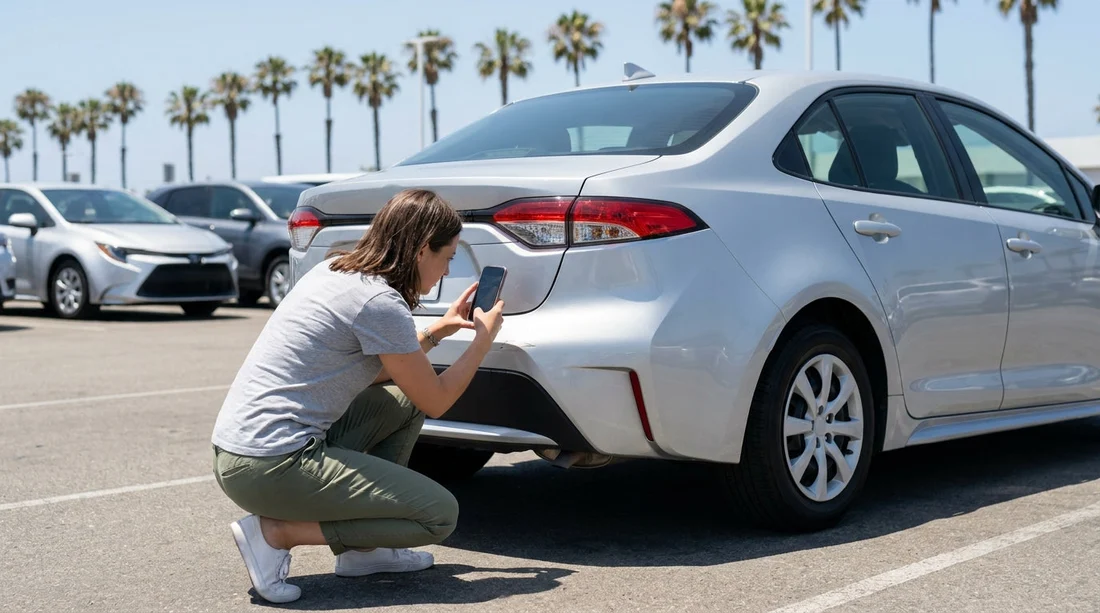
Quick Summary:
- Photograph all exterior panels, wheels, roof and glass in good light.
- Capture dashboard shots showing mileage, fuel level, warning lights and time.
- Record interior condition, boot, mats, spare tools and child-seat fittings.
- Photograph keys, accessories and the signed check-out report before leaving.
In California, your car hire deposit can hinge on whether you can prove a mark was already there, the fuel level you received, or the mileage recorded at check-out. The quickest way to protect yourself is to take a consistent set of photos before you drive off, ideally while still at the counter area or in the collection bay. This article gives you a practical, counter-ready checklist so you can document condition, mileage, fuel and key accessories with minimal fuss.
If you are collecting at a major hub such as San Francisco Airport or Los Angeles (LAX), build in five extra minutes for photos. Busy lots, poor lighting and rushed handovers are where disputes most often start. The aim is not to create an art project, it is to create clear evidence that matches the check-out report.
Before you start, set up your phone for usable evidence
Turn on location services and ensure your camera saves date and time metadata. If your phone allows it, keep the default file names intact and avoid editing, filters or “beauty” modes that could be questioned later. Take photos in standard mode rather than portrait, because blurred edges can hide scratches.
Take your photos before you leave the bay, and ideally before loading luggage. Once bags are in, it is harder to photograph the boot and bumper edges clearly. If lighting is poor, step back and use the phone’s flash for close-ups, but also take at least one non-flash wide shot to show context.
Exterior walkaround: the “four corners plus details” set
Start with four wide shots, one from each corner of the car, showing the whole vehicle and the licence plate. These establish the vehicle identity and the overall condition at collection. Then work clockwise and capture each side in two frames: one wide panel shot and one closer shot of any marks.
Focus especially on areas that are commonly damaged and later noticed at return: front bumper lower edge, rear bumper corners, door edges, side skirts, and wheel arches. For each wheel, take a clear photo of the rim face and tyre sidewall. Kerb rash on alloys is one of the most frequent causes of deposit disputes. Also photograph the windscreen and windows from an angle that shows chips and cracks, plus the mirrors and door handles.
Do not forget the roof. In California, many collections are for SUVs, and roof damage can be missed from ground level. If you are hiring an SUV from a location such as San Francisco SUV hire, use the door sill to gain height and take at least two roof shots, front and rear. If there is a sunroof or roof rails, include them.
When you find a mark, take it three ways: a close-up, a mid-range shot showing which panel it is on, and a wide shot that includes a recognisable feature like the wheel or headlight. This avoids the “we cannot tell where this is” argument.
Interior condition: seats, trims and anything that can be “cleaning”
Interior disputes are less common than exterior, but they do happen, particularly around tears, stains, smoke smells and pet hair. Take wide shots from each door looking inward to show the seats, door cards and floor area. Then photograph the driver seat bolster and the rear seat base, as these show wear most clearly.
Take a clear photo of the centre console, cupholders and dashboard surface. If you notice any sticky residue, deep scratches or cracked trim, capture close-ups. For leather seats, focus on any scuffs that could be interpreted as fresh damage.
Floor mats matter. Photograph each mat in place, plus one shot of the bare carpet edge if it is visible, because missing mats are sometimes charged as a lost accessory. Also photograph the boot or trunk empty, including the side panels and the load lip.
Dashboard proof: mileage, fuel level and warning lights
Before starting the engine, take a photo of the instrument cluster with the ignition on. You want to capture the odometer reading and fuel level clearly. Then take another photo after the engine starts, because warning lights should change. If any warning or maintenance lights remain on, photograph them and report them immediately to the desk so they can be noted on the check-out paperwork.
Also photograph the rental agreement or check-out sheet where the mileage and fuel policy are recorded. Your aim is to have your photo evidence align with the paperwork. If you are collecting at a busy counter like San Jose (SJC), do this while waiting in the car, but before exiting the facility.
Keys, accessories and “missing item” prevention
Many deposit deductions are not about dents, they are about missing accessories. Photograph the keys you received, including any key fob, spare key, remote, or emergency key blade. Take a photo of any key tags that show the vehicle number.
Next, capture proof of accessories that are present. Common ones include a parcel shelf or cargo cover, boot net, sat-nav unit, toll transponder, and a USB adaptor. For EVs or plug-in hybrids, photograph the charging cable and any adapters, plus where they are stored.
If you requested child seats, photograph each seat installed, the brand label, and the condition. Then take a photo of the seatbelt routing or ISOFIX anchors engaged. This helps if you later need to show that the seat was provided or that a component was already worn.
For specialist rentals, such as SUV collections at Santa Ana (SNA), add one extra photo of any removable luggage-area panels or third-row headrests. These can go missing during a trip if you reconfigure seating.
Paperwork photos: what to capture at the counter
Take a photo of the condition diagram or digital check-out screen that shows any pre-marked damage. If there is a printed slip, photograph both sides. If the agent asks you to sign on a device, ask to view the marked damage points first and photograph that screen. If the agent adds notes, photograph the final version after changes are saved.
Also photograph the fuel policy and any add-ons listed, so you can later confirm what you accepted. Keep these images together with your car photos in a dedicated album named with the date and location, for example “California car hire pick-up”.
What if you spot damage after leaving the lot?
If you discover an issue at the first stop, such as a crack visible in daylight, take photos immediately with a landmark in the background and contact the rental company straight away. The sooner the report, the more credible it is that the issue was pre-existing. Keep the tone factual and reference the time you picked up the vehicle.
Finally, mirror the same approach at return. Taking a similar set of photos when you drop off gives you “before and after” proof, which is the strongest protection for your deposit.
FAQ
Do I need photos if the agent says the car is already inspected? Yes. An inspection helps, but your own photos can resolve disagreements about when damage occurred.
How many photos is enough for a California car hire pick-up? Aim for 25 to 40 photos, covering four corners, each side, wheels, dashboard, interior and accessories.
Should I take a video instead of photos? Take both if you can, but prioritise photos because they are clearer for close-ups and easier to match to a damage point.
What dashboard photos protect me most? Capture the odometer, fuel gauge, and any warning lights, both ignition-on and engine-running.
What accessories are most often charged as missing? Keys or fobs, floor mats, parcel shelves, charging cables, toll tags and child seats. Photograph each item at pick-up.





























































































