


Quick Summary:
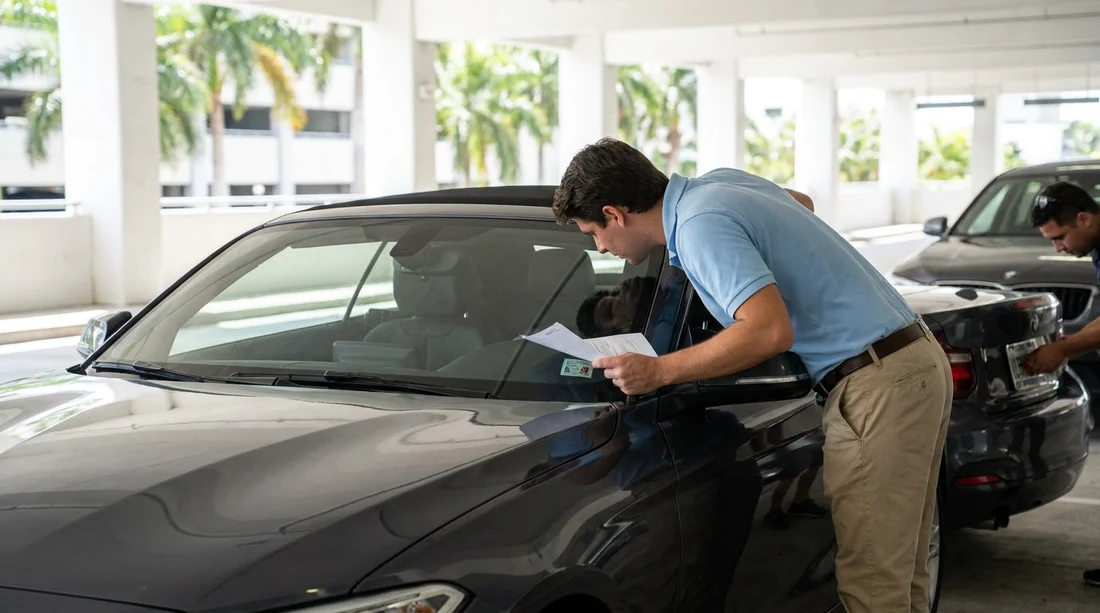
- Pause pick-up, compare the agreement’s VIN and plate to the car.
- Check the windscreen VIN, door jamb label, and number plate carefully.
- Ask staff to correct the contract before leaving the Miami car park.
- Keep photos of the car and updated paperwork for any dispute.
A VIN or number plate mismatch at pick-up is not just a minor typo, it can create real problems if there is a toll charge, parking ticket, breakdown, accident, or damage query later. In Miami, where many rentals start at busy desks and cars rotate quickly, mistakes can happen when a vehicle is swapped last minute or a previous agreement is still attached to a key. The safest approach is simple: do not drive away until the car and the paperwork match exactly.
This guide shows how to cross-check the vehicle against your documents, what to ask staff to change, and what evidence to keep. The goal is not to challenge the staff, it is to make sure your car hire agreement correctly identifies the vehicle you are taking.
Why the mismatch matters
Your rental agreement links you, the vehicle, and the liability rules in one record. If the record lists a different VIN or registration, several issues can follow. Tolls and parking systems may allocate charges to a vehicle identifier, insurers and roadside providers may use the VIN to confirm coverage, and the rental company’s damage process relies on matching the returned vehicle to the contract. A mismatch can mean delays at return, incorrect charges, or having to prove you did not have a different car.
In other words, this is worth fixing even if the car looks right and you are in a hurry to leave Miami.
What to check first, before you load luggage
Start with the documents you have in hand: your rental agreement, checkout sheet, or the email confirmation that shows the vehicle details. Look for fields labelled VIN, registration, licence plate, tag, or unit number. Some providers show only a plate and a stock number, others show the full VIN. Even if only part of the VIN is printed, the characters shown must match what is on the vehicle.
If you are collecting at Miami Airport, do this check at the bay before you leave the garage. If you are in a neighbourhood location such as Downtown Miami or Brickell, do it right beside the car, not later at a fuel station.
Where to find the VIN on the car in Miami
Use at least two VIN locations, because a windscreen can reflect light and a photo can be unclear. Common VIN locations on US vehicles include:
1) Windscreen VIN plate: Stand outside the car and look through the lower corner of the windscreen on the driver’s side. The VIN is usually visible on a small metal plate.
2) Driver’s door jamb label: Open the driver’s door and check the sticker on the door jamb or door edge. It often shows the VIN and tyre information.
3) Insurance or fleet sticker: Some rentals display a barcode or internal fleet label, which may include the last digits of the VIN. This is helpful, but do not treat it as the primary source.
If the agreement shows the full VIN, match every character. If it shows only the last six to eight characters, match those exactly. VINs use letters and numbers that can be misread, so take your time with 0 and O, 1 and I, and 5 and S.
How to confirm the number plate properly
Florida plates are usually on the rear, and rentals may also have a front plate mount even if a front plate is not present. Check the actual characters on the plate, not the state name or a sticker colour. Compare it to what is printed on your agreement. If your paperwork shows a plate that differs by even one character, treat that as a mismatch.
If the plate is missing, temporary, or covered by a dealer frame, ask staff to confirm what should be on the contract. Plate issues can occur after vehicle transfers between Miami and nearby cities, so it is better to clarify immediately.
Common reasons mismatches happen
Understanding the cause helps you ask for the right fix. Typical scenarios include a last-minute upgrade, a car being moved to a different bay, a previous renter’s vehicle being assigned to your agreement by mistake, or staff printing paperwork before the final vehicle selection was confirmed. Another cause is a plate change after maintenance or registration renewal.
None of these are unusual in a high-volume car hire operation, but they should be corrected before you leave the premises.
What to do at the desk or kiosk
If you spot a mismatch, return to the counter, exit booth, or help desk and state the issue clearly: “The VIN or plate on the contract does not match the car in bay X.” Avoid explanations that depend on assumptions, focus on the identifiers and let staff fix the record.
Ask for one of these outcomes, depending on what happened:
Option A, contract correction: If you are keeping the same car, request an updated agreement showing the correct VIN and plate, plus the same rate, inclusions, and cover terms you agreed to. Do not accept “it is fine in the system” unless you receive written confirmation.
Option B, vehicle swap: If the contract is correct and the car in the bay is wrong, ask them to direct you to the vehicle that matches your paperwork, or to reassign the correct vehicle officially.
Option C, manager confirmation: If staff cannot reprint documents, ask for a written note on the agreement, stamped or signed, confirming the correct VIN and plate.
When you receive a corrected agreement, re-check the identifiers before you drive away. It is worth an extra minute to avoid an hour of disputes later.
Evidence to collect, and what not to overdo
Take a few clear photos for your own records. You do not need a full photo shoot, just proof that ties the identifiers to the car you collected and the condition at pick-up.
Recommended photos include the windscreen VIN plate, the driver’s door jamb label, the rear number plate, and two wider shots showing the vehicle and any existing damage. Also photograph the updated paperwork on the day, especially the page that lists VIN, plate, time, and location. Keep these until the final invoice is settled.
Do not post these images publicly, they contain identifiers that should stay private.
If the mismatch is discovered after you leave
Sometimes you only notice when you stop for fuel or reach your hotel. If that happens, contact the rental provider immediately and ask for written confirmation of the correct vehicle details. Keep the message thread. If you are still near the collection point, returning to have the agreement reissued is often the cleanest solution.
If you picked up in Miami and are heading toward other areas, such as a later drop-off near Fort Lauderdale, sorting it early reduces complications at return. A mismatch can also interfere with any changes to your booking, extensions, or roadside support requests, so treat it as a priority.
How this protects you from extra charges
Correct identifiers help ensure tolls, parking, fuel charges, and damage inspections are assigned to the right vehicle. Miami has extensive toll roads and automated billing, and a mismatch can lead to toll notices or admin fees that are hard to contest if the paperwork points to a different car. Likewise, if the return agent scans a plate that does not match your agreement, it can trigger manual checks and delays.
For larger vehicles, the identifiers still matter just as much. If your agreement is for a people carrier or cargo option, make sure the VIN and plate match on the exact vehicle you received, especially when collecting via van rental in Florida locations serving Miami.
FAQ
What is the quickest way to check my rental car’s VIN at pick-up?
Look through the driver-side lower windscreen for the VIN plate, then confirm it again on the driver’s door jamb label. Match the characters to your agreement.
Is a one-character difference on the number plate a real problem?
Yes. Even one character can link charges, tolls, or damage records to the wrong vehicle. Ask for the agreement to be corrected before leaving.
Should I accept verbal confirmation that the system is correct?
It is safer to request written confirmation, ideally a reprinted agreement or an updated e-document showing the correct VIN and plate.
What photos should I take to protect myself?
Take clear photos of the windscreen VIN, door jamb VIN label, rear number plate, and the updated agreement page with vehicle details. Keep them until billing is final.
What if I only notice the mismatch later, after driving away in Miami?
Contact the provider immediately, request written confirmation of the correct vehicle identifiers, and ask how to obtain an updated agreement. If practical, return to have it corrected.































































































