


Quick Summary:
- Confirm your actual terminal on airport screens before leaving arrivals.
- Follow Rental Car Center signs, shuttles and movers serve all terminals.
- Use your confirmation to match the supplier name to the right desk.
- Allow extra time for transport and queues after a terminal change.
Terminal changes at Miami International Airport can happen for weather, gate availability, operational swaps, or a last minute stand change. If you are arranging car hire via Hola Car Rentals, the key is not the terminal number itself, it is getting to the right rental car facility, shuttle stop, or counter stated on your confirmation. This guide walks you through what to do the moment you realise you are arriving somewhere different to what you expected, and how to locate the correct pick-up point without losing time.
First, confirm where you have actually arrived. Do not rely on what your airline app said earlier in the day. After you step off the aircraft, check the nearest flight information display screen and the overhead terminal and concourse signs, then note your terminal and concourse letter. If your flight is diverted to a different terminal, baggage reclaim can also change, so follow airport signage for your flight number rather than walking to a familiar area.
Next, open your Hola reservation confirmation and look for three details: pick-up location name, any shuttle directions, and the supplier brand or desk name. Many travellers search for “Hola counter”, but Hola typically facilitates car hire through specific suppliers and locations. That means you should aim to reach the right facility and then the right desk, rather than expecting a single universal Hola desk in every terminal.
Understand the Miami Airport rental car layout
Miami International Airport has a centralised Rental Car Center (RCC). Regardless of whether you arrive at the North, Central, or South Terminal areas, the usual process is to make your way to the RCC using airport-provided transport. When your terminal changes, the best mindset is simple: get to the RCC, then match your supplier instructions to the correct counter.
In most cases you will see signs for “Rental Car Center” or “RCC” once you are in the arrivals and ground transportation areas. If you cannot find them quickly, ask an airport staff member for the direction to the Rental Car Center transport from your current terminal.
If you want to familiarise yourself with the local options before you land, the Hola landing page for Miami is a helpful reference for typical location context: car rental Miami.
Step-by-step when your arrival terminal changes
1) Do not leave the secure flow until you confirm baggage reclaim. If your terminal changed, your baggage belt may be in a different hall. Follow signs for baggage claim and your flight number, then collect all luggage first. Returning to baggage claim after you have gone landside can be slow.
2) Check whether you are landside already. Some terminal changes are actually bus gates or remote stands. You might be taken to a different arrivals hall from what you expected. Once you are in the public arrivals area, you can proceed directly to ground transportation and rental car transport.
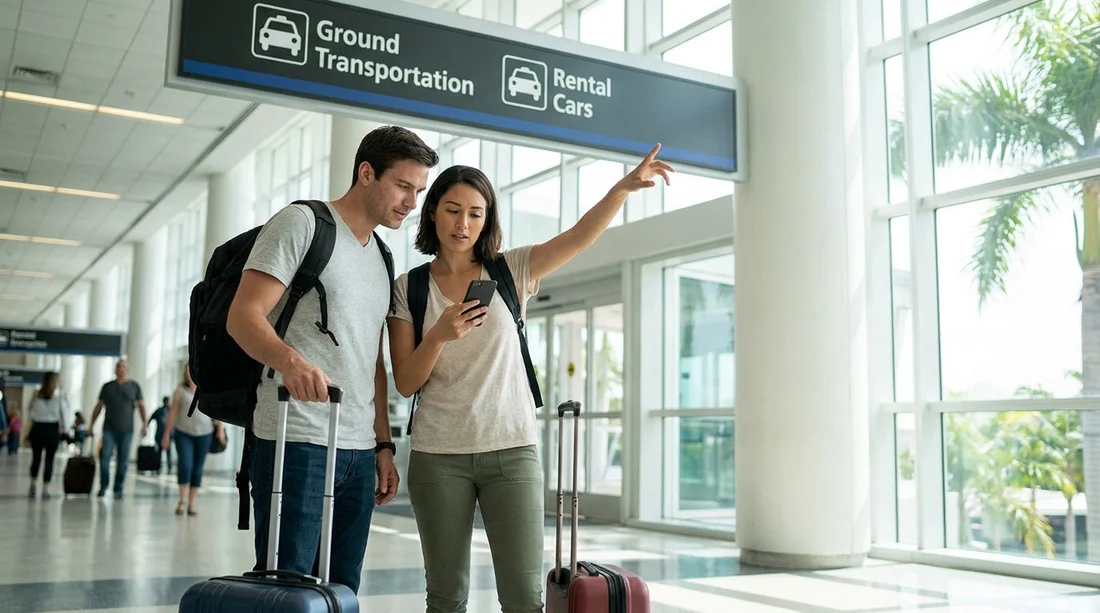
3) Follow signs to the Rental Car Center transport. In MIA, airport signage is your friend. Look for overhead signs that say “Rental Car Center” or direct you to the MIA Mover. If you see multiple transport options, choose the one specifically labelled for the RCC rather than a hotel shuttle area.
4) Keep your supplier name visible. In the RCC, counters are organised by brand. Your Hola confirmation should indicate the company handling your vehicle. If you booked an identified brand, go straight to that counter and have your driving licence, passport, and payment method ready.
5) If your confirmation mentions a meeting point, stick to the written details. Occasionally, pick-up instructions can specify a particular desk, level, or shuttle bay. Terminal changes do not usually change these instructions, but they can change the route you take to reach them.
Match your Hola confirmation to the right desk at the Rental Car Center
Once at the RCC, the terminal change is mostly behind you. Now it is about matching paperwork to the correct counter.
Check the supplier and location line. Your confirmation typically states the brand and the pick-up location. If you booked via Hola for a major brand desk, head straight there. If you arranged a specific provider experience, use the exact supplier name shown rather than a guess based on car type. If you are comparing options at the airport, you can review Enterprise car rental Miami for typical counter expectations.
Confirm your vehicle class and any upgrades. If you booked a specific class such as an SUV or a van, make sure the counter agent sees that class on the reservation. If you are exploring options for larger vehicles in the Miami area, these references may help you understand what is commonly available: SUV rental Coral Gables and van hire Doral.
Keep an eye on the location name if you are not collecting at the airport. Some travellers plan to pick up outside the airport, then their flight arrival terminal changes and they worry the reservation is invalid. A terminal change does not alter a city pick-up reservation, it only changes your path from baggage claim to that neighbourhood. For example, if you are headed to the coast first, you can review city context here: car rental Miami Beach.
What to do if you cannot find the pick-up point quickly
If you have reached the RCC but still feel stuck, work through this short troubleshooting list.
Re-read the confirmation for the exact pick-up type. Some reservations are “counter pick-up”, others specify a shuttle, and some have additional steps. The words “pick-up instructions” or “location details” are the key sections.
Use the supplier desk as the anchor. If your supplier is a major brand, ask that desk to confirm where their pick-ups are handled for your booking type. Even if you are early or the vehicle is being prepared, they can confirm you are in the right place.
Check for after-hours notes. If your terminal changed due to a delay and you arrived late, desk hours matter. Your confirmation may describe what happens after hours, such as key collection procedures or where to wait.
Do not assume a terminal-specific counter. At MIA, the goal is usually the RCC. Searching each terminal for a desk can waste time, especially after a terminal swap.
FAQ
Q: If my terminal changes at Miami Airport, do I need to change my car hire reservation?
A: Usually no. Terminal changes rarely affect the rental location, so focus on reaching the RCC or the specified meeting point in your confirmation.
Q: Where do I go first after a terminal change, baggage claim or rental transport?
A: Go to baggage claim first and collect all luggage, then follow signs to ground transportation and the Rental Car Center transport.
Q: I cannot find a Hola desk, what should I look for?
A: Look for the supplier brand named on your confirmation and follow its counter signage at the Rental Car Center.
Q: Does arriving at a different terminal change which shuttle I use?
A: It can change the exact stop you start from, but you still want the official Rental Car Center transport from your current terminal area.
Q: What if I arrive late due to a terminal swap and delays?
A: Check your confirmation for after-hours instructions, then speak to the supplier desk at the RCC if you need clarification.































































































