


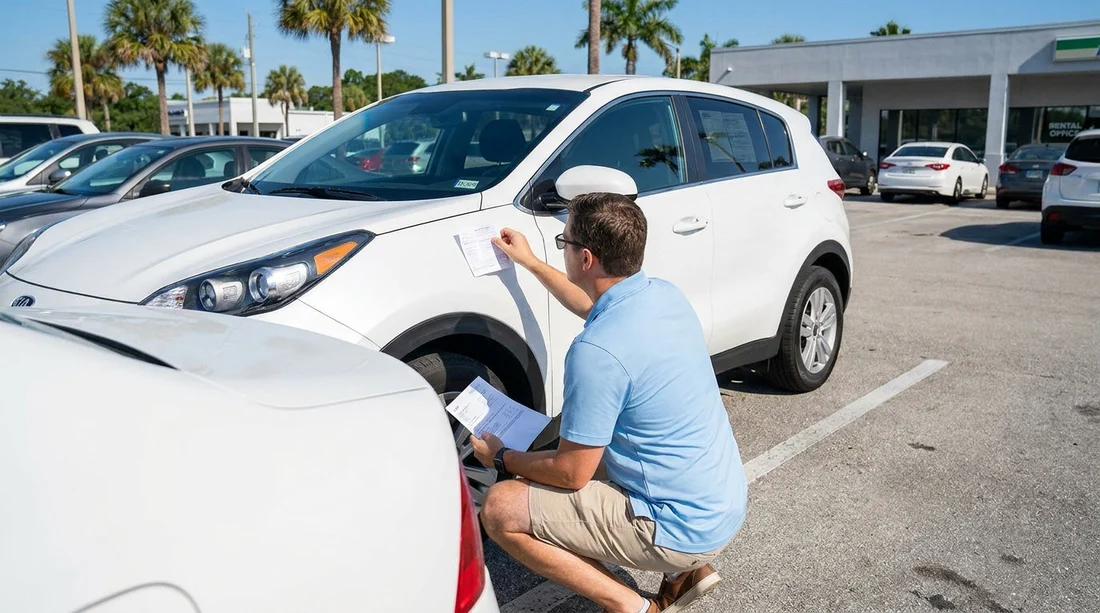
Quick Summary:
- Compare the contract VIN to the dashboard VIN plate before driving.
- Match the licence plate characters to the agreement, including state details.
- Cross-check the door jamb label VIN if the dashboard view is unclear.
- Photograph the VIN and plate next to your agreement page.
When you pick up a car hire in Florida, it is tempting to focus on fuel level, scratches, and how to get out of the car park quickly. One of the most important checks is simpler, matching the Vehicle Identification Number, also called the VIN, and the number plate to what is printed on your rental agreement. If the paperwork is tied to a different vehicle, you can run into problems with tolls, traffic tickets, insurance cover questions, and even returning the vehicle to the right account.
This check takes a minute, and it is easiest to do before you load luggage and before you leave the pickup lane. Florida is busy, especially around airports and downtown locations, so being systematic can save you from a long detour back to the counter.
What you are matching, and why it matters
The VIN is a unique 17 character identifier assigned to a specific vehicle. The number plate identifies the registration attached to that vehicle. Your rental agreement links your name, rental dates, protection products, toll options, and deposits to that specific VIN and plate.
If the VIN or plate on the agreement does not match the car you drive away in, common consequences include the wrong car being marked as returned, toll charges being misapplied, damage claims being attributed to the wrong renter, or a roadside assistance call being delayed because the operator cannot find your vehicle in the system.
This is particularly relevant for Florida travel, where automated tolling is widespread and the plate is often used to match toll events. A correct plate on the agreement helps ensure charges are assigned correctly and disputes are easier to resolve.
Where to find the VIN on most rental cars
You do not need tools to find the VIN. Use at least two VIN locations so you are confident you are reading it correctly.
1) The dashboard VIN plate. Stand outside the vehicle on the driver’s side and look through the lower corner of the windscreen near the dashboard. You will usually see a small metal plate or printed label with the 17 character VIN.
2) The driver’s door jamb label. Open the driver’s door and look for a manufacturer label on the door frame area, often near the latch. It may include tyre pressures and weight ratings, and it typically shows the VIN. This label can be easier to read if the windscreen has glare.
Tip: The VIN uses letters and numbers, but it does not use I, O, or Q in standard VIN format. If you think you see one of those, you are likely misreading a 1 or 0.
Where to find the number plate details in Florida
The number plate is the metal plate mounted outside the vehicle, usually on the rear and sometimes also on the front, depending on the state. Florida generally uses a rear plate only, so check the rear plate first. Verify the characters exactly as shown, including any spaces or dashes if they appear on your agreement.
Also note the state name on the plate. It is common to collect a rental in Florida that is registered in another state. That is not automatically a problem, but it makes it even more important that the agreement matches what is on the car.
How to match VIN and plate to your rental agreement, step by step
Step 1, find the VIN on your agreement. Look for a field labelled VIN, Vehicle ID, or Serial Number. It should be 17 characters. If it is shorter or missing characters, ask the desk to confirm.
Step 2, check the dashboard VIN. Compare all 17 characters, not just the last six. Read slowly and confirm each character. If the plate is hard to see through tinted glass or bright sun, shade the area with your hand or move your viewpoint rather than guessing.
Step 3, confirm using the door jamb label. Match the door label VIN to the dashboard VIN and to the agreement. If the dashboard VIN matches but the door label does not, stop and get assistance.
Step 4, match the number plate to the agreement. Find the plate number field on the agreement and compare it to the plate on the car. Check state information if it is listed on the agreement, and ensure you are not accidentally reading a temporary tag number if one is present in the window.
Step 5, take quick photos for your records. A clear photo of the dashboard VIN through the windscreen and a photo of the rear plate can be enough. If you prefer, take a photo of the agreement page showing VIN and plate too.
What to do if something does not match
If either the VIN or the number plate differs from the agreement, do not drive away and hope it will be fine. Return to the counter or attendant and explain that the vehicle details do not match. In many cases, the fix is simple, the agent updates the agreement to the correct vehicle, or they swap you into the vehicle that is actually on the contract.
If you are collecting at a busy location, these checks still apply, whether you are picking up near the beach, in the city, or at an airport. For travellers arranging car hire in Miami areas, you can compare how pickup processes vary by location, such as Miami Beach car rental or Downtown Miami car hire, but the VIN and plate matching step remains the same everywhere.
Why this is worth doing before you exit the lot
Once you leave the property, it can be harder to correct paperwork quickly, and you may spend time on the phone or need to return in person. In Florida, where many routes use toll roads and plate based billing, a mismatch can create a chain of admin that takes longer than the minute it takes to verify details at pickup.
It also gives you peace of mind. If you later receive a notice about damage, tolls, or a traffic matter, you can confidently show that you were assigned a specific vehicle. Travellers flying into Orlando, for example, may see options like Enterprise car hire at Orlando MCO, and the same VIN and plate process applies at the kerbside, garage, or shuttle lot.
Common VIN and plate reading mistakes to avoid
Rushing and checking only the last few characters. Many fleets have similar sequences, so match all 17 characters.
Mixing up 5 and S, or 2 and Z. VIN fonts can be blocky. Use the door jamb label as a second source.
Reading a temporary tag or barcode sticker as the plate. Only the metal plate characters count for the agreement match.
Assuming out of state plates are wrong. In Florida rentals, out of state registration can be normal, but the agreement must match what is on the vehicle.
If you are comparing vehicle size for a family trip, it can help to review options such as minivan rental in Brickell or van hire in Fort Lauderdale. Whatever you choose, confirm the VIN and plate match before leaving the lot.
If you need a downtown provider comparison while planning, you can also check Dollar car rental in Downtown Miami and still follow the same verification steps at pickup.
FAQ
Is it normal for a Florida rental car to have an out of state number plate? Yes. Rental fleets move vehicles between states, so out of state plates are common. The important point is that the plate on the car matches the plate printed on your agreement.
What if I cannot read the VIN through the windscreen? Use the driver’s door jamb label, which is usually clearer. If both are difficult to read due to lighting or dirt, ask staff to help rather than guessing.
Do I need to match the VIN if the number plate already matches? Yes. The plate can be reassigned or mistyped, and the VIN is the definitive identifier. Matching both provides the strongest confirmation that the paperwork is tied to your vehicle.
What happens if I drive away and later notice the VIN or plate mismatch? Contact the rental provider as soon as you safely can and document what you are driving, including photos of the VIN and plate. The earlier the record is corrected, the easier it is to prevent tolls or incidents being linked incorrectly.































































































