


Quick Summary:
- Ask the rental desk to disable the toll pass option before you drive.
- Mount your personal E‑ZPass correctly and keep the rental tag out.
- Confirm your E‑ZPass account is set to bill by tag, not plate.
- Save the agreement and toll receipts, then dispute duplicates promptly.
Yes, you can usually use your own E‑ZPass tag in a rental car in New York, but avoiding double billing depends on how the rental company’s toll programme is set up and how E‑ZPass reads transactions. The key is to make sure only one toll payment method is active: either your personal tag or the rental company’s toll service. If both are effectively “on”, you may see the same toll appear via your E‑ZPass account and also as a later charge from the rental company.
This is especially relevant for airport pickups and one way trips around the metro area, where toll facilities are frequent and some are cashless. If you are arranging car hire at New York JFK Airport or starting in New Jersey via Newark EWR, you will likely encounter tolls within minutes of leaving the terminal area.
How tolling works in New York rentals
Most rental companies in New York and nearby states use a toll programme that either provides an in car transponder, links tolls to the vehicle’s number plate, or both. The programme often has an optional daily fee when tolls are used, plus the toll amounts themselves.
Your personal E‑ZPass tag, by contrast, is tied to your own account, where you can register vehicles and set payment preferences. When you drive through E‑ZPass lanes, toll systems try to read the tag first. If the tag is not read, systems may fall back to a number plate image to match the toll to an account or to bill by mail. This “tag then plate” logic is where double billing risk appears, because the rental car may already be enrolled in a rental toll programme that also receives the transaction based on plate.
When double billing happens
Double billing is not guaranteed, but it can happen in a few predictable situations.
1) The rental vehicle is enrolled for plate billing. Even if you use your own tag, the toll system may still send a transaction associated with the plate to the rental company’s programme. If the programme is set to charge whenever the vehicle incurs a toll, you can be billed through the rental agreement despite paying on your E‑ZPass.
2) Your tag is not read reliably. Incorrect mounting, low battery in older tags, tinted windscreens, or placing the tag too low can lead to missed reads. Then the system bills by plate, which can go to the rental toll programme rather than your account.
3) You accidentally use the rental transponder as well. Some cars have a built in transponder or a removable device in a pouch. If it is left active and your own tag is also present, either could be read on different gantries, creating messy reconciliation.
What to confirm before you sign the agreement
At the counter, confirm the toll programme terms in plain language, and have the agent note your preference.
Ask whether the vehicle is automatically enrolled for tolls. Some rentals are enrolled by default, even if you do not opt in to a daily toll package. If default enrolment exists, ask what happens when you bring your own E‑ZPass and whether the company can mark the rental as “customer provided transponder”.
Ask how the rental company charges. Clarify whether they charge a daily fee only on days when tolls occur, a daily fee for every day of the rental once you opt in, or a per toll convenience fee.
Ask where the transponder is and whether it can be kept inactive. If there is a device, ask if it can be placed in a shielded mode or pouch, or turned off.
Get it in writing. If the agent says “use your own tag and you will not be charged”, ask for a note on the agreement or an updated selection on the contract that reflects that choice.
If you are picking up at car hire New York JFK or using a larger vehicle like van rental Newark EWR, these checks matter even more because toll roads, tunnels, and bridges are common on routes out of the airport corridors.
How to use your own E‑ZPass tag correctly in a rental
Using your own tag successfully is mostly about getting consistent reads and preventing plate fallback billing.
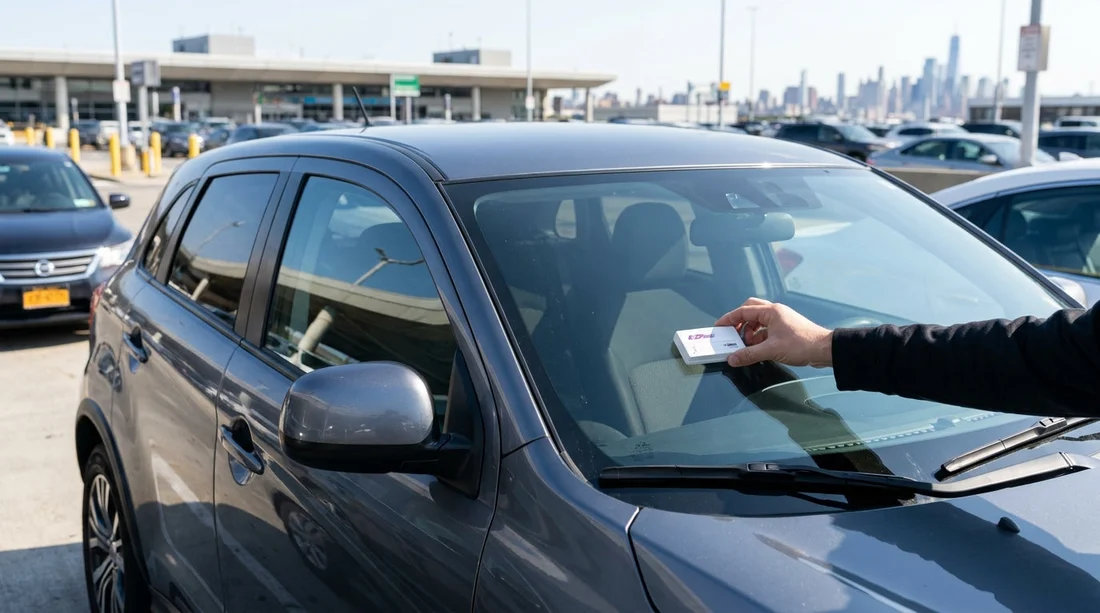
Mount the tag where E‑ZPass expects it. Follow your tag instructions, usually high on the windscreen near the rear view mirror, away from dotted frit bands or metallic tint areas. If you have a tag that is designed for external mounting, do not use it inside the vehicle.
Keep only one active tag in the vehicle. Remove other household tags from the cabin and keep the rental transponder inactive or out of range. Two tags can confuse reads and complicate disputes.
Make sure your account settings are sensible. If your account supports plate based billing, consider whether you want the rental plate temporarily added. The best choice depends on how the rental company’s programme works, so align your account approach with what the desk confirms.
After the trip: how to check for duplicates and fix them
Rental toll charges often post days or weeks after you return the vehicle, while your E‑ZPass transactions may appear sooner.
Save your paperwork. Keep the rental agreement, any toll programme leaflet, and your vehicle details, including plate number and rental dates.
Compare timelines. Look at the date and time of each toll on your E‑ZPass statement, then compare with any line items from the rental company. If the same crossing appears twice, note whether one is billed as a toll and the other as a toll plus service fee.
Dispute with the right party. If your E‑ZPass was correctly read, the rental company may be able to reverse their toll programme charge once you provide proof of payment. Act promptly because dispute windows can be short.
Practical decision guide for New York car hire
If you already have an E‑ZPass and are comfortable managing it, using your own tag can be the most transparent option because you see tolls directly in your account. It can also avoid per toll admin fees from rental programmes, but only when the rental company truly does not bill the vehicle separately.
If you are unsure, or if the rental company cannot clearly confirm how to avoid dual charging, consider using the rental toll programme alone for simplicity, then remove your personal tag from the vehicle. The main goal is consistency: one method, correctly set up, from the first toll onwards.
If you want a simpler pickup process, compare options at Hertz at Newark EWR or browse National at New York JFK before booking.
FAQ
Can I bring my own E‑ZPass tag and just ignore the rental toll programme? Sometimes, yes, but only if the rental vehicle is not enrolled to bill tolls by plate through a rental programme. Confirm at the desk how tolls are handled and whether your contract shows you declined their toll option.
Should I add the rental car’s number plate to my E‑ZPass account? It depends. Adding it can help if your tag is missed, but it can also increase the chance of duplicates if the rental company also bills by plate. Decide after confirming how the rental toll programme operates.
What if I accidentally used both my tag and the rental transponder? You may see mixed results, with some tolls billed to your account and others billed via the rental programme. Keep your agreement and transaction list, then dispute duplicates with the rental company, providing evidence of E‑ZPass payment.
Do cashless tolls work with E‑ZPass in New York? Yes. Cashless toll points typically read E‑ZPass tags, and if the read fails, the system uses a plate image. That is why correct mounting and having only one active tag matters.































































































