


Quick Summary:
- Locate registration documents or permit packet, and confirm they are current.
- Match the plate number and VIN on paperwork to the vehicle.
- Confirm renter name, rental dates, and pick-up location match the contract.
- Review tolling, insurance choices, and incident steps before leaving the bay.
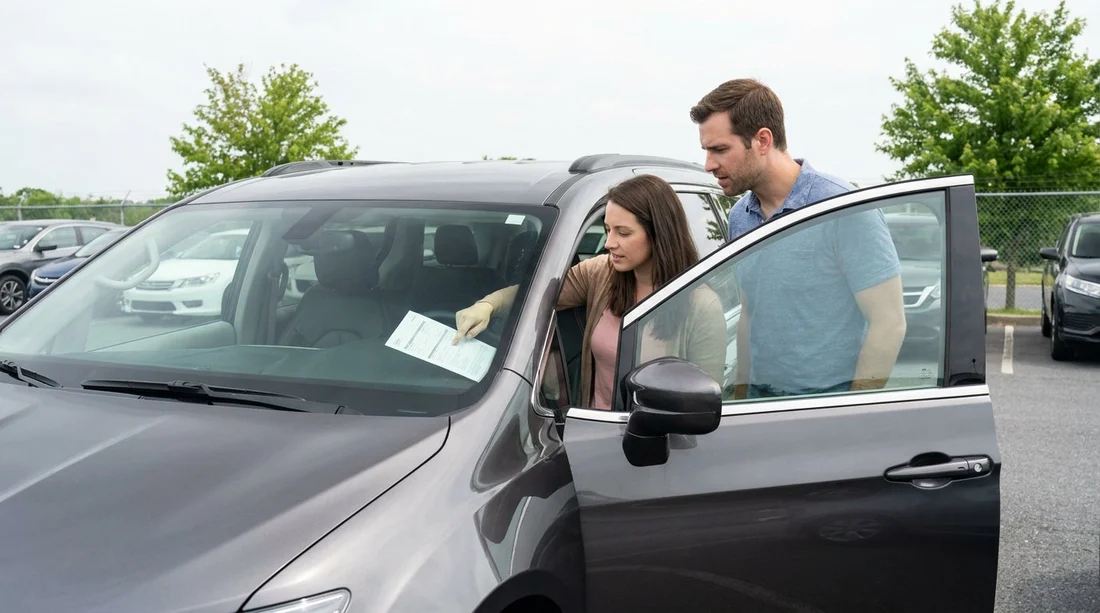
When you pick up a car hire in Pennsylvania, the quickest way to avoid admin headaches later is to take two minutes at the bay and check the windscreen paperwork and the documents kept with it. In many vehicles, the key items are either displayed on the windscreen, stored in the glovebox, or clipped together in a document wallet. The goal is simple, everything that identifies the car and authorises it to be on the road should match what is written on your rental agreement.
If you are collecting around Philadelphia, you might be comparing options across providers and locations, such as car hire at Philadelphia Airport (PHL) or car hire in Philadelphia (PHL). Regardless of where you collect, the same checks apply before you leave the pick-up area.
What “windscreen paperwork” usually includes in Pennsylvania
Rental fleets often keep road legality documents together, even if not all of them are visible on the glass. In Pennsylvania, you are typically looking for: the vehicle registration (proof the vehicle is registered), information about the vehicle plate, and sometimes supporting permits or fleet documentation that explains what to do in an incident. Some rental companies also include a tolling notice and a summary of optional cover, because those are common sources of disputes.
Do not assume the windscreen display is the whole story. If you cannot see a document, ask where it is stored. It is normal for registration to be in the glovebox for security reasons, while a small sticker or fleet label may be on the windscreen.
Where to find the registration and permit details
Start with the most common storage points. Open the glovebox and look for a registration card or a document packet labelled “registration” or “vehicle documents”. Some vehicles have a sleeve attached inside the glovebox door. If you do not find it there, check the centre console, the sun visor pocket, or the driver door pocket, as fleets vary.
Next, check the windscreen area itself. While Pennsylvania does not use the same inspection sticker arrangement as some other states, fleets may still place internal labels or notices on the glass. If you see any permit-style document, make sure it appears current and belongs to that vehicle.
If you are collecting a larger vehicle, paperwork may be more extensive. For example, with van hire in Philadelphia (PHL), it is especially important to confirm you have all documents, because vans are more likely to travel across state lines for moves or work trips.
The essential match checks before you drive off
Think of this as a three-part match: vehicle identity, rental agreement details, and charges or add-ons that affect how you drive.
1) Plate (licence plate) number
Compare the plate shown on the vehicle with the plate number printed on your rental agreement. A plate mismatch can happen if cars are swapped quickly in the lot or the contract is printed for a different unit. If the plate does not match, stop and have the agent correct the contract before you leave.
2) VIN (Vehicle Identification Number)
The VIN is the most definitive identifier. Your contract often shows the full VIN or the last several characters. On the vehicle, you can usually see the VIN through the lower corner of the windscreen on the driver side, and it may also be on the driver door jamb. Match what you can. If your paperwork shows only a partial VIN, match the visible last digits precisely.
3) Registration details and expiry
On the registration card, confirm the vehicle make and model are consistent with what you are driving, and check that the registration appears valid for the current date. You do not need to memorise every field, but you should be comfortable that it is not expired and that it belongs to the same vehicle you have been handed.
Contract details that must match what you see at the car
Once the vehicle identity matches, confirm the agreement reflects what you actually collected. This avoids being billed for a different class of vehicle or a different rental period.
Pick-up location and time
Make sure the pick-up branch, date, and time are correct, because these can affect grace periods and after-hours processes. If you collected at an airport facility but the contract shows a city location, have it fixed immediately.
Renter and authorised driver names
Confirm your name is correct and that any additional authorised drivers you requested are listed. If a second driver is not on the agreement, they may not be covered under certain protections, even if they are legally allowed to drive.
Vehicle class and fuel policy
Check the class (economy, SUV, premium) is what you accepted, and confirm the fuel policy is stated clearly, such as return full or return at same level. This is not windscreen paperwork, but it is part of the “before you drive off” verification that prevents later disputes.
Tolls, insurance documents, and what to do after an incident
Pennsylvania driving commonly involves toll roads, bridges, and tunnels, depending on your route. Rental fleets often include a tolling notice explaining how tolls are charged, whether there is an administrative fee, and how plate-based tolling is handled. Read this before you leave so you do not accidentally use a toll lane expecting cash payment options.
Insurance and protection information may be summarised in the agreement or included as an information sheet in the document wallet. Confirm what you actually accepted is marked as accepted, and what you declined is marked as declined. Pay particular attention to language about windscreens, tyres, and roadside assistance, because drivers often assume these are included by default.
Also look for an incident instruction sheet. It should tell you what to do in case of breakdown, a windscreen chip, a flat tyre, or a collision, and which number to call. If you cannot find this guidance, ask at the desk. For provider-specific pickups, you might be using pages like Enterprise car rental in Philadelphia (PHL) or Budget car rental in Philadelphia (PHL) to compare choices, but the on-the-spot check is always the same, you need the right instructions for the fleet you are actually driving.
Common paperwork problems and how to handle them calmly
Missing registration card
If you cannot locate registration documents, do not drive off hoping it will be fine. Return to the counter or bay office and ask for the correct document packet. Missing documents can become an issue during a traffic stop or after an incident.
Mismatch between contract and car
The most common is a plate mismatch after a last-minute car swap. Another is an agreement listing a different make or vehicle category. These are straightforward fixes if done before you exit the lot, but much harder later.
No incident instructions or roadside contact details
If you cannot find a phone number for roadside assistance or incident reporting, request one and store it in your phone. In a stressful situation, you do not want to search through paperwork on the shoulder of a road.
A quick, practical checklist at the bay
Stand by the driver door with the contract in hand and do a simple sequence: match plate, match VIN digits, locate registration and check it looks current, confirm dates and location on the agreement, then scan for tolling and incident guidance. If anything is wrong, resolve it before you pass the exit gate. This small routine makes car hire in Pennsylvania smoother, especially if you are tired from travel or collecting during a busy period.
FAQ
Q: Is the registration supposed to be visible on the windscreen in Pennsylvania?
A: Often it is not. Many rental cars keep registration in the glovebox or a document wallet. Your job is to locate it and confirm it belongs to the car.
Q: What if the plate number on my contract does not match the car?
A: Do not leave the bay. Ask staff to reissue or amend the contract to the correct vehicle, so your agreement and any tolling records match the car you are driving.
Q: Which VIN should I check if I cannot read the one at the windscreen?
A: Check the driver door jamb label as well. Match the last digits shown on your agreement. If you still cannot verify it, ask the agent to confirm and document it.
Q: What paperwork should I keep accessible while driving?
A: Keep the rental agreement and incident instructions easy to reach, but store registration securely in the glovebox. Do not leave documents loose on the seat when parked.
Q: Do I need to check toll paperwork before I drive away?
A: Yes. Toll policies affect real costs and how charges are processed. Knowing whether plate-based tolls are billed later helps you choose the right lanes and avoid surprises.






























































































