


Quick Summary:
- Bring a saved voucher screenshot and write down the booking number.
- Carry the payment card, driving licence, and passport matching the reservation.
- Save the supplier name and pick-up details so staff can verify.
- If verification fails, ask them to search by confirmation number.
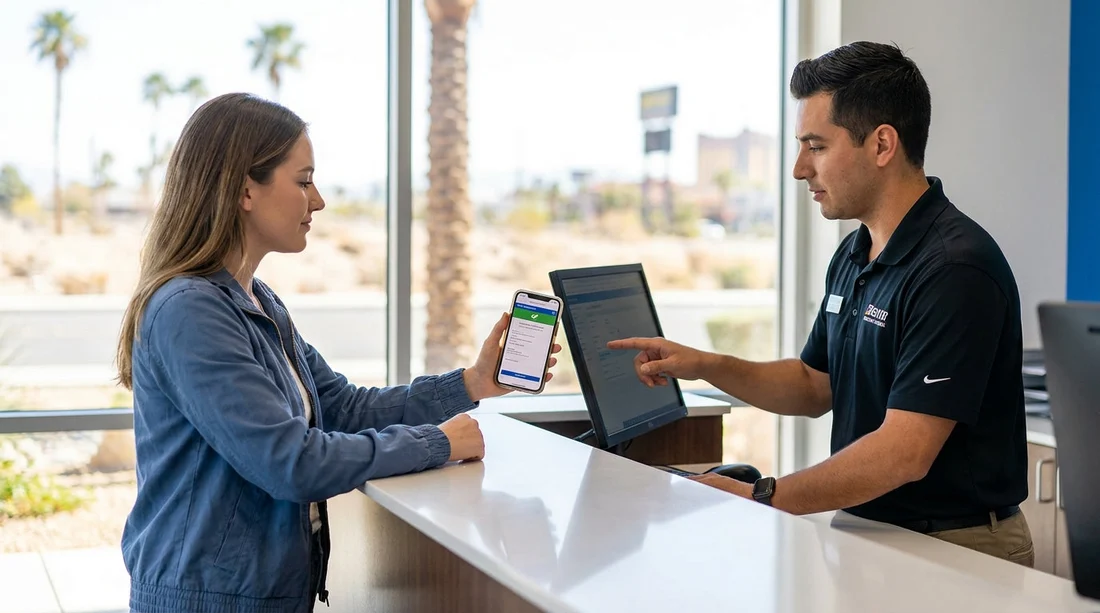
Landing at LAS without mobile data is common, especially if you rely on airport Wi-Fi that drops out in the car hire centre. The good news is that a screenshot of your car hire voucher is usually accepted at pick-up in Las Vegas, provided it clearly shows your confirmation details. However, acceptance is not guaranteed in every situation because counter staff may need to verify your reservation in their system, confirm identity, and match payment details. If any key detail is missing from the screenshot, or if there is a name mismatch, pick-up can slow down.
This guide explains what proof to have ready offline, what a screenshot should include, and how to prevent delays at the counter when you cannot load emails or web pages.
Will a voucher screenshot be accepted at pick-up in Las Vegas?
In most Las Vegas pick-up scenarios, counter agents can work with a screenshot as proof of your booking. A voucher is not only a receipt, it is a reference document that contains the information staff use to locate your reservation and confirm rate, inclusions, and payment terms. If your screenshot contains the booking number and the lead driver name, the agent can typically find the booking even if you cannot open your inbox.
That said, some delays happen when a screenshot is cropped too tightly, blurry, or missing the supplier, pick-up location, or time. In those cases, staff may ask you to provide the booking number separately or to show the original email. Planning for offline access avoids awkward moments at the desk.
If you are picking up at the airport, it helps to know which counter you need before you arrive. The Hola Car Rentals page for Las Vegas airport car rental gives a clear starting point for understanding the location context and typical pick-up flow.
What to have ready at the counter when you have no data
Think of pick-up as a quick verification process. The faster you can prove the reservation, the driver identity, and the payment method, the faster you get keys.
1) Offline voucher image or PDF
A screenshot is usually fine, but a saved PDF is better because it tends to include the full voucher text, terms, and multiple pages. Save it to your phone files so it is available in airplane mode. If you use a screenshot, take more than one so you capture all sections, especially the part that lists inclusions and deposit requirements.
2) Booking number and supplier name
Your booking number is the single most useful detail when mobile data is unavailable. Write it down on paper or store it in a notes app offline. Also note the supplier brand you are collecting from, because Las Vegas has several desks and a shared shuttle in many cases. If the agent cannot find the booking under your name due to a typo, the confirmation number usually gets results quickly.
3) Lead driver driving licence and passport
Bring the physical documents, not photos. In the US, rental desks generally expect the lead driver to present a valid driving licence, and international travellers often need a passport for identity verification. Names must match the reservation. If you have a middle name on one document and not on another, expect additional checks, so allow time.
4) Payment card used for the booking
Even if you paid in advance, the desk may take a security deposit and will almost always require a card in the lead driver’s name. A debit card may be accepted by some suppliers with extra conditions, but many prefer a credit card. Your voucher should explain the deposit policy, which is one reason saving a full voucher offline is important.
What your screenshot should show to avoid delays
A useful voucher screenshot should be readable and complete enough for the agent to confirm your reservation without needing to load the original email.
Include these details: booking number, lead driver full name, pick-up and drop-off dates and times, pick-up location, car hire supplier name, vehicle category, and the payment status (prepaid or pay at counter). If your voucher contains fuel policy, mileage, and insurance inclusions, capture those too, because questions at the desk often relate to what is included.
Make sure the image is not cut off at the edges. If you are taking screenshots on a small screen, zoom out or take multiple images so the booking number and your name appear together. A clean screenshot reduces the chances of being asked to step aside while staff look up details.
For travellers comparing pick-up points around the city versus the airport, the general car rental in Las Vegas page helps you understand which type of location your voucher is referring to.
Practical offline checklist for LAS arrivals
Before your flight, switch your phone to airplane mode and test whether you can still access what you need. If you cannot, adjust your saves until you can.
Save offline: your voucher (PDF plus screenshots), booking number in a notes app, the supplier name, and the pick-up address. If you are collecting at the airport, save basic directions from baggage claim to the rental facility. Some travellers also save a second copy in a cloud drive, but that will not help without data, so keep a local copy.
It can also be helpful to know the general market options in Nevada, including airport and city locations. The Nevada car rental page gives useful context if you are travelling beyond Las Vegas and want consistency across pick-ups.
What to do at the counter if the screenshot is not enough
If the agent says they cannot accept the screenshot, stay focused on the information they need rather than the format. Ask what field they are searching by, then provide it.
Step 1: Offer the booking number and your surname, spelled out. Many desks can retrieve a reservation immediately with this.
Step 2: Confirm the pick-up location and time. In Las Vegas, the same brand can have multiple locations, and the agent needs to be in the right system.
Step 3: Show your physical ID and payment card early. Sometimes the agent pauses the search because they need to verify the lead driver details first.
Step 4: If you cannot retrieve the email at all, ask if they can print the reservation terms or show them on their screen so you can confirm inclusions. This is especially useful if you are debating upgrades or additional cover.
If you are travelling as a family or group, consider whether your vehicle category suits your luggage, because changing at the desk can add time. For larger parties, reviewing options like minivan rental in Nevada ahead of time reduces last-minute adjustments at pick-up.
How Hola Car Rentals information helps you prepare
Hola Car Rentals listings and vouchers are designed to make pick-up straightforward, but the final step still happens at the supplier counter. Preparation is about ensuring the counter can verify three things quickly: your reservation, your identity, and your payment method. If you have those in offline form, lack of mobile data at LAS becomes a minor inconvenience rather than a trip delay.
If your booking is with a specific supplier brand, it can help to review that supplier page before you travel, so you know what to expect at the counter. For example, the Alamo car hire in Nevada page can be a useful reference point when confirming supplier name and location details on your voucher.
FAQ
Is a screenshot of my car hire voucher enough at Las Vegas pick-up? Usually yes, as long as the screenshot clearly shows the booking number, lead driver name, and pick-up details. A saved PDF voucher is even better.
What if I cannot access my email or the Hola Car Rentals confirmation? Provide your booking number and surname at the counter, then show your driving licence, passport, and the payment card. Agents can typically retrieve the reservation from their system.
Do I need to print my voucher for car hire in Las Vegas? Printing is not normally required, but it is a reliable backup if your phone fails or the screen is damaged. Offline phone copies are usually sufficient.
Will the desk accept a photo of my driving licence instead of the physical card? Generally no, most suppliers want the physical driving licence. Bring the original documents to avoid being refused or delayed.
What details should I screenshot to avoid add-on disputes? Capture the inclusions section, deposit or card rules, fuel policy, and mileage terms. This helps you confirm what your rate covers without needing data.






























































































