


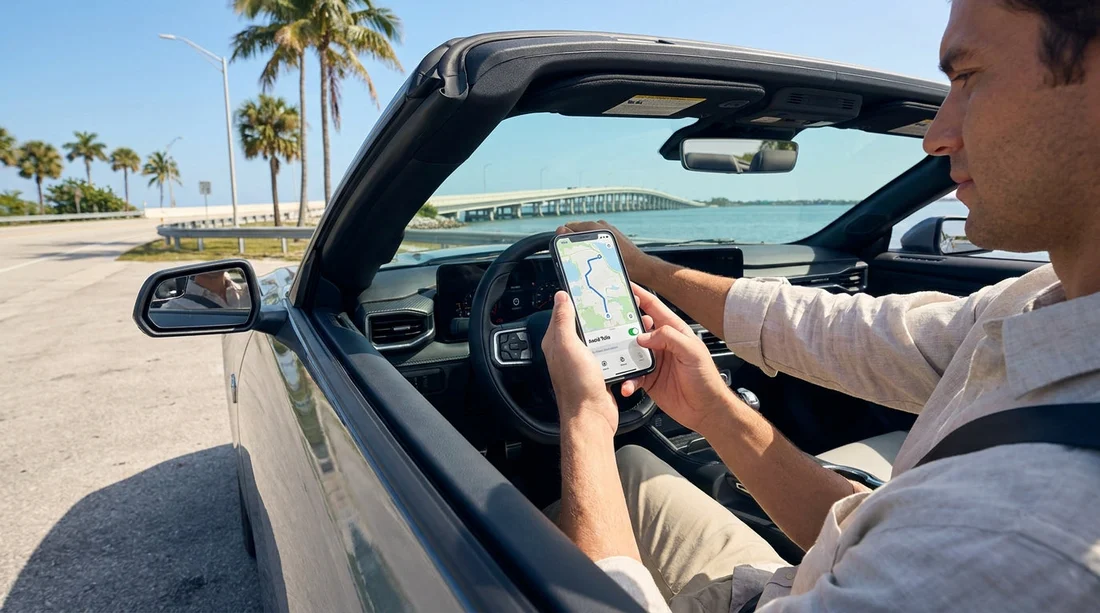
Quick Summary:
- Open Route options in Google Maps and switch on Avoid tolls.
- Compare route choices, because toll free options vary by time.
- Confirm your car hire toll programme, fees, and billing method at pickup.
- Check for toll tags on the windscreen and ask how they work.
Florida driving can be deceptively expensive if your sat nav quietly funnels you onto toll roads. Around Miami, Orlando, Tampa, and the airport approaches, tolled expressways and bridges can feel like the default. The good news is that Google Maps can be set to avoid tolls in a few taps. The important part is doing it before you collect your car hire, then double checking the rental paperwork and toll settings so you are not charged even when you thought you avoided tolls.
This guide walks through the exact Google Maps settings on iPhone and Android, what to verify on your first route out of the car park, and what to ask at the counter so toll charges do not become an end of trip surprise.
Set Google Maps to avoid tolls, step by step
Google Maps applies toll avoidance as a route preference. That means you can set it each time you plan a trip, or make it your default preference depending on device and app version. Do both, because it reduces the risk of a missed setting when you are tired after a flight.
On iPhone, avoid tolls for a specific route
1) Open Google Maps and tap the search bar, then enter your destination.
2) Tap Directions.
3) Confirm your start point is correct, for example the airport rental centre.
4) Tap the three dots in the top right of the directions screen.
5) Tap Route options.
6) Switch on Avoid tolls. If you also want to avoid motorways, switch on Avoid highways, but expect longer drives.
7) Go back to routes and review the alternatives shown. Google Maps should now prioritise toll free routes, when one exists.
On Android, avoid tolls for a specific route
1) Open Google Maps and search for your destination.
2) Tap Directions.
3) Tap the three dots (top right) or the settings icon on the directions panel.
4) Tap Route options.
5) Turn on Avoid tolls, then return to the route overview.
If you cannot see Route options, update Google Maps, then try again. Some Android skins place Route options under the sliders icon on the directions screen.
Set toll avoidance as a general preference
Depending on your Google Maps version, you can set avoid tolls under general navigation settings. Tap your profile icon, then Settings, then look for Navigation settings or Route options. If you see Avoid tolls, enable it. Even if you set it globally, still confirm it is enabled for the route you are about to drive.
Florida reality check, avoiding tolls can mean longer drives
Avoiding tolls in Florida is possible for many journeys, but not all. Some routes have limited alternatives, and some toll roads save substantial time. If your trip is time sensitive, compare the toll free route against the fastest route. Then decide whether to pay tolls intentionally, rather than being forced into them accidentally.
This is especially relevant when travelling between major airport areas and resort corridors. For example, if you are collecting around Orlando, routes from the airport area can strongly favour expressways. If you are planning pickups near Orlando MCO, review your first route before you join the main flow, because airport exits can funnel drivers into tolled segments quickly.
What to double check at the car hire counter to prevent surprise toll charges
Even if you avoid toll roads perfectly, you still need to understand what toll programme is attached to your vehicle. Many car hire providers in Florida offer toll products that can add daily fees, convenience charges, or administrative costs, sometimes even on days you do not use a toll road. Ask clearly, and get the answer reflected on your agreement.
Ask these five questions at the counter:
1) Is there a toll tag or transponder fitted to the vehicle? Some cars have a visible device on the windscreen or near the rear view mirror, others are integrated. If a tag is active, driving through a toll point can trigger automatic billing.
2) What toll programme applies by default? There are usually two models, an optional toll pass with a daily fee, or pay later billing where tolls are charged after the rental with an admin fee per toll or per day.
3) Can I opt out, and how is opt out recorded? If you plan to avoid tolls, ask to opt out of any prepaid toll product. Ensure the paperwork shows you declined it. Verbal confirmation is not enough when charges appear later.
4) If I accidentally use one toll road, what will it cost? You want to know the worst case, including admin fees. This helps you decide whether you would rather intentionally use toll roads and accept a pass, or work harder to avoid them.
5) How are tolls billed for video tolling? In Florida, some toll points use licence plate billing. Ask how the company handles that, and what fees apply.
If you are picking up in Miami, toll exposure can be high depending on neighbourhood. Someone driving from Brickell towards beaches or the airport might cross tolled causeways or expressways if the route is not configured correctly. If your pickup is near Brickell or Miami Beach, do the route preview while still at the counter so you can decide whether a toll product is worth it for your itinerary.
Practical route planning tips before you travel
Download offline maps for your area. In Google Maps, tap your profile icon, then Offline maps, then download the region. If your mobile signal drops near an interchange, you still have guidance and can avoid a panic turn onto a tolled ramp.
Build a first day list of destinations. Add your hotel, supermarket, and key attractions. Then test directions with Avoid tolls on, so you know which journeys are realistic without tolls.
Allow extra time for toll free routes. Florida arterial roads have more junctions and traffic lights. If you are travelling with a larger group, a comfortable vehicle can reduce stress on longer routes, such as options like minivan hire in Florida.
Consider where you pick up. Airport locations can put you close to toll roads immediately, whereas some city locations may offer easier access to non tolled streets. If you are collecting near the Miami Airport area, routes out of the rental zone can vary, such as pickups around Doral.
What to do if you accidentally enter a toll road
Do not stop or try unsafe exits. Continue, and make the next safe exit. Then document what happened. Take a screenshot of your route showing Avoid tolls was enabled, and note the time and road. Later, if you see a charge you do not understand, that information can help you discuss it accurately.
If you are on a trip that requires a larger vehicle and you end up on toll roads around the Gulf Coast, it is still worth understanding your rental toll terms. For travellers starting around Tampa TPA, check your agreement for any daily toll programme fees that could apply even on mostly toll free days.
FAQ
Q: Will Google Maps always find a toll free route in Florida?
A: No. It will try, but some trips have no practical toll free option, or the alternative may be extremely slow. Always review the route choices for toll icons before starting.
Q: If I switch on Avoid tolls, can I still be charged toll fees by my car hire company?
A: Yes, if you accidentally use a toll road, or if your agreement includes a toll programme with daily fees. Confirm the toll product, opt out rules, and admin charges at pickup.
Q: Where in Google Maps are Route options on iPhone and Android?
A: After you tap Directions, open the three dot menu, then select Route options, then enable Avoid tolls. The exact icon placement can vary by app version.
Q: How can I tell if my rental car has a toll transponder?
A: Look for a small device near the windscreen or rear view mirror, or ask the counter staff to show you where it is and whether it is active.
Q: Is it better to avoid tolls or pay them in Florida?
A: It depends on your itinerary and time constraints. If toll free routes add significant time, a toll product may be simpler, but confirm all daily fees and admin charges first.






























































































