Quick Summary:
- Scan your quote for LDW, CDW, or Loss Damage Waiver inclusions.
- Confirm whether the waiver is included, waived, or optional in writing.
- Match the counter offer to your voucher to avoid duplicate charges.
- Ask for an itemised receipt before signing any upgraded protection.
When you compare car hire prices in Florida, it can be surprisingly hard to tell whether LDW is already included. LDW stands for Loss Damage Waiver, a rental-company waiver that can reduce what you pay if the hire car is damaged or stolen, subject to the contract terms. The confusion usually comes from how US quotes are formatted, how waivers are labelled (LDW, CDW, or even just “damage waiver”), and how extras are re-offered at the counter.
This guide explains where LDW typically shows up on Florida car hire quotes, the wording that signals it is included, and a practical method to avoid double-buying cover when you collect your vehicle.
What LDW means on US car hire quotes
In the US, rental companies often use “waiver” language rather than “insurance” language. LDW is commonly used as an umbrella term, and CDW (Collision Damage Waiver) is often used interchangeably on quotes, even though some contracts separate collision damage from theft. Your key task is not to debate the acronym, but to confirm whether the quote already includes a waiver for damage and theft, and whether it is included in the price you are about to pay.
Also note that a waiver is not the same as liability coverage. In Florida, liability, damage waiver, personal accident, and roadside assistance can all appear as separate items. A quote can include LDW but still exclude or limit other cover types.
Where LDW can appear in a Florida car hire price breakdown
Most booking flows present pricing in at least two layers, a headline total and a detailed breakdown. LDW can be shown in several places.
1) Included features list. Many sites show a list of “included” items under the vehicle, sometimes beside icons. Look for any mention of LDW, CDW, Loss Damage Waiver, Damage Waiver, or Theft Protection. If it is under “Included”, that is your first good sign, but still open the detailed terms.
2) Price breakdown line item. Some quotes show LDW as a line with a cost of 0.00, or show it as included within the base rate. Wording like “Included in rate” or “Included” is what matters, not whether it has its own price line.
3) Voucher or confirmation page. The most reliable place to verify included items is the voucher or confirmation email, because it reflects what the supplier expects at the counter. If you are collecting at a busy hub like Orlando Airport (MCO) car rental or Fort Lauderdale Airport (FLL) car rental, having that document easy to access can save time and reduce pressure.
Exact wording to look for when LDW is included
The fastest way to check if LDW is included is to search your voucher or confirmation for these phrases.
Clear “included” signals: “LDW included”, “CDW included”, “Loss Damage Waiver included”, “Damage waiver included”, “Theft protection included”, “Included in rate”, “Included in price”, “Waiver is included”.
Signals it is provided but with conditions: “LDW included with excess”, “Deductible applies”, “Excess applies”, “Subject to terms”, “Exclusions apply”. LDW can still be included even if you remain responsible for an excess. What you need to avoid is paying again for the same base waiver at the counter, unless you actually want to reduce the excess or change the terms.
Signals it is not included: “LDW optional”, “CDW optional”, “Not included”, “Available at counter”, “Purchase at pick-up”, “Decline or accept at desk”. If you see this, the quote likely assumes you will decide at collection, which is where prices can rise.
How to compare the counter offer with what you already have
Double-buying usually happens because counter staff use different names for similar products. To protect yourself, compare using a simple three-step check.
Step 1: Identify what your quote includes. On your voucher, note the exact wording next to LDW or CDW and whether theft is mentioned. If you are hiring a larger vehicle, such as via minivan hire in Orlando or SUV hire in Tampa, the included package sometimes differs by supplier, so do not assume your previous trip’s cover will match.
Step 2: Ask what the counter product changes. If the agent offers “LDW” or “damage protection”, ask one neutral question, “Is this already included in my prepaid rate, and if so, what does your option add?” Listen for specifics such as a lower deductible, glass and tyres included, loss-of-use charges waived, or administrative fees reduced. If they cannot clearly explain the difference, pause before accepting.
Step 3: Get an itemised receipt before you sign. Ensure any added product is listed by name and price per day. If you see LDW, CDW, DW, or “damage waiver” added as a daily charge when your voucher shows it included, that is a red flag for double-billing.
Practical checklist to avoid double-buying LDW at the counter
Bring the right proof. Save your voucher offline and keep a screenshot of the “included” list. Counter discussions move quickly, and mobile signal at busy terminals is not always reliable.
Match names, then match outcomes. Names vary, so focus on what is covered. Does it waive damage and theft? Is there an excess? Are admin fees and loss-of-use included or excluded? A product that only changes the excess may be a deliberate upgrade, not a necessity.
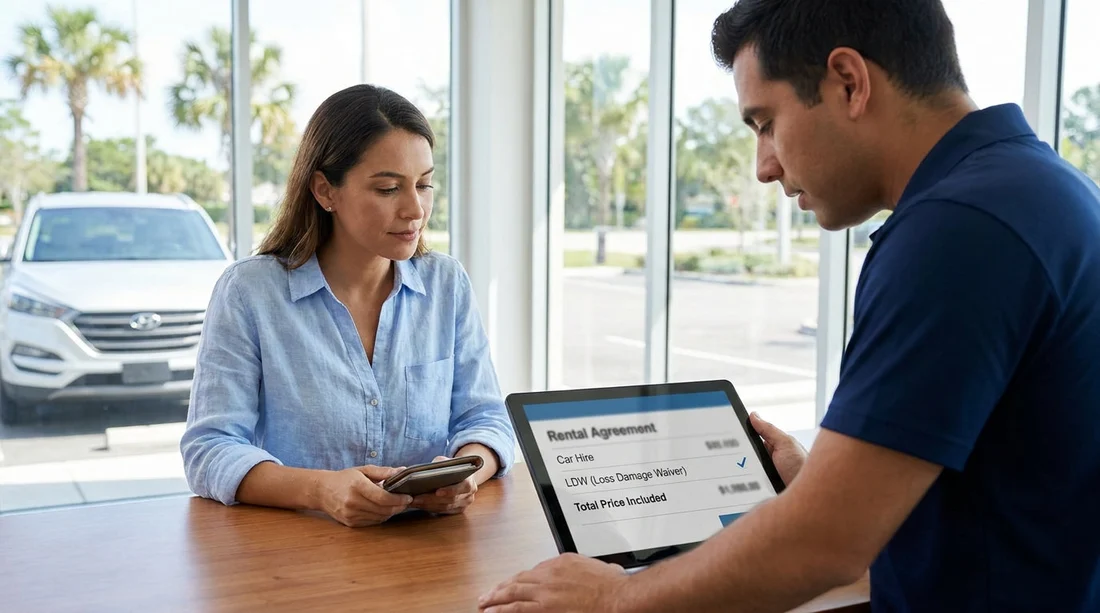
Check for pre-ticked boxes. On the rental agreement screen or printed form, extras can be pre-selected. Scan for LDW, CDW, DW, “Loss Damage Waiver”, “Collision Damage Waiver”, and “Vehicle Protection”. If you do not want an upgrade, ask for those lines to be removed before you sign.
Florida car hire quotes can be perfectly transparent once you know what to look for. By finding the LDW wording on your voucher, comparing it to the desk offer, and checking the final agreement for duplicate waiver charges, you can confidently confirm whether LDW is already included and avoid paying twice.
FAQ
Q: Is LDW the same as CDW on Florida car hire quotes?
A: They are often used interchangeably on US quotes. What matters is whether the contract waives damage and theft costs, and what excess or exclusions apply.
Q: If my voucher says “LDW included”, can the counter still sell me something?
A: Yes. The counter may offer an upgraded waiver, for example a lower excess or broader cover. You should only accept if you want the improved terms.
Q: Where is the most reliable place to confirm LDW is included?
A: Your confirmation voucher or email is usually the best reference, because it reflects what is agreed for your booking rather than an on-screen estimate.
Q: What should I do if the rental agreement shows LDW added as a daily charge?
A: Ask the agent to remove it if your prepaid booking includes LDW. Do not sign until the itemised charges match what you intended to buy.
Q: Will declining LDW reduce my Florida car hire price?
A: Only if LDW was optional and not included in your rate. If it is already included, declining may not change the total, and could complicate the deposit requirements.