


Quick Summary:
- Bring a short, data-capable USB cable, not charge-only, for Android Auto.
- Expect USB-A and USB-C ports, but only one may support data.
- Wireless Android Auto works on some newer cars, after a first setup.
- Pack a 12V charger and a spare cable to avoid pickup delays.
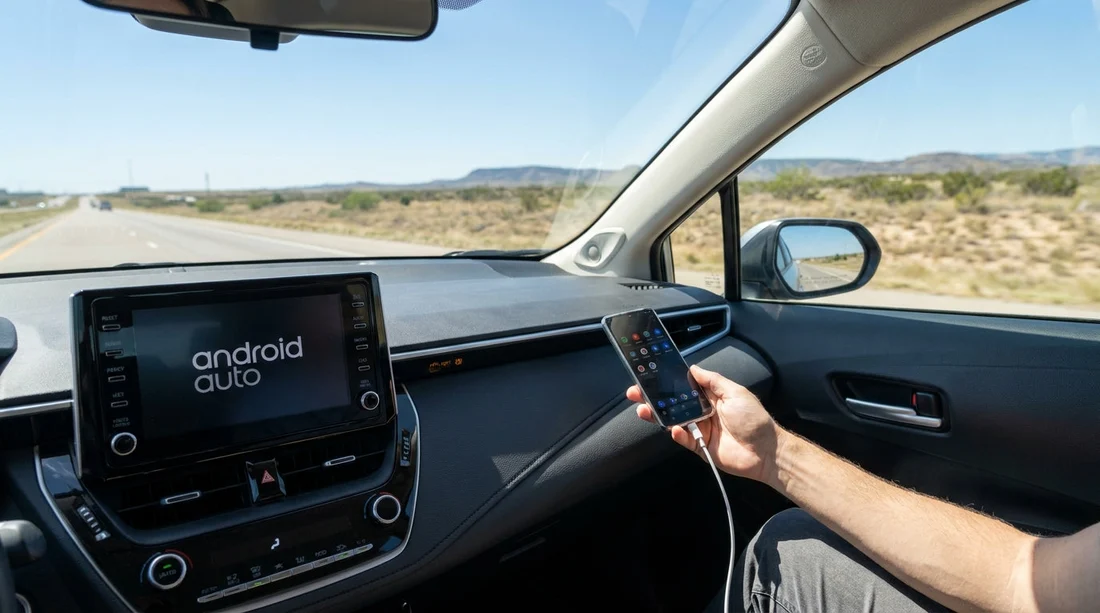
If you are planning car hire in Texas and want Android Auto to work immediately at pick-up, the safest answer is yes, bring your own USB cable. Many rental cars do not include a loose cable in the cabin, and even when a cable is available it might be charge-only, too long, frayed, or simply missing. Android Auto is also picky about cable quality, so a good cable saves time when you are trying to set navigation, music, and calls before leaving the airport.
Texas is a big driving state, and the first ten minutes of your drive often include toll roads, complex interchanges, and unfamiliar signage. Getting Android Auto connected quickly matters, whether you are collecting near Dallas Fort Worth via car rental at Dallas DFW, heading downtown from car hire in Austin AUS, or driving out from car hire in San Antonio SAT.
What ports and cables are commonly available in Texas rental cars?
Across popular rental categories, you will usually find some combination of USB-A ports, USB-C ports, and a 12V socket (often called the cigarette lighter socket). What varies is which ports are wired for data, and where they are located. In many vehicles, only one specific port supports Android Auto and Apple CarPlay, while the others provide power only.
Common setups you may see include:
USB-A data port in the centre console. This is still very common in compact and mid-size cars. Some cars have two USB-A ports, but only one may be connected to the infotainment system.
USB-C ports for charging, with one data-capable port. Newer models increasingly include USB-C. However, having USB-C does not automatically mean Android Auto will work on every port.
Mixed ports in front, extra charging ports in the rear. Rear-seat USB ports are almost always power-only, so they will not run Android Auto.
No USB data port visible at first glance. Occasionally the data port is inside the armrest compartment, low in the console, or labelled with a smartphone or CarPlay/Android Auto icon. If you are in an SUV hired from a major hub such as SUV hire in Houston IAH, take a moment to check the console area before assuming the vehicle does not support it.
Rental companies typically do not guarantee a particular port type. Even within the same car group, you may receive different model years with different ports. That is why packing your own cable, and ideally one adapter, is the most reliable approach for car hire.
USB cable basics, what Android Auto needs to work
For wired Android Auto, your phone must connect using a cable that supports data transfer as well as charging. Many cheap cables, promotional cables, and some very thin travel cables are charge-only. They will power your phone but Android Auto will not launch.
To minimise problems at the pick-up bay, aim for:
A short, high-quality cable, around 0.5 m to 1 m. Long cables can be more prone to signal issues in some cars.
Correct connectors for your phone and the car. Most Android phones use USB-C, so you will typically want USB-C to USB-A, or USB-C to USB-C, depending on the vehicle port.
A cable marked for data. If you have ever used the cable for file transfer or Android Auto before, that is a good sign it is data-capable.
A spare cable. Android Auto issues are often cable-related, so swapping cables is a quick test.
Also check your phone settings and prompts. The first time you connect to a new car, Android may ask you to allow data access, start Android Auto, or accept safety terms on the car screen. Declining one prompt can make it look like the cable is the problem.
How wireless Android Auto works in rental cars
Wireless Android Auto can be a great option because it removes the cable dependency, but it is not universal. Wireless capability depends on the car’s infotainment system and, in some cases, your handset model and Android version.
Here is what to expect:
Initial pairing. Many cars require an initial Bluetooth pairing step, after which the car and phone negotiate a Wi-Fi Direct connection for Android Auto. Some cars can start the process from the infotainment menu, others prompt you when you pair Bluetooth.
Not all trims support it. Two cars that look identical can differ in wireless capability because of trim level or software version. On arrival, look in the infotainment settings for Android Auto, smartphone projection, or connections.
Battery and heat considerations. Wireless Android Auto uses more power and can warm the phone, especially while running navigation in Texas summer temperatures. Even if you go wireless, a charger is still useful.
Time to connect. Wireless can take 20 to 60 seconds to start after you begin the drive. If you need navigation immediately to leave an airport complex, plugging in once can be faster.
If your rental car supports wireless Android Auto, you may still want to keep your cable handy for charging or for troubleshooting. If the wireless connection fails, a wired connection is usually the quickest fallback.
Fast troubleshooting checklist before leaving the lot
If Android Auto does not appear within a minute, run a quick check before you drive away:
Try the correct port. Look for a port with a smartphone icon or labelled data. Do not assume every USB port supports Android Auto.
Unlock the phone and accept prompts. Approve permissions on the handset and accept terms on the infotainment screen.
Swap cables. A different cable often fixes intermittent connections immediately.
Check for wireless settings. If the car supports wireless Android Auto, you may need to enable it in the infotainment connections menu.
Restart. Restarting the infotainment system or the phone can resolve a stuck handshake.
If you are collecting from a busy location such as Budget car rental in Texas IAH or arriving later in the day, having your own tested cable and a backup keeps the process calm and quick.
Does the rental company matter?
Android Auto availability is driven more by the vehicle make, model year, and infotainment package than by the brand on the rental counter. That said, fleets differ by location and by supplier, so your odds of getting newer infotainment can vary. If Android Auto is important, you can narrow your search to newer vehicle categories, and you can check the listing details where available. For instance, when comparing options like Hertz car hire in San Antonio SAT or other suppliers at the same airport, it is still wise to pack a cable because even the newest cars may require wired setup.
The key point is simple, rental cars usually do not come with a personal USB cable, and the fastest, most consistent way to get Android Auto running during car hire in Texas is to bring your own data-capable cable and charger.
FAQ
Do Texas rental cars usually include a USB cable for Android Auto? Usually not. Some vehicles may have a left-behind cable, but it is not guaranteed, and it may be charge-only or unreliable.
Will any USB port in the car work for Android Auto? No. Many cars have multiple USB ports, but only one is wired for data to the infotainment system. The others may provide power only.
Can I use wireless Android Auto instead of a cable? Sometimes. If the car supports wireless Android Auto and your phone is compatible, you can connect after pairing, but it may take longer to initialise and still uses battery.
What cable should I bring for car hire in Texas? Bring a short, high-quality data cable that matches your phone, plus a spare. If you are unsure of the car port type, consider a small adapter as backup.
Why does Android Auto keep disconnecting in a rental car? The most common causes are a poor quality cable, a charge-only cable, using the wrong USB port, or a phone permission prompt not accepted. Swapping to a better cable often fixes it.






























































































