


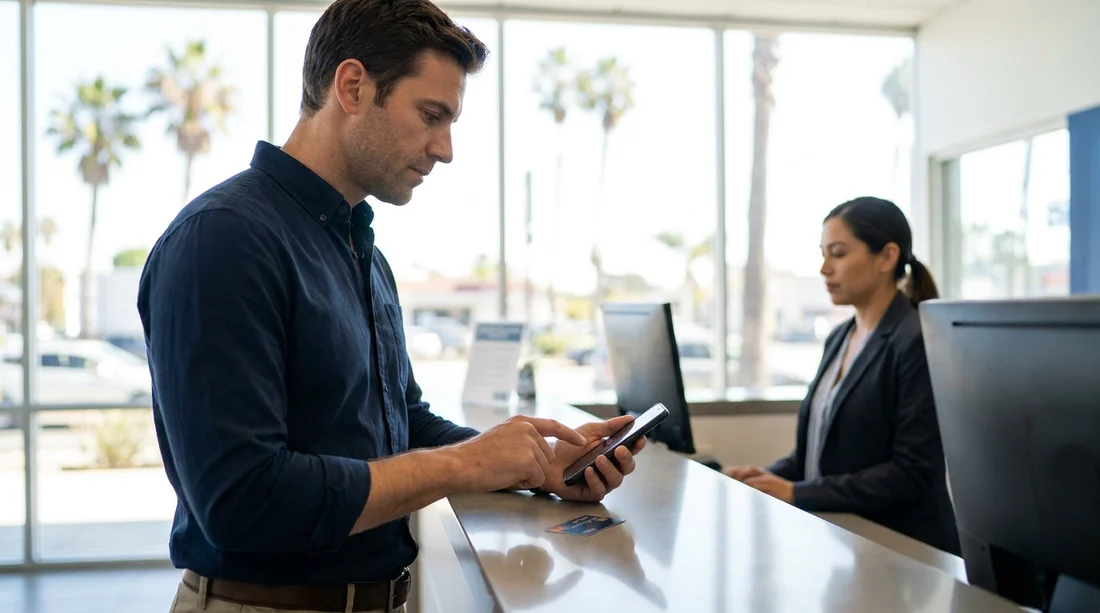
Quick Summary:
- You rarely need mobile data, stable Wi-Fi usually works for approvals.
- Approval prompts can appear for charges and separate security deposits.
- Prepare logins, updates, notifications, and battery before reaching the counter.
- Ask for guest Wi-Fi early so authorisations do not time out.
Paying for car hire in Los Angeles often looks simple, present a credit card, sign, and collect keys. In practice, card networks and banks run fraud checks that sometimes require you to approve a transaction in your bank app. That is where the “Do I need mobile data?” question matters, especially if you have just landed at LAX, your roaming is off, or you use an eSIM that has not activated yet.
The reassuring answer is that you usually do not need mobile data specifically. Most bank apps can complete approvals over any internet connection, including reliable Wi-Fi. The more important point is to ensure you have some internet access available, because some verification methods time out quickly at the counter.
If you are collecting at the airport, it helps to understand the payment flow used for many bookings in Los Angeles. Whether you arranged your rental through an LAX page such as Los Angeles Airport car rental or another provider, you can still see the same categories of checks, a charge for the rental cost, and often a separate security deposit or pre-authorisation. Either part can trigger an approval request.
Why bank app approvals happen at the car rental desk
Banks and card issuers monitor spending patterns. Travel is one of the most common triggers for extra verification because your card is being used in a different region, with a merchant type that has higher fraud rates, and sometimes for a large amount once the deposit is added.
1) A pre-authorisation is placed. Even if you prepaid online, the desk may place a “hold” for the deposit. That hold can be larger than the rental itself, so it can look unusual to your bank.
2) The card is keyed in rather than chip-and-PIN. If the terminal cannot read the chip, or the details are entered manually, the bank may require extra verification.
3) Your bank flags travel spending. Some banks still apply a travel-risk profile, especially if you have not used the card abroad recently.
So, do you need mobile data for approval in Los Angeles?
In most cases, no, because the app approval is simply an internet request. If you can open your bank app and it can connect, you can usually approve the transaction on Wi-Fi, including airport Wi-Fi or the rental location’s guest network.
Some banks fall back to SMS one-time passcodes. If your bank sends an SMS, Wi-Fi will not help unless you can receive texts on your number. Travellers who use an eSIM data plan but keep their UK SIM off might not receive the code. If you expect SMS verification, consider temporarily enabling your primary SIM for SMS, or ask your bank if in-app approval can be used instead.
Older apps may require an updated version. If you need to update the app at the counter, the download may fail on limited Wi-Fi. Updating before travel avoids this.
Fraud checks that can affect “credit-card-only” payments
Many renters expect that using a credit card alone guarantees a smooth payment. Yet “credit-card-only” still means the issuer can request verification at any point. In Los Angeles, the most common friction points are not about the card type, but about identity matching and deposit rules.
Name matching and authorised driver details. If the booking name, driving licence name, and card name do not match, staff may be unable to take the card, or the transaction may be reversed. If you are adding a second driver, ensure their details are correct too, because amendments can trigger re-authorisations.
Deposit size and available credit. A hold reduces your available credit. If your limit is tight, the issuer may decline or request approval. This is especially relevant for larger vehicle categories, for example a family rental arranged through minivan hire in California (LAX), where the deposit can be higher than for a compact car.
Multiple attempts look suspicious. If the first tap fails and the desk repeats it several times, your bank may interpret it as a fraud pattern. It is often better to pause, check your app, confirm any alerts, then try again once.
How to prepare using Wi-Fi, before you reach the counter
The best approach is to set yourself up so that, even with no mobile data, you can still approve a transaction within seconds.
Sign in to your banking app while you still have stable internet. Many apps require occasional re-authentication, and doing that at the desk wastes time.
Enable biometric login and check your passcode. Face ID or fingerprint access can be faster than typing a complex password when you are tired after a flight.
Update the app and your phone OS. Updates can break background notifications until you re-open the app, so it is better to handle this before travel day.
Turn on notification permissions. If notifications are blocked, you might never see the prompt. Still, remember you can usually open the app and approve manually.
Carry a power bank or have your charging cable accessible. Verification failures often happen because a phone is flat. Keep enough battery to open apps, receive codes, and show digital receipts if needed.
Know where you will get Wi-Fi. LAX has Wi-Fi, and many rental offices provide guest access, but signal can vary by location. If you are collecting near the airport using a page like car rental California LAX, plan to connect before you join the queue so the captive portal step is already completed.
Special considerations for travellers arriving at LAX
Los Angeles is a common entry point for international visitors, and LAX is busy. That combination increases the chance of routine security measures becoming stressful if you are unprepared.
If you are travelling from the UK or EU. Your bank may be more likely to ask for an extra check because the merchant is in the United States. Setting a travel notice in your banking app, if your bank offers it, can reduce the likelihood of a block.
If you are choosing different brands. Payment handling is similar across major rental brands, but deposit practices can differ. If you are comparing options such as Thrifty at LAX in California versus another desk, focus on what you need for approval: stable connectivity, the bank app ready, and enough available credit for the hold.
If you are deciding between providers, you can also check details for Dollar car hire at Los Angeles LAX so you know what to expect at the counter.
What if you cannot get internet at all?
If you have no mobile data and cannot access Wi-Fi, the outcome depends on your bank’s verification method and the rental desk’s options. You might still succeed if the issuer does not require in-app approval, or if the card can be verified by chip-and-PIN without extra checks. But if a block occurs, you may need to regain connectivity to clear it.
FAQ
Do I need mobile data at the counter to approve my bank app for car hire in Los Angeles?
Usually not. Most approvals work over Wi-Fi, as long as your bank app can connect and you can log in quickly.
What should I do if the payment is declined but I have Wi-Fi?
Stop repeated attempts, open your banking app, and check for a pending authorisation or fraud alert. Approve it, then try the payment again once.
Can the security deposit trigger bank verification even if I prepaid?
Yes. The deposit is often a separate pre-authorisation, sometimes larger than the rental price, and it can trigger an in-app approval on its own.
Will an SMS code work if I only have Wi-Fi?
No, SMS typically needs cellular service. If your bank uses SMS as a fallback, make sure your number can receive texts while travelling.
How can I reduce the chance of verification delays when collecting at LAX?
Log into your bank app before you arrive, update the app, enable notifications, keep your phone charged, and connect to Wi-Fi before the agent starts the payment.






























































































