


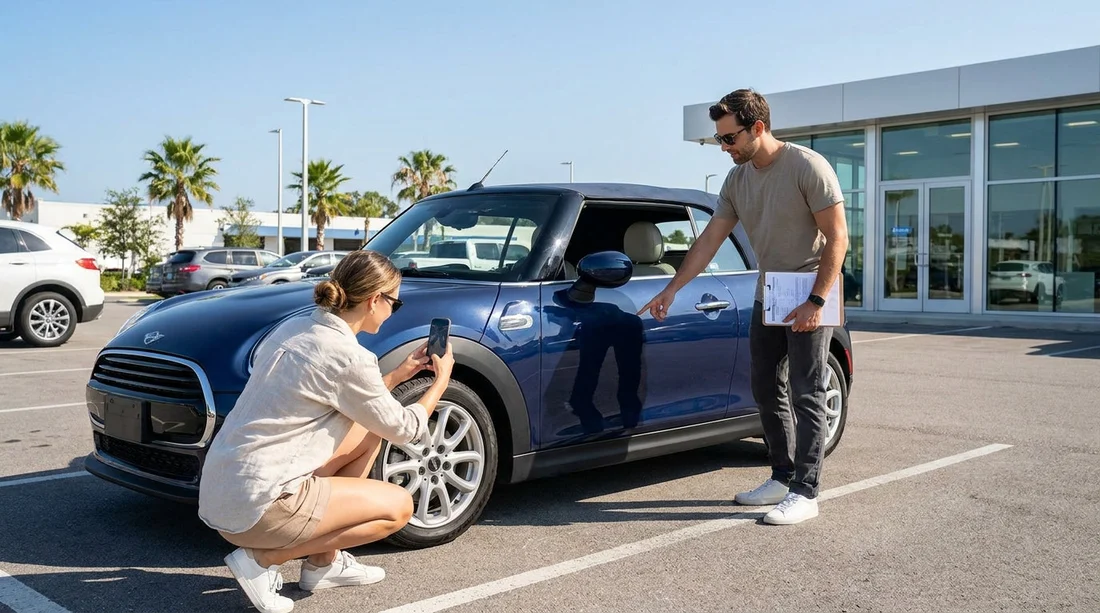
Quick Summary:
- Photograph all four corners, both sides, and the roof line.
- Capture close-ups of every scratch, scuff, crack, and dent.
- Snap odometer, fuel gauge, warning lights, plus time-stamped pick-up proof.
- Photograph paperwork, condition report notes, and the key fob clearly.
Taking the right photos at pick-up is one of the simplest ways to protect your car hire in Miami. It reduces the risk of being blamed for pre-existing damage, helps you dispute incorrect fuel or mileage claims, and gives you clear evidence if anything is unclear on the condition report. The goal is not to take hundreds of random pictures, it is to capture complete coverage that is easy to understand later.
Miami is a busy rental market, with fast turnarounds at airport desks and popular areas like Downtown and Miami Beach. That pace can lead to missed marks on inspection sheets, or confusion when cars are swapped or parked in dim garages. If you are collecting from Miami Airport or Downtown, give yourself an extra ten minutes before you drive off to do the checks properly.
Before you start, set up your phone for usable evidence
Turn on the settings that make your photos more credible. Ensure the date and time are correct, enable location tagging if you are comfortable with it, and clean your lens. Use normal photo mode rather than filters.
Light matters. If you are in a dark car park, move the car slightly if permitted, or use your phone torch for close-ups. Try to avoid glare on glossy paint by changing angle.
Essential exterior angles, your baseline record
Start with a simple set that shows the entire vehicle, so any later close-up has context. Take these as landscape shots and step back far enough to include the full bumper and wheels.
Photograph the front straight-on, rear straight-on, left side, right side, and four corner angles. Add a roof-line shot by raising your phone above head height, especially on SUVs where roof rails and aerials are easily damaged. If you have chosen an SUV from SUV rental options in Florida, include the tailgate and higher rear bumper area, which can hide loading scrapes.
Do not forget the number plate in at least one clear photo. This helps if your paperwork lists a similar vehicle or if there is a last-minute swap.
Close-ups, document damage properly
Next, walk around slowly and take close-ups of anything that is not perfect. Take two photos for each issue: one close enough to see detail, and one slightly wider so the location on the car is obvious.
Focus on common problem zones: bumpers, door edges, wing mirrors, the area around the fuel flap, sills, bonnet and roof for chips, plus glass for small cracks or star chips.
For scratches and scuffs, angle the camera so the light catches the mark, then take a second shot from another direction. For dents, include a reflection line in the paint so the dent shape is visible.
If you pick up in a high-traffic zone like Miami Beach, you are more likely to find bumper and kerb marks from tight parking. Photograph them even if they look minor, because small scrapes can be expensive to repair.
Wheels, tyres, and under-bumper areas
Wheel damage is one of the most disputed areas in car hire because it is easy to miss during quick inspections. Take a clear photo of each wheel and tyre, straight on, then a close-up of the rim edge. Capture any kerb rash, gouges, or missing hubcaps.
Also photograph tyre sidewalls for bubbles, cuts, or cords showing. If the car has very low tread, take a close photo that shows the tread depth visually. If you can safely crouch, take quick photos of the lower front bumper lip and the underside of the rear bumper.
Interior photos, prove condition and cleanliness
Inside, you are primarily protecting yourself against claims of stains, burns, tears, missing equipment, or smoking. Take a wide shot of the front seats and dashboard, a wide shot of the rear seats, and a shot of the boot.
Photograph any existing warning labels, missing trim pieces, or broken vents. If you are collecting a car from a branded partner location such as Avis car rental in Florida, the vehicle may be in generally good condition, but you should still record what you see rather than relying on assumptions.
Dashboard, odometer, fuel, and warnings
These shots are your defence against mileage and fuel disputes. Before you move the car, turn the ignition on and photograph the odometer reading, the fuel gauge, and any warning lights or messages.
If the fuel policy is full-to-full, ensure your fuel photo clearly shows the needle position. If it is not completely full at pick-up, photograph it and raise it immediately.
Paperwork and handover items you should photograph
Photos are not just about the car. They also protect your car hire by proving what you were given and what you agreed to at pick-up.
Take photos of the vehicle condition report before you sign, and after you sign. Capture any marked diagrams, notes, or damage codes, plus the rental agreement page showing the vehicle registration, pick-up time, fuel policy, and return location.
Also photograph the key fob(s), including any existing damage, and any accessories supplied such as a toll transponder or sat-nav unit. If you are picking up via Enterprise in Miami Beach, note that different branches may issue different accessory setups, so your photos help prove what you received.
How to organise your photos so they help later
After you finish, review the images quickly to confirm they are sharp and readable. Then place them in a dedicated album titled with the date, location, and registration number. Do not edit the images heavily, keep originals in case metadata is needed.
FAQ
Q: How many photos should I take at pick-up for car hire in Miami?
A:Aim for 25 to 40 clear photos, covering full exterior angles, each wheel, interior, dashboard, plus close-ups of any existing damage and paperwork.
Q: Should I take video as well as photos?
A:Yes, a slow walkaround video can add context, but still photos are better for proving fine scratches, wheel rash, and dashboard readings.
Q: What if I find damage after leaving the car park?
A:Take photos immediately, note the time and location, and report it to the rental provider as soon as possible so it can be logged.
Q: Which single photo matters most if I only have time for one?
A:Take a wide shot of the front corner and side, including the wheel and number plate, then capture the dashboard with odometer and fuel.
Q: Do photos replace the written condition report?
A:No, use both. Photos support your position, but having damage marked on the condition report is the strongest protection.




























































































