


Quick Summary:
- Confirm the vehicle is opted out of the rental toll programme.
- Use only your personal toll tag or the rental plan.
- Check the windscreen for transponders, and request deactivation if needed.
- Photograph key details and dispute duplicate tolls promptly with evidence.
Using your own toll tag can be convenient, especially if you drive in Texas often. The problem is that many car hire vehicles are set up for a separate toll payment service, usually based on the vehicle’s number plate or an in-car transponder. If you drive through toll roads with both systems active, you may be billed twice, once through your personal tag account and again through the rental company’s toll programme with added fees.
Double billing is avoidable if you handle tolls as a pick-up checklist item and commit to a single payment method for the whole trip. This guide explains what to check at pick-up, how to choose the right option for your itinerary, and what evidence to keep if charges still duplicate.
Why double billing happens with Texas tolls
Texas tolling is a mix of tag-based and plate-based billing. When you pass a toll point, the operator may read a tag, capture your number plate, or do both. Rental vehicles are commonly enrolled in a toll service that links tolls to the plate, then bills the renter afterwards. If your own toll tag is also being read, your personal account can be charged at the same time.
Double billing is most common when a rental car has an active toll transponder and you also bring a tag that can be read. It can also happen when the rental is enrolled in a plate-pass programme that bills every toll event by plate, even if a tag is read.
Texas drivers often encounter tolling around major hubs. If you are collecting near Austin or Houston, you will likely use tolled routes at some point, so it helps to check toll settings before you drive away. For location-specific rental information, see Austin Airport car rental and Houston IAH car rental.
Step 1, decide on one toll payment method
To avoid duplicates, choose one method and keep it consistent.
Option A, use your own toll tag only. This is usually simplest if your tag is compatible with Texas toll readers and your account is in good standing. You pay tolls directly, and you avoid rental programme daily fees. However, it only works cleanly if the rental vehicle is not simultaneously enrolled in a service that bills by plate regardless.
Option B, use the rental company’s toll programme only. This can be easier if you do not have a tag, if your tag is not compatible, or if you do not want to manage account settings. The trade-off is you may pay daily access fees, convenience fees, or administrative charges on top of the tolls.
Rule of thumb: if you will take toll roads frequently across the trip, a personal tag may be cost-effective, but only if the rental toll programme is fully opted out. If toll use will be occasional and you prefer simplicity, the rental toll programme may be fine, but keep your own tag out of the car.
If you are comparing options for different airports and providers, Hola’s landing pages can help you review what is available in each market, such as Texas IAH car rental and SUV hire in Dallas DFW.
Step 2, check the vehicle’s toll settings at pick-up
This is the key step, and it needs to happen before you leave the car park. Ask the desk agent to look up the exact car hire agreement and confirm how tolls will be handled for that specific vehicle. Be clear that you are trying to avoid being charged twice.
“I will be using my own toll tag. Please confirm this vehicle is opted out of your toll programme and will not be billed by plate.”
If you are choosing the rental programme instead, use this instead.
“I will use your toll programme. Please confirm I will not be charged if I keep my personal tag out of the vehicle.”
Then verify the physical set-up in the car.
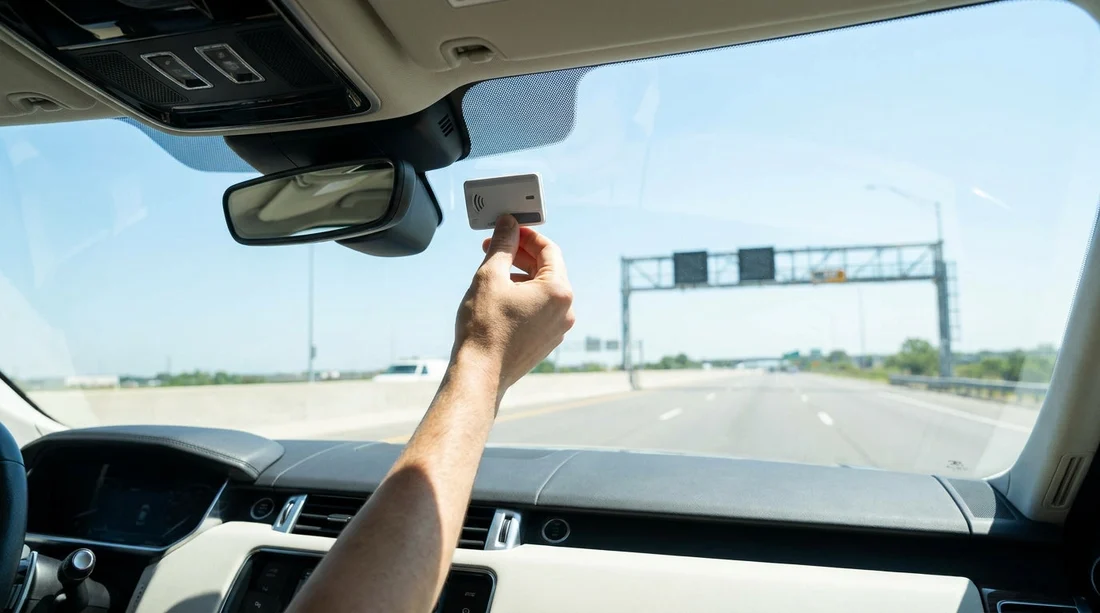
Look for a transponder device on the windscreen, near the rear-view mirror, or in a holder on the dashboard.
Check for toll programme stickers that mention automated toll billing, plate pass, or an in-car toll unit.
Ask what happens if no transponder is present. Some fleets bill purely by plate, even without a device. In that case, opting out is the only way to prevent duplicates if you use your own tag.
If the agent cannot confirm the opt-out status, ask for a different vehicle that is not enrolled, or decide to use the rental toll programme and keep your own tag away. The goal is to leave with a set-up that cannot bill you twice.
Step 3, if you use your own tag, mount it correctly
Incorrect placement can cause the tag to be missed, which triggers plate billing. Even if you successfully opt out of the rental programme, a missed tag read can still create confusion if the toll authority later posts a plate charge. To reduce problems, mount the tag where the manufacturer recommends and use one tag only in the vehicle.
If your toll provider allows vehicle registration, confirm the rental plate number matches what your tag account expects. If you can add the rental plate temporarily, do it before your first toll.
Do not leave your tag on the windscreen after return. Remove it before you enter the return lane, in case the return route passes a toll gantry.
Step 4, if you use the rental toll plan, keep your tag out
If you choose the rental toll programme, the simplest way to avoid duplicate billing is to ensure your personal toll tag is not readable. Keep it in a RFID-blocking pouch or a closed compartment, and do not place it on the dashboard. If your tag is hard-mounted to your own vehicle at home, do not bring it and assume you will hold it down when you see tolls, because that is unreliable.
Also confirm whether the rental programme bills a daily fee only on days you use toll roads, or every day of the rental. That detail does not change double billing risk, but it helps you forecast the total cost.
Step 5, document everything in case charges still duplicate
Even with careful pick-up checks, duplicates can happen due to delayed posting, misreads, or system overlaps. A quick dispute is much easier when you have documentation.
Before you drive off, take photos of the windscreen area, the number plate, and the rental agreement section that describes tolls or optional toll services. During the trip, note the dates you used toll roads, and keep any confirmation emails from your toll account.
What to do if you were billed twice
If you see toll charges on your personal tag account and also receive a toll invoice from the rental company, act promptly. Most systems have dispute windows.
Step 1, compare timestamps. Match the toll plaza, date, and time on both statements. If they align, it is likely a duplicate toll event.
Step 2, contact the rental billing team first. Provide your rental agreement number, vehicle plate, and proof that the toll was already paid by your tag. Ask them to remove the duplicate and any associated administrative fees.
Step 3, if needed, contact your toll provider. If your tag was billed incorrectly or the wrong toll class was applied, your provider can review the event.
When you are planning future trips, reviewing the rental provider options ahead of time can reduce surprises at the counter. For example, different brands at DFW may handle toll enrolment differently, which you can explore via Payless car rental at Dallas DFW and Enterprise car rental at Austin AUS.
FAQ
Can I use my own toll tag in a Texas rental car? Yes, you often can, but you must confirm the car is not simultaneously enrolled in a rental toll programme that bills by plate, otherwise you risk double billing.
What should I ask at pick-up to prevent duplicate toll charges? Ask the agent to confirm the vehicle is opted out of any toll programme and will not be billed by plate, then check the windscreen for a transponder or toll-service sticker.
If the rental has a transponder, will my tag still work? It might, but two active transponders can cause confusion. If you plan to use your own tag, request deactivation or a different vehicle without an active unit.
Is it safer to use the rental toll plan instead? It can be simpler, but it may include daily access or administrative fees. To avoid double billing, keep your personal toll tag out of the vehicle so it cannot be read.
What evidence helps if I need to dispute double billing? Save your rental agreement, take photos of the windscreen and plate, and keep your toll account statement showing the same toll locations and timestamps were already paid.




























































































