


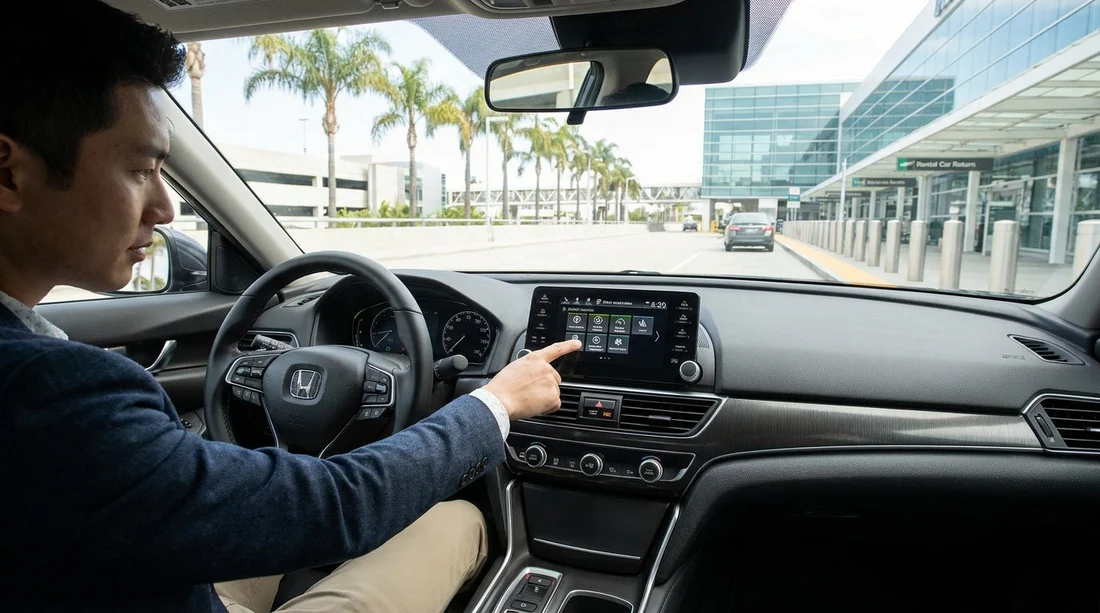
Quick Summary:
- Walk around, clean lenses, and confirm camera views load instantly.
- Test parking sensors slowly, and listen for consistent alert tones.
- Check ADAS settings, lane assist, and cruise mode match your preference.
- Verify warning lights clear after start-up, especially ABS and airbag.
Modern cars in California often come with advanced driver-assistance systems (ADAS) that rely on cameras, radar and ultrasonic sensors. On a car hire, these features can make motorway driving calmer and parking easier, but only if they are working, configured sensibly and free of blocked sensors. A quick, repeatable counter-to-car checklist helps you avoid surprises once you leave the car park, especially when joining fast freeways or navigating tight multi-storey exits.
If you are picking up at major hubs such as Los Angeles LAX, San Diego SAN, or Sacramento SMF, you may be handed a vehicle you have never driven before. Build five to ten minutes into your handover to check the items below, in this order, while you are still close to staff and before traffic pressure starts.
1) Start with the outside, cameras, radar panels and sensor “visibility”
ADAS is only as good as its inputs. Before you even sit down, do a slow lap of the car and identify anything that could block a lens or sensor.
Rear camera lens: Usually above the number plate or on the tailgate handle. Wipe gently with a clean microfiber or a soft tissue. Road film, water spots or wax residue can turn the view hazy at night.
Front camera(s): Often mounted high behind the windscreen near the rear-view mirror. Check the glass is clean inside and out in that area. If there is a heavy film, ask for a quick screen clean before leaving.
Parking sensors: Small round discs in bumpers. Check they are not painted over, cracked, or covered with sticker residue. If the bumper is muddy or dusty, wipe it.
Radar panel: On many cars, adaptive cruise control radar sits behind a smooth plastic badge or panel in the grille. Make sure it is not obscured by a temporary shipping film, thick insects, or tape. If it looks cloudy or loose, flag it immediately.
2) Power on and read the dashboard warning lights properly
When you start the engine, many warning lights briefly illuminate as a system check. The key is what stays on after a few seconds.
Must not stay lit: Airbag (SRS), ABS, brake system warning, traction or stability control fault, power steering fault, and check engine light. If any remain on, do not assume it is “normal for this car”. On a car hire, ask for a different vehicle or for staff to note the issue in writing and explain what it means.
ADAS specific indicators: Some cars show icons for lane keeping, forward collision warning, adaptive cruise, blind spot monitoring, and parking assist. If an icon indicates “unavailable”, “blocked”, or shows a fault message, it may be due to a dirty sensor, a disabled setting, or an actual fault. Clean the relevant area first, then recheck. If it persists, resolve it before departure.
Tyre pressure monitoring: A TPMS light could mean low pressure or a failed sensor. Low pressure is a safety issue on hot California roads, especially on long freeway drives. Ask for pressures to be checked on the spot.
3) Confirm camera views, guidance lines and parking assist behaviour
With the car stationary and the handbrake set, shift into reverse to confirm the rear camera image appears quickly and is clear. Turn the steering wheel slightly and confirm any dynamic guidance lines move as expected, if equipped.
Then test the front camera or 360-degree view, if fitted. Many systems require selecting a camera button or tapping the screen. Confirm you know how to exit the view and return to navigation, so you are not distracted later.
Listen for parking sensor tones: In a quiet part of the car park, creep forward a metre or two toward a safe, open space boundary and confirm the sensor tones sound consistent. If the system is silent, check that “parking sensors” are enabled in the vehicle settings. Some cars allow volume adjustment, confirm it is not set to zero.
4) Check core ADAS settings, because defaults vary by model
Two cars that both advertise “lane assist” may behave very differently. Before driving, open the driver-assistance menu on the instrument cluster or infotainment screen and confirm the following.
Lane keeping and lane departure warning: Determine whether the car provides steering assistance, vibration alerts, or both. Set sensitivity to a level you can live with. On California freeways with frequent lane changes, an overly sensitive setting can feel intrusive.
Forward collision warning and automatic emergency braking (AEB): Confirm it is on. Some systems allow “early/medium/late” warning timing. If you are not used to the car, “medium” is often a sensible compromise.
Adaptive cruise control versus standard cruise: Identify which type the car has and how to change the following-distance setting. If you plan to use cruise on I-5 or I-10, you need to know whether the car will brake for slower traffic ahead. Also check how to cancel quickly, usually a brake tap or a cancel button.
5) Verify blind spot monitoring and rear cross-traffic alert
Blind spot monitoring typically shows a small light in the mirror or on the A-pillar. With the car running, check both sides illuminate briefly when the system initialises. If the mirrors are folded or angled incorrectly, you might miss the indicator, so set mirrors first.
Rear cross-traffic alert is especially helpful when reversing out of tight spaces in busy lots. To test it without creating risk, reverse slowly with a clear view and ensure you know what the alert looks and sounds like. If the system is off, turn it on in settings and confirm it stays enabled after you restart the car.
6) Document issues before leaving the lot
If you find a warning light, a camera that does not display, or a sensor that repeatedly shows “blocked”, take photos of the dashboard message and the relevant exterior area. Ask staff to record it on your agreement or to provide a replacement vehicle. This is particularly useful when collecting people carriers, where sensor coverage matters for manoeuvring, such as a minivan hire in San Jose SJC, or when you prefer a known fleet standard through Enterprise car hire in California LAX.
Finally, set up essentials that interact with safety systems, seat and mirrors, steering wheel position, child locks if needed, and ensure the windscreen is clear where the camera looks through. Once you roll out of the car park, you want your attention on traffic, not menus. If you are comparing providers for a later pickup, you can also review Enterprise car hire in Sacramento SMF for a consistent feature set.
FAQ
Do all car hire vehicles in California have ADAS features? No. Some will have only basic ABS and stability control, while newer models may include adaptive cruise, lane keeping, and AEB. Check the dashboard indicators and the driver-assistance menu to confirm what is actually fitted and enabled.
What warning lights are most important to resolve before driving away? Airbag (SRS), ABS, brake system warnings, and any steering or stability control fault lights should not remain on after start-up. Also take seriously any message stating ADAS is unavailable due to a sensor fault rather than weather.
Why is my lane assist icon on, but the car does not steer? Many systems only provide a warning, not steering assistance, or they only activate above a certain speed and when lane markings are clearly detected. Confirm the mode selected, the activation speed, and whether the car is recognising lane lines.
Can I turn off features like speed alerts or lane keeping? Usually yes, but the method varies by model. If you change settings, verify they persist after turning the car off and on. Avoid disabling core safety systems unless you fully understand the effect.
What should I do if the reversing camera is blurry or blank? First clean the lens and retry. If the image remains distorted, delayed, or does not appear, report it at the counter and request a fix or a different vehicle, because it affects safe manoeuvring in busy car parks.





























































































