


Quick Summary:
- Reject the car if red oil pressure, brake, or temperature lights stay on.
- Swap immediately if the airbag, power steering, or check engine light flashes.
- Record every illuminated icon, mileage, staff advice, and your swap request.
- Photograph the dashboard with ignition on, including fuel level and odometer reading.
Picking up a car hire in Miami is usually quick, but a 60 second dashboard check can save hours of disruption later. Modern cars run self-tests when you turn the ignition on, so you will often see many icons briefly. What matters is which lights stay on, which lights turn red, and which ones flash after the engine starts.
This guide focuses on warning lights that should make you reject the car at pick-up, plus a practical way to record issues on the condition report before you leave the counter or the lot. If you are collecting at the airport, build the dashboard check into your routine right after you locate the vehicle, especially around busy desks like Miami Airport (MIA) car rental.
How to do a fast dashboard check before leaving
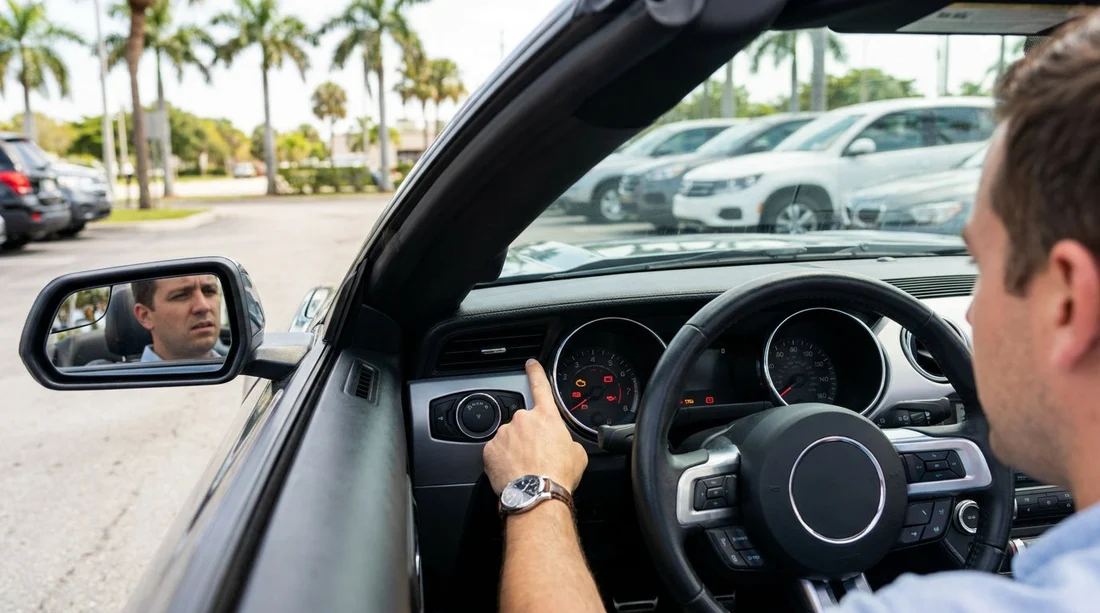
Before you move the car, do the check while stationary with the parking brake on. Turn the ignition to on, then start the engine. Watch the cluster for 10 to 20 seconds. Many lights should illuminate briefly, then go out. If any red warning stays on, or any warning light flashes, treat that as a reason to pause and ask for a swap.
Also check the message centre for plain-English alerts, and look for a “limp mode” symptom, such as the engine revving but the car feeling restricted. Do not assume it will clear on its own. You want a car that is safe and predictable for Miami traffic, bridges, and stop-start driving.
Warning lights that should make you reject the car immediately
1) Oil pressure warning (red oil can)
Do not drive. Oil pressure loss can cause severe engine damage within minutes. Even if the engine sounds normal, this light is not the same as a routine “low oil level” message. Ask for a different vehicle.
2) Engine temperature or coolant warning (red thermometer)
Overheating can happen quickly in slow traffic and can leave you stranded. If this stays on at idle during pick-up, reject the car. Do not accept advice to “just keep going and it will cool down”.
3) Brake system warning (red exclamation or red brake icon)
This could mean low brake fluid, a hydraulic fault, or that the parking brake is still engaged. First confirm the parking brake is fully released. If the light remains, swap the car. Brakes are not negotiable.
4) Charging system or battery warning (red battery)
If it stays lit with the engine running, the alternator may not be charging. That can lead to sudden loss of electrical power and an immobilised car. Reject it at pick-up.
5) Airbag or SRS warning
If the airbag light stays on after start-up, the supplemental restraint system may be disabled. That is a safety critical system, so ask for a replacement car before leaving.
6) Power steering warning
Some vehicles will still steer, but assistance may be reduced or intermittent. In city driving, that can become unsafe quickly. If the warning persists, swap.
7) Flashing check engine light
A steady check engine light can sometimes be a non-urgent emissions issue, but a flashing light often indicates a misfire that can damage the catalytic converter and cause rough running. If it flashes at any point during pick-up, reject the vehicle.
Lights that can be acceptable, but only with clear documentation
Not every amber icon means you must refuse the car, but you should never ignore one. If you decide to accept the vehicle, make sure it is recorded on the condition report, with photos, and you are comfortable that it will not affect safety.
Tyre pressure monitoring (TPMS)
An amber TPMS light may simply mean one tyre is low. In Florida heat, tyre pressures can swing, and a slow puncture is possible. If the light is on, ask staff to check and inflate tyres before you leave. If they cannot do it promptly, request another car. TPMS plus visible tyre damage should always mean a swap.
ABS warning (amber)
If the ABS light is on, the car may still brake, but anti-lock braking may be disabled. That is a meaningful safety downgrade in wet conditions. In Miami, sudden downpours are common. If ABS is lit, you should strongly prefer a replacement car.
Traction control or stability control warning
If the system is disabled or faulted, you lose a layer of safety in heavy rain. If it will not reset after restarting, ask for a swap. This matters even more if you are picking up an SUV for highway and causeway driving, such as those listed under SUV hire in Florida (MIA).
Low fuel warning
This is not a mechanical defect, but it should match your contract terms. If you are meant to receive a full tank, note the gauge and take a photo. If you are on a pre-purchase option, confirm what level you are being charged for. Fuel disputes are easier to avoid than fix.
Washer fluid low
Minor, but visibility matters, especially after bugs and sudden rain. If it is low, note it. It is not usually a reason to reject the car unless wipers are also poor and visibility is compromised.
What to write on the condition report, word for word
The condition report is your best protection if a warning reappears later, or if you are questioned at return. Be specific and factual. Avoid vague phrases like “light on”. Include the exact icon name, colour, and whether it was steady or flashing.
Use a format like this: “At pick-up, mileage 18,245, ignition on: airbag warning remained lit after start. Photo taken at 14:10. Staff advised swap requested.” If you are accepting the car after an adjustment, write: “TPMS light on at pick-up, tyres inflated by staff, light cleared after restart, photo of pressures and dashboard taken.”
Always include: date and time, odometer, fuel level, and who you spoke to. If staff will not add your notes, write them yourself on the paperwork, or ask for an emailed condition acknowledgement. Your aim is to leave a clear audit trail before you drive away.
Photos to take before you move the car
Take a sharp photo of the dashboard with the ignition on so any illuminated icons are visible. Then take a second photo with the engine running to show which lights stayed on. Capture the fuel gauge and odometer in the same frame if possible. If there is a warning message on a screen, photograph that too.
In addition, take a quick walkaround video. While this article is about warning lights, insurers and rental firms rely heavily on condition documentation. This is particularly useful in dense areas like Brickell car rental, where minor scrapes are common in tight parking.
Why swapping at pick-up is easier than fixing later
Once you leave the lot, you may need to return to a specific location, wait for diagnostics, or be routed to a different branch. Even if the issue is minor, it can cost you time. In contrast, at pick-up, the inventory and staff are right there, and the condition report can be updated immediately.
This matters if you have chosen a larger vehicle for family travel, because moving luggage and child seats twice is frustrating. If a light concerns you, it is often simpler to request a different model category, such as those commonly available through minivan rental in Florida (MIA), rather than hoping an alert disappears.
FAQ
Q: Is it normal for lots of lights to appear when I turn the key?
A: Yes. Most cars illuminate many icons briefly as a self-test. What matters is any light that stays on after the engine starts, especially red lights or flashing warnings.
Q: Should I reject the car for a steady check engine light?
A: If it is steady and the car runs smoothly, it may be non-urgent, but you should still request a swap at pick-up if possible. At minimum, document it precisely on the condition report with a photo and time.
Q: What if the brake light is on but the parking brake is engaged?
A: Release the parking brake fully and re-check. If the red brake warning remains lit, do not drive the car. Ask for another vehicle and note the steps you took on the report.
Q: If the TPMS light is on, can I just add air later?
A: It is better to resolve it before leaving. Ask staff to check pressures and inspect tyres for damage. If they cannot, or the light returns immediately, request a different car.
Q: How can I prove a warning light was on at pick-up?
A: Take a clear photo of the dashboard showing the light, along with the odometer and time if possible. Add a written note on the condition report stating the exact warning, colour, and whether it was steady or flashing.





























































































