


Quick Summary:
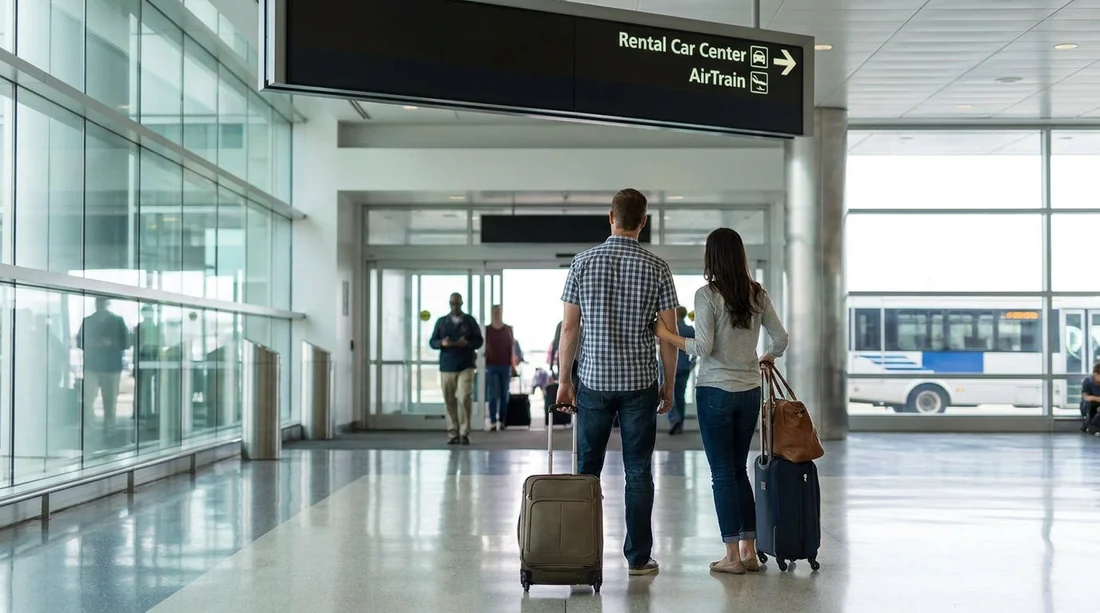
- Follow “AirTrain” signs from Terminal 8 arrivals to the station.
- Ride AirTrain to Federal Circle for the main rental car centre.
- Use the red “Rental Cars” wayfinding, then brand desks and shuttles.
- Allow 20 to 35 minutes from gate exit to rental counter.
JFK does not have a large row of car hire desks inside Terminal 8 arrivals. Instead, most rental companies operate from the JFK rental car centre area, reached via the AirTrain system and, for some brands, a short dedicated shuttle from the AirTrain stop. The good news is that the route is well signposted, consistent, and designed for travellers with luggage.
Below is a step-by-step walk-through from Terminal 8 arrivals, with practical signage cues, what to do if you miss a turn, and how to budget time so you arrive at the right counter calmly.
Step 1: Exit arrivals and look for “AirTrain” and ground transport signs
After you enter Terminal 8 arrivals, orient yourself by locating the overhead wayfinding. You are looking for signs reading “AirTrain” and “Ground Transportation”. Terminal 8 is large and busy, so keep your pace steady and stay close to the main passenger flow. If you have checked bags, collect them first, then consolidate your luggage so it is easy to roll and steer through corridors and lifts.
Helpful cue: in most areas you will see transport icons and arrows. If you find signs for taxis, rideshare, or buses but not AirTrain, scan the ceiling line again. AirTrain signage tends to be prominent and repeated at each decision point.
Step 2: Head to the AirTrain station using lifts where possible
From Terminal 8 arrivals, follow the AirTrain arrows through the terminal walkways towards the elevated station. The route usually involves a combination of corridors and escalators. If you are travelling with bulky luggage, a buggy, or reduced mobility, choose lifts, they are typically close to escalators and clearly marked.
Expect moderate walking. Terminal 8 can feel like it takes longer than it should, because the walk is indoors and you pass several junctions. If you are unsure, look for an information desk or uniformed staff and ask for “AirTrain to Federal Circle for rental cars”. Saying “Federal Circle” helps you get directed precisely.
Step 3: Enter the AirTrain system, no fare within the airport loop
Once you reach the AirTrain platform area, check you are on the correct side for travel within JFK. For trips between terminals and airport facilities such as the rental car centre stop, you do not pay a fare. You only pay when exiting at certain off-airport stations, so you can focus on getting to the right stop rather than purchasing a ticket.
While waiting, look at the route maps and electronic signs. Trains run frequently, but allow a few extra minutes if you have just missed one. Keep your luggage close, and position yourself where you can board without squeezing through crowds.
Step 4: Ride AirTrain to Federal Circle for the rental car centre
To reach the rental car centre from Terminal 8, you typically ride the AirTrain to Federal Circle. On-board announcements and display screens will confirm each stop. Stay alert as you approach Federal Circle, as it is one of the key stops and many passengers disembark there.
Timing guidance: the AirTrain ride itself is often around 10 to 15 minutes, but your total time from arrivals depends on baggage, walking, and platform wait time. A realistic range from leaving arrivals to reaching Federal Circle is about 15 to 25 minutes.
Step 5: Follow “Rental Cars” signs from Federal Circle to the right counter
When you exit at Federal Circle, follow the red and white “Rental Cars” signage. This area is designed for transfers, so the wayfinding is generally straightforward. You will see directions to rental company desks and, depending on the provider, instructions for a short shuttle or a specific walkway to the pick-up lot.
At this point, focus on matching the brand name on your confirmation to the signs in front of you. If you arranged your car hire through a broker or comparison site, check the confirmation carefully to identify the actual rental company operating the vehicle, as the broker name may differ from the desk brand.
If you are still deciding on options for New York area travel, it can also help to understand that other nearby airports have different collection arrangements. For context, Hola Car Rentals publishes airport-specific pages such as SUV hire New York JFK and Newark-focused alternatives like car hire Newark EWR.
Step 6: Prepare your documents before you reach the desk
Queues can form around peak arrival waves, so use the last few minutes before the counter to get organised. Typical requirements include your driving licence, passport or ID, and the payment card used for the deposit. If there are additional drivers, have their licences ready too. This reduces time at the desk and helps you get on the road sooner.
If you are travelling with children, think ahead about car seats. Ask at the counter about availability, fit, and local rules, and allow extra time for installation and adjustments.
Step 7: Confirm the pick-up location and follow instructions to the vehicle area
After check-in, staff will tell you where to collect the car, either in a nearby lot or via a short shuttle connection. Follow the marked route and keep your paperwork accessible. Before you drive away, do a quick walkaround inspection in good light, note any existing marks, and confirm the fuel policy and return instructions.
If your plans include crossing between New York and New Jersey, be aware that some trips involve toll roads and bridges, and policies can differ by provider. Reading the terms at the desk matters, especially for toll programmes and permitted travel areas. You can also compare local airport and regional pages to understand typical fleet types and suppliers, for example car rental airport New Jersey EWR and Hertz car hire New Jersey EWR.
Common pitfalls, and how to avoid them
Mistaking rideshare pick-up for the rental route: Terminal 8 arrivals signage also points to taxis and app-based pick-ups. If you find yourself outside at kerbside with car service signage, turn back inside and re-locate the AirTrain directions.
Not allowing for baggage and lift waits: With lots of travellers arriving at once, lifts can take time. If you have heavy luggage, still choose the lift, but add a few minutes to your plan.
Assuming the desk is inside Terminal 8: Most companies are not in the terminal arrivals hall. Plan to reach Federal Circle first, then follow brand signs to the correct desk or shuttle.
Forgetting to check the operating company: If your confirmation lists a broker, locate the actual rental company name to avoid queueing at the wrong counter.
How long does it take, realistically?
From Terminal 8 arrivals to the rental car centre area, most travellers should plan for 20 to 35 minutes. Faster is possible with no checked bags and a short wait for AirTrain. Slower is normal if you are travelling in a group, arrive during a peak bank of flights, or need extra time for accessibility.
A sensible approach is to schedule your first drive segment with a buffer, especially if you are heading into Manhattan traffic or trying to reach a timed appointment.
FAQ
Q: Is there a rental car counter inside JFK Terminal 8 arrivals?
A: In most cases, no. You typically take AirTrain from Terminal 8 to Federal Circle, then follow “Rental Cars” signs to the appropriate desk or shuttle.
Q: Do I need to buy an AirTrain ticket to reach the rental car centre?
A: No. Travel within JFK on AirTrain, including between terminals and to Federal Circle, is generally free. You only pay when exiting at certain off-airport stations.
Q: What stop should I use for the JFK rental car centre?
A: Federal Circle is the usual stop for the main rental car facilities. Listen for announcements and check the display screens as you approach.
Q: How much time should I allow from Terminal 8 arrivals to picking up my car?
A: Plan for 20 to 35 minutes to reach the rental car centre area, plus any counter queue time and vehicle collection checks.
Q: What if I end up at the wrong rental company desk?
A: Check your confirmation for the operating rental company name, then follow the Federal Circle signage back to the correct desk or shuttle route.





























































































