


Quick Summary:
- Enter the Rental Car Center and follow overhead signs to your partner brand.
- Check the terminal directory boards, then head to the correct counter row.
- Have licence, passport, payment card, and booking details ready at the desk.
- Confirm vehicle group, fuel policy, toll options, and return location before leaving.
Miami International Airport (MIA) uses a dedicated Rental Car Center (RCC) where major rental desks are grouped together. Once you reach the RCC, the key to finding the Hola car hire counter quickly is knowing that Hola typically serves customers through an on-site partner desk. That means your confirmation details matter, because they tell you which counter name to look for when you step inside.
If you have not checked it yet, open your confirmation email before you walk in and look for the supplier or partner brand name shown on the booking. If you booked via Hola’s Miami Airport page, it will align with the counter you need to visit at the RCC. For a quick overview of Miami Airport options, see car hire at Miami Airport (MIA).
Step-by-step: from RCC entrance to the correct counter
1) Pause just inside the entrance and scan the big directory. The RCC is designed for fast wayfinding, with large overhead signs and directory boards near the main entrances. Stop for ten seconds and look for an alphabetical list of brands and their counter positions. This avoids walking the full length of the hall twice.
2) Match the desk name to your confirmation details. Because Hola car hire can be fulfilled through a partner counter, the sign you follow is the partner’s brand name, not necessarily “Hola”. Your voucher or confirmation will show the supplier. If the supplier line shows a well-known brand, follow the overhead signs to that brand’s desk area and counter queue.
3) Follow the overhead lane signs to the right row of desks. Most RCC interiors are arranged as long counter banks with queue lanes. Overhead signs typically indicate which counters are ahead, and floor markings guide you into the correct line. If you are travelling with family or a lot of luggage, keep bags to one side so you do not block the queue lanes.
4) Use the help points if you are unsure. If you cannot find the brand name from your confirmation on the directory board, do not guess. Look for an information counter or a staff member near the entrance and show them the supplier name from your confirmation. This is the fastest way to avoid lining up at the wrong place, especially during busy afternoon arrivals.
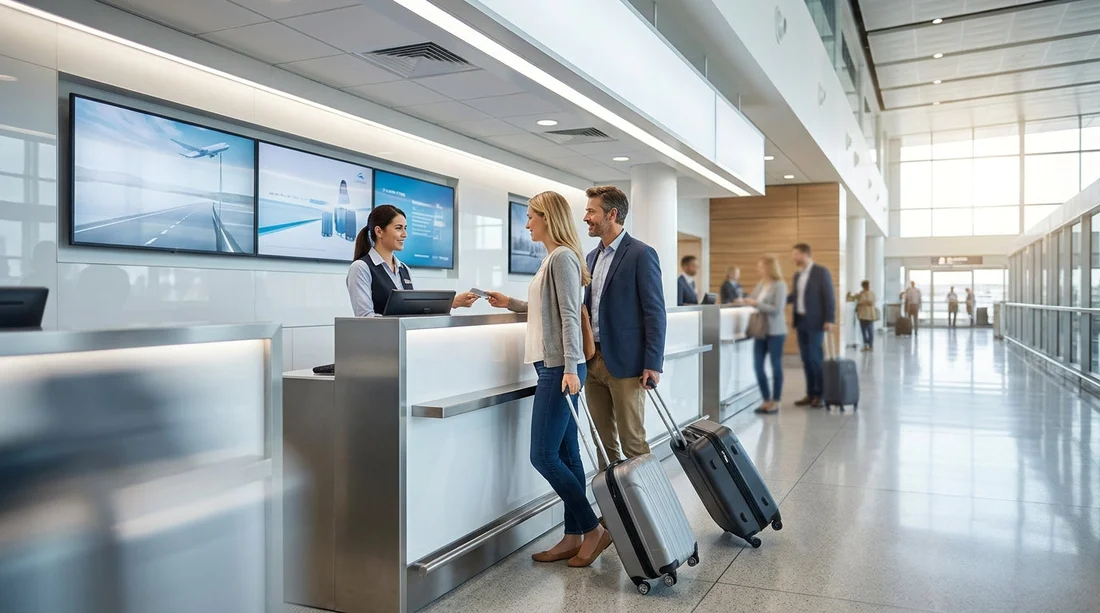
5) Confirm you are at the correct partner desk before joining a long queue. When you reach the desk area, check the large wall sign above the counters and the smaller sign at the queue entrance. If you booked through Hola and you are meant to be served at that desk, the staff will recognise the reservation and proceed. If they tell you the booking is under a different desk, you have saved yourself time by checking before waiting.
What to have ready to speed up pick-up
Once you are in the correct queue, you can often halve your desk time by having documents and key details ready. At Miami Airport, speed is mostly about being prepared before you reach the front.
Bring these essentials in your hand luggage:
Driving licence. Bring your physical licence, not a photo. If your licence is not in English, consider bringing an International Driving Permit if your rental terms recommend it.
Passport. Many desks will ask for passport identification for international travellers, even if you have already cleared immigration.
Payment card in the main driver’s name. Most suppliers require a credit card for the security deposit. Ensure the card is valid for the full rental period, and that you know the PIN if needed.
Your booking confirmation. Have the reservation number, supplier name, and pickup time available offline or as a screenshot, in case mobile signal is poor inside the RCC.
Secondary driver details (if applicable). If you want an additional driver, have their driving licence and passport ready too, so they can be added without delaying the process.
At the desk: the five checks that prevent surprises
Desk conversations can feel quick, but a few checks will help you leave the car park with the right expectations. This is especially useful in Miami, where many visitors plan long drives beyond the city.
1) Vehicle group and luggage needs. Confirm the vehicle category you are collecting and whether it suits your group. If you need more space, it is better to discuss it at the counter than at the garage exit. If you are travelling with a larger party, you may also want to review options like minivan hire in Miami (MIA) before arrival, so you know what size you are aiming for.
2) Fuel policy. Ask whether it is full-to-full or another arrangement. If it is full-to-full, confirm where the nearest fuel stations are for the return day and how early you should refuel to avoid airport traffic.
3) Toll options in Florida. Miami routes often involve toll roads. Ask what toll programme applies, what it costs, and what happens if you prefer to pay tolls yourself. Knowing this before you drive off prevents admin fees later.
4) Deposit amount and what it depends on. Deposits can vary by vehicle category, insurance selections, and driver age. Ask for the deposit total and make sure your card has sufficient available credit.
5) Return location and after-hours process. Confirm the exact return point, especially if you plan to drop off outside the airport. Miami has multiple areas where people stay and drive from, so you may want to compare other locations such as car hire in Miami Beach or car rental in Doral, depending on your itinerary.
From counter to car: finding your vehicle in the garage
After the counter, you will be directed to the lifts or escalators leading to the parking levels where vehicles are collected. Keep your paperwork accessible. You may need it at the exit booth, and it is useful when you locate the exact bay where your car is parked.
Follow the signs to the correct brand lane. Even after you leave the desk area, signs continue towards the pick-up levels. If Hola has placed you with a partner brand, use that brand’s signage all the way to the garage section and booth.
Do a two-minute walkaround before you start the engine. Check for existing marks on bumpers, wheels, windscreen chips, and interior stains. If you see anything, report it immediately and ensure it is noted, or take clear time-stamped photos for your records.
Set up your essentials before leaving the level. Adjust mirrors, connect your phone if the car supports it, set your navigation, and locate hazard lights and wipers. Miami traffic can be fast-moving, so it helps to do this while parked.
Common wayfinding issues and quick fixes
Your confirmation shows a brand you cannot see on the directory. Check whether the name is a parent company, a partner, or a trading name. Show the confirmation to RCC staff and ask which desk processes that supplier’s rentals.
You are in the wrong queue. It happens most often when travellers search for “Hola” signage. The fix is simple: verify the supplier name on the booking and switch to the correct desk lane before you reach the front.
Mobile signal is weak indoors. Save your booking details as a screenshot before you enter the RCC, or keep the confirmation email available offline if your device supports it.
Arriving late at night. If you land late, ask the desk to confirm after-hours return instructions at pick-up, even if you plan to return during the day. Plans can change, and knowing the procedure reduces stress.
FAQ
How will I know which counter to go to if I booked with Hola car hire? Check your confirmation for the supplier or partner brand name, then follow that brand’s signs on the RCC directory and overhead boards.
Is the Hola car hire counter inside the Miami Airport terminals? No, rental desks are in the separate Rental Car Center. Once you arrive at the RCC, use the directory to locate the correct partner desk.
What documents should I keep ready at the counter? Have the main driver’s licence, passport, a payment card in the same name, and your booking confirmation number ready to present.
How can I speed up the pick-up process at busy times? Confirm the desk name from your voucher before joining a queue, keep documents in hand, and decide on fuel and toll preferences before you reach the agent.
What should I check before driving away from the garage? Do a quick walkaround for damage, confirm fuel level matches the paperwork, and make sure you understand the return location and any toll plan you accepted.





























































































