


Quick Summary:
- Install Tesla, ChargePoint, Electrify America, and EVgo for broad Texas coverage.
- Create accounts, add a payment method, and enable location permissions.
- Set plug type filters early, so you avoid incompatible chargers.
- At pick-up, confirm accessories, starting charge, and local network reliability.
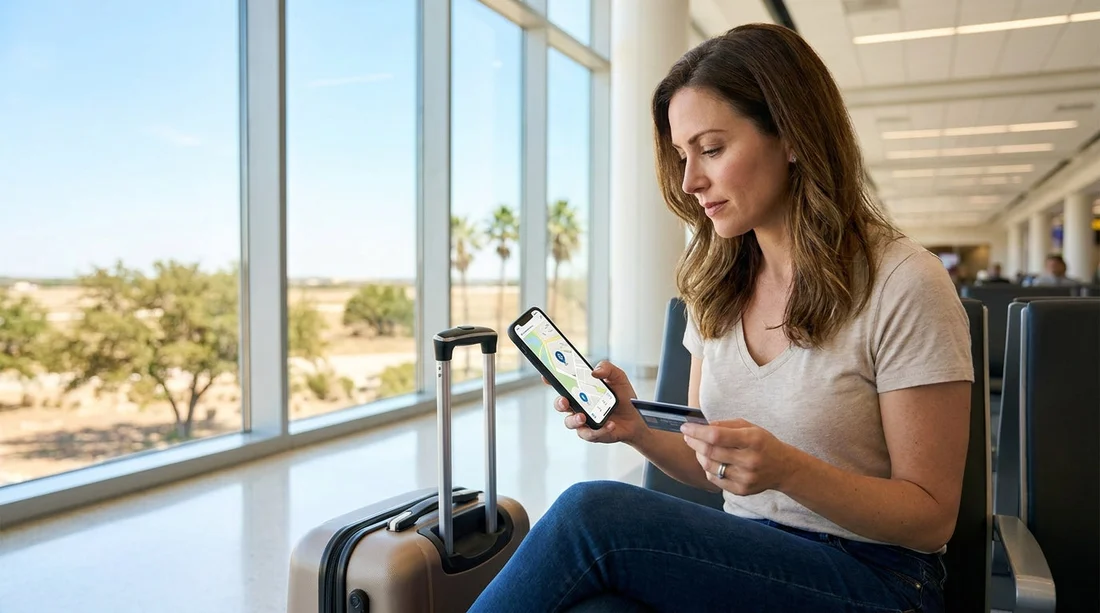
Picking up an electric rental car in Texas is usually simple, until the first charging stop turns into a sign-up queue. Many rapid chargers require an app, identity checks, or a stored payment method before they will start a session. Setting up the right charging apps ahead of time means you can plug in, tap once, and get back on the road.
This guide covers the must-have apps for Texas, what to configure in each one, and a practical checklist to run through before you leave the car park. It is written for travellers arranging car hire across major Texas airports and cities, where your first charge may happen on unfamiliar roads.
The charging reality in Texas, and why apps matter
Texas has a mix of charging networks. In big metros you will see several brands in the same area, but on long highway stretches your best option may be one specific provider at a travel plaza. Most networks let you start a charge with an app, and some also support tap-to-pay. Even where tap-to-pay exists, the app is still useful for checking whether stalls are working, viewing live availability, and setting the right connector filters.
If your trip begins after a flight into Austin or Houston, you may want to plan your first top-up around your route from the airport. If you are comparing local pick-up options, Hola Car Rentals has location pages such as car hire at Austin airport and car rental in Houston (IAH) that help you map where you start your day one drive.
Must-have EV charging apps to set up before pick-up
Tesla is worth installing even if you are not sure you will drive a Tesla. Some non-Tesla EVs can use selected Tesla Superchargers, depending on vehicle compatibility and whether the site is open to other brands. The Tesla app is also useful for finding Superchargers, checking pricing, and seeing how busy a site is.
ChargePoint is a must in cities. You will often find ChargePoint stations in car parks, shopping areas, hotels, and municipal lots. ChargePoint is especially useful for slower top-ups while you eat or shop, and it can also show roaming partners in some areas.
Electrify America is important for rapid charging on corridors and in major metropolitan areas. It is a common choice for CCS rapid charging, and the app helps with starting sessions quickly, reviewing station status, and finding 150 kW or 350 kW units where available.
EVgo has a strong footprint in many urban areas and some highway locations. In Texas, EVgo can be a reliable back-up when another network is busy, and the app provides stall availability and pricing details before you arrive.
Account setup tips that prevent day-one charging delays
1) Create accounts before travel, on stable Wi-Fi. Some apps send verification codes, require email confirmation, or trigger bank security checks. Doing this at a charger in the heat is an avoidable delay.
2) Add a payment method and confirm it works. Add a debit or credit card, and check that your bank allows app-based payments abroad if you are visiting from overseas. Some networks support prepaid wallet balances, but a working card is the simplest option.
3) Enable location permissions and notifications. Location access helps the app find nearby chargers and route you accurately. Notifications can alert you when a session starts, stops, or idles, which matters if idle fees apply.
4) Set connector preferences correctly. In Texas rentals you may see CCS, NACS (Tesla-style), or J1772 for slower charging. In each app, filter by your plug type so you are not routed to incompatible stalls.
5) Save favourites for your first night and return route. Pre-save one charger near your accommodation and one near your likely return path. This removes decision fatigue when you are tired or navigating traffic.
What to check at electric rental car pick-up in Texas
When you collect the vehicle, take two minutes to confirm the details that impact charging. These checks are simple, but they prevent the most common problems: arriving at the wrong connector type, not having the right adapter, or underestimating how quickly you will need to charge.
Confirm the exact model and its charge port. Ask whether the car is CCS, NACS, or uses another standard. Then set your app filters accordingly.
Ask what charging accessories are included. Some rentals include a portable cable for hotel outlets, others do not. If an adapter is provided, confirm what it is for, and whether it is required for certain public chargers.
Check starting battery percentage and estimated range. Note the percentage on the dashboard before you leave. In Texas, motorway speeds and air conditioning can reduce range more than first-time EV drivers expect.
Understand any charging billing rules from the rental provider. Some rentals expect you to return the car with a certain charge level, or they may bill for recharging. Clarify what is expected, and how to avoid fees.
If you are picking up in a different city, it helps to plan for local driving patterns. For example, central Austin traffic and parking can change where you prefer to charge, while Dallas-Fort Worth trips can involve longer ring-road hops. If you are reviewing your arrival options, Hola Car Rentals also provides pages like car rental in Austin (AUS) and National car hire at Dallas (DFW) to help you orient your trip.
Planning your first charge: a simple Texas-friendly approach
Start with a conservative first stop. If you land late, choose a charger near your hotel or along a well-lit main route, rather than pushing the battery low. Urban chargers can be busy at peak times, so having two options in your apps is smart.
Prioritise reliability over maximum speed. A 150 kW charger that consistently works can beat a 350 kW unit that is offline or has a queue. Use the apps to check recent check-ins and current availability.
Use the car’s navigation and the app together. The car may precondition the battery for faster charging when routing to a fast charger. The app shows status and can start the session quickly. Combining both improves speed and reduces surprises.
Common pitfalls, and how to avoid them
Arriving with no signal. If your phone struggles with reception, the app may fail to start a session. Keep Wi-Fi on in case the station provides it, and consider travelling with a second phone or passenger device logged into the same network account as a back-up.
Using the wrong connector filter. New EV drivers sometimes search for fastest without checking connector type. Set CCS or NACS filters first, then sort by power.
Forgetting idle fees. Some networks charge fees if the car remains plugged in after charging completes. Turn on notifications and set a timer so you can move the car promptly.
Assuming every charger supports contactless. Many do, but not all. Having accounts ready in Tesla, ChargePoint, Electrify America, and EVgo keeps you flexible.
If your Texas itinerary includes multi-city driving, it can be useful to compare pick-up locations and traffic patterns ahead of time. For travellers heading south, Hertz car rental in San Antonio (SAT) is one reference point for planning an onward route and first charging stop after arrival.
FAQ
Q: Do I really need multiple charging apps for Texas?
A: Yes. Coverage varies by area and along highways, and some sites may be busy or offline. Having several apps means you can switch networks quickly.
Q: Which four apps cover most situations for an electric rental car in Texas?
A: Tesla, ChargePoint, Electrify America, and EVgo are the most useful starting set for many travellers.
Q: What should I do if the charger will not start when I plug in?
A: Confirm the connector is fully seated, end the session in the app, then try again. If it still fails, move to another stall and check the app for station alerts.
Q: Should I set up the apps before I land in Texas?
A: Ideally yes. Create accounts, verify email or SMS codes, and add payment methods at home so you are not troubleshooting at the first charger.
Q: What is the most important question to ask at pick-up?
A: Ask which connector standard the car uses and whether any adapters or cables are included, then match your app filters to that plug type.

























































































