


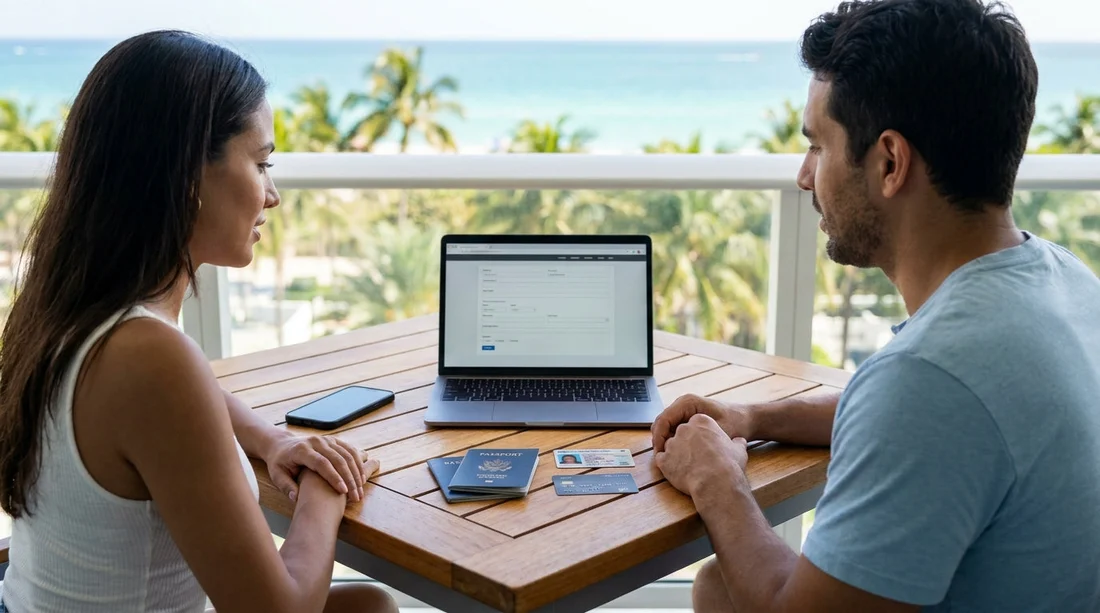
Quick Summary:
- Have your passport or US ID, plus full contact details.
- Bring a valid driving licence, and share licence issue details.
- Use a credit card in the main driver’s name.
- Provide pick-up location, time, and flight details if arriving.
Completing Hola online check-in before your car hire pick-up in Miami can reduce counter time and help avoid delays. The key is having the right details ready, and ensuring they match the documents and payment method you will present at collection. Most issues at pick-up come from mismatched names, missing licence information, or using a card that does not meet the supplier’s deposit requirements.
This guide explains the exact information to prepare, why it matters, and common mistakes that slow down collection. If you are collecting near the airport or in the city, the same principles apply, but your trip details such as flight number can be especially helpful when collecting at an airport desk. For location context in Miami, see car hire Airport and Downtown Miami or the Downtown Miami car rental page.
Your personal details to enter during online check-in
Online check-in typically asks for the main driver’s personal information. Enter it exactly as it appears on your identification documents. Small differences, such as missing middle names or swapped surnames, can trigger extra verification at the desk.
Have these details ready:
Full legal name, including middle name if shown on ID or credit card.
Date of birth, which is often used to validate driver eligibility and age-related requirements.
Mobile number and email address, for confirmation, desk contact, and any collection instructions.
Home address, sometimes required for the rental agreement and fraud checks.
Nationality and country of residence, which can affect ID requirements and licence acceptance.
Tip: if more than one person will drive, it helps to gather the additional driver’s name and driving licence details in advance. Additional drivers are normally added at pick-up, but having the information ready speeds up the process.
Identification to have ready (and to bring)
Online check-in may ask what form of ID you will present. You should still bring the physical documents to pick-up. In Miami, visitors commonly use a passport, while US residents may use state-issued ID where accepted, alongside their driving licence.
Prepare:
Passport details, including passport number and expiry date, if you are travelling internationally.
US-issued ID details, if applicable, such as state and expiry date.
Make sure your ID is valid for the entire rental period. If your passport is close to expiring, check validity requirements before travelling, as rental desks can refuse expired or invalid documentation.
Driving licence information (the most common delay point)
Your driving licence is essential for car hire, and online check-in often requires more than simply confirming you have one. Have your licence in hand when you complete check-in so you can enter details correctly.
Common licence details requested include:
Licence number and the issuing country or state.
Date of issue and expiry date.
Licence type and any relevant categories, where prompted.
Check that the main driver meets any minimum licence holding period, for example having held a full licence for a set time. If you have a newer licence, that can trigger extra checks or restrictions.
If you are visiting from abroad, consider whether you need an International Driving Permit based on your licence language and origin. Even when not strictly required, having supporting documentation can reduce questions at the counter.
Miami’s neighbourhood pick-up points can be convenient, for example in Brickell or Miami Beach. If you are comparing locations, see Avis car hire in Brickell or car hire in Miami Beach.
Payment details, including the credit card requirement
To avoid delays, the most important thing to have ready is a credit card in the main driver’s name. Many suppliers require a credit card for the security deposit and will not accept a debit card in its place, or may accept it only under stricter conditions.
Before you complete online check-in, confirm you have:
Main driver’s credit card, with the name matching the driving licence and ID.
Card number and expiry date, if the form requests pre-authorisation details.
Billing address associated with the card, if requested.
Sufficient available credit for the deposit, plus the rental charges and incidentals.
Also ensure the card is physically present at pick-up. Virtual cards and some prepaid cards commonly cause issues. If you plan to use a different card from the one entered online, keep in mind that mismatches can slow verification or require the agreement to be reissued.
Practical check: set your card’s travel notifications, and confirm it is enabled for US transactions. Declines at the desk can create significant delays because the rental cannot proceed without the deposit being secured.
Pick-up and drop-off details you should confirm
Online check-in will ask you to confirm when and where you are collecting and returning the vehicle. Enter your details carefully, as the desk will prepare your agreement around these times.
Have ready:
Pick-up location, such as Downtown Miami, Miami Beach, or near the airport.
Pick-up date and time, including your expected arrival time at the desk.
Drop-off location and drop-off date and time, especially if different from pick-up.
Flight number and arrival time, where an airport collection is involved.
If your flight is delayed, having the correct flight number can help the location anticipate changes. Where you are using a city location after landing, leave enough time for immigration, baggage claim, and travel to the branch.
Vehicle, protection, and extras information that speeds up the counter
Some online check-in journeys allow you to confirm preferences and protections so less needs to be discussed at pick-up. Even when choices are finalised at the counter, it helps to know what you want in advance.
Consider preparing:
Vehicle category you booked, plus any must-haves such as automatic transmission or larger luggage capacity.
Protection choices, including whether you are relying on a credit card benefit or travel insurance.
Extras such as child seats, toll options, or additional drivers.
For groups, a larger vehicle can be more practical. If you are collecting a bigger option in the area, see van hire in Coral Gables.
Common mistakes to avoid before you arrive
A few preventable issues account for many delays at Miami pick-up desks:
Name mismatches between the booking, ID, driving licence, and credit card. Align them before check-in.
Using the wrong payment method, especially a debit card when a credit card is required for the deposit.
Incorrect licence dates, such as entering the issue date as the expiry date.
Arriving with an expired document, including passport or licence.
Not planning for deposits, which can be higher than expected and reduce available credit.
If you are picking up in a busy area, such as near the beach, having everything prepared helps you spend less time in queues and more time on the road.
Final pre-pick-up checklist for Hola online check-in
Before you head out, do a quick double-check that the information you entered online matches what you will show at the counter. Keep your documents together and accessible, and ensure your main driver is present for agreement signing and card verification.
At minimum, aim to have: valid ID, valid driving licence, booking confirmation details, and a credit card in the main driver’s name with enough available credit for the deposit.
FAQ
Do I need a credit card in the main driver’s name for car hire in Miami? Usually, yes. Many suppliers require the deposit to be secured on a credit card held by the main driver, and the name must match the ID and driving licence.
What driving licence details are typically required during online check-in? Expect to enter the licence number, issuing country or state, issue date, and expiry date. Enter them exactly as printed on the licence to avoid delays.
Should I include my flight number in online check-in? If you are arriving by air and collecting near the airport, adding your flight number helps the location anticipate delays and confirm your arrival timing.
Can I use a different card at pick-up than the one entered online? You can sometimes change the payment card at the desk, but it can slow down processing. The safest approach is to use a credit card in the main driver’s name consistently.
What should I do if my name is different on my booking and my ID? Update your details before pick-up if possible, and bring supporting documentation if you have had a name change. Mismatches often require extra verification at the desk.

























































































