


Quick Summary:
- Film a slow 360-degree walkaround before moving, including the roof.
- Capture close-ups of panels, wheels, windscreens, mirrors, lights, and bumpers.
- Record dashboard showing mileage, fuel level, warning lights, date, and time.
- Confirm existing damage on the rental report, and keep video unedited.
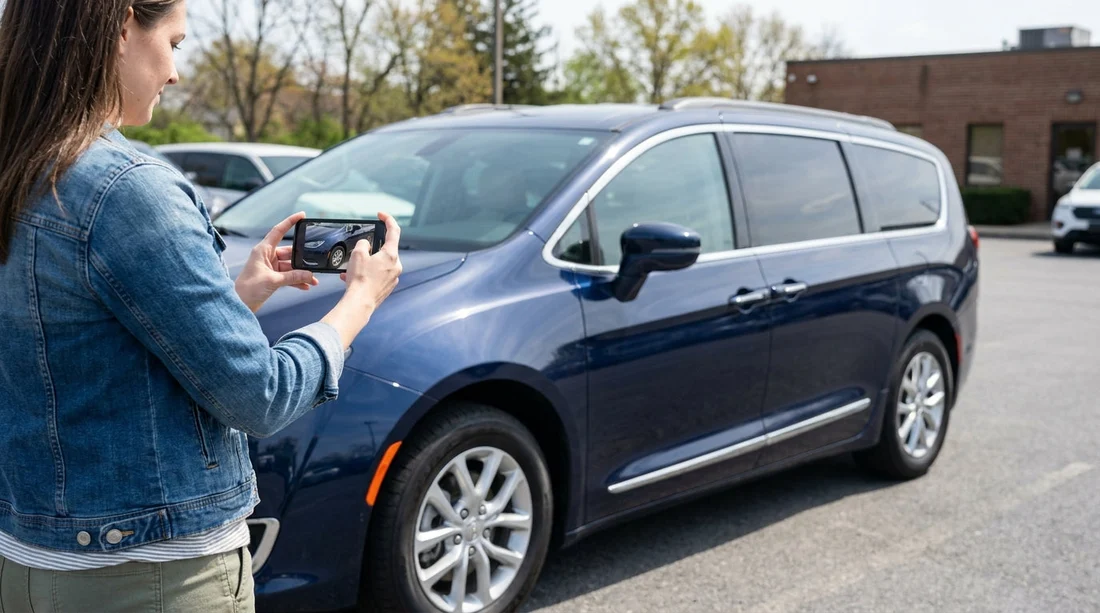
Yes, filming a walkaround video at pick-up is a sensible, low-effort way to document the condition of a rental car in Pennsylvania. It can help you clearly show what was already scratched, chipped, or scuffed before you drove away, especially in busy airport lots or multi-storey garages where you may feel rushed. A short, steady clip is often easier than relying on memory, and it complements the written condition report rather than replacing it.
This guide gives a practical pre-pickup checklist focused on the key areas that most often cause disputes: body panels, wheels, windscreens and other glass, plus fuel and mileage. Whether you are collecting from Philadelphia Airport car hire or an off-airport desk, the goal is the same: create a timestamped record that matches what you signed for.
Why a walkaround video helps for car hire pick-up
Most rental agreements assume you return the vehicle in the same condition, allowing for normal wear. The tricky part is proving what was there at the start. A walkaround video helps because it captures context, such as lighting, distance, and the exact location of marks on the car. Photos can do this too, but a continuous video reduces the chance of missing angles and makes it harder to claim images were taken at a different time.
In Pennsylvania you can have rain, road salt residue in winter, and tight parking spaces. These conditions can hide scuffs and chips at pick-up, then reveal them later. Your video is not about expecting a problem, it is about removing uncertainty.
Before you start recording: set up for a useful clip
Keep it simple. Use your phone’s standard camera in landscape, with the flash off unless you are in a dark garage. If your phone allows, record at 1080p. That is usually enough detail without huge files.
Do a quick check of the environment before filming. If it is raining, stand under cover if possible and wipe obvious water from the lens. If the car is dirty, you can still record, but pay extra attention to close-ups where dirt might hide scratches. If you are collecting from a busy location like car hire in Philadelphia, try to film before you join the exit queue.
Finally, confirm that the car’s registration plate is visible in the opening seconds. This ties the video to the exact vehicle.
Walkaround checklist, what to record outside
A good pick-up walkaround takes about one minute. Move slowly, keep the car in frame, and pause briefly at each corner. Aim for one continuous clip, rather than multiple short videos, so the sequence is clear.
1) Start with front end and number plate
Film the front bumper, grille area, and number plate. Bumpers often have scrapes from kerbs and parking blocks. Move in close to capture paint chips and cracks.
2) Panels and paint, capture reflections
Walk along the driver side, then the rear, then the passenger side. Hold the camera at a slight angle so reflections show dents and ripples. Specifically record: doors, door edges, sills, wheel arches, and the area around the fuel flap. If you are using a larger vehicle, such as one arranged through van hire in Philadelphia, include the sliding door track and rear cargo doors, as these are high-wear points.
3) Wheels, tyres, and hubcaps
Kerb rash is one of the most common arguments at return. Film each wheel straight on, then close-up around the rim. Include tyre sidewalls. If you see a warning like a low-pressure icon later, your pick-up video can show whether a tyre already looked underinflated.
4) Mirrors, lights, and sensors
Record both wing mirrors, the edges of tail lights and headlights, and any parking sensors or cameras. Tiny cracks in a light lens can become a bigger issue if unnoticed at pick-up.
5) Windscreen and other glass
Film the windscreen from outside at two angles, then move closer to show chips, star cracks, or wiper marks. Also record side windows and the rear window. In Pennsylvania, grit and winter salt can contribute to small chips, so it is worth being thorough. If you have time, film the roofline and sunroof glass, where fitted, because damage there is easy to miss.
6) Roof and upper edges
If you can safely do so, angle the camera upwards to show the roof, roof rails, and the top edges of doors. On taller vehicles this is harder, but even a partial shot helps establish that you made a reasonable check.
Inside the car, fuel and mileage proof
Once you have finished the exterior walkaround, keep recording and move inside. This links the outside condition to the dashboard readings without a gap.
1) Odometer and fuel gauge
With the ignition on, record the instrument cluster clearly. Zoom slightly if needed, but avoid losing focus. Capture the odometer reading and the fuel gauge. Many rentals are provided full-to-full, but some are pre-purchase or return-as-is. Your video should match the policy on your paperwork. If you are collecting from a location like car rental in Philadelphia, staff may be handling multiple returns at once, so having your own record reduces confusion.
2) Warning lights and messages
Record any warning lights that remain on after the engine starts, plus any service messages. This is useful if you later need to explain a dashboard alert that was present from the beginning.
3) Date and time context
Many phones store metadata automatically, but it is still useful to capture something time-related in the frame, such as the infotainment clock. If your phone shows date and time in the video overlay, leave it enabled.
4) Interior condition touchpoints
Quickly pan across the seats, dashboard, and boot area. Focus on obvious stains, tears, cracked screens, or missing parcel shelves. This should be brief, as the main disputes tend to be exterior and wheels, but it can still help.
Match your video to the condition report
A walkaround video is strongest when it aligns with what you and the rental desk recorded. Before you drive off, compare your observations with the damage diagram or app checklist. If you spot a scuff that is not marked, ask for it to be added, or note it via the provider’s process. Then film the updated report on your phone screen or paper document.
Keep your approach calm and factual. You are not accusing anyone, you are just ensuring the pick-up record is accurate for your car hire. If you are using a branded option such as Dollar car rental in Philadelphia, the same principle applies, confirm that the report matches the car in front of you.
Common mistakes to avoid
Rushing the corners. Most damage sits on bumpers, arches, and wheel rims. Pause there.
Filming in poor light without adjusting. If you are in a garage, move closer and steady your hands. If safe, step towards brighter areas.
Only filming from far away. You need both context shots and close-ups that show texture.
Editing the clip. Keep the original file. If you need to share it later, send a copy and retain the untouched original on your device or cloud storage.
Forgetting the fuel and mileage. A dispute can be about refuelling or mileage allowances, not just scratches.
How long should you keep the video?
Keep it until your final invoice is settled and any deposit is released. If everything closes out smoothly, you can archive or delete it later. If there is a question about damage or fuel, having the file ready, with clear visuals and a continuous timeline, makes it easier to resolve.
FAQ
Is it allowed to film a rental car walkaround at pick-up in Pennsylvania?
Generally yes, because you are recording your own transaction and property you are responsible for, but stay on rental premises rules and avoid filming staff or other customers closely.
Should I take photos as well as a walkaround video?
Yes, a short video plus a few close-up photos of any existing damage gives you both context and detail, especially for small chips or wheel scuffs.
What if it is dark or raining when I collect the car?
Film anyway, move closer to the surface, and record from multiple angles. If possible, ask to reposition the car to better lighting before leaving.
What exactly should I capture for fuel and mileage?
Record the instrument cluster showing the odometer and fuel gauge, plus any range estimate if displayed. Make sure the numbers are readable and in focus.
Do I still need the rental company to note existing damage?
Yes, your video supports your account, but the condition report is the formal record. Ensure anything you notice is documented in their system before driving off.

























































































