


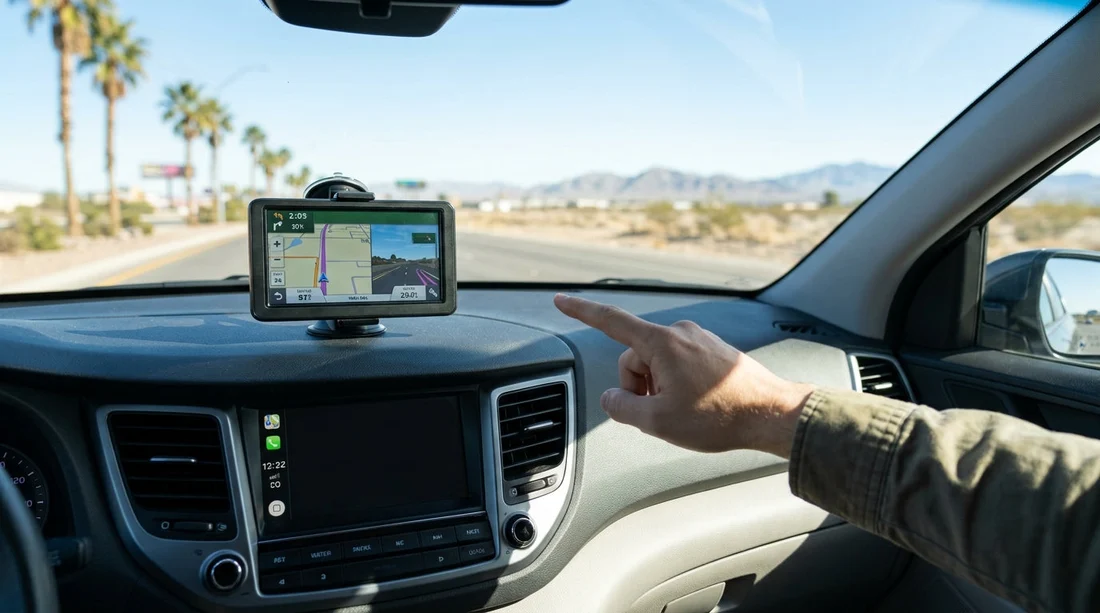
Quick Summary:
- Choose a paid sat nav if your phone plan makes US data costly.
- Download offline maps before pick-up so you are not relying on signal.
- Check CarPlay or Android Auto support to use your preferred apps.
- Prefer sat nav for multi-driver trips and consistent, simple turn guidance.
When you arrange car hire in Las Vegas, the sat nav add-on can feel like a sensible safety net. You are landing in a new country, driving on unfamiliar freeways, and the first hour can be busy, especially leaving the airport area. At the same time, most travellers already navigate with a smartphone, and modern hire cars often support Apple CarPlay or Android Auto. The real question is whether the dedicated GPS unit delivers value once you consider cost, convenience, and how you will manage mobile data.
This guide compares the paid sat nav option with phone navigation, with a focus on what to check before pick-up, how to prepare offline maps, and how to avoid surprises on the road around Las Vegas and beyond.
What you actually need from navigation in Las Vegas
Las Vegas is straightforward on the Strip, but visitors often drive further, such as to Red Rock Canyon, Hoover Dam, or into Arizona and Utah. Navigation needs tend to fall into four categories: getting out of the airport quickly, finding hotel entrances and parking structures, handling freeway interchanges, and staying confident when signal drops in desert areas.
If your trip is mostly Strip to hotel and back, phone navigation with offline downloads can be enough. If you are doing long day trips, driving at night, swapping drivers, or you simply want a dedicated screen that is always ready, a sat nav can reduce hassle. For airport arrivals, it is useful to know where you are collecting from. If you are picking up at the airport, details on Las Vegas airport car rental can help you plan the first set of directions calmly.
Cost comparison, sat nav add-on vs smartphone
Sat nav add-ons are typically priced per day, sometimes with a weekly cap, and the total can add up on longer hires. That does not automatically make them poor value. The fair comparison is against your true phone navigation costs, including data and any roaming plan you might need.
Phone navigation can be close to free if you have a UK plan with US roaming included, or if you will buy an eSIM for data. However, costs rise if you rely on pay as you go roaming, or if several people in the car use data heavily. Navigation alone is not usually data heavy, but the bigger issue is continuity. If you lose signal, or your data runs out, the phone still shows a blue dot but may not re-route or load new map tiles. That is where offline preparation matters.
Offline map preparation, the best compromise for most travellers
If you want to avoid the sat nav add-on, take five minutes before you travel to set up offline maps. This is the single most practical step for reliable navigation with minimal spend.
For Google Maps, you can download an offline area that covers Las Vegas plus the routes you expect to drive. Make the selection larger than you think you need so that detours still work. For Apple Maps, offline maps are available on newer iOS versions, and you can store areas for use without signal. Whichever app you use, update the downloads on Wi-Fi shortly before departure so you have the latest road changes.
Then test it. Put your phone in airplane mode and check that the map renders, searches work for key places, and turn by turn guidance starts. Save key stops as favourites, such as your hotel and the rental return location. When you land, you can navigate from the car park without waiting for your phone to regain full service.
CarPlay and Android Auto, the option that can make sat nav unnecessary
If your hire car supports Apple CarPlay or Android Auto, you often get the best of both worlds, your preferred apps on a larger screen with easier controls. Before you decide on a sat nav add-on, it is worth checking whether the vehicle class you are choosing is likely to include smartphone integration. Many modern cars do, but not all trims, and some older models may not.
With CarPlay or Android Auto, you still need a plan for data or offline coverage. If you will rely on offline maps, confirm that your navigation app can route without a live connection. You can then use the car screen for guidance without paying for a separate sat nav device.
When comparing options for car hire in Las Vegas, it can help to shortlist vehicles where modern infotainment is more common, especially if you value a bigger navigation display.
When a paid sat nav add-on is genuinely worth it
A sat nav add-on can be a good choice in several situations.
First, if you want a simple, consistent setup for multiple drivers. On a group trip, passing a phone around can be annoying. A dedicated sat nav is always there, always charged, and anyone can follow it.
Second, if your phone plan makes US data expensive or uncertain. If you do not want to arrange an eSIM, or you are worried about running out of data on a road trip, a sat nav removes that variable.
Third, if you are driving long distances in very hot weather. Phones can dim screens, throttle performance, or stop charging when they overheat. A sat nav is not immune to heat, but it is designed to run constantly on external power and keep the screen on.
Practical pre-pick-up checklist to avoid frustration
Whatever you choose, a little preparation before pick-up prevents most navigation problems.
Confirm your first destination and the best route out of the rental area, because the initial junctions can be busy. Save the destination in your app before you arrive, and take a screenshot of the route overview in case you need it for reference. Pack a short, high quality USB cable, since unreliable cables are a common cause of CarPlay or Android Auto dropouts.
If you are relying on your phone, bring a vent mount rather than sticking a mount to the windscreen in extreme heat. Keep the phone out of direct sun where possible. If you are using a sat nav add-on, ask where it should be mounted and confirm it has current maps loaded before you leave the lot.
If saving money is a priority across your whole trip, compare overall value on a page like budget car hire in Nevada, then decide whether the sat nav spend fits your comfort level.
A note on vehicle type, vans and longer trips
If you are hiring a larger vehicle, such as a people carrier or van, clear directions can matter more, because last minute lane changes are harder. If that sounds like your trip, information on van rental in Las Vegas can help you think through what you will be driving and how you want directions displayed.
So, is the GPS sat nav add-on worth booking in Las Vegas?
It is worth it if you value simplicity, have uncertain or expensive US data, expect extreme heat impacts on your phone, or will share driving between several people. It is usually not worth it if you have CarPlay or Android Auto, a solid data plan or eSIM, and you are willing to download offline maps before pick-up.
The best decision is not about technology, it is about reducing stress. If paying for a sat nav means you start your Las Vegas drive confident and focused, that can be good value. If you are comfortable preparing your phone properly, you can get excellent guidance without the extra daily fee.
FAQ
Does a sat nav add-on work without mobile signal in the desert? Yes. Dedicated GPS units use satellite positioning and stored maps, so they do not rely on mobile data to show your location or give directions.
Can I rely on Google Maps offline around Las Vegas? Usually, yes, if you download a large offline area before you travel. You will still need a connection for live traffic and some searches, but basic routing can work offline.
Will my rental car in Las Vegas definitely have Apple CarPlay or Android Auto? Not guaranteed. Many newer models do, but it varies by vehicle class and trim. It is sensible to plan a phone-only fallback.
Is phone navigation safe to use in Las Vegas heat? It can be, but manage heat by using a vent mount, keeping the phone out of sun, and charging with a good cable. Overheating can cause dimming or app slowdowns.
If I skip sat nav, what should I do before pick-up? Download offline maps, save key locations, pack a reliable USB cable, and note your first route out of the rental area so you are not setting up under pressure.

























































































