


Quick Summary:
- Most Florida car hire desks require a physical photocard driving licence.
- A phone-based digital licence is usually not accepted on its own.
- Bring passport, matching payment card, and booking confirmation to prevent delays.
- If your licence is lost, contact the supplier before you arrive.
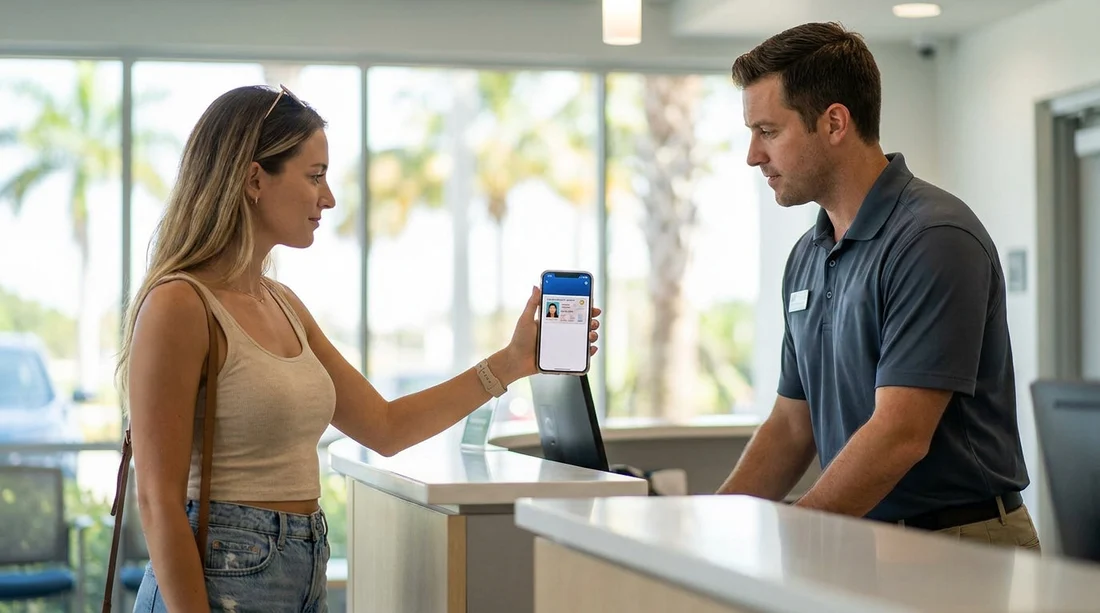
Digital wallets and mobile IDs are becoming common, but car hire pick-up rules often lag behind. In Florida, the safest assumption is that a digital driving licence displayed on your phone will not be accepted on its own at the rental counter. Many rental suppliers require staff to physically inspect a photocard licence, verify security features, and confirm the licence details match the reservation and payment card.
This matters because Florida is a high-volume rental market, with busy airport branches, tight queues, and strict compliance checks. If the agent cannot accept what you present, you may face delays, a declined pick-up, or the need to return later with the correct documents. The good news is that you can usually avoid problems by bringing the right physical documents and making sure your reservation details match your identification.
Are digital driving licences accepted for car hire pick-up in Florida?
In practice, most car hire locations in Florida still expect a physical, government-issued driving licence card. Even if your home state or country offers a digital version, rental staff may not be authorised to accept it because they must follow both company policy and fraud-prevention procedures.
There is also an important distinction between “accepted by law enforcement” and “accepted by private companies”. A digital driving licence may be valid in certain situations, but a rental counter can still require the physical card as a condition of hire. That is why relying on a phone-only licence is risky for pick-up, especially at major hubs like Miami International Airport where counters process large numbers of customers and follow standardised checklists.
When a digital licence might help, and why it still may not be enough
A digital driving licence can be useful as a secondary reference if your phone has a government app showing your licence number, issue date, and categories. It may help you recall details or support a discussion with the desk agent if there is a minor mismatch. However, it is rarely treated as a substitute for the physical photocard.
Common reasons include the need to check holograms or microprint, the risk of screenshots or altered displays, and restrictions on photographing or copying screens. Some branches also need to scan the physical card or enter data while holding it, which is harder when a customer can only show a phone.
What documents are typically required for car hire in Florida?
Exact requirements vary by supplier, but Florida pick-up procedures are usually consistent. Plan to bring the following, in physical form, unless your supplier has confirmed alternatives in writing.
1) A valid physical driving licence
Bring your current photocard driving licence, in good condition, and not expired. The name must match the reservation and your payment card. If you have recently changed name, bring supporting documentation so the desk can confirm you are the same person.
2) A passport or additional photo ID
International visitors are frequently asked for a passport. Even US residents may be asked for additional ID depending on the branch, the vehicle group, or payment method. Having a passport handy reduces the chance of a stalled check-in.
3) A payment card in the main driver’s name
Many suppliers require a credit card for the security deposit, and it typically must be in the main driver’s name. If you arrive with a different person’s card, or a card type the branch does not accept, you may be refused. If you are picking up at a busy airport like Tampa International Airport, this is one of the most common causes of delays.
4) Your booking confirmation
Bring your confirmation email or printed voucher details so the agent can quickly locate your reservation, confirm inclusions, and verify dates and times. This is especially useful if you have multiple reservations or a similar name to another customer.
How to avoid delays at pick-up with a phone-based licence
If you only have a digital driving licence on your phone, your goal should be to confirm the supplier’s position before you travel. These steps reduce the chance of a refused pick-up.
Check your supplier’s document rules before arrival
Policies vary by brand and location. When you arrange car hire through Hola Car Rentals, review the documentation section for your supplier and location, and allow extra time if you are collecting at peak periods. Locations serving leisure demand, such as Orlando MCO near Disney, can be very busy, so small issues become big delays.
Make sure names match across documents
Use the same first and last name order on your reservation as shown on your licence and card. If you have middle names on one document but not another, it is usually fine, but mismatched surnames or spelling differences can cause extra checks.
Do not rely on screenshots
If you intend to show a digital ID, keep it in the official app and ensure it opens reliably without network issues. Some branches will not accept a screenshot under any circumstances, and it can raise fraud flags.
Bring backups even if you think you will not need them
A second form of photo ID, your passport, and a second payment card can save a trip back to your accommodation. This is particularly helpful when collecting larger vehicles or moving groups, for example a van rental in Downtown Miami, where the desk may be stricter about verifying the main driver and deposit method.
Does vehicle type or location change the rules?
The baseline document checks are similar across Florida, but some situations create extra scrutiny. Premium vehicle groups, SUVs, and higher deposits can mean stricter verification and more frequent requests for additional ID. If you are planning an SUV rental in Florida, it is worth being extra cautious about having the physical licence and a suitable payment card.
Location matters too. Airport counters have standardised processes, while smaller neighbourhood branches may have fewer staff and less flexibility. Either way, the simplest route is to arrive with the physical photocard licence and supporting documents ready to hand over.
Practical checklist for smooth car hire pick-up in Florida
Use this quick checklist before you travel: confirm your licence is physical and valid, ensure your passport is packed, confirm your payment card meets deposit requirements, and make sure your reservation details match your documents. If your only option is a digital driving licence, contact the supplier ahead of time and be prepared for the possibility that you will need to rearrange the booking or add an alternative main driver who can present a physical licence.
Ultimately, digital IDs are improving, but Florida car hire pick-up remains a physical-document process. Bringing the photocard licence is the most reliable way to avoid delays and start your trip on time.
FAQ
Q: Will a digital driving licence on my phone be accepted at Florida car hire pick-up?
A: Usually not on its own. Most suppliers expect a physical photocard licence for verification.
Q: If the desk will not accept my digital licence, can I use my passport instead?
A: A passport helps prove identity, but it does not replace a driving licence. You typically need both, a physical licence plus passport or additional ID.
Q: I have a temporary paper licence, can I collect a hire car in Florida?
A: It depends on the supplier and branch. Many will require a photocard, and some may accept a temporary document only with extra ID. Confirm before arrival.
Q: What is the quickest way to avoid pick-up delays?
A: Bring your physical photocard licence, passport, and a payment card in the driver’s name, and ensure your booking details match exactly.

























































































