


Quick Summary:
- Match your voucher brand, supplier name, and IATA code before queuing.
- Follow “Rental Car Center” signs, not individual brand logos.
- Check the counter’s “operated by” placard when brands share desks.
- If your brand is missing, call the voucher number before leaving arrivals.
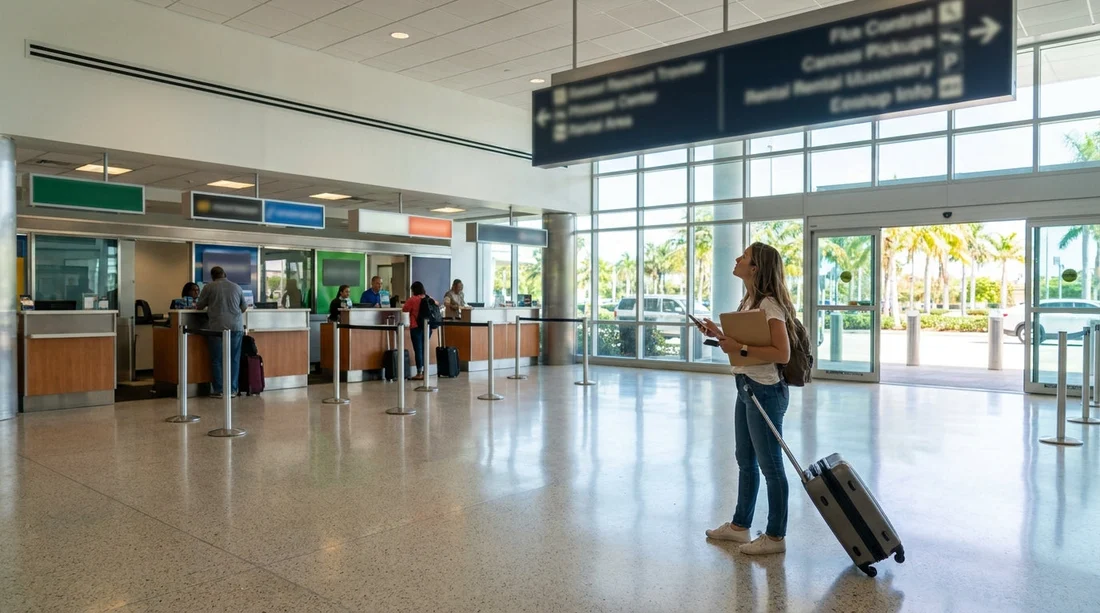
Arriving at Miami Airport in Miami and heading for car hire can feel straightforward until you meet a shared desk. Many rental providers operate from the same counter, sometimes under a parent company, sometimes under a local operator, and sometimes under a “serviced by” arrangement that is only obvious once you are standing in front of the desk. The good news is that your voucher already contains the clues you need, and Miami’s airport signage is designed to funnel everyone to the right place even when brand names are not visible.
This guide explains exactly how to match your voucher to the correct counter, which signs to follow, and what to do if the brand name you expect is not displayed.
Start by reading the voucher like a checklist
Your voucher is the most reliable source because it reflects the supplier that will actually hand you the keys. Before you start walking, open the voucher on your phone and look for three fields: the supplier name, the pick up location, and any “operated by” or “serviced by” wording. When desks are shared, the brand you searched for online is not always the brand printed on the desk sign.
In practice, matching works best when you treat the voucher as a checklist:
Supplier name: This is the name the desk will recognise. If the voucher lists a well known brand, you should still check for parent company wording, because the desk may be branded differently.
Pick up location: At Miami Airport, the main goal is reaching the airport’s rental facility area. Your voucher may say “Rental Car Center”, “MIA RCC”, or similar. If it lists an off airport pick up, the instructions will mention a shuttle, meeting point, or phone number.
Counter notes: Look for lines like “counter shared with”, “present at”, “operated by”, or “serviced by”. This is the line that prevents you queuing at the wrong place for 20 minutes.
If you want to compare different pick up areas around the city, Hola Car Rentals also has location pages that clarify where desks and pick ups typically happen, for example car hire in Florida, Miami (MIA) and nearby zones like car hire at Airport Doral (DRL).
Follow airport signage, not brand signage
When travellers say “I couldn’t find the company”, the real issue is often that they followed brand logos rather than the airport’s directional system. At Miami Airport, the signage that consistently gets you to the right place is the generic rental signage. Prioritise signs that say “Rental Cars” or “Rental Car Center”, plus any transport signs pointing to the consolidated facility.
Once you reach the car hire area, you can start looking for brand names, but until then, avoid zigzagging around arrivals searching for a specific logo. Shared desk setups mean the logo might be small, placed on a secondary panel, or listed in text rather than a large backlit sign.
If you are collecting outside the airport core, the instructions may instead point to a nearby district. For example, if your rental is tied to a city location, you might see references to downtown pick up pages such as Dollar car rental Downtown Miami (DWN), which is a different process than the airport counters.
How to identify the correct shared counter when the brand is not shown
Shared counters usually provide a small directory of brands they serve. Look for any of these cues at the desk front and in the queue area:
“Operated by” placards: Many desks place a small sign stating which brands are processed there. This can be above the agent’s screen or on a side panel.
Brand lists near the queue ropes: Airports often place a printed list near the start of the line. If your voucher brand appears there, you are in the right queue even if the big sign shows a different name.
Corporate family names: Some groups manage multiple brands. If your voucher notes the family name, match that to what is printed on the counter.
Location code match: If your voucher includes a station code, it can match what the desk uses internally. Even when you cannot see it, an agent can confirm it quickly if you ask politely before joining a long queue.
A practical method is to walk up to the start of the queue and ask the queue marshal or nearest staff member, “My voucher says operated by X, is this the correct desk?” This avoids interrupting the agents and usually gets a fast yes or no.
Use your voucher’s phone number before you move locations
If you cannot find your brand listed anywhere, do not immediately leave to look for another building or shuttle. First, call the phone number printed on your voucher while you are still in the airport area with WiFi and clear reference points. Explain that you are at Miami Airport and cannot see the desk branding, and read out the supplier name exactly as written on the voucher. Ask two things only: the precise counter name to look for and whether it is inside the Rental Car Center or requires a shuttle.
This matters because leaving the terminal can make it harder to return to the right area quickly, and some off airport operators expect you to call for pick up from a specific zone.
What to do if multiple counters seem plausible
Sometimes two desks display similar brand families, or the airport directory lists your supplier but the branding has changed. When you have two plausible options, use this order of checks:
1) Compare the voucher address: Even inside the same facility, counters can be grouped by level or row. Match any address line, floor, or terminal reference.
2) Check opening hours: If one desk is closed and your voucher shows the supplier should be open, you are probably at the wrong desk.
3) Ask for the supplier by voucher name: Instead of saying the brand you searched online, read the supplier name as printed. Shared desks care about the supplier record in their system.
4) Confirm vehicle class notes: If your voucher is for a minivan or a specific category, the staff can often confirm whether they process those rentals at that desk. For travellers comparing vehicle types, Hola Car Rentals provides category specific context such as minivan hire in Miami Beach (MBC).
Common reasons your expected brand is “missing” in Miami
It helps to know why this happens, so you can resolve it quickly rather than assuming the rental is not available.
The brand is processed under a different counter name: Your voucher may be for a brand that is serviced by another desk.
The counter sign shows a parent company: Large groups may prioritise one logo even when handling multiple brands.
Temporary rebranding or refurbishment: Airports occasionally change signage during renovations. The directory or “operated by” list is more reliable than the biggest illuminated panel.
Your pick up is not at the airport counter: Some rentals are arranged from nearby areas, where you must use a shuttle or meet and greet instructions. Doral is a common reference point for Miami area rentals, and provider pages such as Hertz car rental Doral (DRL) can be useful for understanding how station locations are described.
FAQ
How do I know whether my Miami Airport rental uses a shared desk? Check your voucher for wording such as “operated by”, “serviced by”, or “counter shared with”. If present, follow the operator name rather than the brand you expected.
Which signs should I follow first at Miami Airport in Miami? Follow the airport’s “Rental Cars” or “Rental Car Center” signs, then use the directory or counter placards to match your voucher to the correct desk.
What if I cannot see my brand name on any counter? Look for a list of serviced brands at the desk, then call the voucher phone number to confirm the operating counter name before leaving the terminal area.
Should I queue if I am not fully sure it is the right desk? If the desk lists your voucher supplier or “operated by” name, queue. If you are uncertain, ask the queue marshal or nearby staff to confirm before committing to a long line.
What happens if I go to the wrong counter? You will usually be redirected, but it can cost time. Use your voucher’s supplier name and pick up location to verify the correct shared desk early.

























































































