


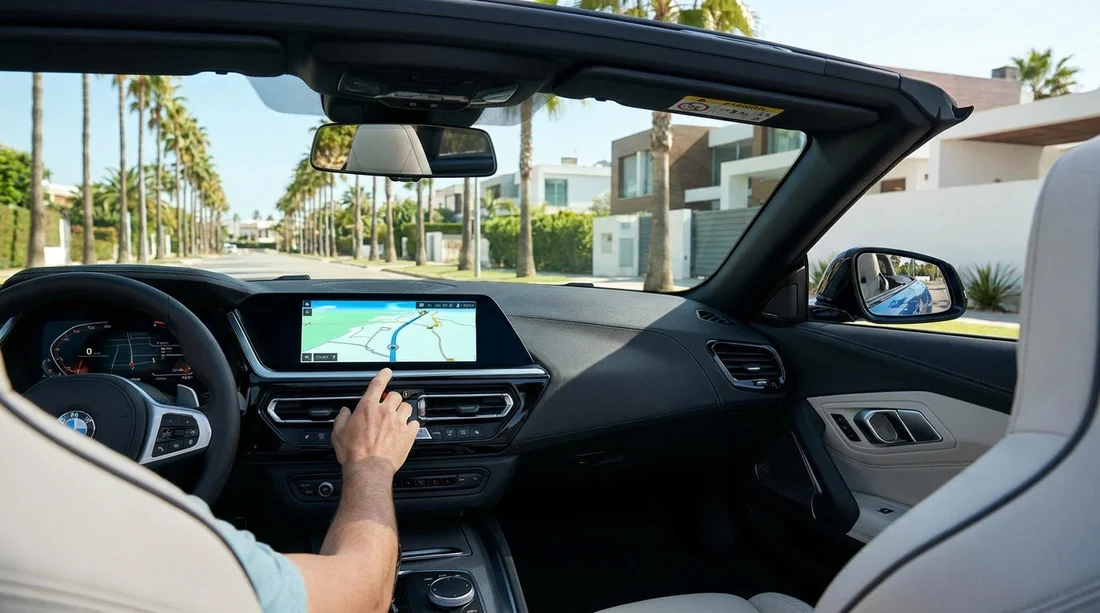
Quick Summary:
- Built-in sat nav is not guaranteed, confirm availability before collecting.
- Many cars support Apple CarPlay or Android Auto for phone navigation.
- Ask about daily sat nav fees, and compare with your roaming plan.
- Check the screen, settings, and destination entry before leaving the lot.
If you are arranging car hire in Los Angeles, it is sensible to assume one thing up front: built-in sat nav is not automatically included. Some rental cars do have an in-dash navigation system, but many rely on smartphone integration instead, and availability can vary by vehicle model, trim level, and supplier. The result is that two cars in the same category can feel very different once you sit in the driver’s seat.
For travellers, the practical goal is not “sat nav or no sat nav”. It is having reliable navigation the moment you leave the car park, especially around LAX, downtown interchanges, and busy routes like the 405 and 101. That means knowing what is typical, what costs extra, and what you should verify at the counter and at the car.
What is “typical” for in-car navigation in Los Angeles rentals?
In Los Angeles, built-in navigation is common enough that you will see it, but it is not universal enough to depend on. Entry-level trims, older model years, and some compact vehicles may have a basic infotainment screen without onboard maps. Even where navigation exists, it might require a subscription or it may not have up-to-date mapping, which matters when roads and junction layouts change.
What is much more consistent across modern fleets is phone projection. Many vehicles include Apple CarPlay or Android Auto, sometimes wired, sometimes wireless. When it is present and working, it can be the simplest way to use familiar maps with live traffic.
If you are collecting from the airport, it can help to read the basics about location and pick-up flow in advance. For example, see Los Angeles LAX airport car rental information so you can focus on the car features once you are at the counter.
Does sat nav cost extra with car hire?
Often, yes. Some suppliers treat built-in sat nav as a paid feature, and some treat it as an included feature only on higher categories. In other cases, the vehicle might have navigation built in, but your booking is not guaranteed to include it unless it is specifically listed. There can also be add-ons that sound similar but are different in practice, such as a portable GPS unit versus in-dash navigation.
Costs vary by supplier and season, but the key point is how quickly a daily navigation fee can add up over a week. That is why many travellers prefer using their phone, provided they have a workable plan for data, charging, and mounting the device safely.
If you are comparing options for car hire at the airport, you may find it useful to look at a specific LAX page such as car hire Los Angeles LAX and then confirm the exact navigation features for the vehicle you are offered.
Built-in sat nav vs phone maps, what travellers should expect
Built-in navigation has one big advantage: it does not depend on mobile data. That can matter if you do not have a US SIM, your roaming is expensive, or you drive into areas with patchy signal. It also tends to integrate neatly with the car’s screen and controls.
Phone-based maps usually win on live traffic and quick rerouting, which is especially valuable in Los Angeles where congestion changes minute by minute. If your car supports CarPlay or Android Auto, you get a familiar interface on the larger screen, voice guidance through the car speakers, and easier searching for places such as hotels, car parks, and petrol stations.
What to confirm at the counter, and what to check at the car
To avoid the awkward moment of pulling away and realising you cannot easily navigate, confirm these points before you leave the desk:
Is built-in sat nav included on this vehicle? If it is important to you, ask directly and request it is noted on the agreement or at least confirmed in writing on the rental paperwork.
Is there an additional daily fee? Ensure you understand the cost and whether taxes apply. If you are relying on your phone instead, decline unnecessary add-ons.
Does the car support CarPlay or Android Auto? If yes, ask whether it is wired or wireless, so you know what cable you need.
Then, at the vehicle, take two minutes to test what matters while you are still parked:
Screen and touch response: Make sure the screen turns on, is not frozen, and can accept inputs.
Pairing: Connect your phone, accept prompts, and start a short route to confirm audio guidance.
Language and units: Set the language, and check miles versus kilometres so distances make sense.
Volume and voice guidance: Ensure prompts are audible over air conditioning and road noise.
Destination entry: Try entering a hotel or a well-known landmark, and confirm it finds the correct place.
Does vehicle type affect whether you get sat nav?
Yes. Higher trims and larger vehicles are more likely to have larger screens and better infotainment, but it is still not guaranteed. If you choose an SUV category, for example, you might find sat nav more frequently, plus more comfortable screen layouts for CarPlay or Android Auto. See SUV rental Los Angeles LAX for the general category, then confirm the exact vehicle’s features at pick-up.
Supplier also matters. Fleet age, order specifications, and how quickly vehicles rotate can affect how many cars on site have navigation built in. If you have a preference for a particular provider, looking at a supplier page such as Enterprise car rental California LAX can be a helpful starting point, but the key is still to confirm the features on the specific car assigned to you.
FAQ
Do rental cars for car hire usually come with built-in sat nav in Los Angeles? Not usually as a guaranteed standard feature. Some cars have built-in navigation, but many rely on smartphone integration, so you should confirm before you leave the counter.
If my car has a screen, does that mean it has sat nav? No. A screen may only support radio, Bluetooth, or phone projection. Check for a “Navigation” app or map function, and test destination entry while parked.
Is it better to use Google Maps or Apple Maps than in-car sat nav? Often yes for live traffic in Los Angeles, provided you have data. In-car sat nav can still be useful as a backup when signal is weak or if you want to avoid roaming charges.
What should I ask at pick-up to avoid surprises? Ask whether built-in sat nav is included, whether it costs extra, and whether CarPlay or Android Auto works, including whether it is wired or wireless.
What if navigation is not working when I get to the car? Go back immediately and report it. It is usually easier to switch vehicles or get help before you leave the lot than after you are already on the freeway.

























































































