


Quick Summary:
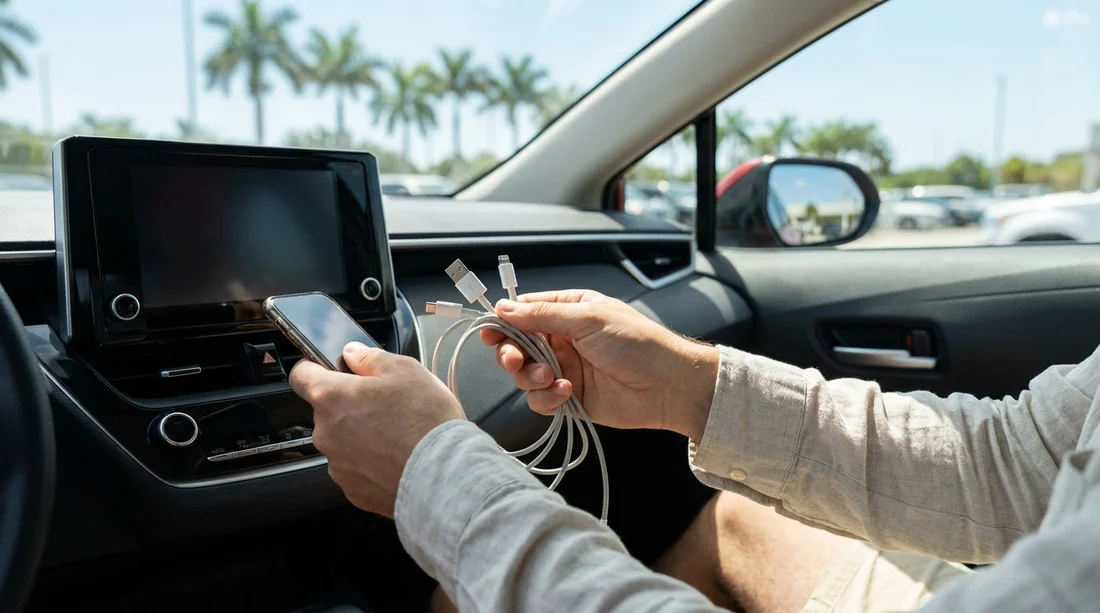
- Pack USB-A and USB-C car-side cables that match your phone.
- Bring a dual-port 12V USB charger for reliable fast charging.
- Carry one short cable and one longer spare for flexibility.
- Confirm ports at the counter and test charging before driving away.
Arriving at a Florida car hire counter with a low battery is more common than people admit. Between flight delays, mobile boarding passes, maps, and messaging, your phone often becomes the most important travel tool you own. Once you collect the keys, you will likely need navigation immediately. The problem is that rental cars can vary widely in their charging ports, especially when fleets include several model years and trims.
This guide explains what charging ports you are likely to find in Florida, what each one does, and what to pack so you can plug in within seconds of pick-up. The aim is simple, avoid standing by the car fiddling with cables, or leaving the airport with a phone that cannot stay charged.
What charging ports are common in Florida rental cars?
Most vehicles offered for car hire in Florida include at least one of the following: USB-A ports, USB-C ports, and a 12V socket (often called a cigarette-lighter socket). Some cars also offer a wireless charging pad, but you should treat that as a bonus rather than a guarantee.
Because airports and city branches may rotate stock, you could collect a compact car one trip and an SUV the next. If you are arranging car hire at Orlando International, for example, you may see a wide mix of vehicles across brands and categories via car hire airport Disney Orlando MCO. In Miami, the mix can be similarly broad, including newer cars with USB-C alongside older models with only USB-A and 12V, as seen when browsing car hire Miami MIA.
USB-A vs USB-C, what is the difference for charging?
USB-A is the older rectangular USB port that has been common for years. It is still widespread in rental fleets, and it is often used both for charging and for data connections such as Apple CarPlay or Android Auto. USB-A ports in cars may be low power, sometimes enough for steady charging but not always enough for rapid charging while running navigation.
USB-C is the newer oval-shaped port. It is increasingly common in newer cars and tends to support higher power delivery, depending on the vehicle. In practice, a USB-C port can mean much faster charging, but only if you have the right cable. A USB-C port in the car does not help if your only cable is USB-A to phone.
The simplest packing rule for Florida car hire is to assume you might encounter either USB-A or USB-C, and bring a cable for both. That does not mean two different cables for every device, it means covering both port types from the car side.
Do not forget the 12V socket, it is your best backup
The 12V socket is the most reliable universal option because it exists in many cars, even when USB ports are limited or awkwardly positioned. The key is that the 12V socket needs a plug-in adaptor to become useful for phone charging. A compact 12V charger with two ports is ideal, because you can charge a phone and a second device, or help a travelling companion.
Choose a 12V charger with both USB-A and USB-C outputs if possible. This single item can cover almost any scenario, including cars where the USB ports provide only slow charge. It also helps if the car’s built-in USB ports are reserved for data, for example you may want to keep CarPlay connected while using a separate fast charger.
What cables should you pack, based on your phone?
Your phone model determines the device end of the cable, but the rental car determines the port end. To stay prepared, think in pairs.
If you have an iPhone with Lightning, bring one USB-A to Lightning cable and one USB-C to Lightning cable. If you have a newer iPhone with USB-C, bring one USB-A to USB-C cable and one USB-C to USB-C cable. For Android, most modern phones use USB-C, so the same USB-C combinations apply.
Bring at least one short cable and one longer cable. A short cable keeps the centre console tidy. A longer cable is useful if the port is under the dash, inside the armrest, or if a passenger needs to charge from the front. Cables take very little space, but they can save a lot of time and frustration.
Data vs charging, why it matters for CarPlay and Android Auto
Some cars have multiple USB ports, but only one supports data for CarPlay or Android Auto. The others may be charge-only. If you plug into the wrong port, your phone might charge but your navigation will not appear on the screen, or vice versa. The port may be labelled with a small phone icon or “USB” near the infotainment area.
To avoid delaying your exit from the car park, ask at the counter what the car supports, and then confirm inside the vehicle before you drive off. This is especially helpful if you are collecting from busy city locations where you want to get moving quickly, such as car hire Brickell BRK.
Fast charging expectations in rental cars
Even when a car has USB-C, charging speed is not guaranteed. Some built-in ports deliver modest power. If fast charging matters, for example you landed with 12 percent battery and need maps for a long drive, your best bet is your own 12V fast charger. Look for a charger that supports USB Power Delivery on USB-C and a reputable fast-charge standard on USB-A.
Also remember that using navigation, streaming audio, and maximum screen brightness in Florida sun can drain power quickly. A slow charger might only keep the battery level steady, not increase it.
What to check at the counter, and what to test in the car
Before leaving the counter, confirm whether the car has USB-A, USB-C, and a 12V socket. You can phrase it simply: “Which ports are in the car for charging?” This is not a special request, it is a practical question, and staff are used to it.
Once you reach the car, test your setup while still parked. Plug in the cable, confirm the phone shows it is charging, and if you plan to use the infotainment screen, confirm CarPlay or Android Auto connects. Adjust the cable routing so it does not interfere with steering or gear selection. If you cannot get a charge from any port, return immediately to the desk or booth while you are still nearby.
If you are travelling as a group or with lots of luggage, these checks matter even more. Larger vehicles can be convenient, but charging points may be spread out. If you are hiring a people carrier or similar via van rental Brickell BRK, consider a dual-port 12V charger and a longer cable so rear passengers can reach power without stretching.
What to pack, a simple Florida car hire charging kit
If you want a no-thought kit that covers almost every rental in Florida, pack the following: a dual-output 12V charger (USB-A and USB-C if possible), two cables that match your phone with different car-side connectors (one USB-A version and one USB-C version), plus a spare cable. Add a small cable organiser so leads do not tangle in your bag, and keep the charger in an easy-to-reach pocket so you can plug in before leaving the car park.
If you rely on a phone mount, remember that some mounts include charging, but they still need the right input. In Florida heat, avoid leaving chargers and cables sitting in direct sun on the dashboard for long periods, as extreme temperatures can shorten cable life and reduce charging efficiency.
FAQ
Q: Will my Florida rental car definitely have USB-C ports?
A: No. Many do, but fleets vary by model year and trim. Bring USB-A and USB-C cable options to stay covered.
Q: Is a 12V socket still common, and should I bring a plug-in charger?
A: Yes, 12V sockets are still widely available. A compact 12V USB charger is the most reliable backup for car hire charging.
Q: Can I use the car’s USB port for both CarPlay and charging?
A: Often yes, but some vehicles have one data-capable USB port and other charge-only ports. Test connection and charging before driving away.
Q: What is the safest single cable to pack if I must choose one?
A: Pack the cable that fits your phone and matches the most likely car port you will see, but ideally avoid this choice by packing both USB-A and USB-C versions.
Q: Why does my phone charge slowly in the car even when plugged in?
A: Some built-in USB ports output low power, and navigation plus screen brightness can drain quickly. Use a quality 12V fast charger for better results.





























































































