


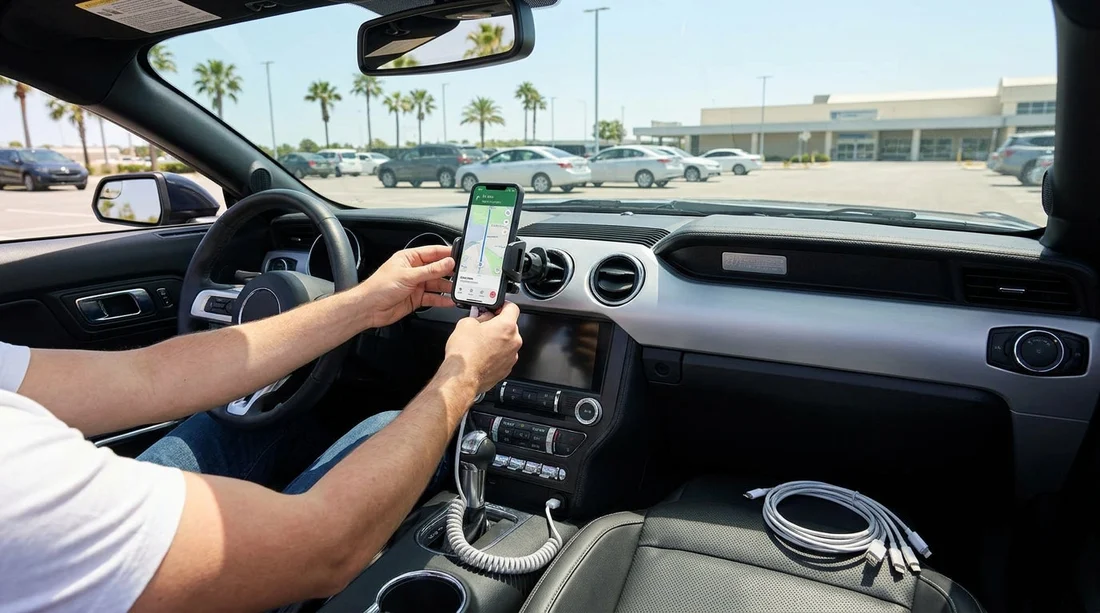
Quick Summary:
- Pack a 2m USB-C or Lightning cable, plus a shorter spare.
- Bring a dual-port 12V car charger that supports fast charging.
- Choose a vent or dash mount that fits your phone case.
- Test charging speed, mount grip, and navigation before leaving the pick-up area.
Picking up a car hire in Miami is often when you need your phone most, you are checking confirmation details, finding the exit, and getting navigation running while dealing with unfamiliar roads and heavy traffic. The practical goal is simple, make sure your phone is powered, visible, and stable from the first mile, without scrambling to buy accessories at airport prices or discovering your cable does not fit.
This checklist focuses on what to bring, what to avoid, and what to test in the first few minutes after you get the keys. It is written for modern iPhones and Android phones, but it also covers common rental car USB quirks, mount compatibility, and how to keep the setup legal and safe.
Know what power ports your rental car is likely to have
Miami rental vehicles vary from brand-new models with USB-C ports to older cars with only a 12V socket (cigarette lighter style). Do not assume the car will have the cable type you need, or even a usable USB data port. Some in-car USB ports charge slowly, some stop charging when the engine is off, and some are positioned awkwardly for navigation.
Your most reliable approach is to bring your own 12V charger plus your own cables. A 12V charger works in almost every vehicle class, from compact cars to SUVs, and it is independent of whatever USB ports are fitted. If you are collecting near the airport, you might be comparing options like Miami Airport car hire, where you can be in and out quickly, but you still want accessories that do not depend on the specific dashboard layout.
Charging cables, what to pack (and why)
Bring two cables for your phone type. One primary cable for daily use, plus one spare. Cables fail more often than chargers, especially if they are bent sharply in a centre console. A spare prevents a small problem turning into a navigation issue.
Choose the right connector: iPhone users typically need Lightning (unless you have a USB-C iPhone). Many Android phones use USB-C. If you travel with more than one device, consider one USB-C to USB-C cable and one USB-C to Lightning cable, then pair them with a dual-port charger.
Pick practical lengths: A 1.5 to 2 metre cable is ideal when you are mounting the phone on the dash or windscreen area and routing the cable neatly. A very short cable can pull on the mount or obstruct controls. A very long cable can tangle around the gear selector or cup holders. Packing one longer cable plus one shorter spare is a simple, flexible combo.
The essential add-on: a 12V fast car charger
A 12V charger is the safest bet for car hire because it bypasses slow in-car USB ports. Choose one with two ports, so you can charge your phone and a passenger device at the same time. A model with USB-C Power Delivery plus a USB-A port covers most devices.
What to look for: snug fit (no wobble), overheat protection, and a low-profile body that does not get knocked by knees. Miami heat can be intense, so avoid bargain chargers that run hot under load. Also, avoid chargers with bright LEDs that reflect at night.
If your pick-up is in the city rather than the airport, you may be collecting around Downtown, similar to what travellers consider when comparing Downtown Miami car hire. In stop-start traffic, your phone stays on-screen longer, so dependable charging matters even more.
Phone mounts, which type works best in Miami rentals
A good mount keeps the phone stable on rough patches, visible for navigation, and positioned without blocking your view. The main choice is how it attaches, then how it grips the phone.
Vent mounts: They are quick to fit and usually leave minimal marks. However, many modern cars have delicate vent slats or unusual vent shapes, and Miami air conditioning will blast cold air directly onto your phone. Choose a vent mount with a secure clamp rather than a simple hook, and make sure it does not press on vent controls.
Dashboard mounts: These can be very stable, but they depend on the dash texture and curvature. Some use adhesive pads that can leave residue, which you should avoid in a rental. If you bring a dash mount, pick one with a removable sticky gel pad and be prepared to place it on a flat section that does not interfere with airbags.
Windscreen suction mounts: They are often the most adjustable. The downside is they can fall if the glass is dusty or if the mount is low quality. Heat also affects suction, so choose a mount with a locking suction lever.
Grip style matters: Spring-loaded clamps are universal, but they can press side buttons on some phones. Adjustable cradle mounts can avoid that, but they are slower to set up. Whatever you choose, check it works with your phone in its case, because removing your case daily is annoying and increases drop risk.
Keep it legal and safe: placement and visibility
Place the mount where you can glance at navigation without taking your eyes far from the road. Avoid placing it in the path of airbags, commonly in front of the steering wheel, or over passenger-side dash airbag panels. Also avoid blocking your view through the windscreen. If you are unsure, aim for a lower centre position, near the infotainment screen level, without covering climate controls.
Set up audio before you leave. If the car has Bluetooth, pair it while parked. If you are using cable-based CarPlay or Android Auto, you may need a data-capable cable, not all charging cables support data reliably.
Travellers often drive between neighbourhoods, for example from the airport area towards the beach. If your plans include areas like Miami Beach car hire pickups or drop-offs, you may be navigating tight streets and one-way routes, so stable mounting becomes as important as charging.
Pre-pick-up packing checklist (no surprises at the counter)
Bring these items in your carry-on or an easy-access pouch: two compatible cables, a dual-port 12V fast charger, and one mount that matches your preferred placement. Add a small microfibre cloth to clean the windscreen or dashboard for better suction and to reduce glare on your screen.
Optional but helpful: a USB-C to USB-A adapter (useful if the car only has USB-A and you packed USB-C cables), and a small cable clip or reusable tie to keep slack away from pedals and controls. If you use a pop socket or ring grip on your phone, confirm the mount is compatible or consider bringing a mount designed for that style.
Five-minute set-up test before you drive off
Before leaving the pick-up area, take a moment to confirm everything works. First, plug in the 12V charger and check that it charges at a good rate. Then mount the phone and gently tug to confirm the grip is secure on bumps and turns. Route the cable so it does not cross the steering wheel, handbrake, gear selector, or any footwell area.
If you are collecting in or around Doral, where many rental facilities are based, it can help to have navigation ready immediately as you exit busy roads. That is especially relevant when comparing options like Doral area car hire, because the first few junctions can arrive quickly.
FAQ
Q: Should I bring USB-C, Lightning, or both for a Miami car hire?
A: Bring the cable that matches your phone plus a spare. If you travel with mixed devices, pack both USB-C and Lightning, then use a dual-port 12V charger.
Q: Can I rely on the rental car USB port for charging?
A: Sometimes, but it is unpredictable. Many in-car USB ports charge slowly or are awkwardly placed, so a 12V fast charger is the most dependable option.
Q: Which phone mount type is safest for a rental car?
A: A quality vent clamp or locking suction mount is usually safest because it is removable and adjustable. Avoid permanent adhesives that could leave residue or marks.
Q: Will my phone overheat when navigating in Miami?
A: It can, especially in direct sun with the screen at high brightness. Use a mount position with less sun exposure, keep the cabin cool, and avoid running heavy apps in the background.
Q: Do I need a special cable for Apple CarPlay or Android Auto?
A: If you use a wired connection, use a reliable data-capable cable, not a cheap charge-only lead. Wireless systems still benefit from a fast charger during long drives.





























































































