


Quick Summary:
- Follow Ground Transportation signs to reach the Rental Car Center desks.
- Look for shared counter or partner branding near the rental desks.
- Join the queue that matches the supplier name on your voucher.
- Check your voucher for location, hours, documents, and payment rules.
Orlando International Airport (MCO) is set up to move arriving passengers quickly from the terminals to the main car rental area, but the first time you use a shared counter it can feel unclear. A shared counter means Hola Car Rentals is providing your car hire through a partner desk in the airport, rather than a stand-alone Hola-branded counter. The good news is that once you know what to look for on the signs, and which line to stand in, the process is usually as straightforward as any other pick-up.
This guide explains exactly where to go inside Orlando Airport in Orlando, how to identify shared-counter signage, how to choose the correct queue, and what to double-check on your voucher so your car hire collection runs smoothly.
What a shared counter means at Orlando Airport
At MCO, most major car rental companies operate from the airport’s Rental Car Center (RCC). When Hola uses a shared counter, your agreement and keys are handled by an on-site partner brand. You will still be collecting your car at Orlando Airport, but the desk name you approach may be different from “Hola”.
Your voucher is the source of truth. It typically shows one or more of these clues: “Supplier”, “Serviced by”, “Rental desk”, or “Pick-up location”. If the supplier name is a partner brand, that is the desk you should join. If it states that the booking is serviced at a shared counter, follow the airport signage to the car rental desks and then locate the partner name shown on the voucher.
If you want a quick overview of airport collection options and what to expect for Hola car hire at MCO, the information on Orlando MCO car rental and Orlando MCO car hire is helpful to review before you travel.
Where to go after you land, step by step
1) Exit arrivals and follow the airport wayfinding. After baggage reclaim, look for signs reading “Ground Transportation” and “Rental Cars”. Orlando Airport signage is consistent, and rental cars are a major passenger flow, so you should not need to guess.
2) Head to the Rental Car Center (RCC). At MCO, the main rental desks are concentrated in the RCC. Depending on your terminal and arrival area, you may use the airport’s automated people mover or follow the indicated route to reach the car rental facilities. The key idea is this: shared counter or not, your destination is still the rental car desks area unless your voucher explicitly says “shuttle to off-airport”.
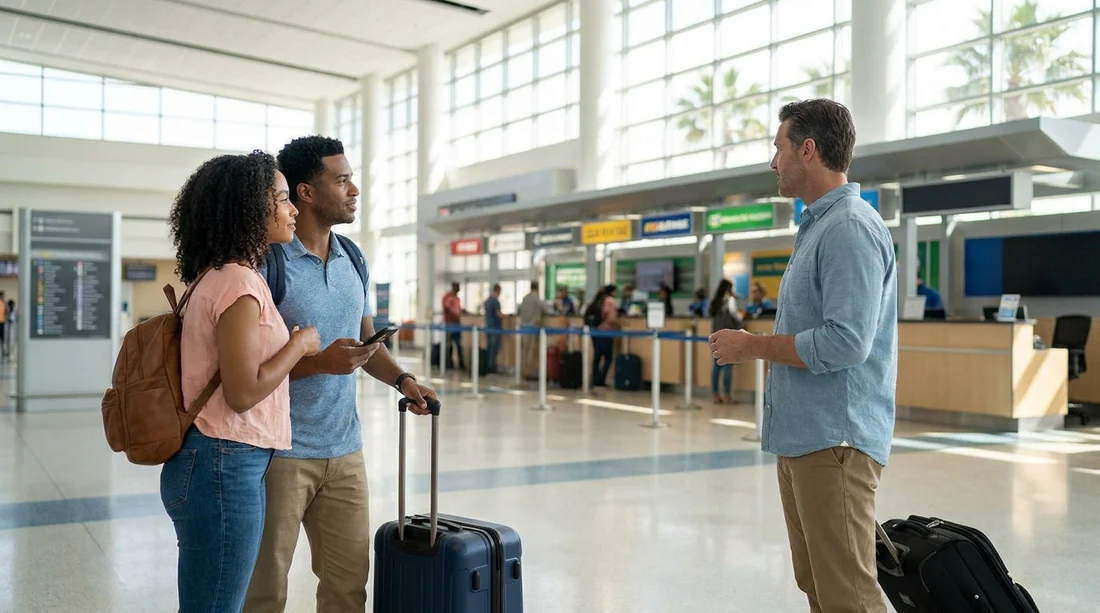
3) Scan the desk area for shared-counter cues. When you arrive at the desk hall, you will see multiple brands with their own queueing lanes. A shared counter arrangement is usually indicated by either a desk sign listing multiple brands, or by your partner brand being the check-in point even though your booking is through Hola.
4) Join the queue that matches the partner shown on your voucher. If your voucher says the supplier is Enterprise, Thrifty, Avis, or Payless, that is the line you join. Avoid lining up based on the shortest queue if the supplier name does not match your voucher. The desk agent must be able to locate your reservation in their system, and that is easiest when you are at the correct brand.
For travellers who like to familiarise themselves with particular on-airport partners ahead of time, these pages can help you understand what the pick-up flow typically looks like: Enterprise at Orlando MCO, Thrifty at Orlando MCO, and Avis at Orlando MCO.
How to recognise the correct shared-counter signage
At Orlando Airport, shared-counter arrangements are usually easiest to spot by combining two checks: the big overhead signs that name each desk, and the smaller placards at the podium that mention multiple brands or “servicing” arrangements.
Look up first. Overhead signs above the desk area are designed for visibility at a distance. If your voucher lists a partner brand, head toward that overhead sign.
Then confirm at the front of the queue. Many desks have a sign at eye level showing which brands they can process. If you are not sure, wait until you are near the front and politely confirm with staff that they can process the supplier name shown on your voucher. This avoids wasting time in the wrong queue.
What to check on your voucher before you queue
Most shared-counter confusion comes from small details on the voucher that are easy to miss when you are tired after a flight. Before you join any line, open your voucher and check the following items carefully.
Supplier name and “serviced by” wording. This is the single most important line for choosing the right counter. If the voucher shows both Hola and a partner, treat the partner as the desk you need.
Pick-up location wording. Confirm it states Orlando Airport (MCO) and indicates on-airport counter collection. If it mentions an off-airport location or a shuttle, follow that instruction instead of heading straight to the RCC desks.
Operating hours. If your flight arrives late, verify the desk is open. Shared counters can have different hours to other brands, and arriving close to closing time can change your options.
Required documents. Typical requirements include a valid driving licence, a passport or ID, and a credit card in the main driver’s name. If an additional driver is planned, check whether they must be present at the counter with their licence.
Payment and deposit notes. Vouchers often state whether you are paying at the counter or if prepayment applies, and they may outline deposit amounts or the form of payment accepted. Reading this before you reach the desk reduces the chance of stepping out of line to resolve payment issues.
Choosing the right queue in a busy arrivals period
Orlando is a high-volume leisure destination, so the car rental hall can be busy, especially around school holidays and weekend peaks. With a shared counter, the quickest path is not always the shortest line, it is the correct line for your reservation.
Prioritise correctness, then speed. Join the queue for the supplier listed on your voucher. If you choose the wrong desk, you may be redirected and lose more time than you save.
Have your essentials ready before you reach the counter. Keep your voucher, driving licence, and payment card accessible. If you need to locate an email attachment or download a PDF, do it while you are walking to the RCC or while waiting.
Double-check the lead driver details. Ensure the name on the booking matches the person who will present the card and licence. Name mismatches are a common reason for delays at shared desks.
What happens after the counter, and how to avoid hold-ups
Once your paperwork is complete, the agent will direct you to the pick-up area for your car. At MCO, this is typically straightforward from the Rental Car Center, with clear directions to lifts, escalators, and the level where vehicles are parked.
To keep your car hire pick-up smooth, do these quick checks before you drive away: confirm the vehicle category is as expected, look for any obvious damage and ensure it is noted, and make sure you understand the fuel policy and where to return the car. If you are unfamiliar with toll roads around Orlando, ask what toll payment option is applied and how charges are handled, so there are no surprises later.
FAQ
Where exactly is the shared counter for Hola car hire at Orlando Airport? It is in the main rental desks area at the Rental Car Center. Use your voucher to identify the partner brand name, then go to that desk.
How do I know which queue to join if I do not see Hola branding? Check the voucher for “Supplier” or “Serviced by” and join that brand’s line. If unsure, confirm with staff near the front of the queue.
What if my voucher says shuttle or off-airport pick-up? Follow the voucher instructions rather than heading to the on-airport desks. In that case, look for the specified shuttle pick-up point under Ground Transportation.
What documents should I have ready at the counter? Bring the voucher, the driver’s licence for all drivers, and a payment card in the main driver’s name, plus passport or ID if required by the supplier.
Will a shared counter make pick-up slower at Orlando Airport? Not necessarily. Delays usually come from joining the wrong line or missing voucher requirements, so checking supplier name, hours, and payment notes helps keep things moving.





























































































