


Quick Summary:
- Pre-existing damage is any prior mark, dent, or chip noted before driving.
- Match the report diagram to the car, checking bumpers, wheels, and glass.
- Photograph everything, then ensure the agent updates the report immediately.
- Confirm fuel level, mileage, keys, and equipment are recorded before leaving.
When you pick up a car hire in Orlando, you will usually be given a vehicle condition report, sometimes called a check-out sheet. It is a record of the car’s current state at the moment you take responsibility for it. The phrase “pre-existing damage” on that report simply means damage that was already there before your rental began. The goal is to separate old marks from any new damage that might happen during your trip.
This matters because condition reports are often used to assess charges when you return the vehicle. If a scratch or dent is correctly marked as pre-existing at pick-up, it should not be attributed to you later. If it is not recorded, you may have to spend time disputing it, especially after a long flight home.
If you are arranging your car hire around Orlando International Airport, it helps to know what to expect at the counter and at the garage. Hola Car Rentals publishes location pages that outline options for car hire at Orlando MCO airport and related pick-up details.
What a condition report actually covers
A typical condition report is a mix of practical check items and a damage map. It usually includes the vehicle registration or stock number, make and model, odometer mileage, fuel level, and sometimes tyre condition. The damage section may be a simple drawing of the car showing panels, bumpers, roof, and glass. Existing issues are marked with symbols or abbreviations, for example scratches, dents, chips, cracked lights, scuffed alloys, or interior stains.
Some reports include a “pre-existing damage” section that looks comprehensive, but it can still miss small issues. In busy Orlando pick-up locations, vehicles can turn around quickly. That is why you should treat the report as a starting point, not a guarantee that everything has been captured perfectly.
If your rental includes specific requirements, such as larger passenger capacity, you may also be checking equipment and seating configurations. For example, travellers comparing people carriers may browse minivan hire near Disney Orlando MCO and then want to confirm the actual vehicle has the expected seating, headrests, and working seatbelts at collection.
How to match the report against the actual vehicle
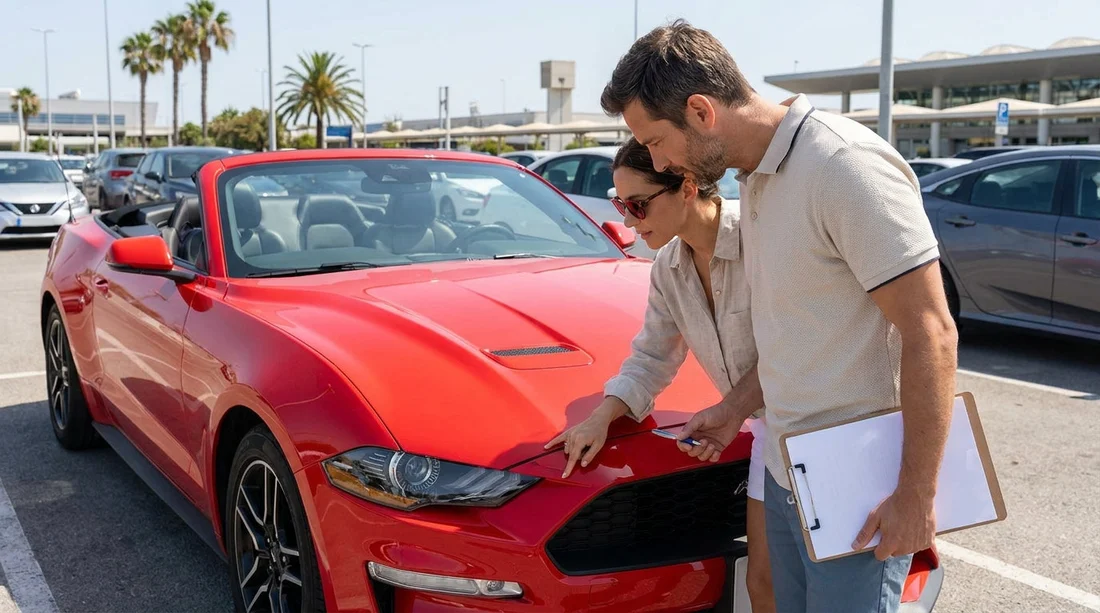
Start with a slow walk-around. Do not rely on a quick glance. Make one full loop, then a second loop focusing on easy-to-miss areas. Compare each panel to the diagram on the report. If the report shows a scratch on the rear bumper, find it. If you cannot find it, check whether it might actually be on a different area, or whether the car you were given is not the exact one listed.
Pay particular attention to areas that frequently pick up minor damage in car parks, front and rear bumpers, wheel arches, lower door edges, and alloy wheels. In Orlando, kerb scuffs on wheels are common. If there is a scuff not noted, ask for it to be added.
Check glass and lights in good light. Windscreen chips and headlight cracks can be subtle until you change angle. Look at the roof line and bonnet for stone chips. Examine mirrors, especially the edges. Then check the interior quickly, seats, dashboard, door cards, boot area, and any removable load cover or parcel shelf.
If you are picking up a larger vehicle for luggage and family travel, you may want to compare options like van rental near Disney Orlando MCO and then confirm at pick-up that the cargo area is clean, the boot floor is intact, and any fold-flat seating mechanisms work properly.
What to do if you spot damage that is not recorded
Do not leave the pick-up area assuming it will be fine later. The simplest way to protect yourself is to have the condition report updated while you are still on-site. Bring the issue to the attention of the agent or parking attendant and ask them to add it to the report or confirm it in the digital system. If they update a paper sheet, request a copy or take a clear photo of the revised markings and any initials.
Take your own time-stamped photos too. Capture wide shots that show the whole side of the car, plus close-ups that show the specific damage clearly. Include at least one photo that proves the location on the vehicle, such as a close-up followed by a wider view of the same panel. Photograph each wheel, the windscreen, the fuel gauge, and the odometer. These images are useful if a dispute arises after return.
If you are dealing with a branded supplier on-site, their processes may be consistent but still busy. Some travellers research supplier-specific expectations, such as Hertz car hire at Orlando MCO, then apply the same inspection method regardless of operator, because the responsibility at pick-up remains yours.
Common “missing items” to confirm before leaving
Pre-existing damage is not only about dents and scratches. A condition report can also cover missing items or non-working equipment. If something should be in the vehicle and is not, you want it documented at pick-up.
Check the basics first, keys and key fobs (sometimes you get two, sometimes one), locking wheel nut key if the vehicle requires it, and whether the boot closes smoothly. Confirm the spare wheel or tyre repair kit presence if applicable, plus the jack and wrench. In some vehicles, these are under-floor or behind panels and can be overlooked during turnaround.
Next, verify that any included accessories are present and functional. If the car has built-in sat nav, confirm it powers on. If the vehicle includes a parcel shelf, check it is there. If you have requested child seats separately, verify you have the correct number and size, and that buckles and straps work and are clean.
Finally, match the report’s fuel level and mileage to the dashboard. If the paperwork says “full to full” but the gauge is not full, take a photo and have the discrepancy noted. The same applies to mileage, a mismatch can cause confusion later, especially if your return location is different from pick-up.
Tips for doing the inspection efficiently in Orlando
Orlando pick-up facilities can be fast-paced, with queues and limited space to stop and check. The key is to be systematic rather than slow. Walk around once to match the report, then take a set of standard photos, front, back, each side, each wheel, dashboard with fuel and mileage, then any close-ups needed. If you are travelling with others, one person can check the report and another can photograph.
Try to inspect in the best light available. If you are in a covered garage, angle the car towards daylight if permitted, or use the available lighting to view the panels from different angles. Small dents and scuffs show up better when you look along the panel rather than straight at it.
If you are collecting through a general Orlando MCO page like car rental at Orlando MCO, the same principles apply regardless of category, economy cars, SUVs, or people carriers. A few minutes of checks at pick-up can save a lot of time later.
FAQ
What does “pre-existing damage” mean on a rental car report?
It means any damage or wear already present before your rental starts, which should not be charged to you if properly recorded at pick-up.
Do I need to report tiny scratches and wheel scuffs in Orlando?
Yes. If you can see it, photograph it and ask for it to be noted, especially on bumpers, alloys, and windscreens where minor damage is common.
What photos should I take at pick-up?
Take wide shots of all sides, close-ups of any marked or unmarked damage, each wheel, the windscreen, and the dashboard showing fuel level and mileage.
What if the condition report says full fuel but the gauge is not full?
Ask staff to correct the paperwork or add a note, and take a clear photo of the fuel gauge before you drive away.
Can I leave and email the rental company about damage later?
You can, but it is riskier. It is best to have the report updated on-site before leaving so the pre-existing damage is officially recorded.





























































































