


Quick Summary:
- Check the listing for “wireless CarPlay”, not just “Apple CarPlay”.
- Use car class and typical model-years to predict wireless compatibility.
- Ask the counter to confirm wireless CarPlay and the exact model-year.
- Inspect the cabin, if there is USB-only CarPlay prompt, it’s wired.
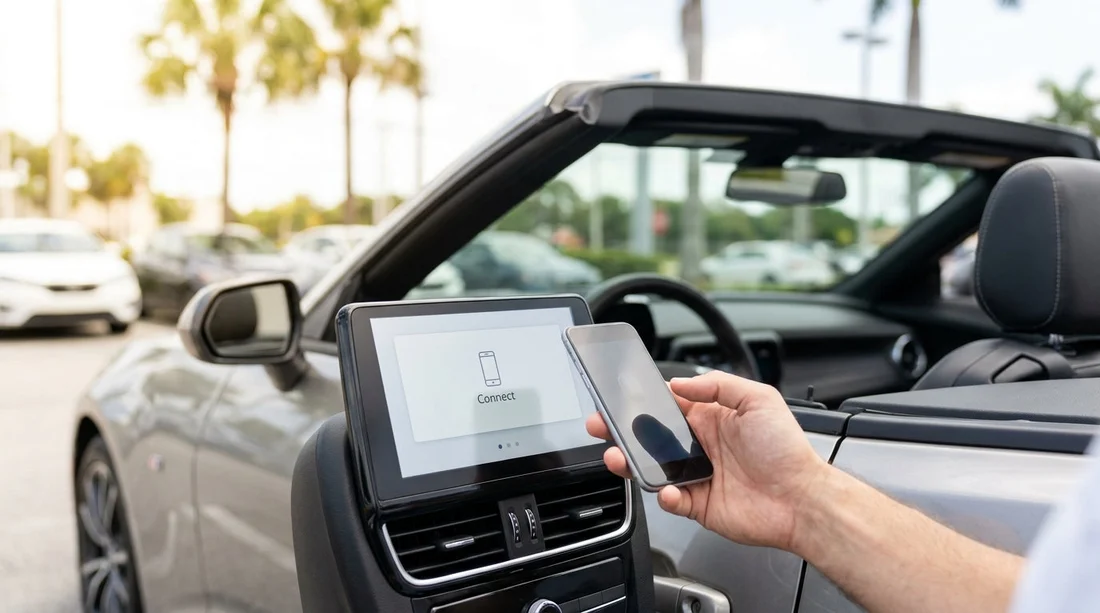
When you arrange car hire in Florida, Apple CarPlay can be a deciding feature, especially if you rely on Waze, Apple Maps, Spotify, or hands-free calling on long drives. The tricky part is that many rental listings say “Apple CarPlay” without stating whether it is wireless or requires a cable. Wireless CarPlay is more convenient, but wired CarPlay can be just as functional if you plan ahead with the right cable and ports.
This guide shows practical ways to check for wireless Apple CarPlay before you pick up your vehicle, using car class expectations, model-year clues, and the exact questions that usually get a clear answer at the counter.
Understand what “wireless CarPlay” really means
Wireless CarPlay connects your iPhone to the car via Bluetooth and Wi-Fi, without plugging into USB. Many cars still need a USB connection to start CarPlay, even if they support Bluetooth audio. So a vehicle can have a touchscreen and Bluetooth and still only offer wired CarPlay.
Also remember: wireless CarPlay is not the same as a wireless charging pad. Some cars have a charging pad but still require a cable for CarPlay, and some have wireless CarPlay but no wireless charging.
Start with the rental listing wording, then verify
In Florida, rental listings commonly describe “Apple CarPlay” as a general feature. Treat that as “CarPlay may be available” rather than a guarantee of wireless support. The listing is still useful, because it tells you the infotainment system is likely modern enough to include CarPlay at all.
If the listing includes the exact phrase “wireless Apple CarPlay” (or “wireless CarPlay”), that is the strongest indicator you can get before arrival. If it only says “Apple CarPlay”, plan to verify by model-year and by asking specific questions.
If you are comparing providers or pickup points, it can help to review the feature notes on specific location pages such as Enterprise car hire Florida MIA or a city option like Avis car rental Downtown Miami, then use the verification steps below to avoid surprises.
Use car class to predict the odds of wireless CarPlay
Car class does not guarantee features, but it is a practical predictor. In general, higher trims and newer premium-leaning models are more likely to include wireless CarPlay.
Economy and compact cars often include CarPlay, but it is frequently wired, especially on older model-years still in fleets. Think of these categories as “wired unless confirmed otherwise”.
Midsize and standard categories are mixed. Some mainstream models began offering wireless CarPlay in recent years, but many trims stayed wired. This category is where model-year clues matter most.
Full-size, premium, and luxury categories more often support wireless CarPlay, but you still need to confirm because some luxury vehicles have proprietary systems where wireless CarPlay arrived later, or is trim-dependent.
People carriers and vans can be unpredictable. Some newer vans have wireless CarPlay, others have robust wired systems with multiple USB ports, which is still a good outcome for families. If your trip requires extra seats or luggage space, check the likely vehicle types on a page like van rental Coral Gables and then ask the counter for the exact model and year they expect to allocate.
Model-year clues that usually indicate wireless CarPlay
Because rental fleets rotate, you cannot rely on one specific car, but you can use model-year as a strong clue. Wireless CarPlay became common across many brands in the early 2020s, while the late 2010s skew heavily wired. The most reliable approach is to ask for the model-year range likely to be on the lot for your reserved class.
When you hear “new shape”, “latest facelift”, “2022 and up”, or “brand new stock”, your chances of wireless CarPlay rise. When you hear “2019 to 2021 mix”, assume wired until verified.
Another clue is the presence of USB-C ports. USB-C often appears alongside newer infotainment updates, which can correlate with wireless CarPlay, although it is not a guarantee. Conversely, if you are told the vehicle has only USB-A and an older head unit, wireless CarPlay is less likely.
What to ask before you arrive, and what to ask at the counter
To confirm wireless CarPlay, vague questions tend to produce vague answers. Instead, ask something that forces a yes or no about the connection method, plus a second question to validate they are talking about the specific car you will receive.
Good question set: “Does this vehicle support wireless Apple CarPlay, or does it require a USB cable?” Follow with, “Which model and model-year are you expecting to allocate for my reserved class today?”
If you are arranging car hire from an airport, it helps to ask these questions early on pickup day because allocations can change quickly. Location pages such as car rental Tampa TPA or car hire airport Coral Gables are useful starting points for narrowing down where you will collect, then the key is confirming the assigned vehicle details when you check in.
Extra clarifier that avoids confusion: “If I get in the car and do not plug in, will CarPlay still launch on the screen?” This differentiates wireless CarPlay from simple Bluetooth audio streaming.
Ask about restrictions: “Is CarPlay enabled on this vehicle, and is it disabled by any fleet policy?” It is rare, but occasionally settings are limited or the system needs a quick reset after the previous driver.
How to confirm in the car in under two minutes
Even after confirming at the counter, do a fast check before you drive off, while you still have easy access to staff if the car is not as described.
Step 1: On the infotainment screen, open the phone or projection menu. Look for “Apple CarPlay”, “Projection”, or “Smartphone connection”.
Step 2: If you see an option like “Connect wirelessly”, “Add phone”, or “Use Wi-Fi for CarPlay”, that strongly indicates wireless support.
Step 3: If the screen instructs you to “Connect USB to use CarPlay” or only shows CarPlay after plugging in, it is wired. Some vehicles show a CarPlay icon but keep it greyed out until USB is connected.
Step 4: Check the centre console for USB ports. If there is only one data USB port and it is clearly positioned for the driver, that often indicates wired CarPlay is the expected method. Multiple ports and a newer interface can still be wired, but it is more flexible for passengers.
Prepare for either outcome so your trip stays smooth
Because rental allocations can vary, the most practical approach for car hire in Florida is to plan for wired CarPlay, then treat wireless as a bonus. Pack a short, high-quality cable that matches your iPhone. If you use an iPhone with USB-C, bring USB-C to USB-C plus a USB-C to USB-A option, because some cars still only provide USB-A ports.
If you end up with wireless CarPlay, remember that it can use more battery than wired. A charging cable is still useful, or you can use a built-in charging pad if the car has one.
Finally, if your phone struggles to connect wirelessly, a quick fix is to delete the car from your iPhone’s CarPlay settings and re-pair. This is common after a vehicle has been paired to many previous drivers.
FAQ
Is “Apple CarPlay included” the same as wireless CarPlay on a rental listing? No. “Apple CarPlay included” often means wired CarPlay, unless the listing explicitly says “wireless”. Confirm by asking whether a USB cable is required.
Can the counter guarantee wireless CarPlay if I reserved a specific car class? Usually they can confirm what is on the lot and the typical model-years, but they may not guarantee a specific model. Ask what they expect to allocate and verify in the car before leaving.
What model-year range is most likely to have wireless CarPlay in Florida rental fleets? Newer vehicles are more likely, especially early 2020s onward. Mixed fleets may include older cars where CarPlay exists but is wired, so always verify the assigned vehicle.
How do I quickly tell wired vs wireless once I’m in the car? If CarPlay launches without plugging in, it is wireless. If the screen asks for a USB connection or CarPlay stays unavailable until you connect a cable, it is wired.
If the car only has wired CarPlay, what should I do? Use a good-quality cable and the main data USB port. Keep the cable short to reduce connection dropouts, and set up your route before you join busy Florida roads.





























































































