


Quick Summary:
- Select USD or decline conversion before you authorise the card payment.
- Look for exchange rate and markup prompts on the terminal screen.
- Ask staff to void and re-run if it processed in GBP.
- Keep receipts showing USD totals and query any DCC immediately.
When you pay for car hire in Miami with a UK-issued credit card, you may be offered dynamic currency conversion, often shortened to DCC. It can look convenient, because the terminal displays the total in pounds and promises you will “know exactly what you’ll pay”. In practice, DCC usually adds an extra markup through an unfavourable exchange rate, on top of any fees your card issuer might charge.
The simplest way to avoid DCC is to pay in the local currency, which in Miami is USD. That lets your card network and issuer handle the conversion, which is typically better value and more transparent on your statement. The challenge is that DCC is decided at the card terminal, often quickly, sometimes with wording that nudges you towards “GBP”. Understanding what DCC looks like on-screen is the best defence.
If you are comparing pick-up options around the city, it can help to know where you will be paying and what terminals are common. Hola Car Rentals lists several Miami-area locations, including car hire options around Airport and Downtown Miami and beachside counters such as Thrifty car hire in Miami Beach and Payless car rental in Miami Beach. Regardless of the brand or location, the DCC decision point is still the terminal prompt.
What dynamic currency conversion is, and why it costs more
DCC is a service offered by some merchants and payment processors that converts a foreign-currency card purchase into your “home” currency at the point of sale. For UK travellers, that means the terminal offers to charge your card in GBP instead of USD.
The extra cost usually comes from the exchange rate used. With DCC, the merchant’s processor sets the rate, and it often includes a built-in margin. You may also see a stated “markup” percentage. If you decline DCC and pay in USD, the conversion is done later by Visa, Mastercard, or Amex, and then your issuer applies their own exchange rate and any foreign transaction fee. Many UK cards have competitive rates, and some cards have no foreign transaction fee at all, which makes paying in USD especially important.
One key detail: DCC is not the same as your card issuer’s foreign transaction fee. Even if your card charges a percentage for overseas spending, accepting DCC can still be worse, because you may pay both the DCC markup and any issuer fee, depending on the issuer’s rules. The best default is usually “always choose USD”.
How DCC appears on the terminal when paying for car hire
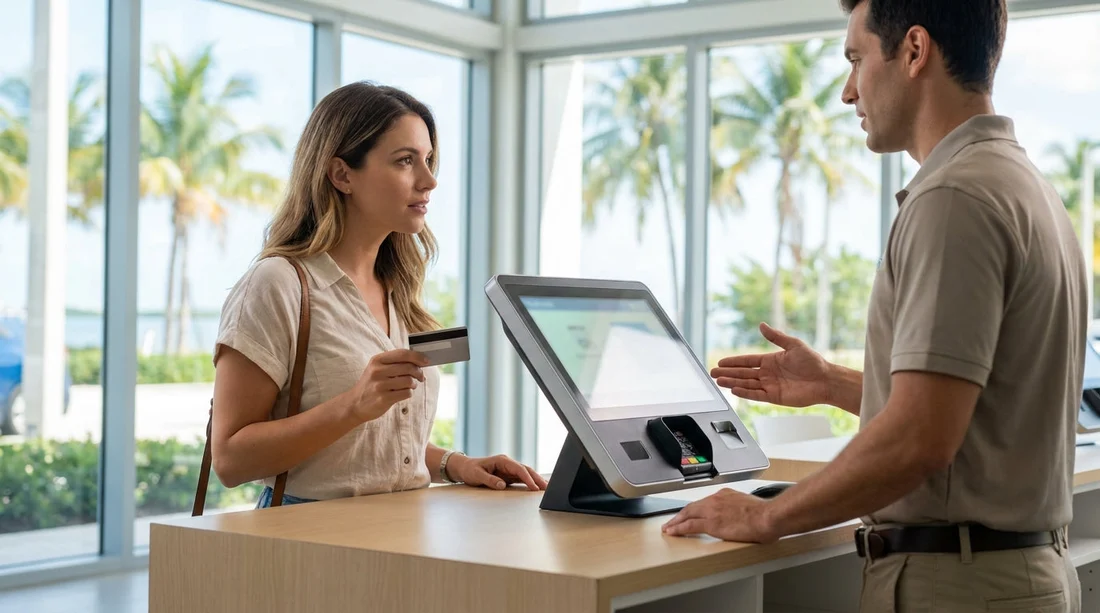
At a car hire counter in Miami, DCC tends to appear at one of these moments: when you pay the rental charges, when you pay for add-ons, or when a deposit is taken. The terminal may first show the amount in USD, then immediately display a choice screen.
Two-currency choice: The terminal shows the amount in USD, and an amount in GBP, then asks you to select a currency. The GBP amount may look reassuring, but it is where the markup is baked in.
“Guaranteed rate” language: Wording such as “Guaranteed exchange rate”, “Guaranteed amount”, or “You will know the exact amount in GBP”. This language is designed to reduce hesitation. The “guarantee” is rarely worth the cost.
Markup and rate disclosure: Some terminals list the exchange rate and a percentage, such as “Markup 3.95%”. If you see a markup, treat that as an immediate reason to decline.
Button placement that nudges: The “Accept” option may be highlighted, larger, or placed where your thumb naturally goes. You might see “Accept conversion” and “Decline” wording, rather than simply “USD” and “GBP”. Slow down, read, and choose the option that keeps the transaction in USD.
Receipts reflecting the decision: If you accept DCC, the merchant receipt often prints both amounts and mentions “DCC”, “Dynamic Currency Conversion”, or “Currency conversion provided by”. If you decline, it should show the charge in USD only.
What to look for before you tap, insert, or sign
DCC is easiest to avoid if you treat the terminal like a checklist. Before you tap or insert your card, confirm what currency you are authorising.
Check the currency symbol: USD should show as $ or “USD”. If you see “£”, “GBP”, or “Pounds”, pause.
Scan for an exchange rate line: If a rate is shown, it usually means DCC is being offered. The presence of a rate is a prompt to decline conversion and keep USD.
Confirm which option is selected: Some terminals let staff preselect the option. If “GBP” is already selected, change it. You are allowed to choose the billing currency when DCC is offered.
Do not rush the final confirmation screen: The last screen may switch currency again, especially after the card is inserted. Read the final “Amount” and “Currency” lines.
Be careful with contactless: Contactless payments can move quickly. If the terminal supports DCC, the choice may appear briefly. If you are unsure, consider inserting the card so you can review the prompts more carefully.
What to say at the counter to keep the charge in USD
You do not need a long speech. A clear, polite sentence works best, especially in a busy Miami branch. You can say: “Please charge me in USD, and I do not want dynamic currency conversion.” If the staff member tells you the terminal “requires” GBP, ask them to try again. DCC is optional when it is offered, not mandatory.
If you are asked to sign a receipt, glance at the currency and any DCC wording before signing. For car hire transactions, you may also see separate lines for the rental cost and a deposit. You want both in USD.
If you are collecting outside Miami and returning near the airport, you might also compare neighbouring areas such as Fort Lauderdale, for example car hire in Fort Lauderdale (FLL). The same DCC prompts can show up there too.
What to do if you accidentally accepted DCC
It happens, especially after a long flight into Miami or when queues are moving fast. If you notice immediately, ask for the transaction to be voided and re-run in USD. The earlier you catch it, the easier it is, because the card terminal may be able to reverse it on the spot.
If you only realise later, keep the merchant receipt and note what it says about conversion. Then check your card statement when it posts. If you believe DCC was applied without clear consent, you can raise it with the merchant first, then with your card issuer. Having the printed receipt with the currency choice or DCC disclosure helps.
Also remember that refunds can be affected. If you accepted DCC, a refund may be processed in the original processed currency and then re-converted, potentially creating a small difference due to exchange rate movements. Paying in USD reduces that extra layer.
FAQ
Is dynamic currency conversion illegal in Miami? No. DCC is a permitted service when offered with clear choice and disclosure. The issue is that it often costs more than paying in USD.
How can I tell if I was charged in GBP instead of USD? Your receipt may show “GBP”, a pound symbol, an exchange rate line, or mention DCC. Your card statement will also show the transaction currency.
If I choose USD, will my bank still convert the amount to pounds? Yes. Your card network and issuer will convert USD to GBP when the transaction posts, using their rate and any applicable foreign transaction fee.
Does DCC affect the deposit or pre-authorisation for car hire? It can. If the terminal offers DCC during the deposit authorisation, choosing GBP may embed a worse rate into what you later pay.
What should I do if the terminal only shows “Accept” and “Decline”? Read the text carefully. “Accept” usually means accept conversion to GBP, and “Decline” keeps the charge in USD.





























































































