


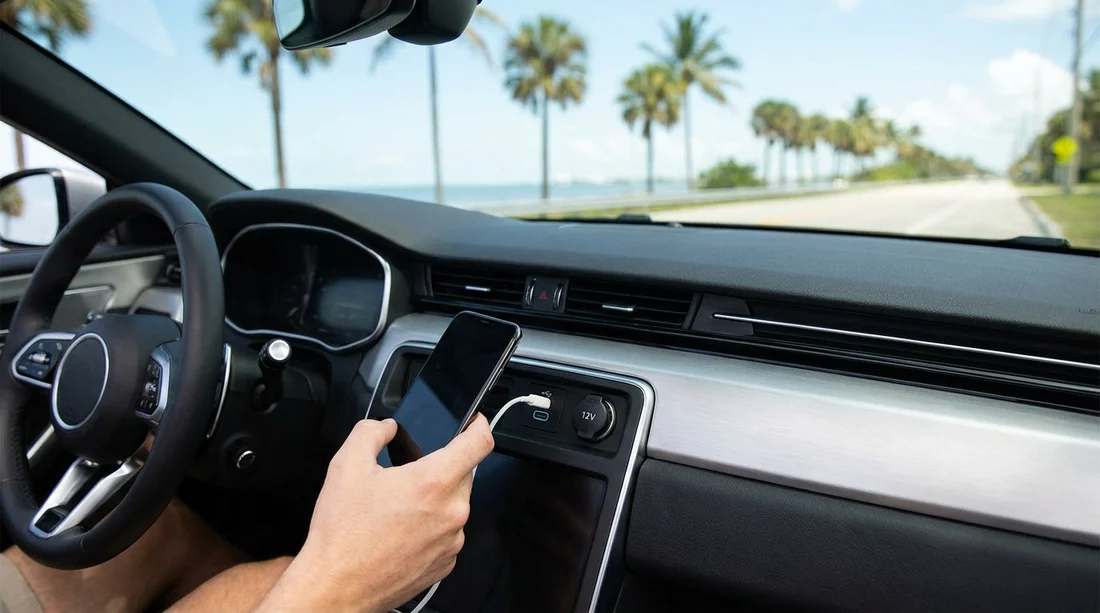
Quick Summary:
- Most rentals have a 12V socket, but USB-C varies by model.
- Pack USB-A and USB-C cables, plus a reliable 12V charger.
- Test CarPlay or Android Auto at pick-up using your own cable.
- Find ports in the console or glovebox before leaving the car park.
When you collect a car hire in Florida, your phone quickly becomes your sat-nav, music library, toll-road helper, and parking assistant. That makes charging less of a nice-to-have and more of a basic requirement. The tricky part is that rental fleets are mixed. One vehicle may have USB‑C and wireless CarPlay, another may only offer a 12V socket and a single USB‑A port, even within the same class.
This guide explains what you can usually expect in Florida rentals, what cables and adapters are worth packing, and what to confirm at pick-up so Apple CarPlay or Android Auto is ready before you hit the highway.
What charging ports do Florida rental cars usually have?
Most modern rental cars in Florida provide at least one way to power a phone, but the type and placement vary by model year and trim level.
12V socket (cigarette-lighter style): This is the most consistent option across fleets. Even older vehicles typically have a 12V socket in the centre console, dashboard area, or sometimes inside the armrest storage. It is useful because you can bring your own high-wattage car charger and rely on it regardless of whether the car has built-in USB.
USB‑A ports: Very common, especially on compact and mid-size cars. Some vehicles offer one port up front, others offer two, and family vehicles may add rear-seat ports. USB‑A can charge phones, but charging speed may be slow if the port is primarily designed for media data rather than fast charging.
USB‑C ports: Increasingly common on newer models, but not a safe assumption for car hire. USB‑C is more likely in recent SUVs and higher trims, yet a similar-looking vehicle may still have USB‑A only. Even if you see USB‑C, power output varies, so charging speed can range from modest to genuinely quick.
Wireless charging pads: Some vehicles include a Qi pad, often near the gear selector. Pads can be convenient, but they may overheat a phone in Florida heat, and they usually charge more slowly than a quality 12V fast charger.
If your trip starts at a major hub like Orlando airport, you may be choosing between a wide mix of vehicles. If you want to compare pick-up locations and typical traveller needs, the Hola overview for car hire at Orlando MCO is a useful reference point for planning essentials like charging and navigation.
USB‑C vs 12V, which is better for travellers?
For most travellers, the most reliable setup is a 12V fast charger plus the correct cable for your phone. Here is why:
12V gives you control: A good 12V adapter can provide fast charging consistently, even if the car’s USB ports are low power. It also helps when multiple people need to charge, because many adapters offer two ports.
Built-in USB is convenient for data: If you plan to use wired CarPlay or Android Auto, the car’s USB port may be required for the connection. Some cars have more than one USB port, but only one supports smartphone integration. The “charging-only” port may not enable CarPlay even though it looks the same.
USB‑C is not automatically fast: A USB‑C port could still be limited in wattage, especially if it is designed for compatibility rather than rapid charging. Treat USB‑C as a nice bonus, not a guarantee.
What to pack for car hire in Florida, a simple charging kit
Rather than hoping your rental has the exact port you need, pack a small kit that covers the common scenarios. For most travellers, this is enough to stay powered for maps and music all day.
1) A 12V USB charger you trust: Choose a compact model with at least one USB‑C and one USB‑A port if possible. That way you can support modern phones and older cables. If you use a newer iPhone or Android phone, a USB‑C PD style port is helpful, but the key point is having your own adapter that fits the 12V socket.
2) Two cables, not one: Bring the cable you normally use, plus a spare. Heat, sand, and frequent plug-ins can wear cables quickly. A practical combo is a USB‑C to USB‑C cable and a USB‑A to USB‑C cable, or for iPhone users, a USB‑C to Lightning plus a USB‑A to Lightning.
If your Florida itinerary includes Miami, note that stop-start city driving and frequent navigation checks can drain a battery faster than expected. Guides like SUV hire in Miami can be handy when you are thinking about cabin space for mounts, cables, and family devices.
What to confirm at pick-up so CarPlay or Android Auto is ready
Charging is only half the story. Many travellers need their phone to connect for navigation through the car screen. Before leaving the car park, take one minute to check these points.
Identify the data USB port: Ask which port supports CarPlay or Android Auto. Some cars have multiple ports, but only one is wired for data. It is often labelled with a small phone icon, or located directly under the infotainment screen rather than in the rear.
Check whether it is wired or wireless: Wireless CarPlay and Android Auto are common but not universal. If wireless is not available, you will need a cable, and the cable must support data, not just charging. If your cable is old or worn, bring a newer spare.
Test with the engine on: Some infotainment systems behave differently when the car is fully started. Plug in, accept any prompts on your phone, and confirm that maps appear on the dashboard screen.
Confirm Bluetooth audio as a fallback: Even if CarPlay fails, Bluetooth audio plus a phone mount can still get you through the journey. Pair the phone and do a quick sound check before you drive away.
Pick-up experiences vary by location and provider. If you are collecting near Fort Lauderdale, details on Enterprise car hire in Fort Lauderdale may help you think through what to check quickly, especially if you are arriving after a flight and want to get moving.
How to avoid slow charging and overheating in Florida
Florida heat can affect charging performance. A phone running navigation at full brightness may gain battery slowly, or even lose charge, especially if it is also using wireless charging.
Use a vent mount with airflow: Directing cool air towards the phone can reduce heat buildup.
Prefer wired charging for long drives: A 12V fast charger plus a good cable is usually the most efficient approach.
Keep the phone out of direct sun: Even a few minutes on the dashboard can trigger thermal throttling, which slows charging.
If you are driving around neighbourhoods where you will be in and out of the car, you may value quick top-ups between stops. Location pages such as car hire in Doral can help you plan where you will be doing most of your driving, so you can match your charging kit to your day.
What if the rental car has no working USB ports?
It happens. Ports can be worn, disabled, or limited to data for a specific system. The simplest workaround is relying on your own 12V adapter. If the 12V socket is not working either, mention it immediately at the desk or on the lot, because it affects safe navigation and communication.
Also remember that some cars cut power to USB ports shortly after the engine is off. That is normal behaviour, not a fault. If you want to charge while parked, you may need the engine running, or you may prefer a power bank for short stops.
FAQ
Do car hire vehicles in Florida usually have USB‑C? Some do, especially newer models, but many still only have USB‑A. Plan as if USB‑C is a bonus and bring a 12V adapter.
Will a 12V socket be available in most rental cars? Yes, a 12V socket is very common across vehicle classes and model years. It is the most dependable way to ensure you can charge any phone.
Do I need a cable for Apple CarPlay or Android Auto? Often yes. Many cars require a wired USB connection for CarPlay or Android Auto, and only one specific USB port may support data.
Why is my phone charging slowly while using Google Maps? Navigation, heat, and screen brightness increase power use. Use a higher-output 12V charger, keep the phone cool, and consider wired charging instead of wireless.
What should I check before leaving the pick-up area? Locate the 12V socket and the data USB port, then test CarPlay or Android Auto with your cable. Confirm you can run maps and charge at the same time.





























































































