


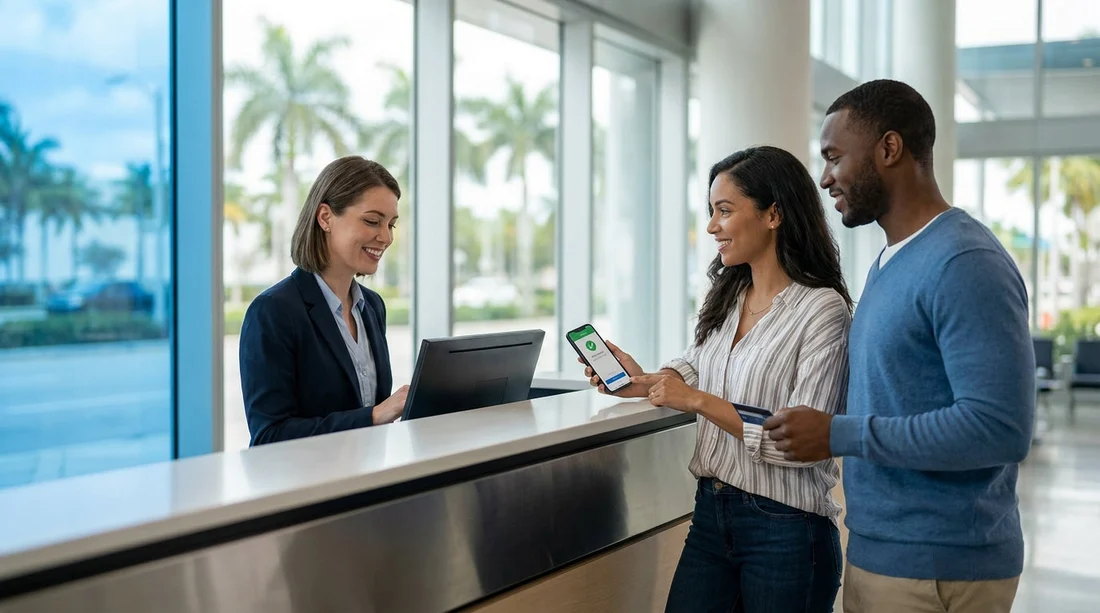
Quick Summary:
- 3D Secure prompts can stall counter payments if your phone lacks signal.
- Some banks flag overseas rentals, causing declines at Miami desks.
- Enable app notifications, roaming, and biometrics before arriving at pick-up.
- Carry a backup credit card in the main driver’s name.
Yes, 3D Secure and banking-app approval can delay paying for car hire at pick-up in Miami. The reason is simple: some card payments that look like normal card-present transactions still trigger extra verification steps, and those steps depend on your phone, your bank, and the network available at the counter.
This article explains what is happening behind the scenes, why it can affect counter payments, and how to prepare so you can get on the road with less friction when collecting through Hola.
What 3D Secure is, and why it can appear at a rental counter
3D Secure is an additional security layer used by card issuers. Many people associate it with online shopping, where you approve a payment in-app or by one-time passcode. However, some payment flows at a rental desk can behave like a card-not-present or “hybrid” transaction, especially when the terminal routes the payment through a gateway that requests extra authentication.
For car hire, the counter agent may need to take payment for the rental, authorise a security deposit, or both. Either step can trigger issuer checks. If your bank decides it wants step-up verification, you may see an in-app approval request or a code challenge, and the payment will pause until you complete it.
This is more likely when your bank thinks the transaction is unusual, for example a foreign country spend, a new merchant, a large amount due to a deposit, or multiple rapid-fire attempts after an initial decline.
Why Miami pick-ups are a common flashpoint for verification
Miami is a major international gateway. That matters because many visitors use UK or European cards, and those issuers can be particularly cautious about high-value travel transactions.
High authorisation amounts. A refundable deposit can be a sizeable hold, and large authorisations are a classic trigger for extra bank checks.
Time pressure and queueing. If verification takes two minutes and there is a queue behind you, it feels like a long delay.
Patchy mobile reception. Some indoor areas of terminals and parking facilities have weaker signal. If your bank requires in-app approval, you need data or Wi-Fi.
Different approval patterns. Some banks will not send SMS codes to an overseas number reliably, or they may require app approval that depends on push notifications.
If you are collecting at the airport, you can reduce uncertainty by checking the specific pick-up details ahead of time for car hire at Miami Airport (MIA).
Card-present does not always mean “no extra steps”
Many travellers assume tapping or inserting a chip card guarantees immediate approval. In practice, card networks and issuers can still request additional verification.
The terminal asks for online authorisation. If the terminal cannot complete the authorisation quickly, the transaction can time out and be retried, which may look suspicious to your bank.
The deposit is processed separately. A split between rental charges and deposit authorisation can mean two approvals in a row. If the first one is challenged, the second one might be blocked until the bank sees a successful pattern.
The issuer applies travel rules. Some banks apply stricter controls to “travel and transport” merchant categories, even if you are physically present.
How banking-app approval causes real-world delays
No push notification arrives. If notifications are disabled, your phone is in low power mode, or the bank’s app is logged out, you may not see the prompt.
Roaming or data limits. If your mobile data is off, capped, or roaming is disabled, the app cannot refresh to show the authorisation request.
App security steps. Some banks require a passcode, biometric check, or re-authentication before you can approve. Doing that at the counter while handling documents can add minutes.
Time windows. Some challenges expire quickly. If the request times out, the agent may need to run the payment again, which can lead to repeated declines.
How to prepare your credit card before you land
Most delays are preventable with a few checks the day before travel and again before you head to the counter.
1) Confirm you are using a credit card, not a debit card. Deposits and pre-authorisations are typically smoother on credit. Ensure the main driver has the card, and the name matches the rental agreement.
2) Check your available credit and any travel-related limits. Remember the deposit hold reduces available credit temporarily. If your limit is tight, the payment can fail even if you have funds in your current account.
3) Enable app notifications and biometric login. Make sure your banking app is installed, up to date, and working. Log in once before you travel so you are not resetting passwords in the queue.
4) Turn on roaming or arrange Wi-Fi access. If you rely on app approval, you need data. Airport Wi-Fi can help, but it is better not to depend on it.
5) Tell your bank you are travelling, if your bank supports it. Not all banks have travel notices now, but some still allow you to mark dates and destinations. It can reduce “unusual activity” flags.
6) Bring a backup credit card. A second card in the main driver’s name can save the day if the first issuer blocks a transaction. This is especially helpful for travellers collecting larger vehicles, where deposits can be higher, such as an SUV rental in Doral or a minivan hire in Downtown Miami.
At the counter: steps that keep the payment moving
Keep your phone unlocked and nearby. If you see an approval request, act on it immediately. If you do not see one, open your banking app and refresh notifications.
Ask whether the agent is running a deposit authorisation as well as the rental payment. Understanding whether there will be one or two transactions helps you watch for multiple approval prompts.
Avoid repeated rapid attempts if it declines. Multiple declines can make an issuer more confident that fraud is happening. Pause, check for an app prompt, confirm your signal, then try again once.
Use the same card for deposit and charges where required. Switching cards mid-process can create mismatches and extra checks.
If you are collecting in the city rather than the airport, a dedicated location page such as car rental in Downtown Miami can help you plan timing and travel to the counter so you are not rushed while dealing with bank prompts.
How Hola helps you avoid avoidable payment issues
Hola aims to make car hire clearer so there are fewer surprises at pick-up. The best protection against 3D Secure delays is to understand what you will owe at the counter and what your card must be able to handle, including deposits, local taxes, and any optional extras you choose.
It also helps to choose the right pick-up point for your itinerary. Some travellers fly into one airport and collect nearby. If you are comparing options in South Florida, you may also look at car hire at Fort Lauderdale Airport (FLL) to match flight schedules, then ensure your bank settings are ready for whichever counter you use.
When delays happen anyway: what to do
Even with preparation, verification can still happen. If you are stuck, check your banking app for pending approvals or security alerts, switch connectivity, call your bank using the number on the back of the card, or use your backup credit card.
The key point is that 3D Secure itself is not “bad”, it is simply an extra security decision made by your issuer. Planning for that decision is what reduces waiting at the Miami counter.
FAQ
Can 3D Secure be required for a card-present payment at a Miami rental counter? Yes. Some issuer and terminal setups can trigger step-up verification even when you insert or tap a card, especially for higher amounts or deposits.
Will a security deposit increase the chance of banking-app approval? Often, yes. Deposits are typically large pre-authorisations, and issuers are more likely to challenge unusually high holds or unfamiliar merchants.
What if I do not have mobile signal when the bank asks for approval? The payment may pause or fail until you can connect. Turning on roaming, using airport Wi-Fi, or moving to better reception can help.
Is a debit card more likely to be declined or delayed than a credit card? In many cases, yes. Credit cards usually handle deposits and pre-authorisations more smoothly, whereas debit cards can face stricter rules or insufficient available funds.
How can I reduce delays when collecting car hire in Miami? Prepare your banking app, ensure sufficient credit for the deposit, bring a backup credit card in the driver’s name, and keep your phone connected for any approval prompts.





























































































