


Quick Summary:
- Use kiosks when your booking details match your licence and payment.
- Counter-skip usually needs membership, a confirmed reservation, and standard documents.
- Debit cards, name mismatches, or extra drivers often trigger counter checks.
- If kiosks fail, a desk agent can verify identity and issue the contract.
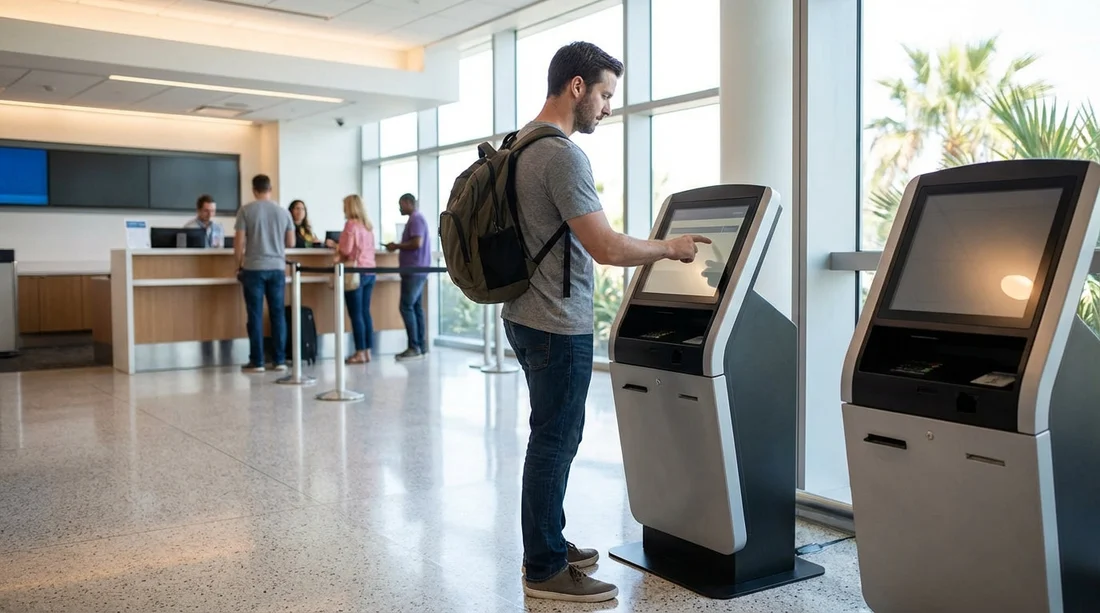
At Orlando International Airport (MCO), many car rental brands offer self-service kiosks that can speed up pickup. In the best-case scenario, you walk into the rental facility, confirm your details at a screen, collect the paperwork, then head straight to the garage to choose or collect your vehicle. That said, kiosk pickup is not guaranteed for every traveller or every reservation. Eligibility rules around membership, driving licence validation, and payment type often decide whether you can skip the counter. On top of that, a handful of common “blockers” can stop the kiosk flow even when you did everything right.
This guide explains what kiosks can and cannot do at Orlando Airport, what you typically need to qualify, and why you might still be redirected to an agent. It is written to help you reduce delays and avoid surprises when arranging car hire in Orlando.
If you are comparing airport pickup options, you can review Hola Car Rentals’ Orlando Airport pages for useful context on the location and rental process, including Orlando Airport car rental and car rental at Orlando MCO.
Can you really skip the counter at Orlando Airport?
Yes, sometimes. Kiosks are designed to handle straightforward, low-risk transactions where the rental company’s system can confidently confirm your identity and eligibility. When everything matches, the kiosk prints a rental agreement, assigns a vehicle (or provides lane instructions), and sends you to the garage without queuing for a desk agent.
However, “skip the counter” is often a conditional promise. Kiosk capability differs by brand, time of day, and even by which terminal and facility you arrive at. Some travellers can complete most steps at a kiosk but still need a brief interaction at the booth or gate, for example to show a driving licence before exiting. Others will be redirected to the counter if the kiosk flags any mismatch or if additional checks are required.
How kiosk pickup usually works at MCO
While details vary by provider, most kiosk journeys look like this:
First, you locate your provider in the rental facility and find the self-service machines. You enter a confirmation number or scan an ID, then the system pulls up the reservation. Next, you confirm the renter details, selected vehicle class, and key policy information such as fuel and toll options. The kiosk may offer add-ons, such as additional driver coverage or an upgrade. Finally, you accept the rental terms and receive paperwork, and sometimes directions to a specific aisle or “zone” in the garage.
In many cases, the kiosk is essentially a faster way to do what an agent does, but it cannot override policy checks. It is also less flexible when your reservation needs manual review or edits, which is why eligibility matters so much.
Eligibility: the usual rules that let kiosks work
To maximise the chance of a kiosk pickup, assume the system wants a simple, standard rental. The most common eligibility requirements fall into three areas: membership status, licence and identity checks, and payment method.
1) Membership and “skip” programmes
Some providers treat kiosks as part of their fast-track experience, particularly for loyalty members. In practice, this means you may need to be enrolled and logged in when making the reservation, and your profile must already contain key details such as address, driving licence information, and a stored payment card. If those fields are missing, expired, or entered differently from your documents, the kiosk may refuse to complete the contract.
Even without membership, certain bookings can still work at kiosks, but membership generally increases success because the provider has a verified profile to compare against. If you are travelling from the UK or Europe, also check whether your profile uses the same name format and address style as your passport and driving licence.
If you are researching brand-specific options around MCO, these pages may help you compare approaches for car hire: Thrifty at Orlando MCO and National near Disney and MCO.
2) Driving licence and identity checks
At the kiosk, you will typically need to present or input details that match the reservation. The most important factor is that the main driver’s name and date of birth match exactly across the booking, driving licence, and any additional ID the provider requests.
For many travellers, a full, valid driving licence is enough. Some providers may require that the licence has been held for a minimum period, or that there are no restrictions that affect eligibility for certain vehicle categories. If you have a recently renewed licence, make sure the issue and expiry dates are current and that any old details are not lingering in an online profile.
International travellers can be asked for additional identification, such as a passport. If the kiosk cannot read or validate the ID (for example, due to scanning issues), it may direct you to an agent to complete the verification manually.
3) Payment type and card rules
Payment is one of the biggest “make or break” factors for kiosk pickup. Many providers want a credit card in the main driver’s name, especially for airport rentals. Even when debit cards are accepted, they can trigger extra requirements such as additional ID checks, a credit check, or higher deposits. Those extra steps frequently cannot be completed by a kiosk.
To avoid being bounced to the counter, bring the same card type you used to reserve, make sure it is valid, and ensure the name on the card matches the main driver exactly. Also confirm your card has sufficient available funds for any pre-authorisation, deposits, toll programmes, and incidentals.
Common blockers that stop kiosks working
When a kiosk sends you to the counter, it usually means the system has flagged a condition that requires human judgement, extra documentation, or a contract change. These are the most common reasons at MCO.
Name mismatches or booking detail errors
Small discrepancies cause big delays. Missing middle names, swapped surnames, abbreviations, and typos can all prevent kiosk completion. This is especially common when a booking is made under a nickname, but the driving licence shows a formal name. If your name includes accents or multiple surnames, try to keep the reservation in the same order as your documents.
Different main driver than the person collecting
Kiosks usually require the main driver to be physically present and to complete the transaction. If a companion tries to collect the car, or if you want to switch the main driver at pickup, the kiosk will generally fail and you will need an agent to amend the contract.
Debit card use, prepaid cards, or inconsistent payment details
Debit cards are a frequent trigger for counter service, even when accepted. Prepaid cards commonly fail outright. Another common issue is attempting to use a different card at pickup than the one linked to the reservation or member profile. Kiosks tend to be stricter than agents on matching payment data, because they follow rigid prompts.
Age restrictions and underage fees
If you are under a certain age threshold, or if the provider’s policy adds underage fees or additional conditions, the kiosk may require an agent to confirm eligibility and explain the charges. Even when the reservation was accepted online, the pickup stage may enforce stricter validation.
Extra drivers, child seats, or complex add-ons
Some add-ons can be handled at kiosks, but anything that changes liability, driver eligibility, or documentation may require a counter visit. Adding an additional driver often means presenting that driver’s licence and having them sign. Many kiosks are not set up for that workflow, or they may only allow it if the additional driver is present and the kiosk supports multi-driver verification.
Vehicle class issues and upgrades
If your booked class is unavailable, the provider may need to manually reassign you to a different category, adjust pricing, or explain alternatives. Kiosks may offer upgrades, but when availability is tight, the system can lock and redirect you to an agent. This is more likely during peak Orlando travel periods.
If you are considering larger vehicles that may have tighter availability, it can help to understand category options in advance, such as SUV rental at Orlando MCO.
International licence handling and document scanning problems
Even when your licence is perfectly valid, kiosks can struggle with scanning and formatting. Glare, worn cards, or non-standard layouts can cause failed reads. If the kiosk cannot confidently capture the licence details, it will typically stop and ask you to see an agent. This is frustrating, but it is a control designed to prevent fraud and ensure correct contract data.
Security, fraud prevention, and “random” manual checks
Some redirects are not your fault. Providers use automated risk rules that may trigger manual verification based on patterns such as one-way rentals, last-minute bookings, unusually long rentals, or high-value vehicle categories. The kiosk may also route a percentage of transactions to an agent for additional checks. At busy airports like Orlando, these controls can be strict.
Practical steps to maximise your chance of skipping the counter
To improve your odds of a smooth kiosk pickup, focus on making your reservation “kiosk-friendly” and keeping your documents consistent.
Use the main driver’s full legal name exactly as it appears on the driving licence. Keep your contact details consistent across your booking and any membership profile. Bring the same payment card you intend to use for the deposit and ensure it is in the main driver’s name. If you need extra drivers, have them present with their licences and allow extra time, because you may be directed to the counter even if the kiosk starts the process.
Also, avoid last-minute changes at pickup. Edits like switching vehicle class, adding complex options, or changing payment method are better handled before arrival where possible, because kiosks are less flexible than a person.
What to do if the kiosk fails at Orlando Airport
If the kiosk stops and instructs you to see an agent, treat it as a standard verification step. Take a photo of the kiosk error screen if allowed, as it can help explain the issue quickly. Have your reservation number ready, plus your driving licence, passport if applicable, and payment card. When you reach the desk, ask which specific requirement triggered the redirect. Sometimes it is something simple, like a missing postcode in your profile or a mismatch in your middle name, and the agent can correct it in minutes.
If the problem is payment-related, ask what alternative payment methods are accepted under the provider’s policy, and whether any additional deposit applies. If the issue is add-ons or extra drivers, clarify whether those can be added after you pick up the vehicle, or whether they must be included on the contract before you exit the facility.
Is kiosk pickup always faster than the counter?
Not always. When machines are busy, understaffed, or repeatedly failing due to scanning issues, the kiosk queue can move slowly. In quieter periods, the desk can be faster, particularly if you have a non-standard booking that will require an agent anyway. The most time-saving scenario is when you have a clean, standard reservation and the kiosk is operating normally, because you avoid the main counter queue and complete the contract in a few guided steps.
FAQ
Can I use a kiosk at Orlando Airport if I did not join a loyalty programme? Sometimes yes, but success is more likely with membership. A complete, verified profile helps the system match your licence and payment details without manual checks.
Will a debit card stop me using the kiosk for car hire at MCO? It can. Even when debit cards are accepted, they often trigger extra verification or deposit rules that kiosks cannot complete, so you may be redirected to an agent.
Why does the kiosk say I must see an agent when my reservation is confirmed? Confirmation means your booking exists, not that all pickup checks have passed. Name mismatches, licence scanning failures, age rules, or fraud-prevention triggers can all require a counter review.
Do I need my passport at the kiosk in Orlando? Some international renters may be asked for additional ID. If the kiosk cannot validate your documents, it will usually send you to the counter where staff can check them manually.
Can I add an additional driver at the kiosk? Occasionally, but many kiosks cannot complete additional driver verification and signatures. If you need extra drivers, expect a higher chance of being routed to a desk agent.





























































































