


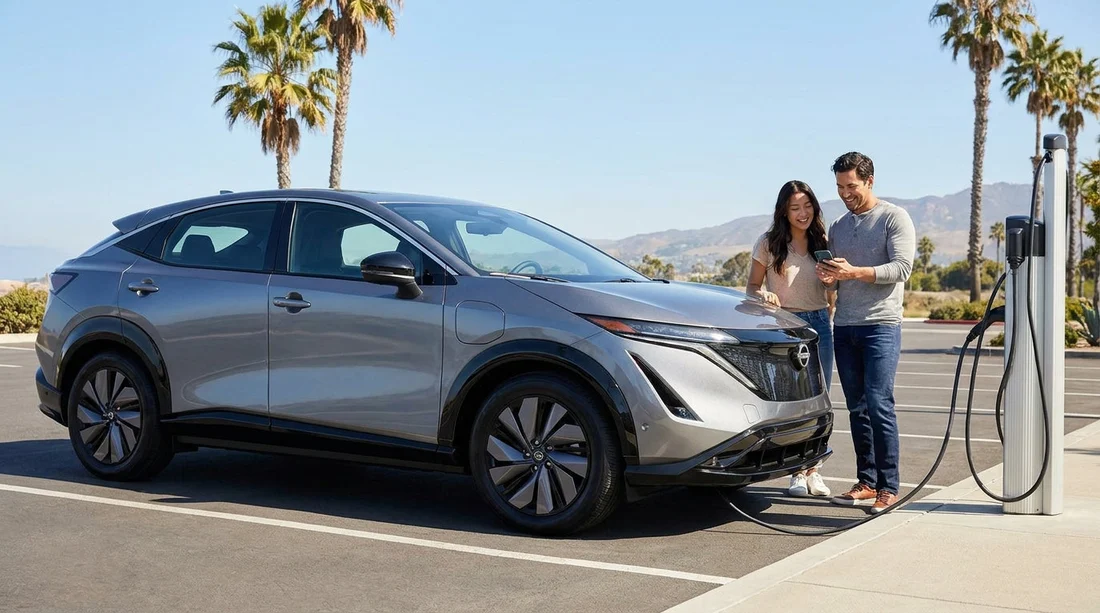
Quick Summary:
- Install major charging network apps and add a payment card.
- Enable Apple Pay or Google Pay for quick tap-to-pay sessions.
- Download a route-planning app that filters chargers by speed.
- Set up at least one roaming app as a reliable backup.
Picking up an electric rental for car hire in California is easy, but charging feels smoother when your phone is ready before you reach the lot. Many public chargers work without an app, but app setup still matters because it can unlock member pricing, start sessions on units with poor card readers, show live availability, and store receipts for expenses. The goal is not to download everything, it is to cover the typical app types you will actually use on a California road trip or city stay.
California has dense charging coverage around Los Angeles, the Bay Area, San Diego, and Sacramento. It also has long stretches where planning helps, especially if you are driving between metros or heading to coastal or desert routes. If you are collecting at a busy airport location such as Los Angeles LAX or flying into Northern California via San Francisco SFO, setting up your apps on hotel WiFi beforehand saves time and avoids mobile signal issues in parking structures.
1) Charging network apps (the essentials)
The first category is the operator apps for big charging networks. These apps typically let you start and stop a charge, check pricing, see whether a stall is open or out of service, and get help if something fails. In California, the networks you are most likely to encounter include Electrify America, EVgo, ChargePoint, Shell Recharge, and Tesla (only relevant if your rental is a Tesla or has access via an adapter and policy allows).
Why install network apps before you collect the car: you can create accounts, verify your email, add payment methods, and save your billing address while you have time. Some networks apply a small pre-authorisation hold on your card, so doing this setup early helps you notice any bank issues before you are standing at a charger with a low battery.
If your car hire starts in Southern California, you may be driving from San Diego up to Orange County or Los Angeles. Along this corridor you will see multiple networks, so having at least two major network apps reduces the chance you arrive at a charger and cannot initiate the session.
2) Payment and wallet apps (speed and reliability)
The second app type is payment, which is really about removing friction. Even where card readers exist, they can be slow, sun-glared, or temporarily offline. Setting up Apple Pay or Google Pay can help with in-app payments, and it can also speed up account verification when you add a card to each charging network.
Use a card with good overseas support if you are visiting from the UK. Some US charging networks run transactions that look like fuel purchases, and fraud filters can occasionally decline first attempts.
Add a backup card in at least one network app if it allows it. This is helpful if your primary card is blocked after several small authorisations in a short time.
Turn on app notifications for charging networks you expect to use. It helps you spot session start failures, idle fees, and completion alerts quickly.
3) Route planning apps (arrive with the right battery level)
Route planning is where EV driving goes from manageable to effortless. A good planner estimates consumption based on speed, elevation changes, temperature, and traffic. It also suggests charging stops that match your vehicle and your preferences, such as faster DC charging instead of slower AC posts.
Filters for connector types and power, so you can target DC fast chargers when time matters, and avoid arriving at slower Level 2 posts during a tight schedule.
Live availability and reliability scoring, which helps you avoid sites with many broken stalls or queues.
Trip optimisation, because two shorter fast charges can be quicker than one long session, depending on the car’s charging curve.
Even if your rental has built-in navigation, a separate app can be helpful for comparing charger options and prices. This matters if you are making a one-way drive between cities and want predictable stops rather than searching at the last minute.
4) Aggregator and roaming apps (a smart backup)
Aggregators pull charger locations from multiple networks into one map and often show recent user check-ins. Roaming apps can sometimes start a session on a partner network without needing that specific operator’s app. Think of this as insurance for car hire in California, especially if you land late and need the first working charger quickly.
Recent reviews that mention whether stalls were functional and how queues behaved at peak times.
Pricing visibility, because some DC fast chargers price by kWh, others by time, and some add session fees.
Location details such as access hours, parking validation rules, and whether a hotel or retail site restricts usage.
5) Manufacturer apps and key apps (useful, but not always available)
Some rentals allow access to a manufacturer app for functions like preconditioning, remote lock, or battery monitoring. In many car hire situations you will not be able to link the vehicle to your own account, or it may be restricted for privacy and security. Still, it is worth asking at collection whether remote features are enabled and whether the car provides a charge card or RFID token for any network.
If the vehicle has a built-in app ecosystem, learn the basics while parked. Check where the charge port is, how to open it, and how to read the screen for charge rate and time remaining. This reduces confusion at the first charger, which is often the most stressful one.
6) How many apps do you really need?
A practical target is three to five: two major charging network apps, one route planner, and one aggregator or roaming option. That covers most charging scenarios without cluttering your phone. If your trip is focused around one metro area, you might use the same network repeatedly. If your trip spans multiple regions, variety matters.
If you want to match your app setup to your likely route, start by checking where you will begin your car hire and where you will end it. For example, travellers who collect at Sacramento SMF and drive into the Sierra foothills will benefit from stronger route planning and a backup roaming option, while city-only stays can focus more on network apps and parking-based Level 2 charging.
7) A day-one setup checklist before you arrive at the counter
Create accounts in advance for the charging networks you are most likely to see, and confirm email verification works.
Add payment methods and check your billing postcode format matches what the app requests.
Enable location permissions so charger maps show nearby options accurately.
Download offline maps in your preferred navigation app for areas with weak signal.
Save a few key charging sites near your hotel and near your arrival airport as favourites.
Decide on a simple charging rule such as keeping 15 to 20 percent buffer when exploring, and charging earlier before long drives.
FAQ
Do I need an app to charge an electric rental car in California? Not always. Many chargers accept card payments, but apps often improve reliability, show live availability, and can reduce costs with member pricing.
Which type of app should I prioritise if I only install two? Install one major charging network app you will likely use, plus a route-planning app that can filter chargers by speed and connector type.
Will my UK payment card work in US charging apps? Usually yes, but the first transaction may be declined by fraud checks. Add your card before travel, keep a backup card, and allow small pre-authorisation holds.
How can I avoid arriving at a charger that is full or broken? Use a map or route-planning app that shows live status and recent check-ins, and keep a backup site saved within a short drive.
What should I do if the charger will not start a session? Try the network app first, then a different payment method, then another stall. If it still fails, move to your saved backup site and contact the network support line in-app.































































































