


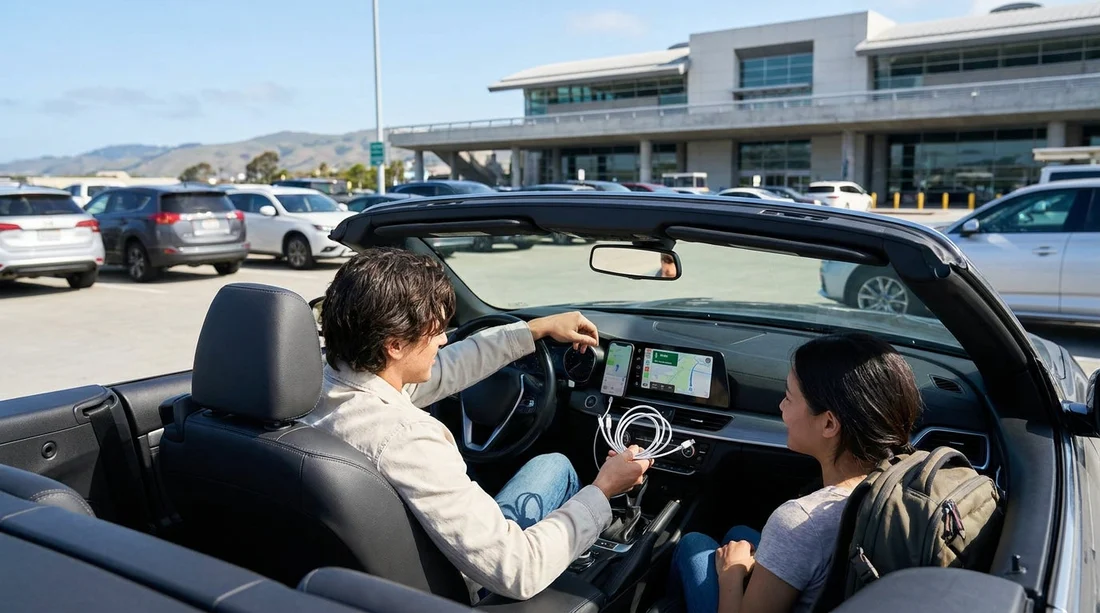
Quick Summary:
- Bring a USB-C to USB-C cable, it suits most newer Androids.
- Pack an iPhone Lightning cable and a USB-A adapter for older ports.
- Add a USB-C to Lightning cable for modern iPhone fast charging.
- Carry a compact 12V car charger with dual USB-A and USB-C.
When you collect a car hire in San Francisco, the quickest way to waste time is to assume the car will match your phone. In reality, rental fleets mix model years, trim levels, and infotainment options. One car might have wireless CarPlay and USB-C ports, another may only offer wired CarPlay through a single USB-A socket in the centre console. If you arrive with only one cable, you can end up buying an overpriced replacement at the airport, or driving off with low battery and no navigation.
This guide focuses on the most useful cables and small adapters to pack, so you can connect for CarPlay or Android Auto, charge reliably, and avoid extra spend. It is written for travellers picking up in San Francisco, including busy collection points like San Francisco Airport (SFO) car rental, where you want to be on the road quickly.
First, identify what you actually need for CarPlay
CarPlay comes in two flavours: wired and wireless. Wireless is common in newer cars, but not guaranteed, and it can be fussy if the car has been paired with many previous drivers. Wired CarPlay is often the fastest, most dependable option, and it always requires a data-capable cable, not a charge-only lead.
For iPhone users, wired CarPlay typically needs either a Lightning cable (older iPhones) or a USB-C to USB-C cable (newer iPhone 15 series). Some vehicles use USB-A ports even if the car is relatively new, so having the correct ends matters as much as having the correct phone connector.
For Android users, Android Auto also prefers a good data cable. Many USB-C cables will charge but fail to maintain a stable data connection in the car, which causes random disconnects mid-route. Choose a shorter, well-made cable, ideally 0.5 m to 1 m, to reduce tangles and strain on the port.
The essential cable set to pack for San Francisco car hire
If you want a simple, high-success kit, pack these items. They cover the majority of rental cars and phones without turning your bag into an electronics drawer.
1) USB-C to USB-C cable (data-capable)
This is the single most versatile cable today. It works for most Android phones, many power banks, and newer iPads. It also supports fast charging when paired with a suitable car charger. In newer rentals, the in-car port is often USB-C, so this cable can handle both charging and Android Auto. If your iPhone uses USB-C, it also supports CarPlay via USB-C to USB-C in cars that accept it.
2) USB-C to Lightning cable (MFi-certified or equivalent quality)
For iPhone users with Lightning ports, this cable helps in two ways: it allows fast charging from a USB-C output, and it often works better than older USB-A to Lightning leads in newer cars with USB-C sockets. It is also a good fallback if the car has USB-C ports but you only packed an older USB-A cable.
3) USB-A to Lightning cable
This is still important because a lot of rental cars, including some with wired CarPlay, use USB-A for the data connection. If your iPhone is Lightning, a USB-A to Lightning cable remains one of the most common ways to get CarPlay working immediately.
4) USB-A to USB-C cable
Many travellers skip this, then discover the only port that supports Android Auto is USB-A. A simple USB-A to USB-C cable can save you from buying one at the last minute. It is also useful if the car provides only USB-A charging ports and your devices are USB-C.
Adapters that prevent the common port mismatch
Cables are the foundation, but tiny adapters can cover awkward combinations without adding much weight.
USB-A (male) to USB-C (female) adapter
This lets you plug a USB-C cable into a USB-A port. It is useful when you have a high-quality USB-C to USB-C cable but the car only offers USB-A. Note that some adapters handle charging only. For CarPlay or Android Auto, choose an adapter that supports data pass-through.
USB-C (male) to USB-A (female) adapter
This does the opposite. If the car has USB-C ports and you only have USB-A cables, the adapter bridges the gap. Again, pick one that supports data if you rely on wired CarPlay or Android Auto.
Why not pack every adapter?
Because too many joins can reduce reliability. For data connections, a single cable is usually better than cable plus adapter. Use adapters as backup rather than your primary plan.
Do not forget the 12V car charger
A compact 12V charger is often the difference between “charging slowly” and “charging properly while navigating.” Many in-car USB ports provide limited power, and older vehicles may not charge fast enough to keep up with navigation, streaming, and screen brightness. Look for a charger with both USB-C Power Delivery and USB-A, so it works with multiple devices. Dual outputs also help if your passenger needs power at the same time.
This is particularly useful around San Francisco, where stop-start traffic, hilly routes, and longer drives out to coastal viewpoints can keep your phone active for hours. With a proper car charger, you can keep a high charge level even while running navigation.
How to avoid CarPlay connection problems at pick-up
Even with the right cable, there are a few quick checks that reduce frustration at the counter or in the garage.
Check the port label before plugging in
Some cars have multiple USB ports, but only one supports CarPlay or Android Auto. It may be labelled with a smartphone icon, “data,” or a CarPlay symbol. Plugging into a charge-only port can make you think your cable is faulty.
Use a short, flexible cable
Long cables snag on gear selectors and cupholders, which stresses the phone port and causes disconnects. A shorter cable also reduces signal loss for data.
Clean your phone port
Pocket lint can stop the connector seating properly. A loose fit leads to intermittent charging and CarPlay dropouts, especially over bumps.
Restart pairing if the car is “stuck” on a previous device
If wireless CarPlay will not show up, remove old phones from the car’s Bluetooth list and restart the infotainment system if the menu allows. With a car hire, you are inheriting whatever was paired last week.
What to expect from rental cars around San Francisco
Fleet mix changes constantly, but you can generally expect a range from compact cars to SUVs. Newer models are more likely to have USB-C ports and wireless CarPlay, while older models may only support wired connections through USB-A. If you are comparing options, you might see different categories and providers across the region, such as Alamo car hire at SFO, or neighbouring pick-up points like San Jose (SJC) car rental if your trip starts or ends in Silicon Valley.
The key is to pack for uncertainty. A two-cable strategy is good, but a four-cable plus small charger strategy is what reliably handles last-minute swaps, upgrades, or a different trim level than you expected.
A practical packing list you can screenshot
For most travellers, this kit is small, inexpensive, and covers almost every scenario:
Minimum for iPhone (Lightning): USB-A to Lightning, plus USB-C to Lightning, plus a dual-output 12V charger.
Minimum for iPhone (USB-C): USB-C to USB-C, plus USB-A to USB-C, plus a dual-output 12V charger.
Minimum for Android (USB-C): USB-C to USB-C, plus USB-A to USB-C, plus a dual-output 12V charger.
If your itinerary includes driving beyond San Francisco, like down towards the South Bay, the same kit helps across providers and locations, including options such as Avis car rental in San Jose. The more you move between cars, the more valuable a consistent cable setup becomes.
FAQ
Do I need a special cable for CarPlay, or will any charging lead work? You need a data-capable cable. Some low-cost leads charge but cannot pass data reliably, causing CarPlay to fail or disconnect.
Will a San Francisco rental car definitely have USB-C ports? Not necessarily. Many newer vehicles do, but plenty still use USB-A, and some have a mix. Packing both USB-A and USB-C options prevents surprises.
Is wireless CarPlay worth relying on in a car hire? It can work well, but it is less predictable in rentals because previous pairings and settings can interfere. Having a wired cable gives you a fast fallback.
What is the simplest “one charger” solution for two people? Bring a compact 12V charger with one USB-C and one USB-A output, plus the right cables for each phone. It keeps both devices charging without fighting over ports.
Can I use the car’s USB port to fast charge my phone? Sometimes, but many built-in ports are low power. A quality 12V USB-C Power Delivery charger is more likely to deliver consistent fast charging.































































































