


Quick Summary:
- Rental sat nav costs more daily, but needs no mobile data.
- Your phone works best with offline maps, a mount, and charger.
- International visitors should check roaming, eSIM options, and coverage areas.
- At pickup, confirm USB ports, CarPlay, and windscreen mount rules.
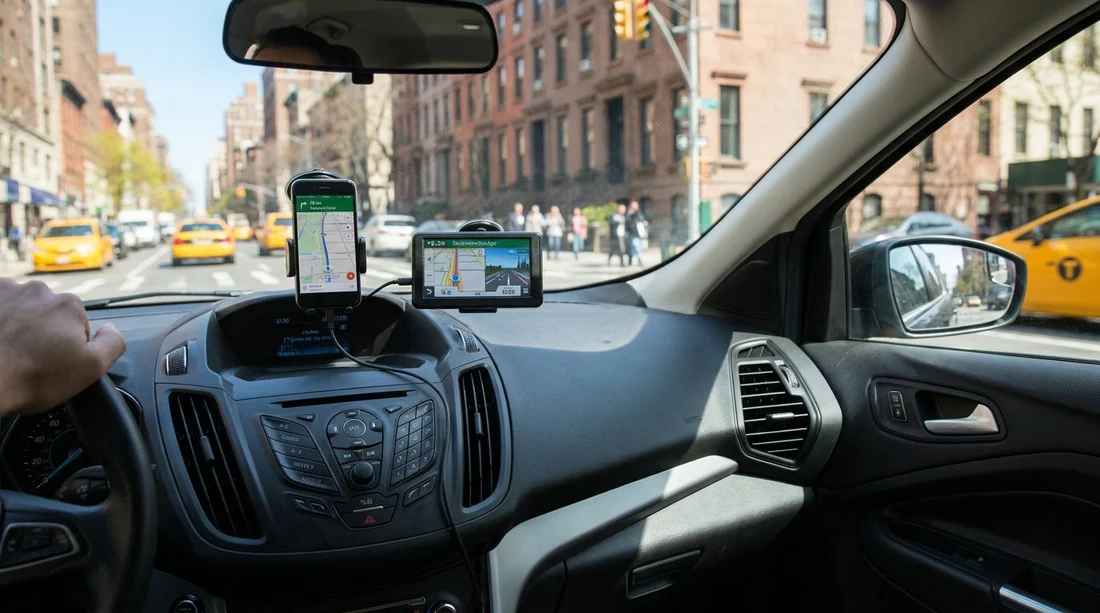
When arranging car hire in New York, navigation is one of the few decisions that affects your wallet, your time at the counter, and how calm you feel leaving the airport. You will typically choose between paying extra for the rental company’s sat nav unit or using your own phone with maps. Both can work well, but the best choice depends on how long you are driving, whether you have reliable data, and how much setup you want to do before you land.
This guide compares costs, data needs, and the practical setup steps that help you arrive prepared, especially if you are collecting near JFK. For location-specific planning, it can help to review pickup details for car rental New York JFK or check options for car hire New York JFK so you know what equipment and policies are common.
Cost comparison: sat nav add-on versus phone
In New York, a sat nav add-on is usually priced per day and may have a cap for longer rentals. Even with a cap, the total can still be noticeable across a week. The sat nav cost can feel easier to justify when multiple drivers need turn-by-turn directions and nobody wants to rely on one person’s phone, or when you want a single-purpose device that is always ready.
Using your phone is often cheaper because the mapping apps are free, but you need to account for hidden costs. International roaming can be expensive, and even with inclusive data, poor coverage or throttling can make live navigation unreliable. A local SIM or eSIM may have an upfront cost, but can still work out cheaper than paying daily for a sat nav, particularly for multi-day trips.
If you are budgeting tightly, compare sat nav charges with overall rental pricing. Hola Car Rentals lets you compare suppliers and categories, including value-focused options like budget car rental New York JFK, where keeping add-ons minimal can help the total stay predictable.
Data needs and reliability in and around New York
New York City has strong mobile coverage, but navigation is not only about signal strength. Skyscrapers can cause GPS bounce, tunnels can interrupt positioning, and heavy traffic means you benefit from live rerouting. Sat nav units do not require mobile data, but they also may not be as quick at reflecting new road layouts or temporary closures, depending on how recently the maps were updated.
A phone with live traffic can be excellent for driving in and out of the city, but it depends on stable data. If you are visiting from the UK or EU, check your plan’s US roaming terms carefully. If roaming is expensive, an eSIM or local SIM can provide reliable data without surprise bills. If you plan to drive across state lines, confirm that your data plan covers New Jersey, Connecticut, and beyond without restrictions.
The safest approach for phone navigation is to assume data might drop at some point. Download offline maps for the areas you will drive, pin your accommodation, and save important addresses. That way, even if you lose signal leaving JFK or crossing bridges, you still have guidance until service returns.
Setup steps for using your phone, before you travel
Phone navigation is easiest when you treat it like part of your travel kit, not something you figure out in the rental car queue. These steps reduce stress and help you get moving quickly after picking up your vehicle.
Prepare offline maps and locations. In your mapping app, download offline maps for New York City plus any regions you will visit, such as Long Island or the Hudson Valley. Save key locations, including your hotel, your first parking stop, and the return location. If you are collecting at JFK, save the terminal and the rental return point you will need later.
Sort charging and cables. Bring a car charger that matches your phone, ideally with a spare cable. Many rental cars now offer USB-A or USB-C ports, but you should not rely on the port type being the one you need. If your phone is your sat nav, battery anxiety quickly becomes the real issue.
Plan your mounting method. A sturdy mount makes navigation safer and easier to follow. Suction mounts can be affected by heat and textured dashboards, so consider a vent mount if you prefer. Whatever you bring, keep the screen within easy sight without blocking your view.
Test hands-free audio guidance. Make sure spoken directions play through the car speakers at a reasonable volume. If your car supports Apple CarPlay or Android Auto, that can be more comfortable than a small screen, but only if you have the right cable and the system works smoothly.
Counter-ready checklist: arrive prepared at pickup
Whether you pick sat nav or phone, the goal is to spend less time troubleshooting and more time driving confidently. When you reach the counter, these practical questions help you avoid surprises.
Does the vehicle have CarPlay or Android Auto? If yes, ask whether it is wired or wireless. Wired systems may require a specific cable type, and some cars only connect reliably with genuine cables.
Where are the USB ports and 12V socket? This affects where you can place your phone mount and how you manage charging cables without them getting in the way.
Any restrictions on windscreen mounting? Policies can vary, and you do not want to be told to remove a mount after you have set everything up.
JFK collections are often busy, so having your plan fixed before you arrive helps. If you are comparing suppliers, you might browse options such as Avis car hire New York JFK or consider supplier-specific pickup experiences like Enterprise car rental New York JFK, then align your navigation choice with what you expect the vehicle to include.
Which option is best for different trip types?
City-focused driving: If most driving is within New York City and you want live traffic and quick rerouting, a phone with data tends to be better. Offline maps still help when GPS drifts near tall buildings or you pass through underpasses.
Longer road trips: If you are heading out of the city for several days, your phone can still be ideal if you have dependable data or offline maps downloaded. A sat nav can be useful as a backup if you are worried about roaming costs, battery drain, or limited service in rural pockets.
International visitors without US data: Unless you are buying a local SIM or eSIM, a rental sat nav can prevent bill shock. Alternatively, a phone with offline maps can work, but you must be disciplined about downloading the right regions and not relying on live traffic.
Safety and practicality while driving in New York
Navigation is only helpful if it keeps you focused on the road. Whichever option you choose, set the route before you move off, rely on voice guidance where possible, and avoid fiddling with screens in heavy traffic. In New York, lane guidance can be especially important near bridges, tunnels, and multi-lane interchanges, so choose a setup that gives clear instructions and enough advance notice to change lanes safely.
FAQ
Is a rental sat nav worth it for car hire in New York? It can be if you want a data-free solution, do not want to manage phone setup, or you are worried about roaming charges. If you have reliable data or offline maps, your phone is often better value.
Can I rely on offline maps on my phone around New York? Yes, offline maps usually cover routing well, but you may lose live traffic updates and the fastest rerouting. Download maps for all areas you expect to drive, not just Manhattan.
Will my phone connect to the rental car screen? Many newer rentals support Apple CarPlay or Android Auto, but it varies by model and trim. Ask at pickup whether it is available, and whether it requires a USB cable.
What should I bring if I use my phone for navigation? Bring a sturdy mount, a car charger, the correct cable, and pre-downloaded offline maps. Also save key addresses, including your accommodation and the return location.
What is the quickest way to avoid delays at the rental counter? Decide on sat nav versus phone before you arrive, then confirm ports, phone integration, and mounting rules during handover. Having your first destination saved speeds things up.































































































