


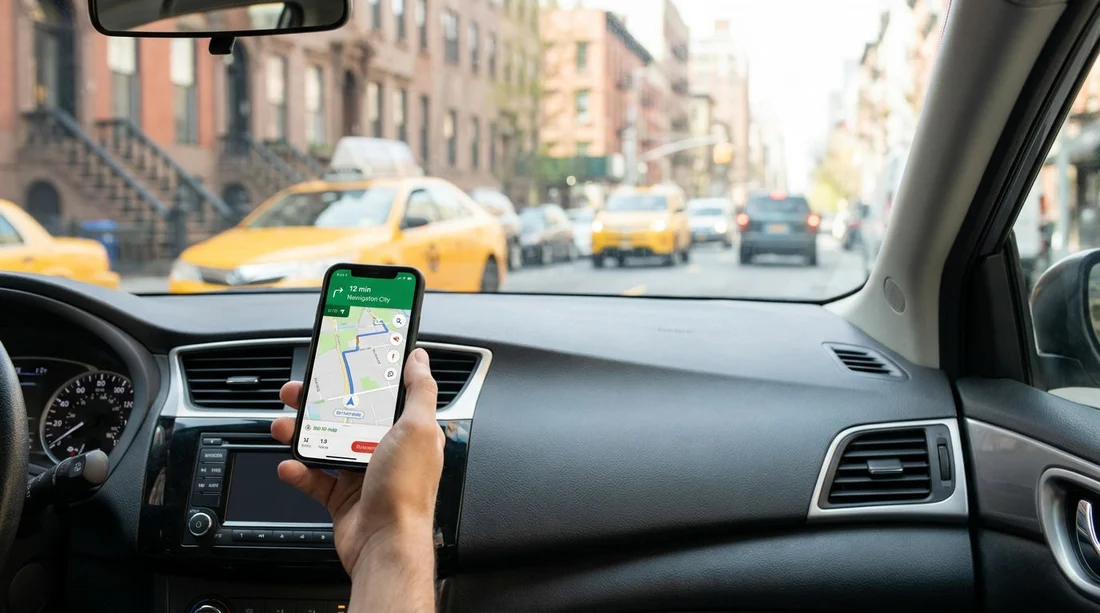
Quick Summary:
- Holding a phone while driving in New York is usually illegal.
- Use a mount or stow the phone securely and rely on voice.
- Set your route, audio, and alerts before moving off.
- If you must use the phone, pull over and park first.
If you are picking up a car hire in New York and plan to use your phone for sat nav, the key point is simple: New York takes distracted driving seriously, and holding or actively using a phone in your hand while driving is a common reason for stops and penalties. Visitors often assume that using maps is different from texting. In practice, the safest approach is to treat navigation the same as any other phone use: keep your hands on the wheel, keep the device out of your hand, and set everything up before you start moving.
This guide explains how New York’s hands-free and screen-use rules apply to sat nav on a smartphone, and what to prepare before leaving the rental counter so you can drive confidently from the first junction.
What New York law is trying to prevent
New York’s rules focus on preventing handheld phone use and other activities that take your attention away from driving. From a practical driver’s perspective, it helps to think in two categories.
Hands-free communication: Calls are generally allowed if you use hands-free features, such as Bluetooth, built-in car systems, or the phone’s speaker, without holding the device.
Screen interaction: Actively looking at, tapping, scrolling, typing, or holding the phone while the vehicle is in motion can be treated as prohibited handheld use or distracted driving, even if you are “only changing the route”. The strictest interpretation to follow is, once you are moving in traffic, do not touch the phone at all.
Because enforcement is based on what an officer can observe, holding a phone low near the centre console can still lead to a stop. A visible mount and a set route reduces doubt and reduces risk.
So, is it legal to use your phone for sat nav without a mount?
Using your phone as sat nav is not automatically illegal, but holding it typically is. Without a mount, drivers often end up placing the phone in a hand, balancing it on a knee, or picking it up when it slides. Those are the moments that create legal and safety problems.
To stay on the safe side in New York, use one of these approaches:
Best option, use a mount: A vent, dash, or windscreen mount keeps the phone stable and visible without being in your hand. It also makes it easier to glance briefly rather than stare downwards.
Second best, stow the phone and use voice only: If you do not have a mount, place the phone in a secure spot, for example a cubby, cup holder, or centre console, and rely on spoken directions. Do not pick it up at lights.
Avoid: Holding the phone for guidance, resting it on your lap, or interacting with the screen while rolling. Even a brief check can be interpreted as handheld use.
If you are arriving via JFK and then driving into Manhattan, traffic is dense and lane changes come quickly. It is exactly the environment where a secure setup matters. If you are arranging car hire options near New York JFK, plan to have your navigation solution ready before you leave the airport roads.
What to set up before leaving the rental counter
The easiest time to keep things legal is before you start the engine. When you collect your vehicle, whether in New York or just across the river in New Jersey, take two minutes to get ready.
1) Pair Bluetooth or select your audio method
Connect your phone to the car’s Bluetooth system if available, or decide whether you will use the phone speaker. If the vehicle supports Apple CarPlay or Android Auto, that can reduce the urge to touch the handset.
2) Put the phone in a mount or choose a secure location
If you have a mount, fit it before you move off. If you do not, choose a place the phone will not slide during braking. Avoid placing it on the passenger seat where it will fall and tempt you to reach for it.
3) Set your destination and check the first two turns
In New York, the first 500 metres can be the most stressful, especially leaving an airport, garage, or busy pick-up zone. Confirm the first junction, the lane you need, and whether the app expects a toll crossing.
4) Download offline maps or ensure signal
Tunnels, multi-storey car parks, and dense areas can cause GPS drift. Offline maps help keep voice guidance stable when reception dips.
5) Set “Do Not Disturb while driving”
Silencing notifications reduces temptation. Navigation voice should still come through, but distracting banners and message alerts will not.
If you are collecting a vehicle at Newark Airport and then driving into New York City, the first leg includes fast-moving roads where you should not be handling a phone. It can help to review your pickup location in advance, for example with car hire at New Jersey EWR airport, then set your route before merging onto major highways.
What about stopping at red lights or in traffic?
Drivers often assume that “not moving” means “not driving”. In New York, you should treat being stopped in a lane of traffic as still driving for the purpose of phone handling. Even if you are stationary at a red light, picking up and using the phone can still create enforcement risk, and it is also when rear-end collisions happen if you miss the green.
If you must interact with the phone, the best practice is to pull over, park, and then use it. In Manhattan and many parts of New York, that can be challenging, so planning ahead matters.
Rental car realities, mounts, charging, and visibility
With car hire, you often have an unfamiliar dashboard layout, different USB ports, and different windshield angles. That can affect where you mount a phone and whether it blocks your view.
Do not obstruct your view: Place the mount so it does not block the road, signs, or mirrors. Keep it low and slightly to the side where possible.
Bring a cable: Navigation drains battery quickly. A short charging cable reduces clutter and the chance of snagging the phone out of place.
Consider a vent mount: Vent mounts are quick to install and often less likely to interfere with visibility than high windscreen placement.
Know your toll plan: Many New York area routes include toll roads, bridges, or tunnels. If you need to adjust toll settings, do it before you move.
People also hire cars from New Jersey locations to drive in and around New York. If that is your plan, you may be comparing pick-up points such as car hire in New Jersey EWR or Hertz car hire at Newark EWR. Whichever counter you use, the same setup checklist applies before you roll out.
FAQ
Is it illegal to hold your phone for Google Maps in New York?
Holding a phone while driving is generally prohibited in New York, even if you are using it only for maps. The safer approach is a mount or stowing the phone and using voice directions.
Can I tap my sat nav at a red light in New York?
It is best to assume no. Being stopped in traffic is still part of driving, and handling the phone can still lead to a ticket and is a common cause of missed lights and collisions.
Do I need a specific type of phone mount in a rental car?
No specific mount is required, but it should keep the phone secure and not obstruct your view. Vent and dashboard mounts are popular because they are easy to fit temporarily.
What if my rental car has Apple CarPlay or Android Auto?
Use it if available, as it reduces the need to handle the phone. Still set your route before moving off, and avoid interacting with on-screen menus while driving.
Should I rely on voice guidance only if I have no mount?
Yes. If you cannot mount the phone, place it securely out of your hand and follow spoken directions. If you must change settings, pull over somewhere legal and park first.































































































