


Quick Summary:
- Check your voucher for supplier name, airport code, and exact desk location.
- Use brand-served boards to confirm which companies each counter handles.
- Join the queue that matches your brand and booking type.
- Confirm pick-up address and shuttle steps before leaving the terminal.
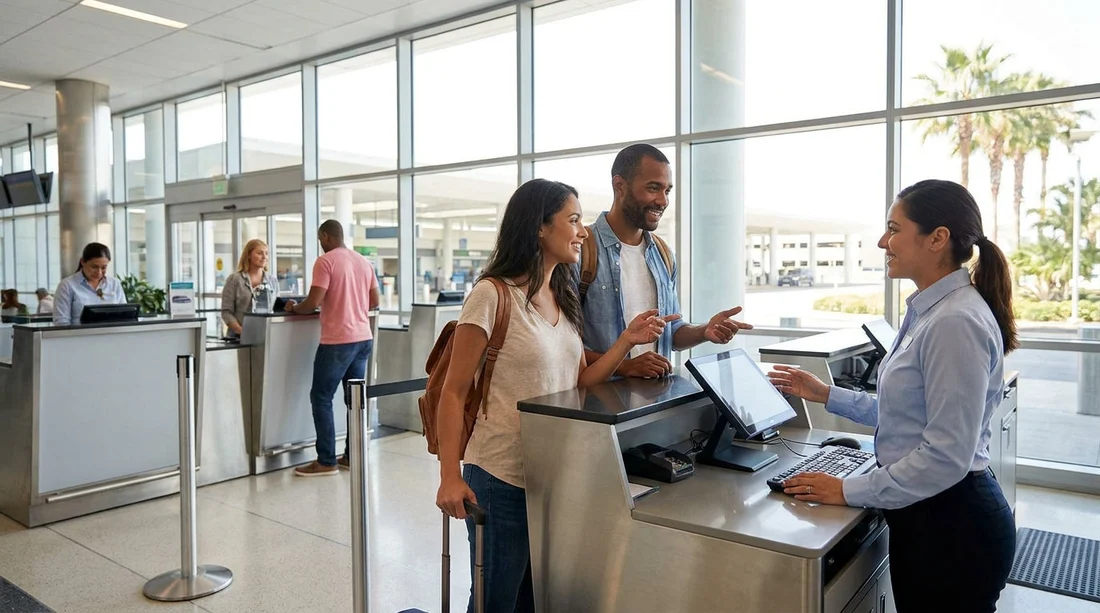
Shared desks can make airport arrivals feel confusing, especially after a long flight when you just want to collect keys and get moving. At Miami Airport in Miami, several brands may be served from the same counter, while other suppliers operate from separate desks or even off-airport locations. The good news is that you can avoid the wrong queue with a few quick checks, and you do not need to guess.
This guide explains what shared-counter signs usually mean, what to verify on your voucher, and how to keep your car hire pick-up smooth. It also helps you spot common traps, like lining up for a desk that looks right but is serving a different brand at that moment.
Why counters are shared at Miami Airport
Airports often allocate limited counter space, so groups of brands may operate from a single service position. Sometimes this is because a parent company owns multiple brands, sometimes because a local operator provides desks for several partners, and sometimes because the airport changes desk assignments by season or terminal layout. That is why the desk signage matters more than assumptions about brand presence.
If you are arranging car hire for Miami, it also helps to know whether your pick-up is at the airport rental facility or a nearby office. For a quick overview of airport pick-up basics, see Miami Airport car rental.
Start with your voucher, it contains the answer
Before you join any line, open your confirmation or voucher and look for four details. They usually appear near the top or in a section labelled “Pick-up” or “Supplier information”.
1) Supplier name and brand. The brand on your voucher is the one you must queue for, even if another brand is operated by the same group.
2) Location type. It should say “Airport”, “On-airport”, “Rental Car Center”, “Shuttle”, or “Off-airport”. This tells you whether you should stay inside the terminal complex or look for a shuttle pick-up point.
3) Airport code and address. Miami International Airport is commonly shown as MIA. The address or facility name helps you confirm you are in the right place, especially when several desks look similar.
4) After-hours and contact info. If your flight arrives late, check the desk hours and any after-hours procedure so you do not queue for a counter that is already closed.
If your voucher indicates an alternative pick-up point, compare it against other Miami locations so you are not trying to force an airport desk collection. For context on city options, compare with Downtown Miami car rental.
How to read shared-counter signage quickly
Shared counters usually rely on two types of signs, and you should use both.
Overhead desk signs identify the physical service position. This may show one brand, multiple brands, or a generic operator name. Treat this as the “where”, not the “who”.
Brand-served boards list which brands are currently handled at that desk. These boards may be mounted on a pillar, displayed on a screen, or placed at the start of a queue. If you see a list, match your voucher brand to that list before you join.
Be careful with brand logos that appear nearby but are not part of the current desk allocation. Sometimes airports leave legacy signage up, or a desk was relocated temporarily. Always prioritise the live “brands served here” list, then confirm with your voucher.
Avoid the most common queue mistakes
When desks are shared, most wrong-queue situations happen for predictable reasons. Here is how to avoid each one.
Mistake: Joining the first long line you see. At busy times, one shared counter can have multiple queues, such as “Members”, “Prepaid”, or “Assistance”. Ensure the queue category matches your booking type and driver needs.
Mistake: Following the uniform. Staff may wear a generic airport operator uniform or rotate between partner brands. Queue signage and brand-served boards matter more than clothing.
Mistake: Assuming all airport car hire is in one hall. Some suppliers operate from a separate facility reached by a shuttle. If your voucher mentions a shuttle, you will waste time in the wrong hall.
Mistake: Confusing nearby areas. Miami has multiple popular collection points, including Miami Beach. If you accidentally navigate to another location, you may find a legitimate desk that cannot access your booking. If you are headed to the coast, compare the details with Miami Beach car hire.
Step-by-step: the fastest way to find the correct counter
Step 1: Confirm your brand and location type. Read the voucher brand name and whether it is on-airport or shuttle-based.
Step 2: Identify the desk zone. Follow airport “Car Rental” signs to the appropriate rental area. If your voucher says shuttle, locate the ground transport section instead of joining any desk line.
Step 3: Scan for brand-served boards. Look for a screen or placard listing multiple brands. If your brand is listed, you are in the right place to queue.
Step 4: Check queue labels. Some desks separate queues by service type. Match the label to your situation, for example standard counter service versus member lanes.
Step 5: Ask one targeted question before committing. If you are unsure, ask the greeter or first agent: “Is this the counter for [brand on voucher] pick-ups today?” This is quicker than queuing and finding out at the front.
Step 6: Keep your documents ready. Have your driving licence, payment card, and voucher accessible. Faster processing reduces time spent at shared desks, which helps everyone in the queue.
Voucher details that prevent desk delays
Even at the correct shared counter, delays often come from missing or misunderstood voucher details. Check these before you reach the front.
Payment method. If your voucher requires the main driver’s card or a particular card type, confirm you have it ready.
Deposit and insurance. Know whether a deposit is required and what cover you already have, so you can make decisions without holding up the queue.
Driver and age rules. Ensure additional drivers and age-related requirements are clear. Shared counters can be strict because they serve multiple programmes.
Vehicle category. If you booked a larger vehicle, confirm that the category is stated clearly, as some desks direct larger groups to a separate collection lane. For people-carrier options, see Minivan rental in Florida.
How to tell if you are in the wrong place before it is too late
You can usually detect a wrong queue within the first minute. Look for these signals.
The queue sign lists different brands. If your brand is not listed, step out and re-check the boards.
The agent is repeatedly calling a different brand name. Shared counters often triage customers by brand, and the call-outs tell you who they are currently serving.
The paperwork the agent is asking for does not match your voucher. For example, they might mention a shuttle address or a different facility. That is a sign you are at the wrong operator desk.
The desk says “returns only”. Some desks handle returns questions, while pick-ups are elsewhere. If you see “returns” on signage, confirm before waiting.
FAQ
How do I know if my car hire desk is shared at Miami Airport in Miami?
Look for a “brands served here” list on a screen or placard near the queue. If multiple brand names are shown for one counter, it is a shared desk.
What voucher details matter most for finding the right counter?
The supplier brand name, the pick-up location type (on-airport or shuttle), the address or facility name, and the contact number for collection support.
Can two different queues lead to the same shared counter?
Yes. Shared counters often split lines by service type, such as standard service, membership lanes, or assistance. Join the queue that matches your booking type and needs.
What should I do if I joined the wrong queue by mistake?
Step out as soon as you notice, re-check the brand-served boards, then ask a staff member which line serves the brand on your voucher.
Does a shared counter change what happens at vehicle pick-up?
Usually no. The counter is for paperwork and key issue. The actual vehicle collection area and process should follow your voucher instructions as normal.































































































